Advanced Sheet Metal Design Using NX Cad Challenge_5_Odd Shaped Enclosure
1. TITLE : Modeling of ODD SHAPED ENCLOUSER using NX CAD Sheet metal
2. Objective : Draw ODD SHAPED ENCLOUSER in NX CAD using Sheet Metal workbench and list the procedure like tools used to create ODD SHAPED ENCLOUSER
3. Introduction : A Sheet Metal is a engineering raw material which is used to make car bodies, aircraft bodies, food beverages tins, etc. if the thickness of the sheet is less than 6 mm then it is called as sheet metal on the other hand if the thickness of the sheet is greater than 6 mm then it is called as metal plank. These sheets have to undergo various operations to get in to a requires shape , these shapes have to pre designed in drawing sheet by designer which will be a blueprint for the production department,
The blueprint can be made by manually or conventional method or we can give the blueprint in a soft copy by using CAD tools.
In this project we are using NX CAD version 12, Sheet Metal Design to draft a casing. NX CAD is software with various work benches in it , this software is developed by SIEMENS company
4. Approach :
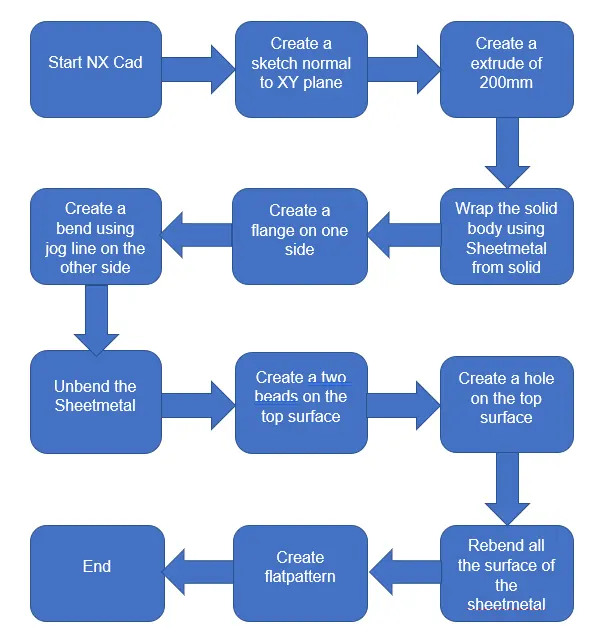
5. Description :
Tools used in this project
1.Sketch
2.Tab
3.Extrude
4. Sheet Metal From Solid Body
5.Flange
6. Jog
7.Undbend
8.Bead
9.Hole
10.ReBend
11.Flat Pattern
Explanation of Tools
1.Sketch: it is a tab in which we can create 2D sketches and give the required dimensions by incorporating different geometrical shapes like rectangle , line, curve, circle etc, this 2D sketch is used for the 3D developments by using Tab option
2.Tab: creates a base feature by extruding a sketch along a vector by a thickness value or adds a material to a plane face
3.Extrude : This feature is used to make a solid body with the help of a 2D sketch
4. Sheet Metal From Solid Body : It is a kind of feature in which sheet metal is shaped by placing on a solid shaped body Such that the final shape of sheet ,etal will be the shape of the solid body
5.Flange : Adds a flange to an angle to a planar face and adds a bend between the two
6. Jog : It is used to bend the sheet at particular length and radius on the sketch drawn
7.Undbend : It makes the part unbend that all the features done are made flat. This is useful while sketching on the corners and bends
8. Bead : Lifts a material along a counter of sketch that simulates stamping a tool
9. Hole : his command allows user to create a hole in the part by sketching a point on the sheet metal
10. ReBend : This command puts back all the bends already created also along with a new feature includes while in unbent state
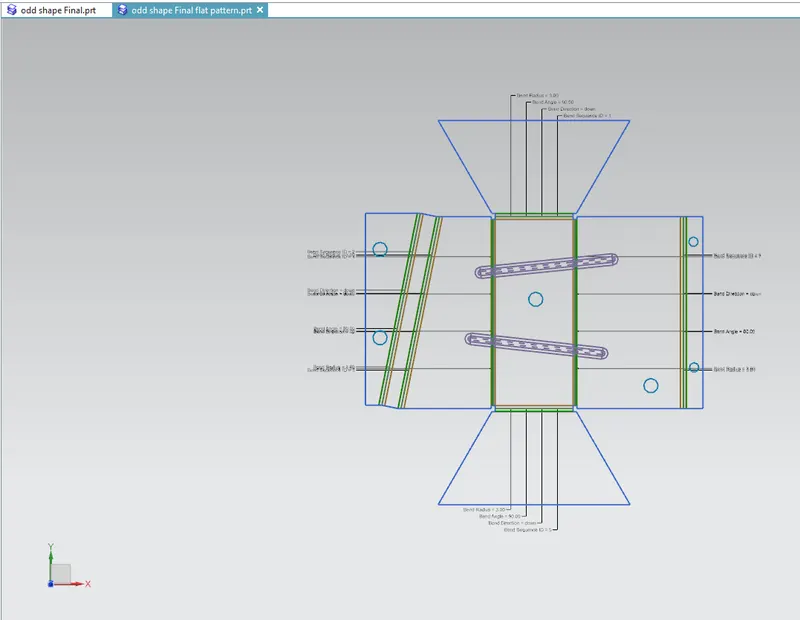
11. 23.Flat Pattern : It is used to create the same patterns along a straight line with constant distance between them. It is used to Create Flat Pattern for tooling in manufacturing
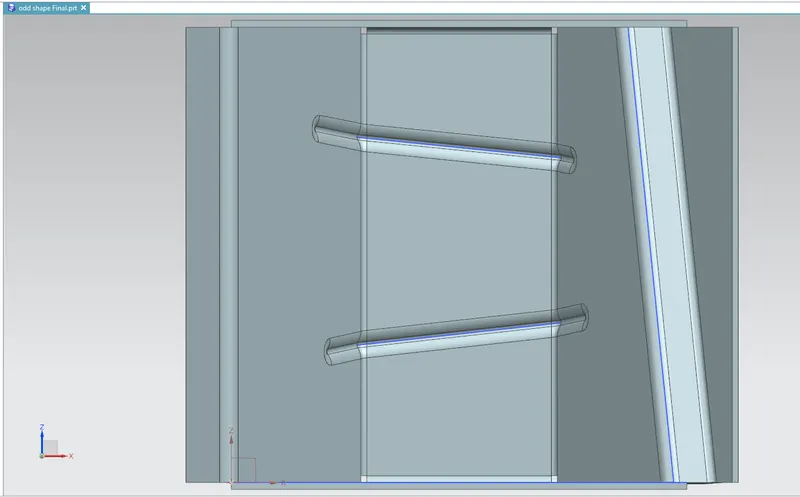
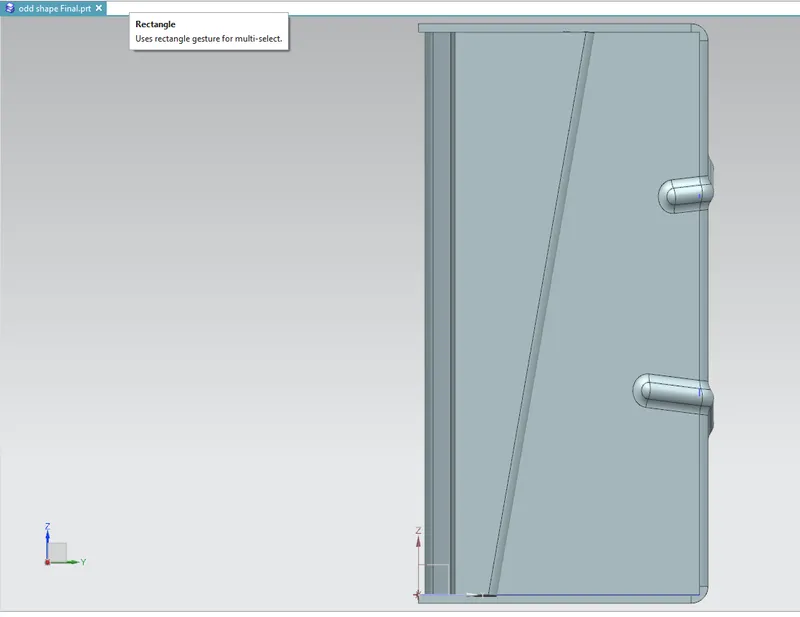
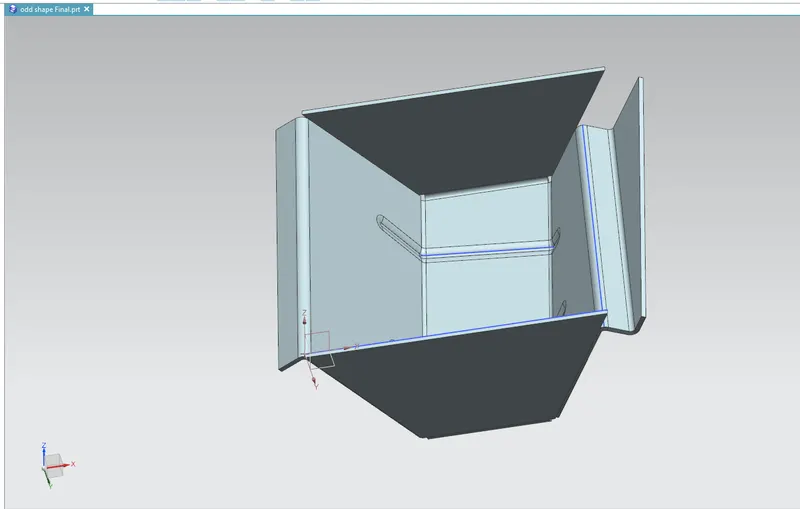
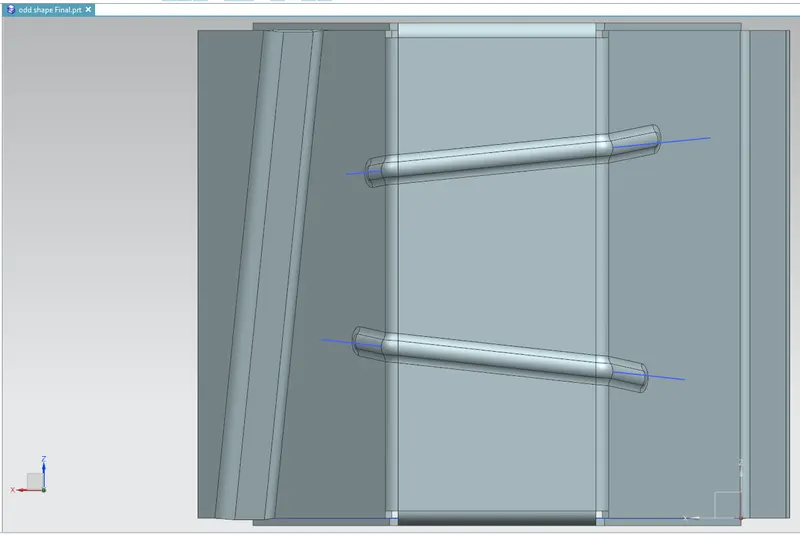
6. MODEL IMAGES
Top View
Side View
Isometric View
Bottom View
Flat Pattern
7. Conclusion : The Odd Shaped Enclouser have been drafted by using NX CAD software version 12