Advanced Sheet Metal Design Using NX Cad Challenge_5_Odd Shaped Enclosure
SHEET METAL DESIGN OF ODD SHAPED ENCLOSURE USING NX CAD
Objective :
To create the sheet metal model of odd shaped enclosure by using NX CAD sheet metal tools and to understand the various tools in NX CAD sheet metal user interface.
Introduction :
Sheet Metal -
The sheet metal is formed by an industrial process into thin, flat pieces. Sheet metal is one of the fundamental forms used in metal working, and it can be cut and bent into a variety of shapes. The metals which are less 6 mm thickness are considered as sheet metals. The sheet metal is available in flat pieces or coiled strips.

The various forming processes that are used to deform the sheet metals are -
- Bending
- Curling
- Deep drawing
- Hemming and Seaming
- Punching
- Blanking and Peircing
- Rolling, Spinning and Stamping
Sheet metal is used in automobile and truck bodies, airplane fuselages and wings, medical tables, roofs for buildings and many other applications.
NX CAD in sheet metal -
NX sheet metal design software incorporates material and process information in sheet metal-specific modeling features: bends, flanges, tabs, cutouts, beads, dimples, louvers, corner and edge treatments, patterns and other formable features. You can also quickly convert solid models to sheet metal components, and create sheet metal parts that enclose other components.
NX Sheet Metal-specific features such as flanges, tabs, jogs, corner conditions, and drawn cutouts & many more along with productivity enhancements such as – automatic bend reliefs.
The software also provides common modeling features typically used in sheet metal design, such as holes and slots, as well as other essential capabilities such as copy, paste, and mirror.
The application provides defaults for sheet-metal-specific properties such as material – thickness, bend radius, and bend relief. You can easily change these defaults.
Design methodology :
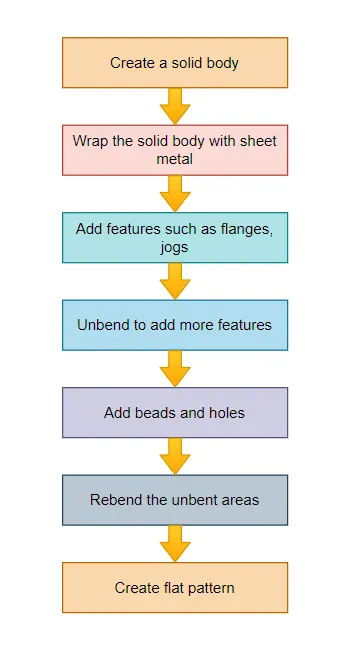
Description :
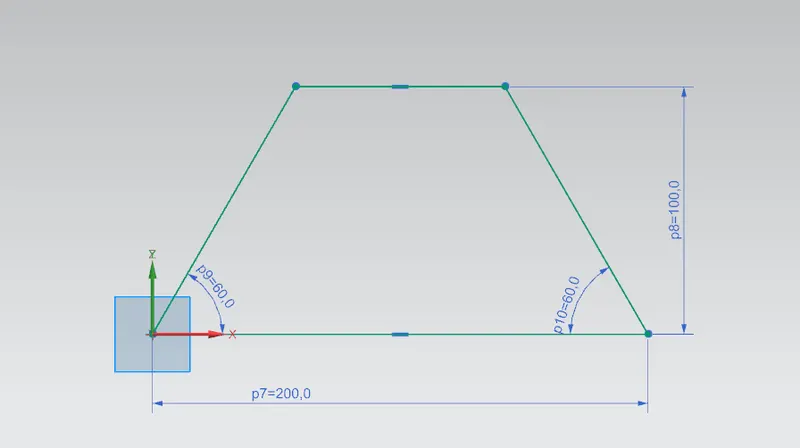
Create a sketch as shown in the figure
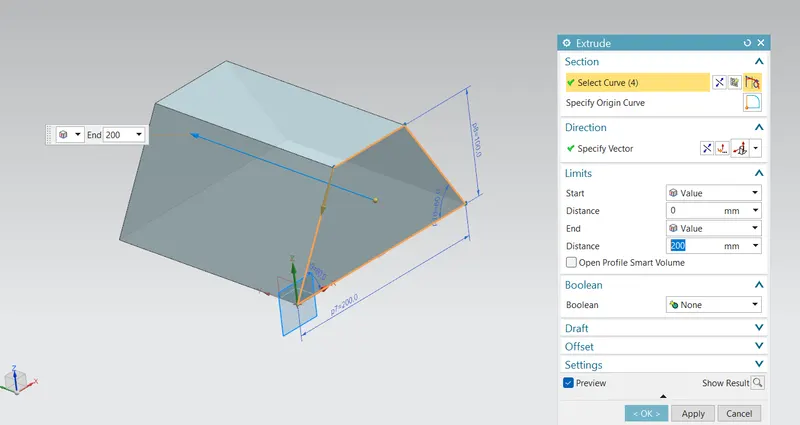
Extrude the sketch into a solid body to a length of 200 mm
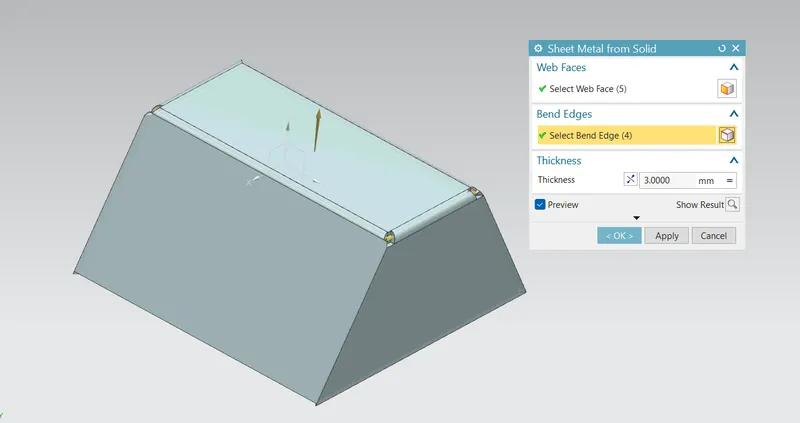
Go to sheet metal application
use sheet metal from solid tool and convert the body into sheet metal with a thickness of 3 mm
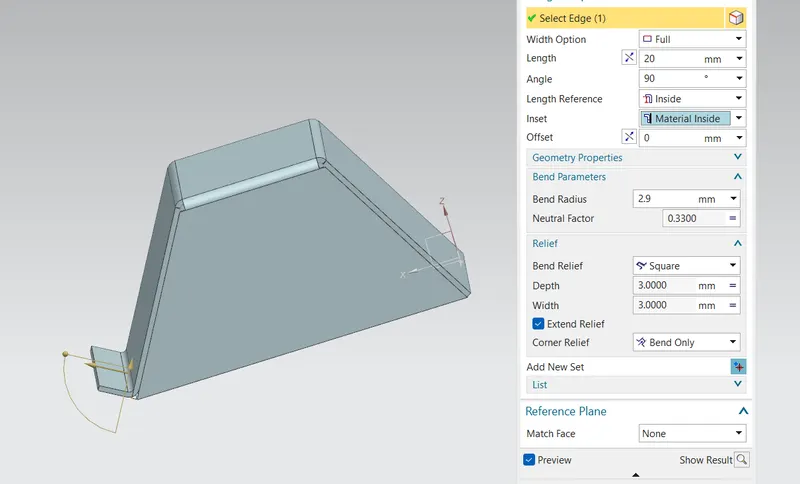
Create the flange with the length of 20 mm
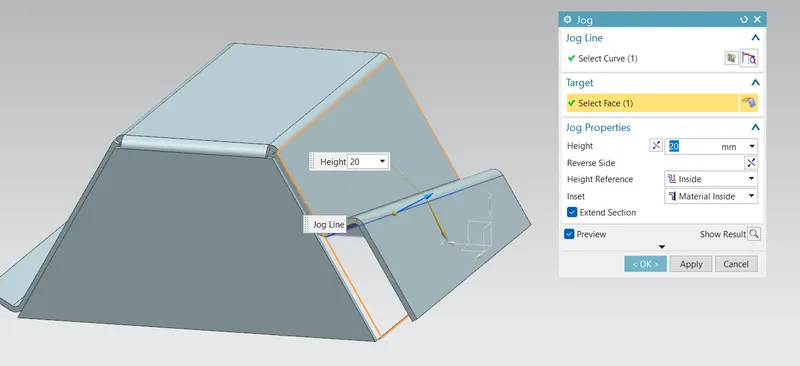
Create a jog with a length of 20 mm away from the face as shown in the figure
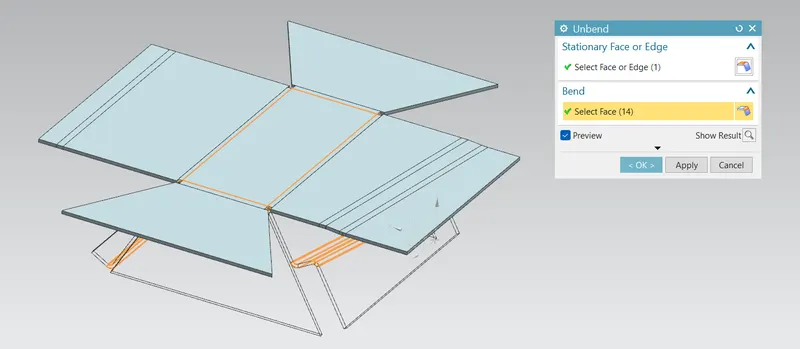
Unbend the body
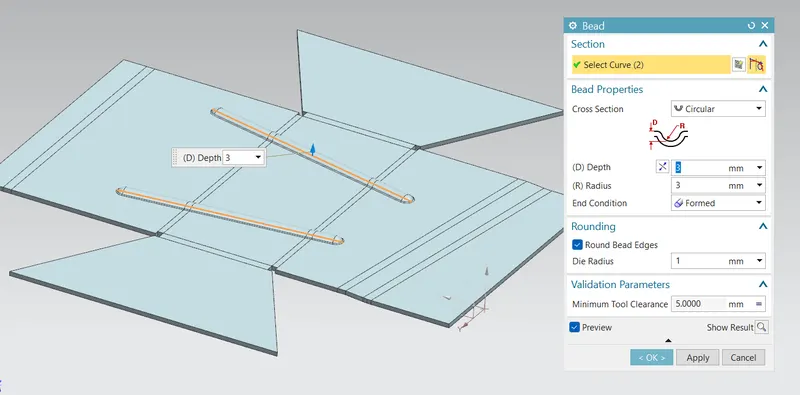
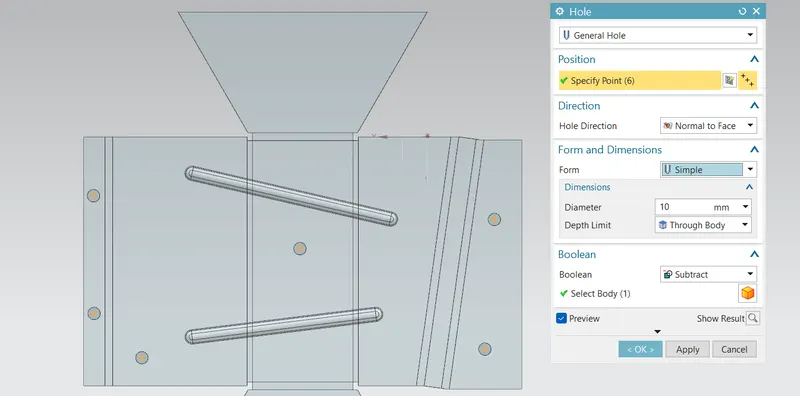
Create the beads as shown in the picture
Create the holes on the sheet by creating points on it
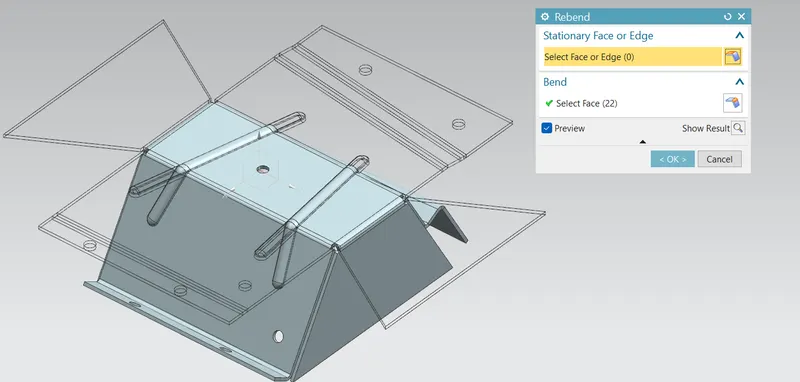
Rebend to original shape
Views :
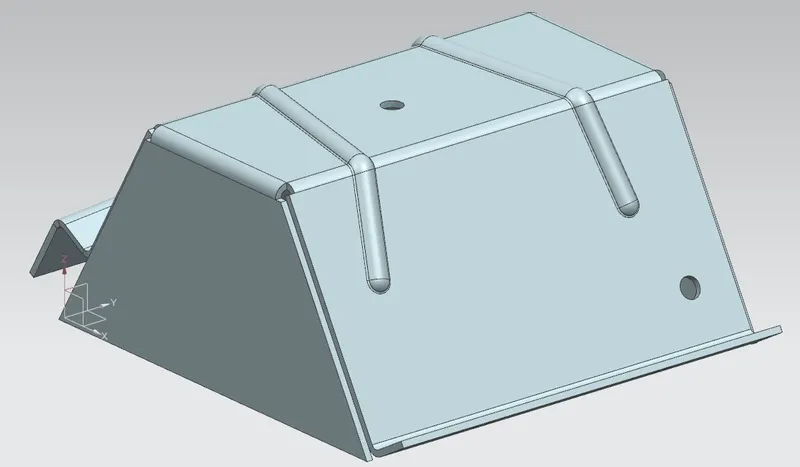
Isometric view
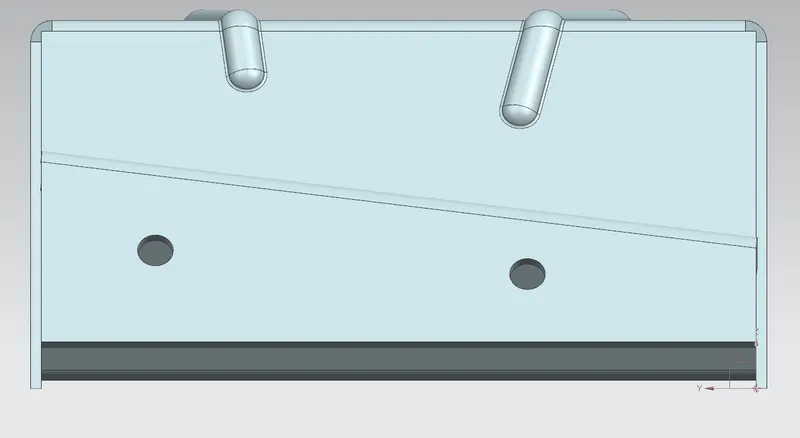
Front view
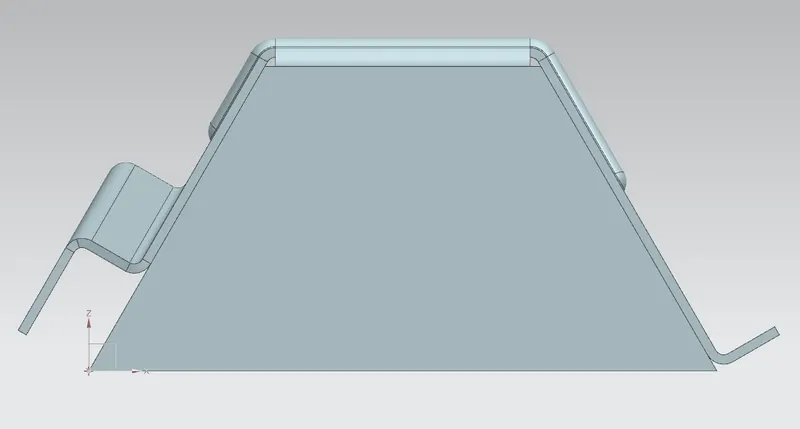
Side view
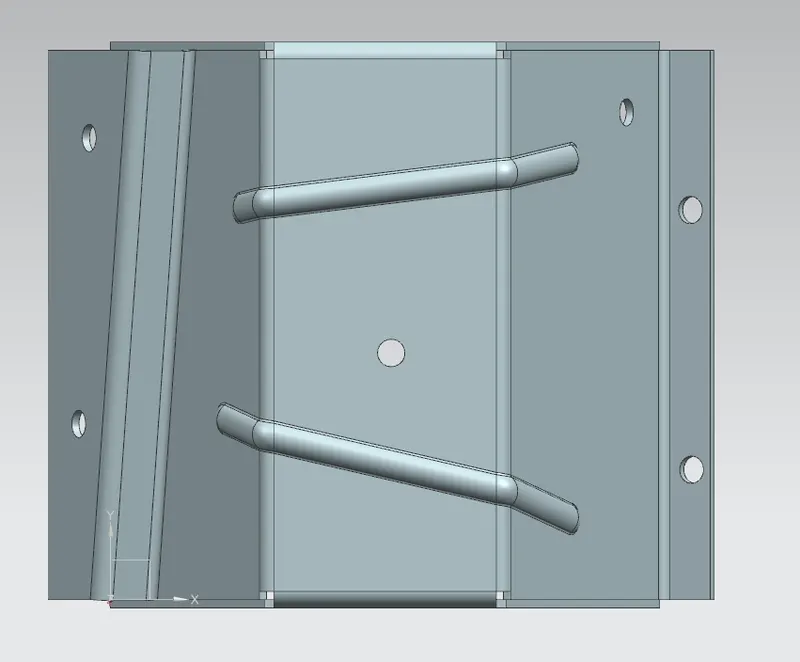
Top view
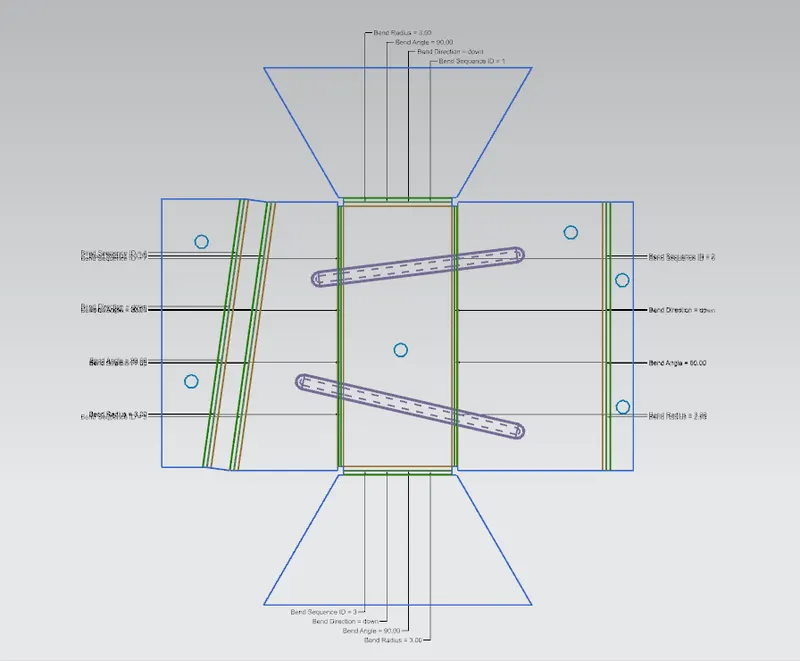
Flat pattern
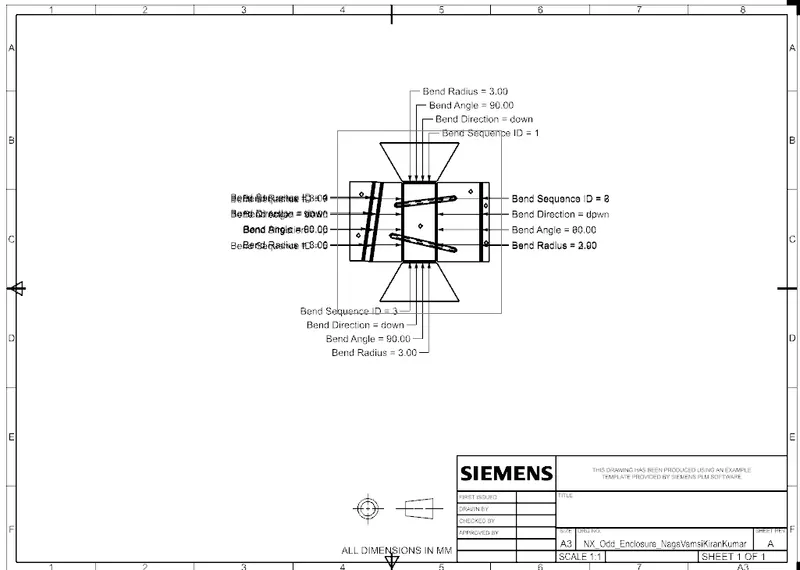
Drawing sheet :
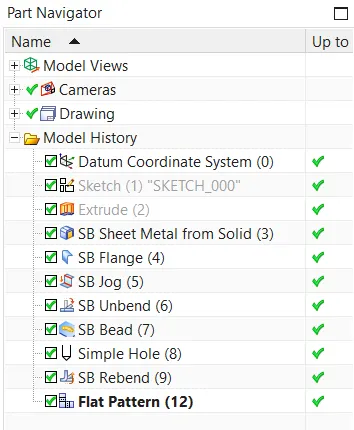
Feature tree :
Conclusion :
The sheet metal model of odd shaped enclosure by using NX CAD sheet metal tools is created