Advanced Sheet Metal Design Using NX Cad Challenge_5_Odd Shaped Enclosure
Title of the Project:Advanced Sheet Metal Design creating Odd Shaped Enclosure Using NX Cad
Objective: To create Odd Shaped Enclosure Using NX Cad.
Introduction: Sheet metal is used for material application that are below 6mm in thickness.Materials that are used commonly for sheet metal applications are alumininum,Brass,Copper,Steel,Nickel,Titanium and other metals.Used in various models and across different industries as this process is easy and cheaper to manufacture but keeping the strength and quality as given by the material.Process carried out are such as bending,flanges,stretch forming.
Design methodology / approach (To be explained with the help of Flowcharts only)
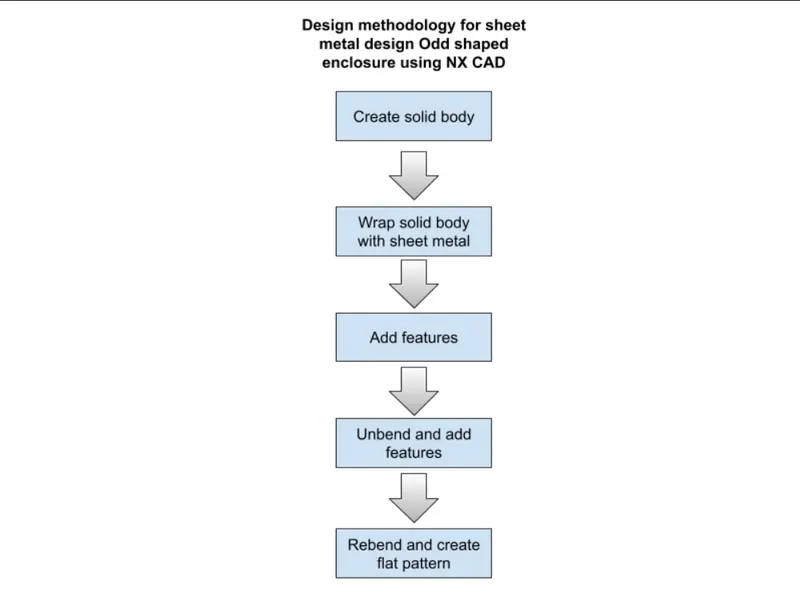
Description (Need to explain tools/ Features used while designing)
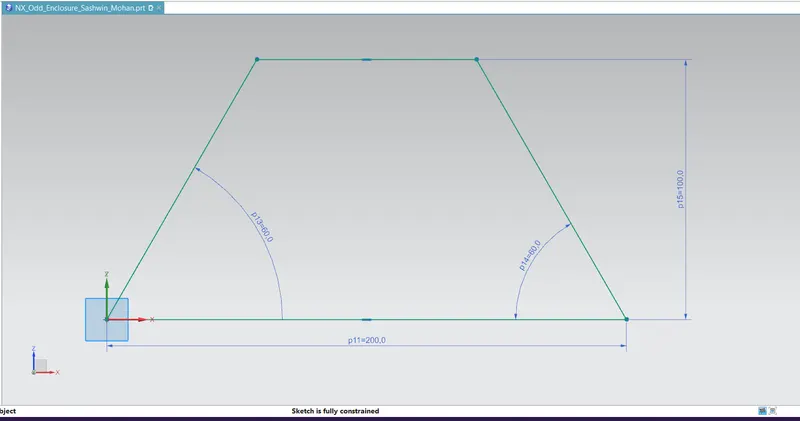
- The sketch: The sketch of the odd shaped enclosure created and fully constrained
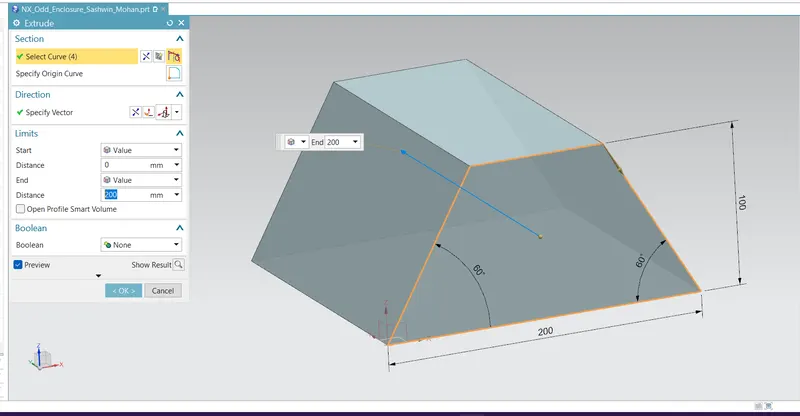
- Extrude: This option is used to extrude the sketch to a specified distance
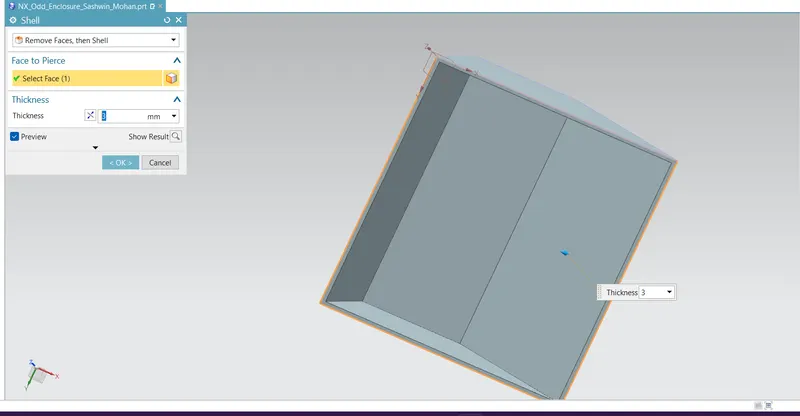
- Shell: This option is used to create a uniform thichness and have a hollow shape and not a solid object
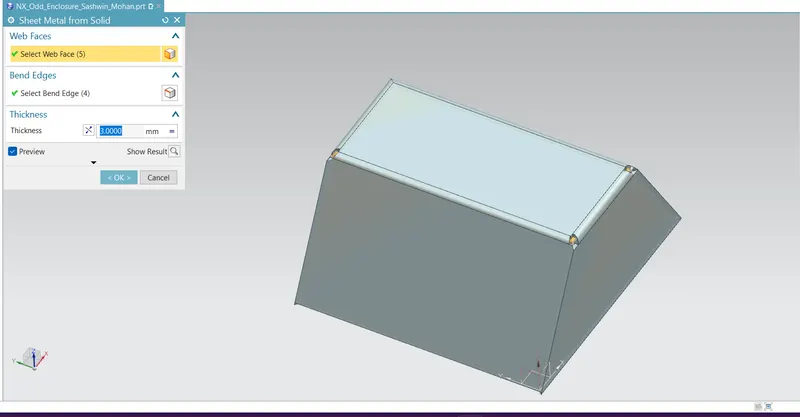
- Sheet metal from solid: This gives the faces a connected edges
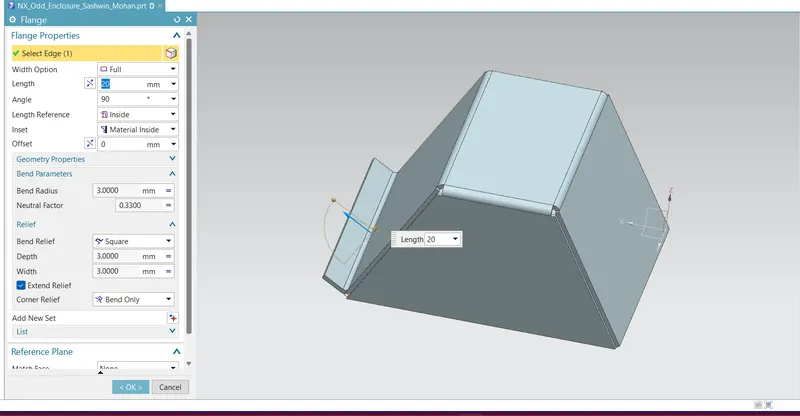
- Flange: A flange of 20mm and angle 90 deg is created
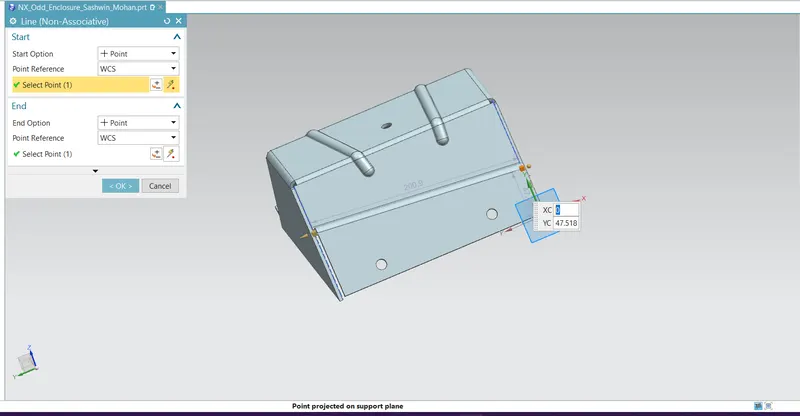
- Sketch for Jog line curve: A line is created on the surface and jog command is used
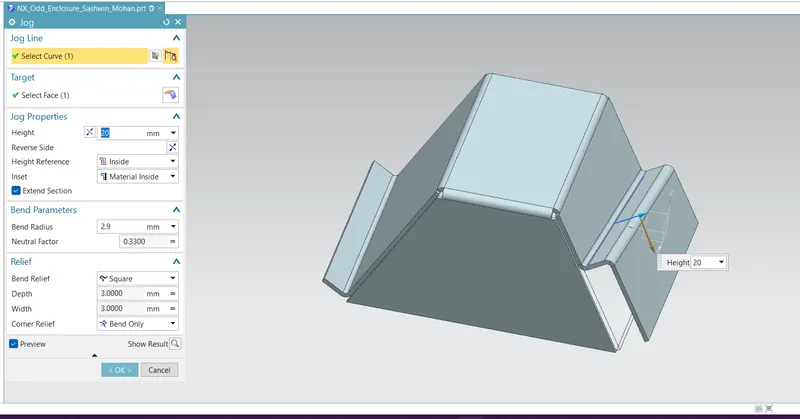
- Jog line : This feature bends the face of material from the given curve (Line)
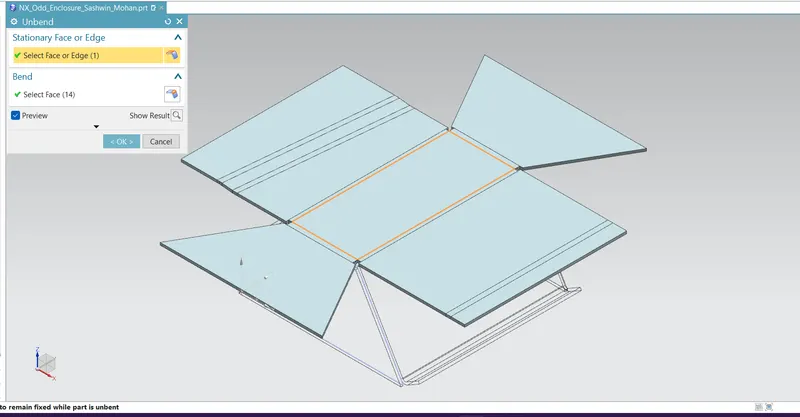
- Unbend: This option helps to transform the faces into 2D/flat faces in order to create other features on the faces of the model
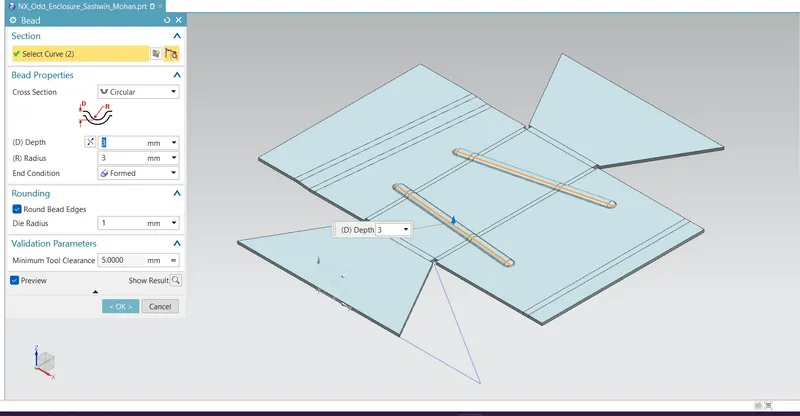
- Bead:This option is used and bead is created having depth of 3mm and radius of 3mm
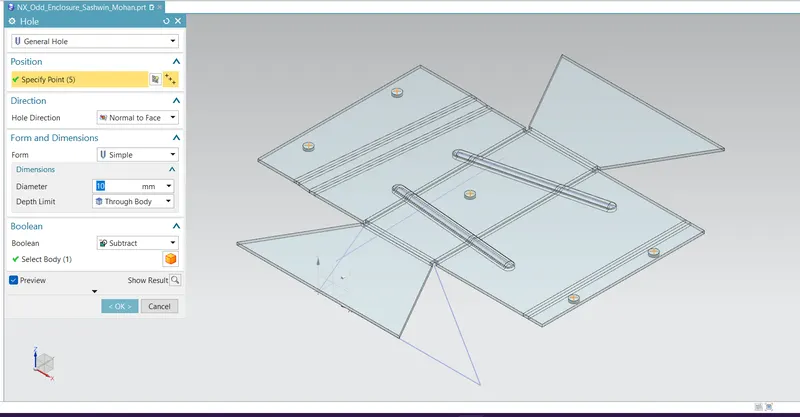
- Hole:General hole type is used having D=10mm and Through body for depth limit
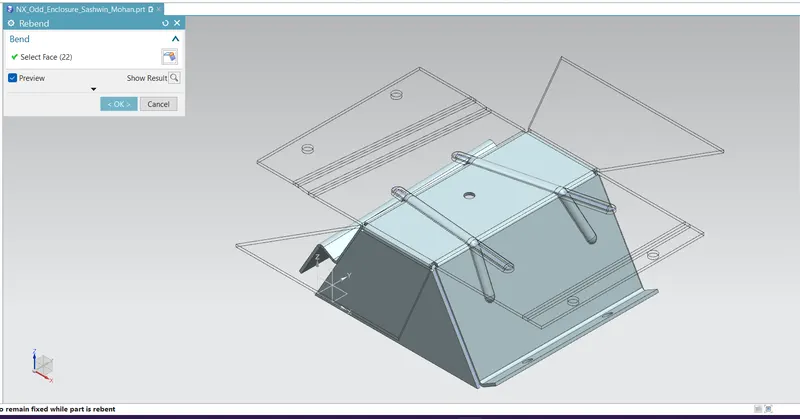
- Rebend:Once all the features are added to the faces,the model can be rebended using this option.
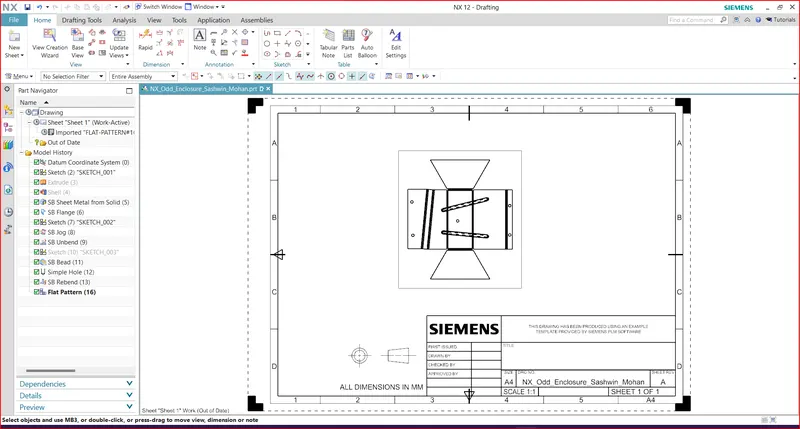
- Flat pattern:It is created to show the model in a drawing sheet representation in 2D of the 3d model.It is given during manufacturing for easy understanding.
Drawing sheet (Flat pattern and various orientaion views)
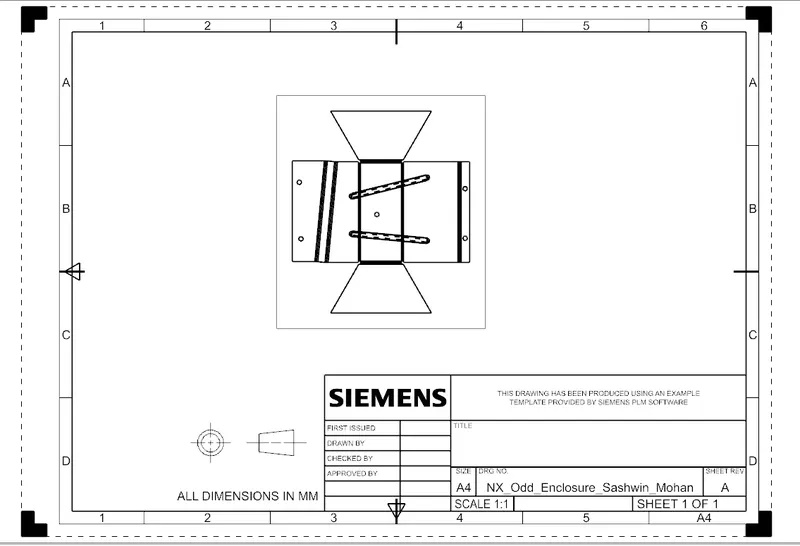
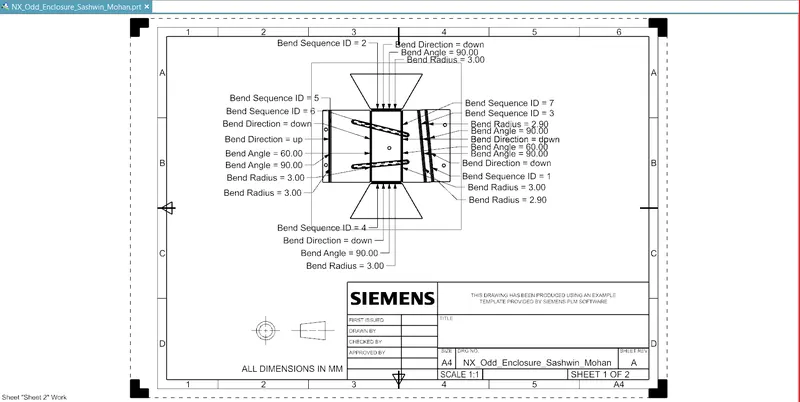
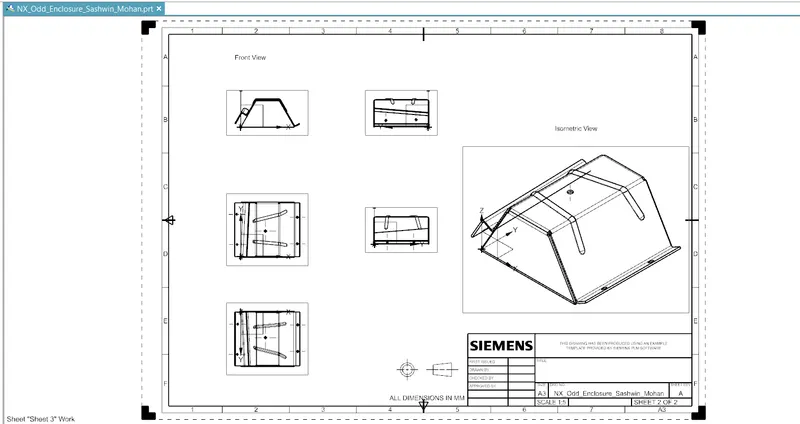
Screenshots of Model in various orientations.
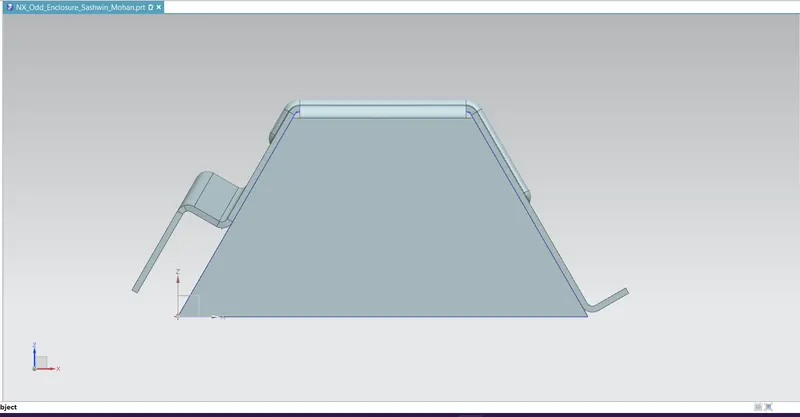
Front View
Top view
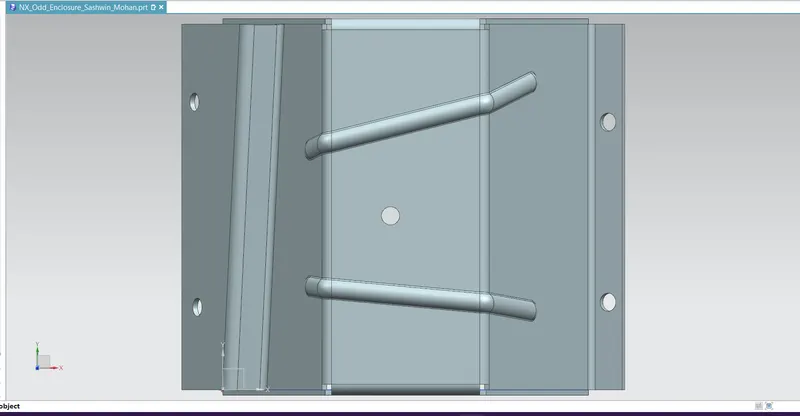
Left Side View
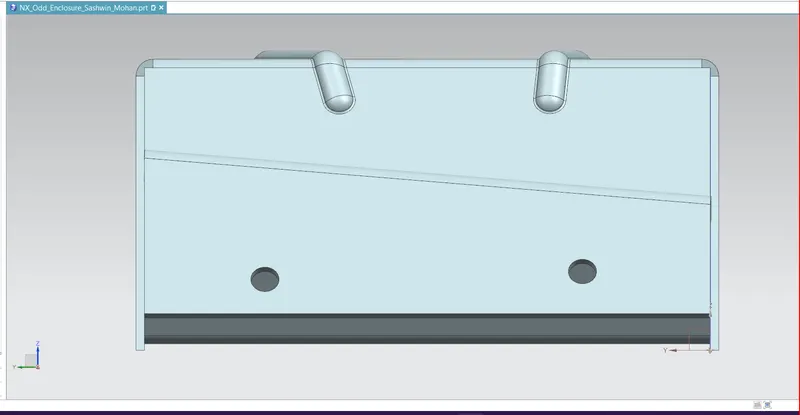
Right Side View
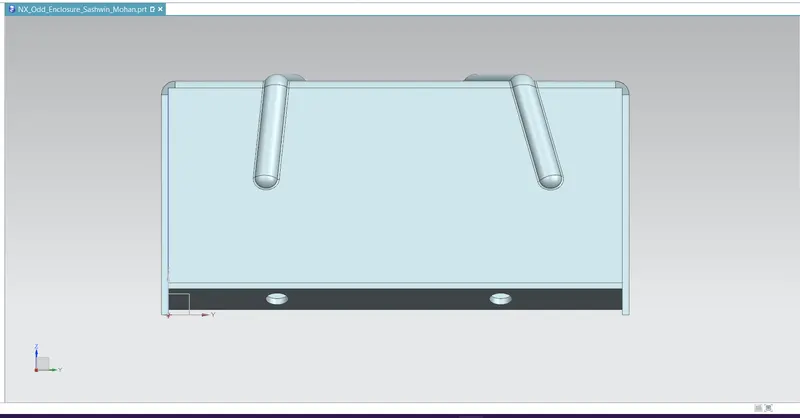
Bottom View
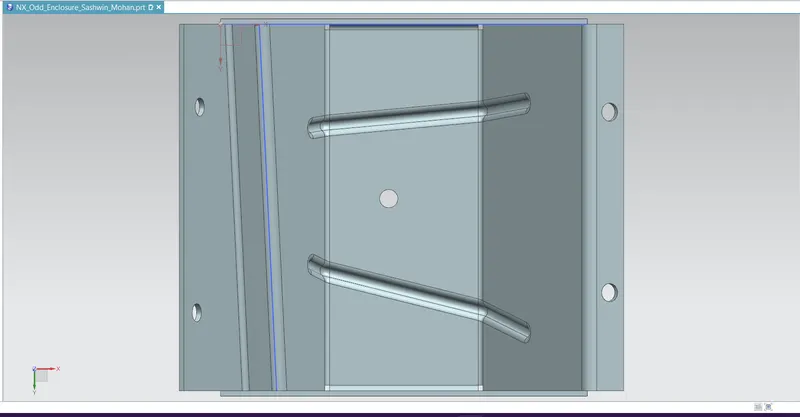
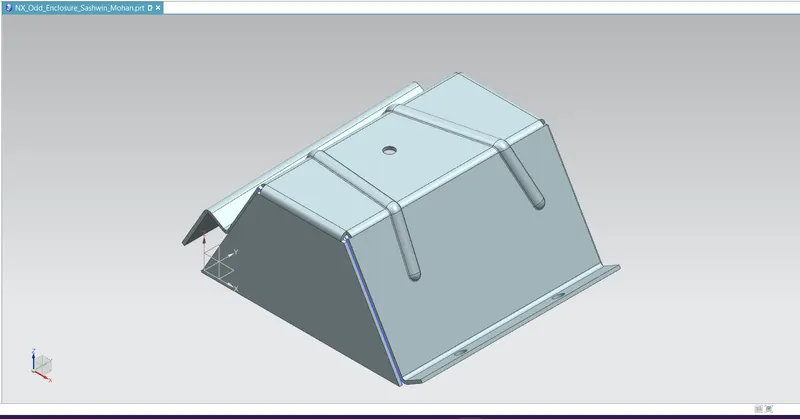
Isometric view
Attach Detailed Drawing Sheet Image
Final model:
Conclusion: Odd shaped enclosure having different features using NX CAD completed
NOTE: The model is saved as "NX_Odd_Enclosure_Sashwin_Mohan".prt below
Thankyou.