Advanced Sheet Metal Design Using NX Cad Challenge_5_Odd Shaped Enclosure
ODD SHAPE ENCLOSURE
OBJECTIVE
To design a sheet metal part for odd shapes following the workflow procedure
METHODOLOGY
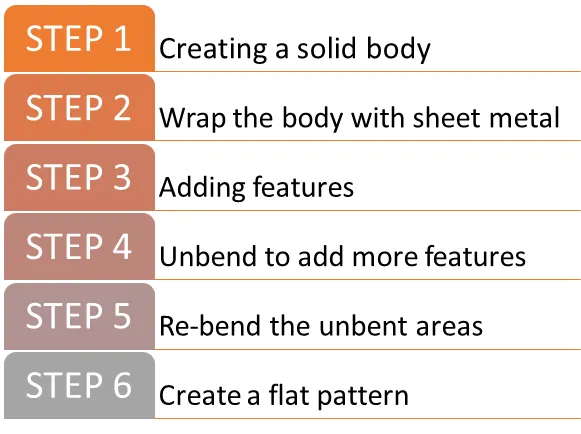
DESCRIPTION
Step 1. Creating a solid body
Features Used: Extrude
A sketch of 200 mm length, 100 mm height 60 ° is created and extruded for 200 mm.
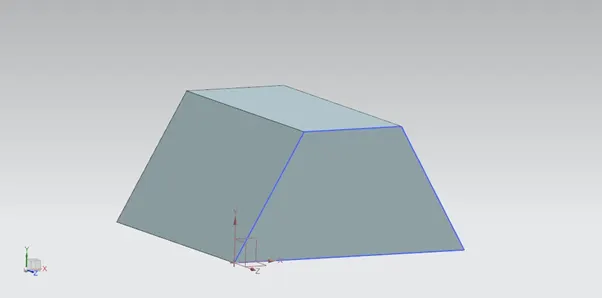
Step 2. Wrapping the body with sheet metal
Features Used: Sheet metal from solid
The sheet metal from solid is used to wrap a sheet metal around the extruded solid. All the faces are selected for web faces and their edges for bend edges with a 3mm thickness.
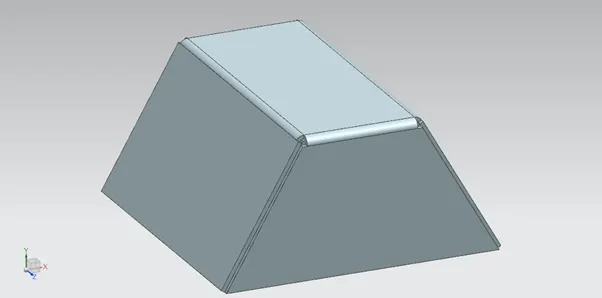
Step 3. Adding features
Features Used: Flange & jog
Flange of 20 mm length and 90° is added to one side and jog flange is added to another side.
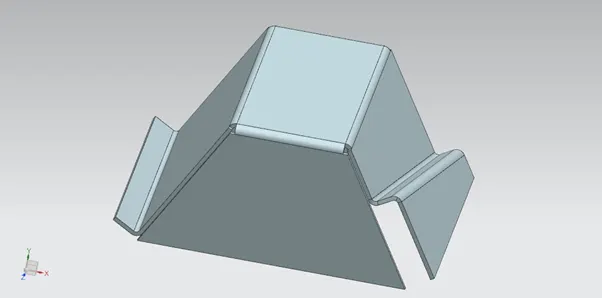
Step 4. Unbend to add more features.
Features Used: Unbend, holes & beads
The model is then unbent to add more features like holes and beads. The holes are 10 mm diameter and the beads are of depth 3 mm and 3 mm radius.
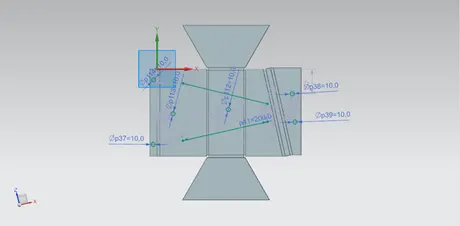
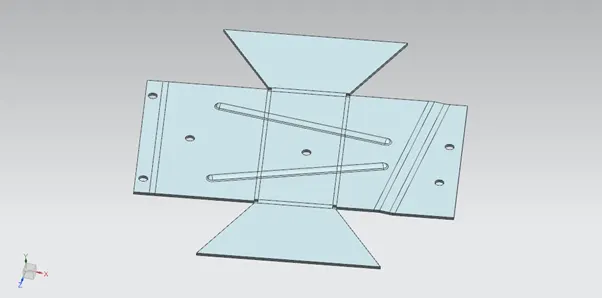
Step 5. Re-bend the unbent areas
Features Used: Re-bend
The model is re-bent the same order it was unbent.
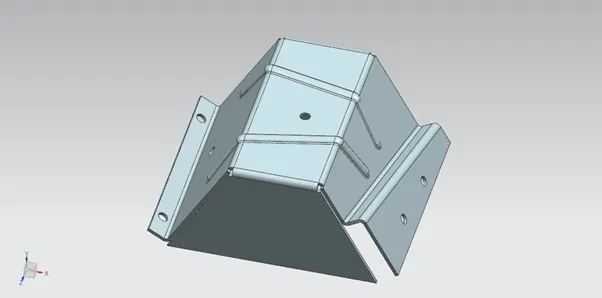
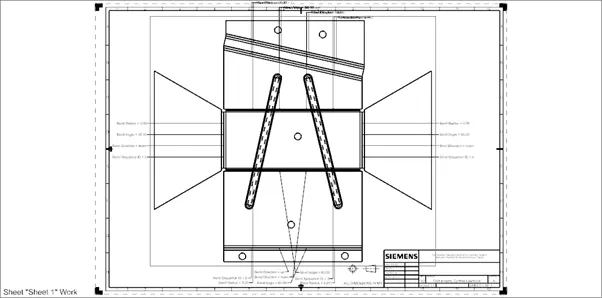
Step 6. Create a flat pattern
Features Used: Flat pattern & draft
Creates a flat pattern feature from the formed sheet, It is then drafted for a scale 1:1.
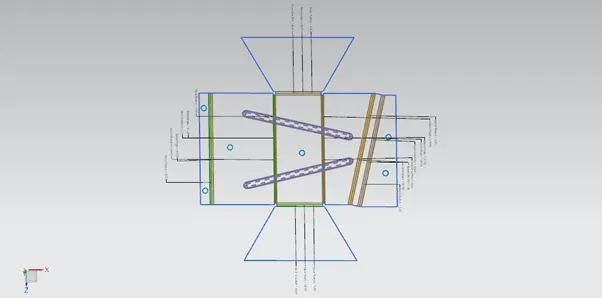
MODEL IMAGES
Top View
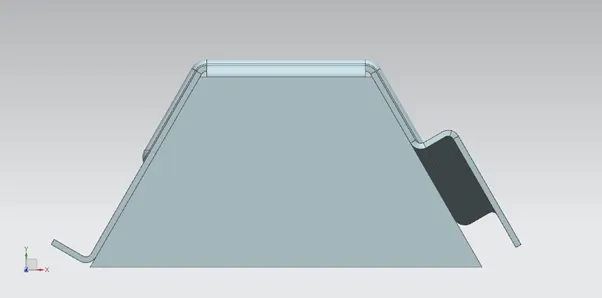
Bottom View
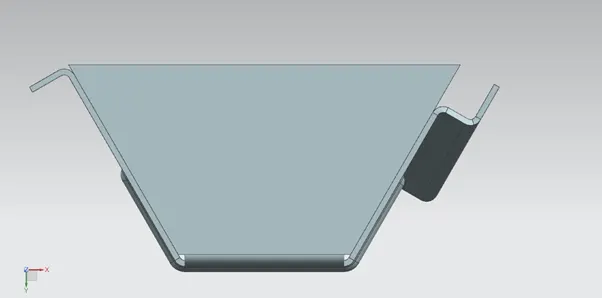
Isometric View
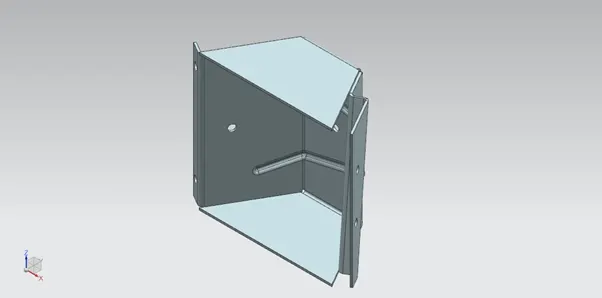
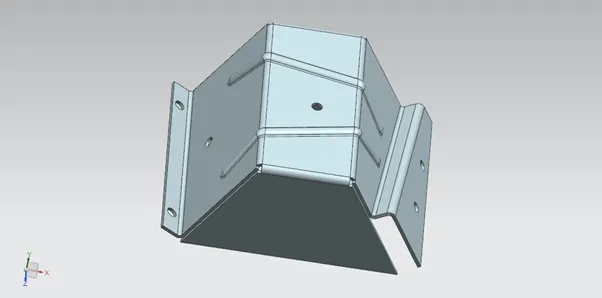
Side View
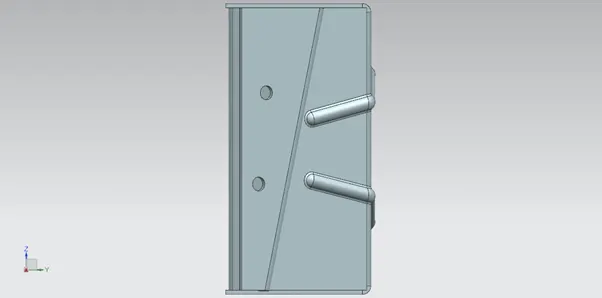
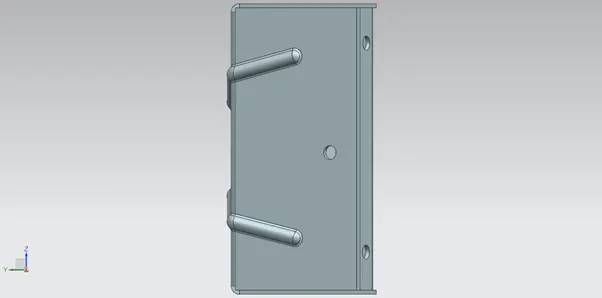
DRAWING SHEET
CONCLUSION
Sheet metal part for odd shapes is designed following the workflow procedures and using Siemens Nx.