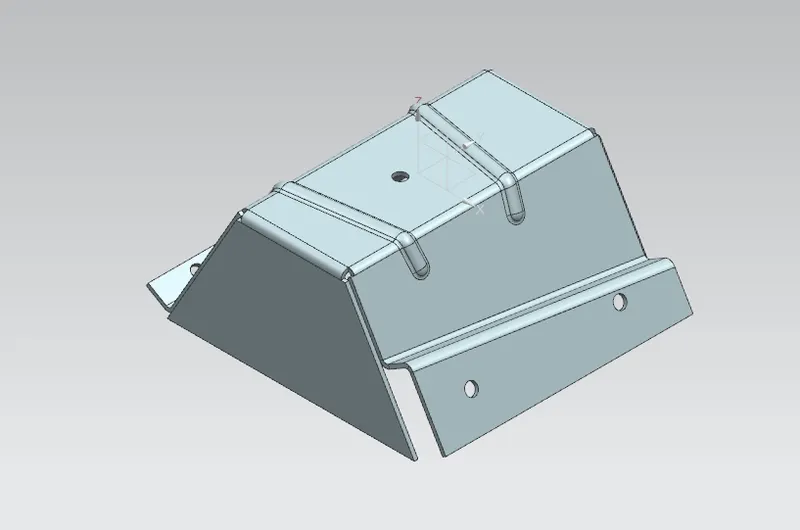
Advanced Sheet Metal Design Using NX Cad Challenge_5_Odd Shaped Enclosure
DESIGN OF SHEET METAL ENCLOSER
OBJECTIVE:
To design an odd shaped encloser in sheet metal by using NX CAD.
INTRODUCTION:
Here we are designing an odd shaped encloser in sheet metal. these kind of enclosers are very useful for machine protection. it protects machine like motor ans so on from water ,unfortunate impacts and most importantly it is used for safety purposes. safety purposes like heat, exploding and so on.
While creating an encloser we have to be aware of choosing a material.there are some factor that we should considered before we select those are applications ,corrosion resistance ,strength, weigth,cost etc.
DESIGN METHODOLOGY:
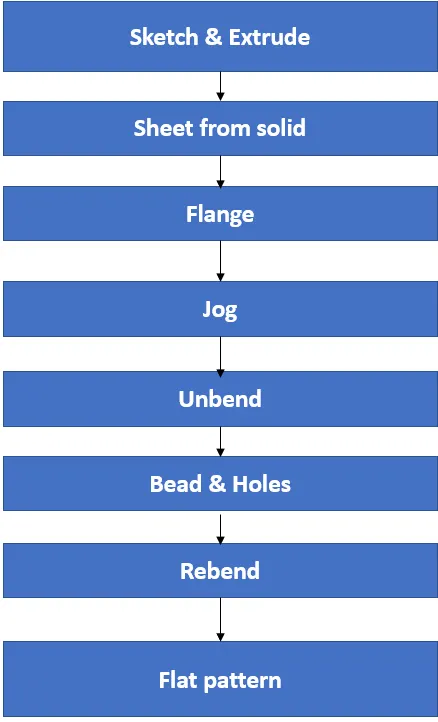
DESCRIPTION:
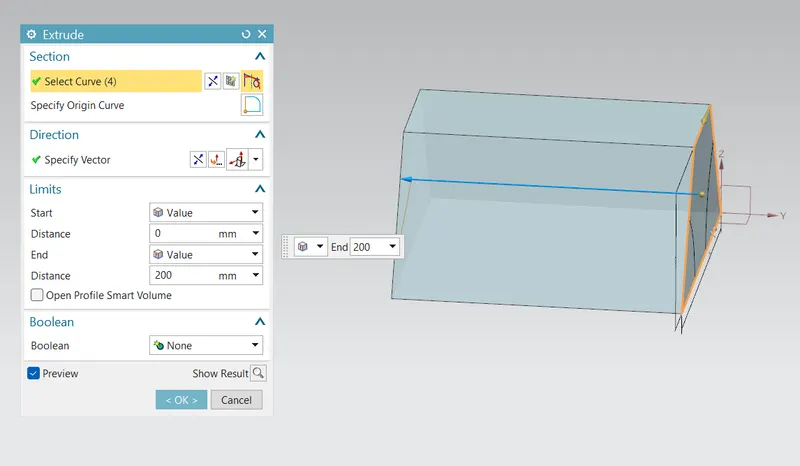
Create a sketch and extrude for creating a solid body.
EXTRUDE: Creates a 3D solid from an object that encloses area or a 3D surface from an object with open ends.
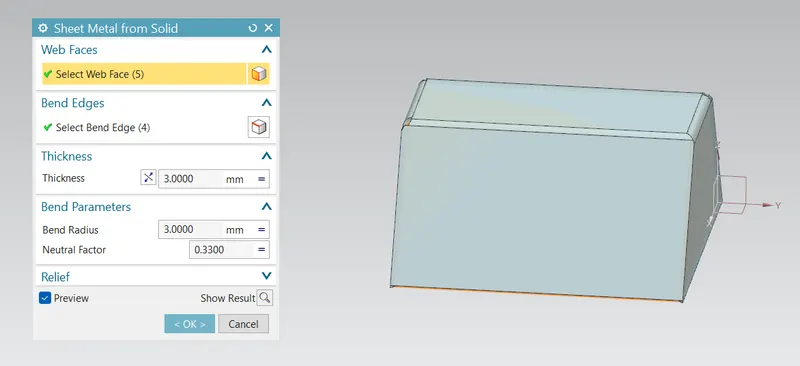
SHEET METAL FROM SOLID: Builds a sheet metal model that takes its shape from a collection of planer faces. After using this feature the solid body will be converted into a sheet metal
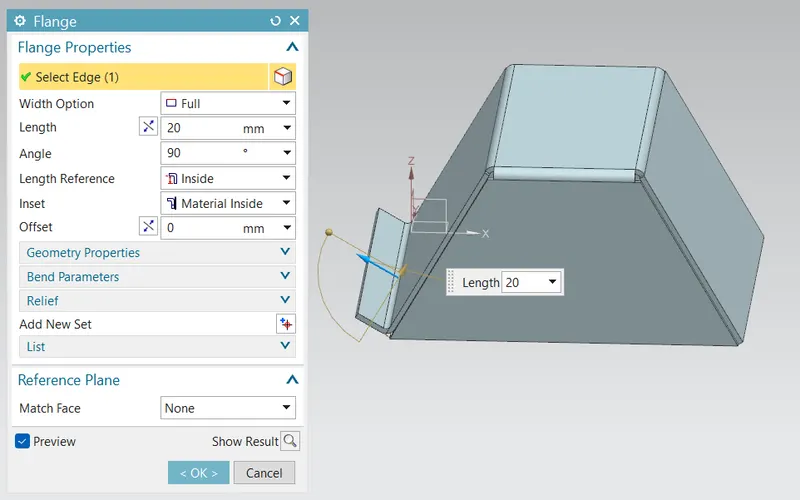
FLANGE: This command is used to add a flat flange at an angle to the planar face and add a bend between the two
Now sketch on other side of flange we created for creating a jog.
JOG: this feature modifies the model by lifting material on one side of a sketch adding a flange between the two edges.
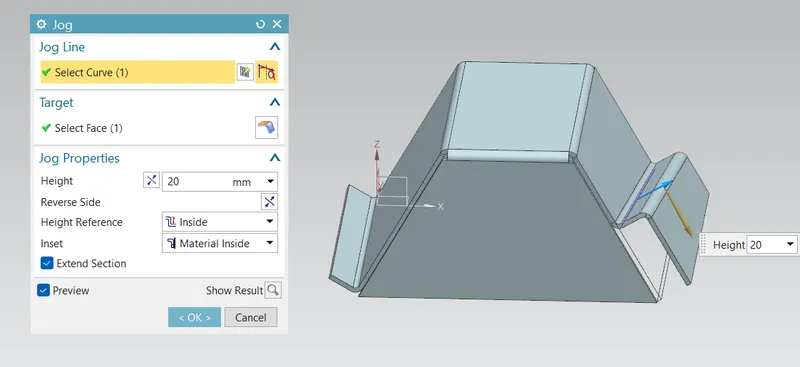
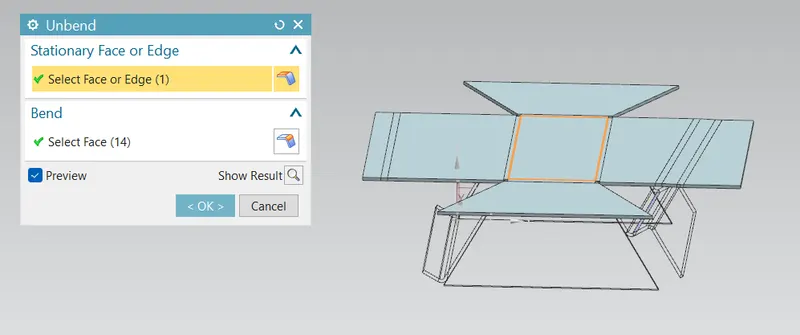
After creating a jog then unbend the profile for creating beads and holes
UNBEND: This command is used to unbend the sheet metal. the punching operation can be performed only by unbending the sheet metal.
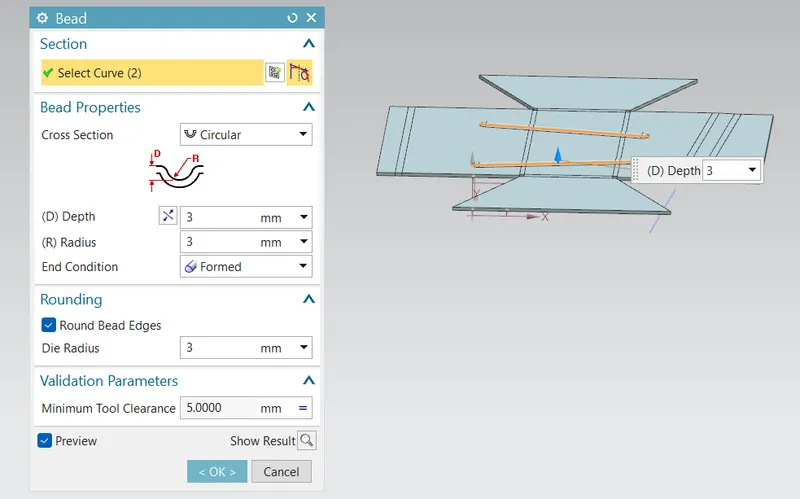
Then create a sketch for creating beads .then select bead optionwith circular cross section
BEADS : this are used to lift a material along the contour of the sketch.
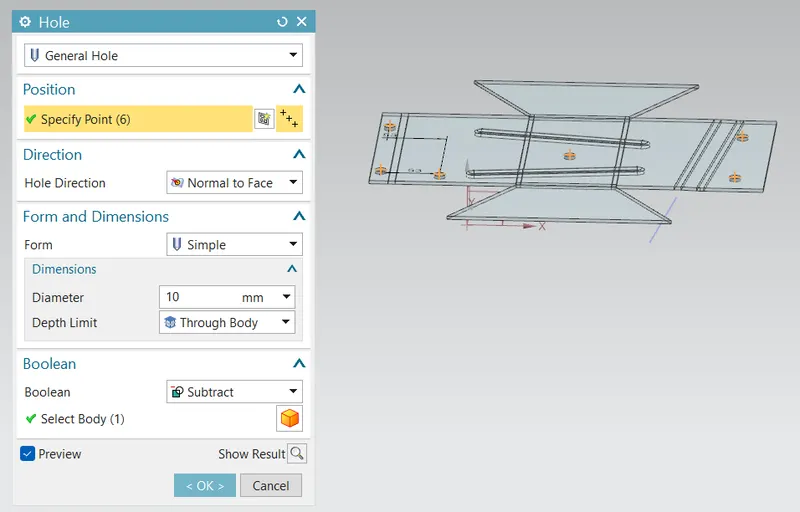
HOLES: Adds a hole to one or more solid bodies in a part or assembly.
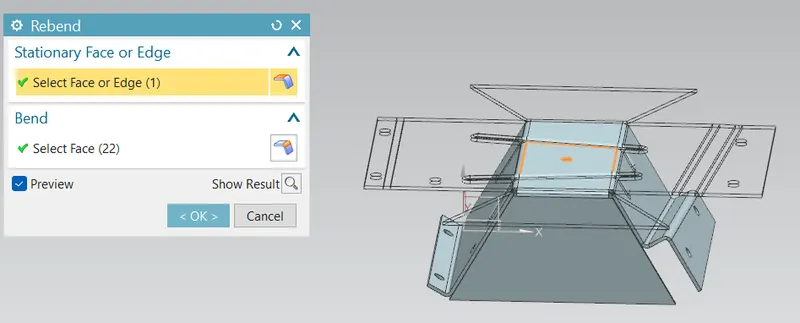
REBEND:This command is used to rebend the sheet metal.
FLAT PATTERN:This is used to create a automatically flattened version of sheet metal parts and this is taken for drafting purpose which is used for reading model.
then go to drafting option then choose A4 sheet and oreint it to fit to sheet.
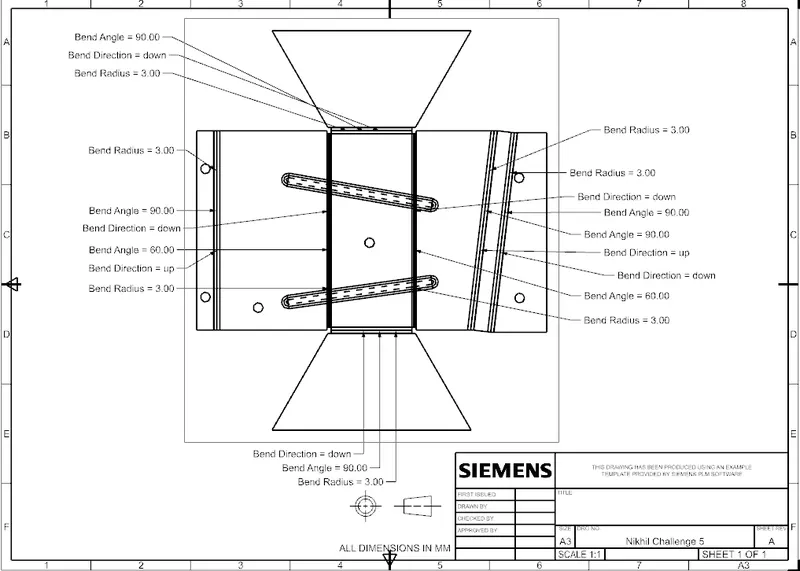
Thus Odd Shaped Encloser is completed.
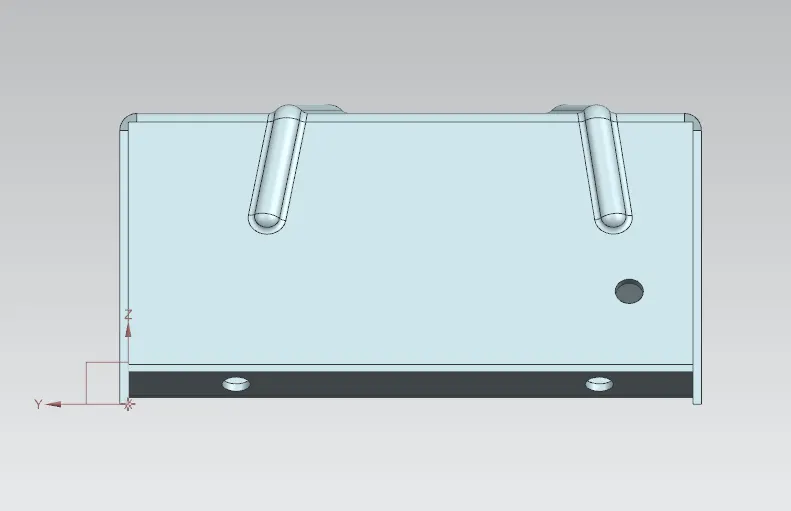
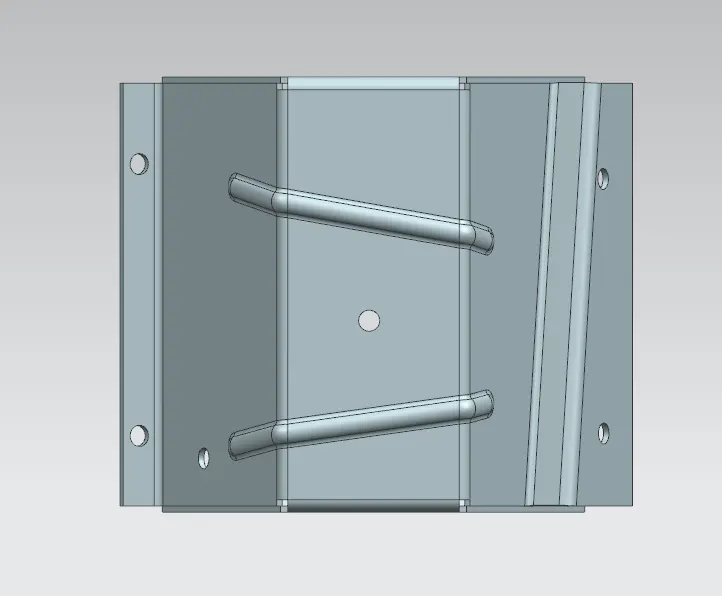
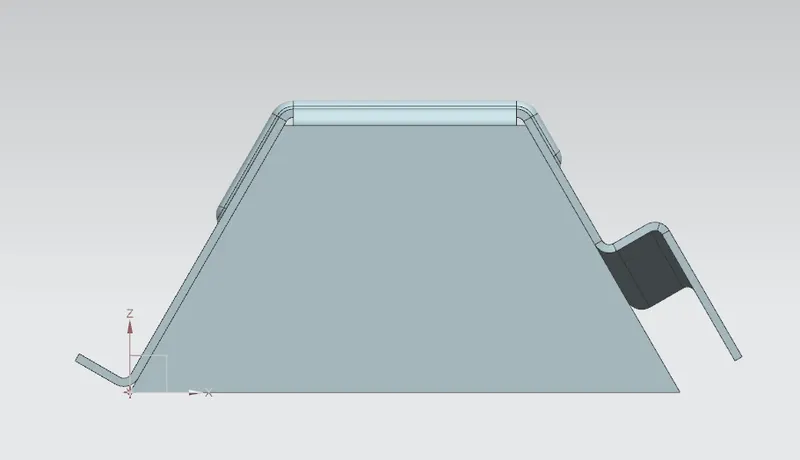
STANDARD MODEL VIEWS