Advanced Sheet Metal Design Using NX Cad Challenge_5_Odd Shaped Enclosure
TO DESIGN AN ODD SHAPED ENCLOSURE BY USING SIEMENS NX CAD
Objective:
The main aim is to design odd shaped enclosure by using NX CAD.
Introduction:
To design odd shaped enclosure in sheet metal, enclosures are used to cover the machining components to protect from the dust, water, impacts, from accidents and also for safety purpose.
Design methodology:
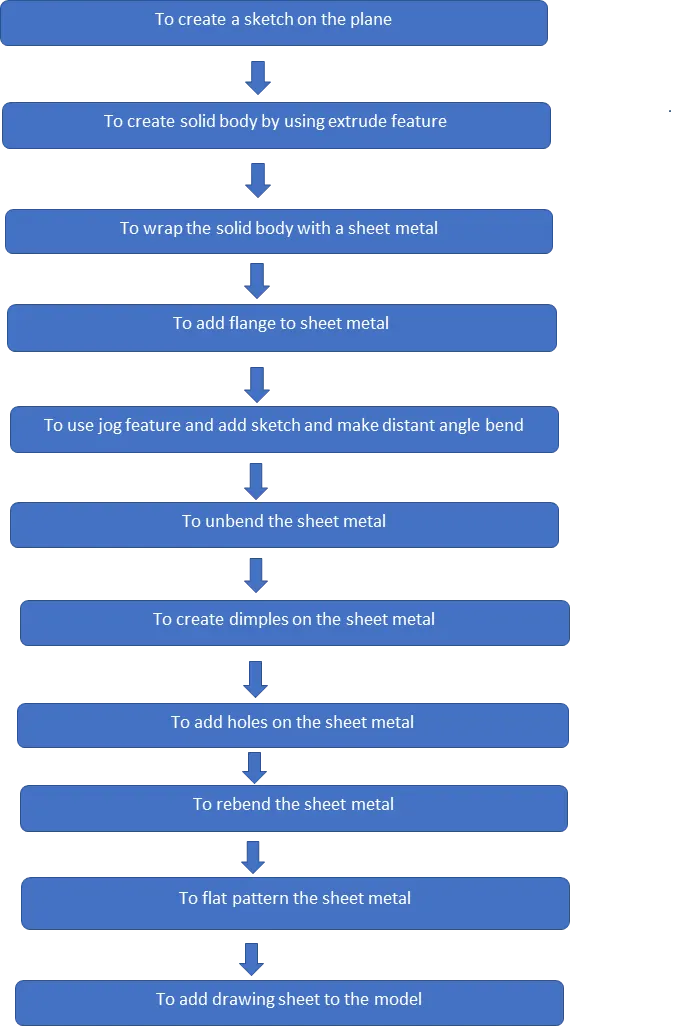
Features used for design a casing:
- Sketch
- Extrude
- Wrap up solid body with sheet metal
- Add flange to sheet metal
- Add jog feature for distant flange to the sheet metal
- To unbend the sheet metal
- To add bead feature to create a dimple
- To create a simple hole on the sheet metal
- To rebend the sheet metal
- To flat pattern the sheet metal
- To add drawing sheets for model
Sketch:
To setup the coordinate system and draw a sketch by giving dimensions and constraints to the plane, in this model to use origin point and make the rectangular sketch portion for given dimensions.
Extrude:
The sketch portion can be extruded by given appropriate and suitable thickness for creating a solid body.
To wrap the solid body with sheet metal:
To add sheet metal on the solid body by using this feature.
Flange:
To add flanges to bend edges of the model for required length, direction and bend angle.
Jog:
To add jog feature on the constraints sketch for distant angle lift up from the sheet metal for creating flanges.
Unbend:
To unbend the model for further operations by selecting the center face for unbend the sheet metal.
Sketch for bead:
To add constraint sketch on the required plane for creating bead by giving the sketch constraints.
Beads:
To create a bead on the sheet metal for providing addition strength to the model.
Create holes:
To create holes on the plane by giving sketch pointers and add diameter to them.
Rebend:
To rebend the model by selecting the feature and make select stationary face and drag the left mouse button on the model.
Flat pattern:
To flat pattern the model for drafting and manufacturing purpose.
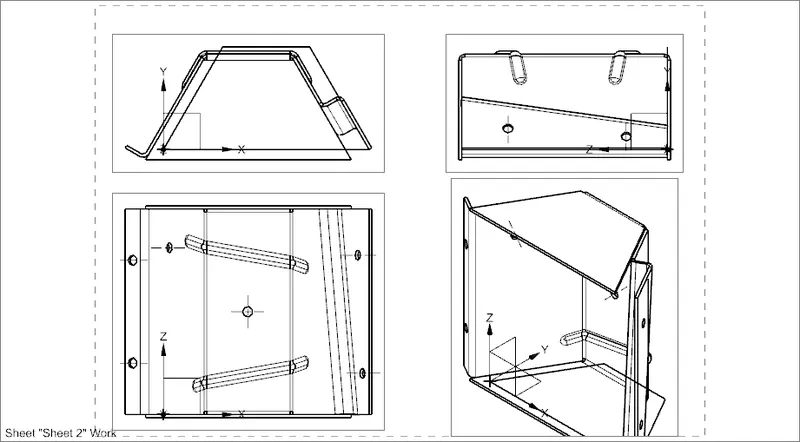
Drafting:
To adding into drawings file for manufacturing the model by referring dimensions.
Enclosure design:
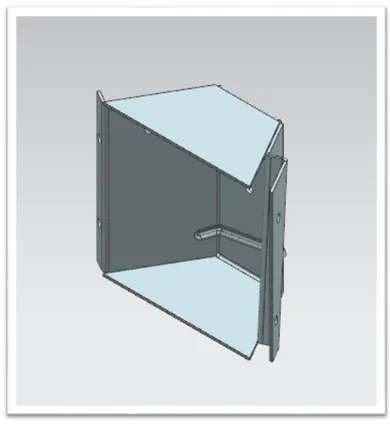
isometric view
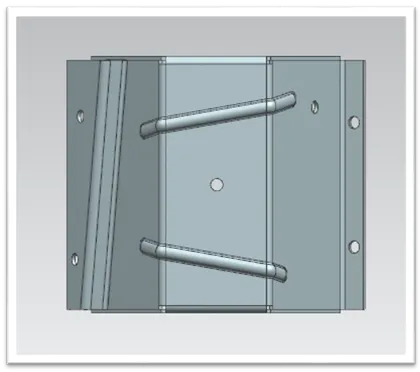
Top view
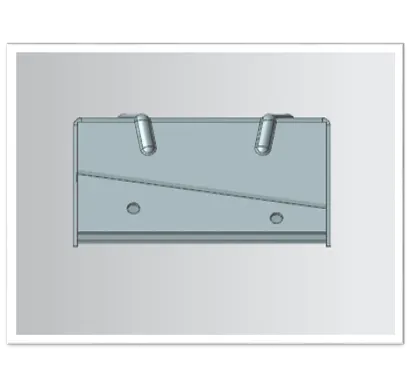
Front view
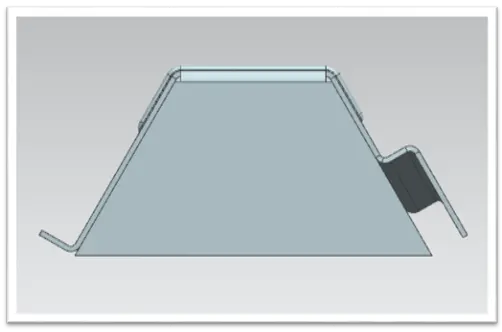
Side view
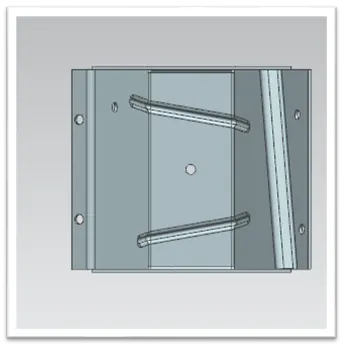
Bottom view
Drafting images:
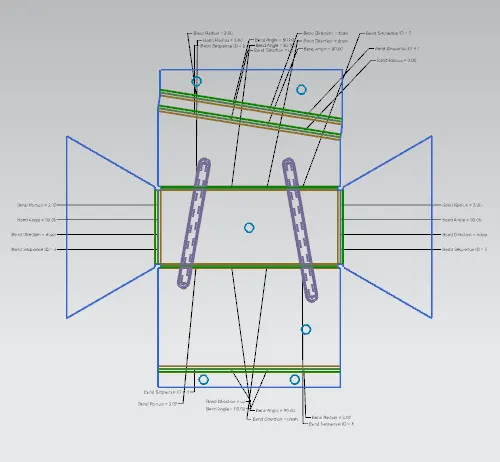
Flat pattern image
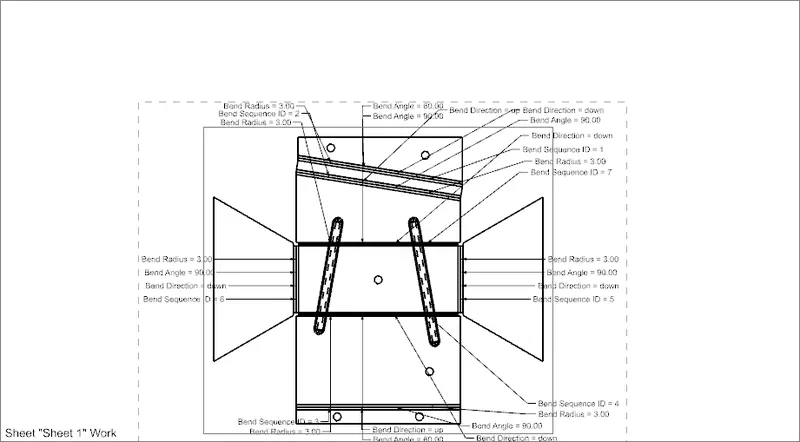
Conclusion:
To learn the sheet metal designing and tool methodology by design an odd shaped enclosure in sheet metal by using tools and it’s features by using NX CAD.