Advanced Sheet Metal Design Using NX Cad Challenge_5_Odd Shaped Enclosure
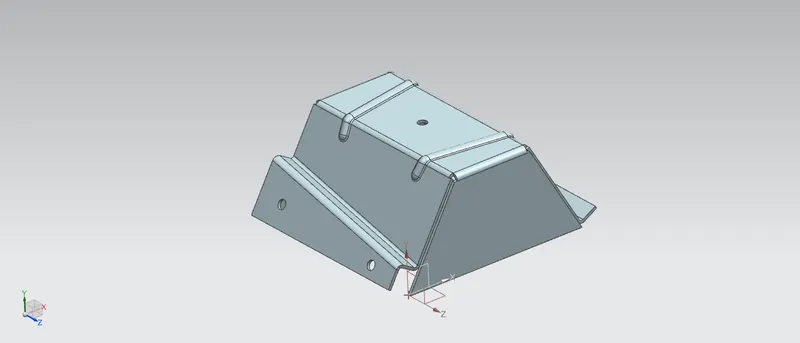
TITLE: Sheet metal design of odd shaped Enclosure.
OBJECTIVE:
- To design the odd shaped enclosure using sheet metal features of the siemens NX cad.
- To understand and learn the basic tools and command features of the sheet metal and its application.
INTRODUCTION:
Sheet metal is the most versatile material in the Manufacturing industries. It ranges in thickness from wispy leaf through light foil to heavy plate. Its uses expand across many different industries including transportation, aerospace, electronics, machinery and many more. Siemens Nx considers the fabrication method needed for manufacturing. As I created flanges, bends, beads etc. while designing, it is showed in flat pattern feature for manufacturing consideration. In this project we are dealing with the sheet metal design of odd shape enclosure using siemens NX.
DESIGN METHODOLOGY:
The enclosure designed for this project is made by converting a solid body into a sheet metal structure using the feature sheet metal from solid. Every feature is designed in an order following the industrial procedure.
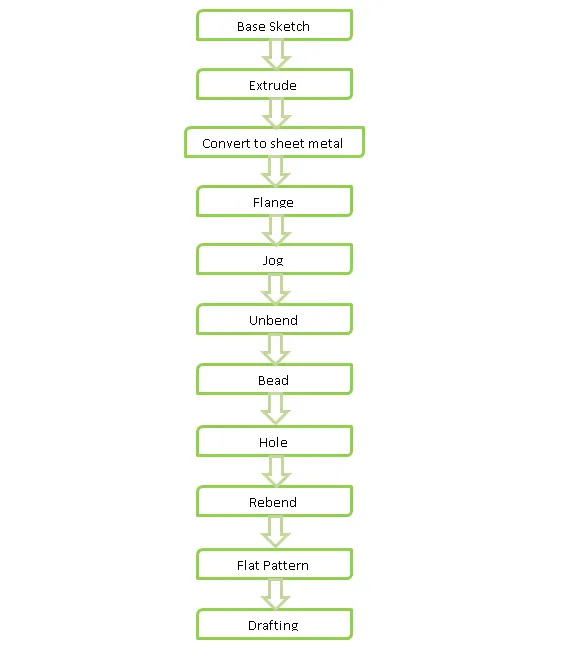
DESCRIPTION:
SKETCH:
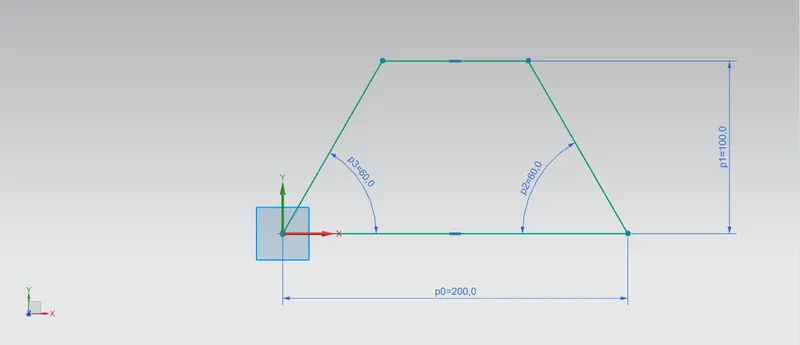
Sketches are the foundation of a design model. A base sketch is needed to perform most of the operations in sheet metal designing including Tab, flanges, dimple, hole, bead etc. the sketches can be created using the various sketch tools provided at top left corner of the interface.
EXTRUDE:
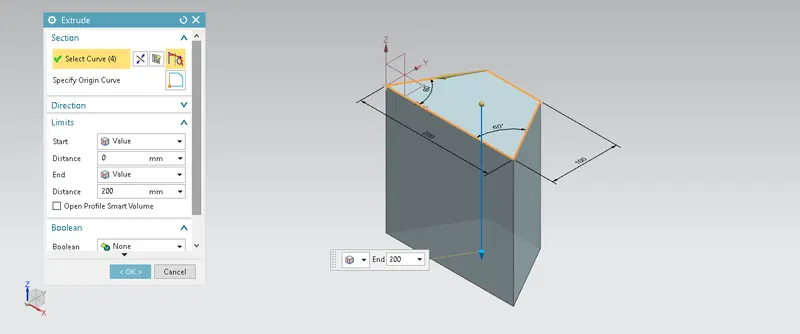
Extrude is the command used to create a 3-Dimmensional solid body from a 2-Dimmensinal sketch.
SHEET METAL FROM SOLID BODY:
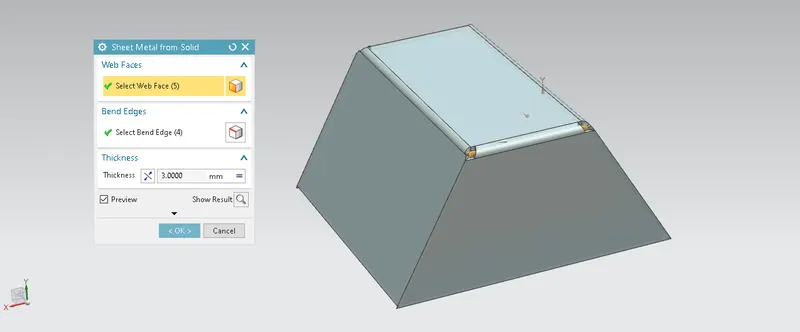
It is a very useful command in NX to create a sheet metal structure from a solid body by ripping edges and cleaning up geometry. For performing this command first i had selected 5 web faces except bottom face and then selected 4 top edges.
FLANGES:
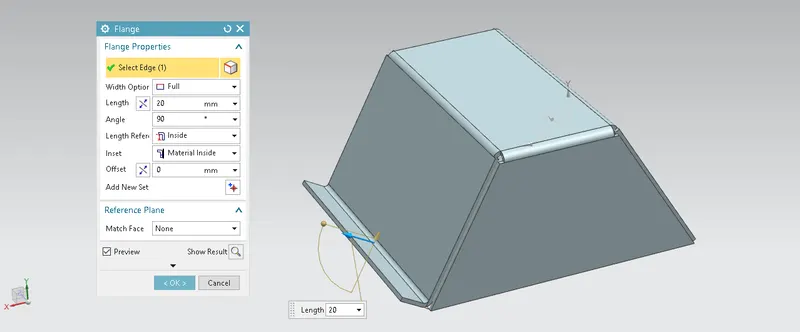
A flange feature was used to add extra material to the existing edge, of any length and angle. In this odd shaped enclosure I added flange on one side of sheet model having a length of 20mm at 90 degree angle.
JOG:
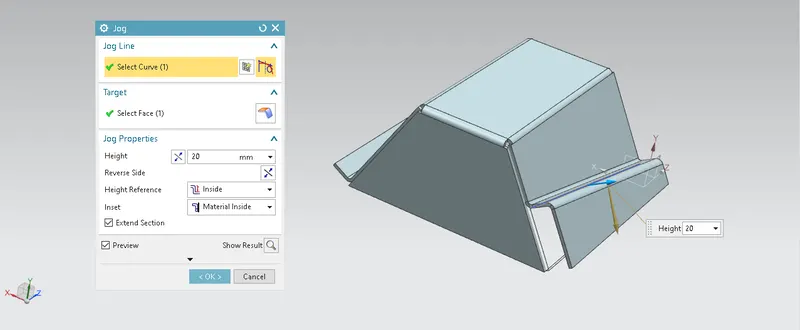
It is the feature used to lifts one side of the sheet metal part through a defined line. It ads flange between the stationary side and the lifted side.first I had created a sketch of inclined line on which jog is to be done then created the job having a height of 20mm.
UNBEND:
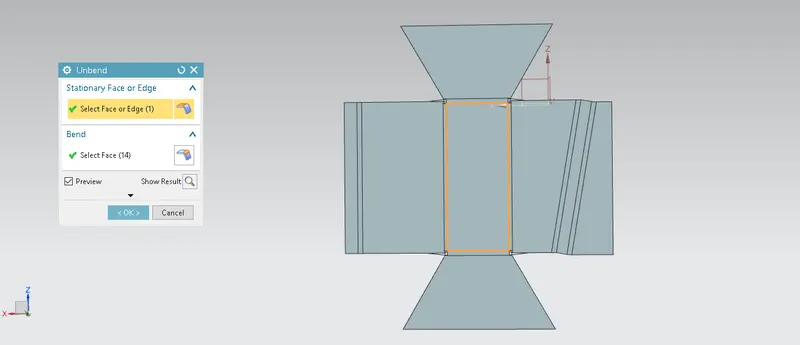
This feature is most powerfull and mostly use feature while designing in NX. This feature allows us to add extra feature in sheet metal without disturbing other dimmensional parameter. in this project For perfoming unbend I selected top face as stationary face.
BEADS:
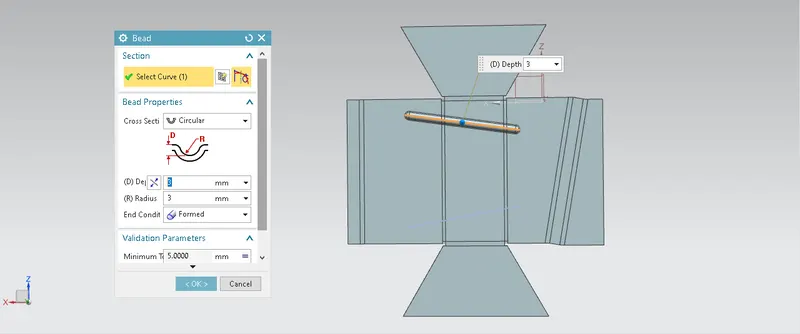
Beads are the features added in sheet metal components in order to increase the stiffness of the component. Beads require a sketch in order to apply the feature. It can be either an open or closed profile. For this odd shaped enclosure design, I creates a sketch of two lines and then two beads are applied.
HOLE:
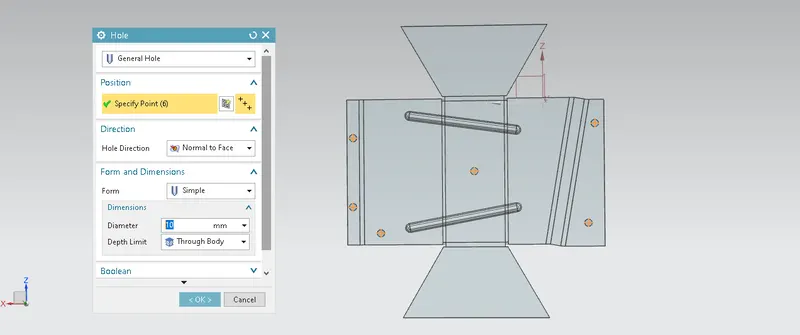
Hole feature is used to generate hole with definite parameter on sheet metal in siemens NX. We can create different types of holes counterbore, countersunk or tappered holes. For this odd shape enclosure I used simple screw type hole firstly I creats a sketch of 6 points then by selecting the points hole of 10mm diameter is generated.
REBEND:
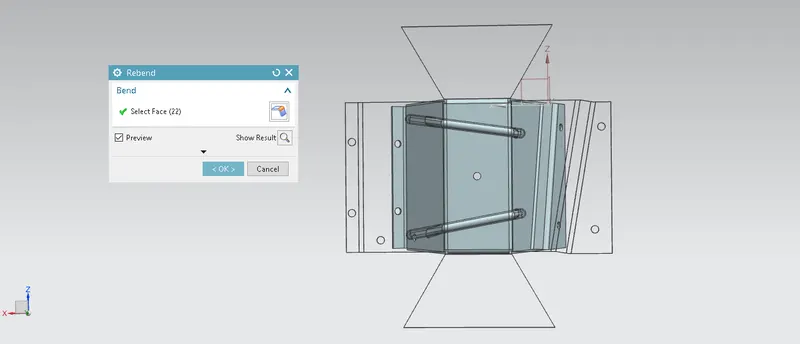
Rebend is perform to restore previously created bend on unbended part without disturbing previous bends and other features applie on sheet metal part. While performing rebend we have to keep eye on selecting bends in order they unbended.
FLAT PATTERN:
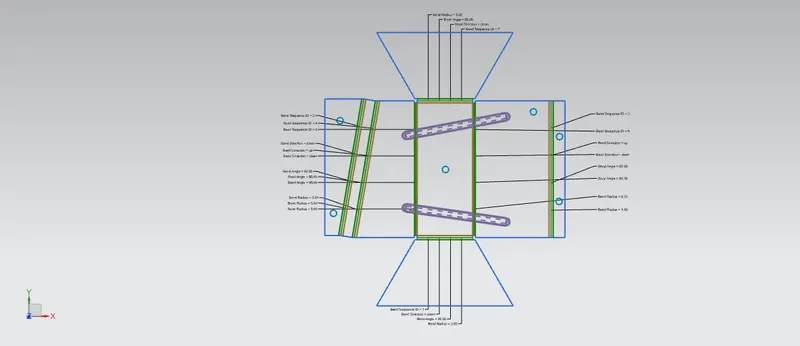
Flat pattern is the representation of the entire sheet metal component in the 2D form with all the bends, beads, holes, and additional features in the form of lines or edges. The flat pattern ensures the ability to cut the sheet metal out of the raw sheet metal plate. It removes the possible errors such as interface or collision within the same component.
DRAFTING:
After the modelling, the manufacturing requirement of the component a technical 2D drawing of the component with accurate dimensions or scales denoted. For achieving this we are using the command draft.
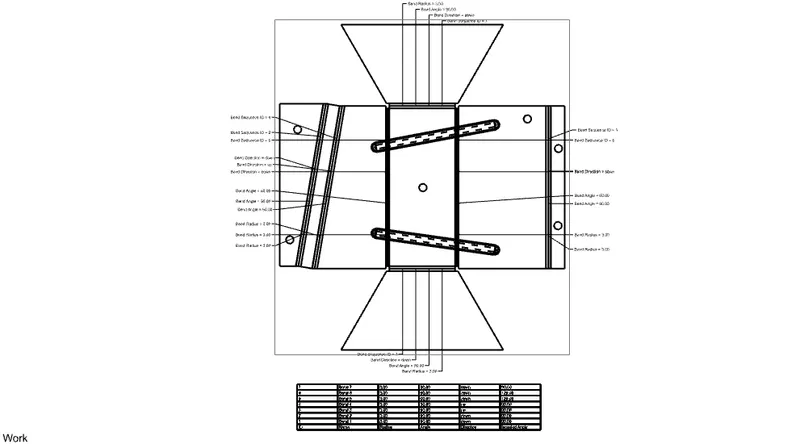
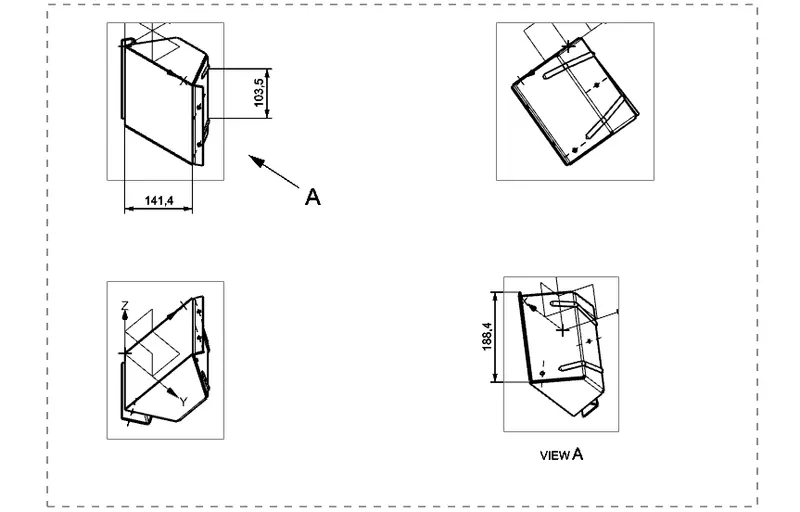
Different views of odd shaped enclosure:
Isometric view:
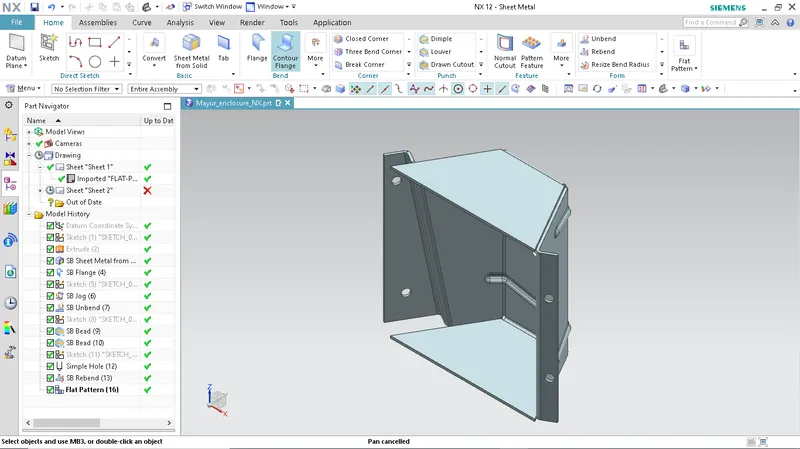
Front View:
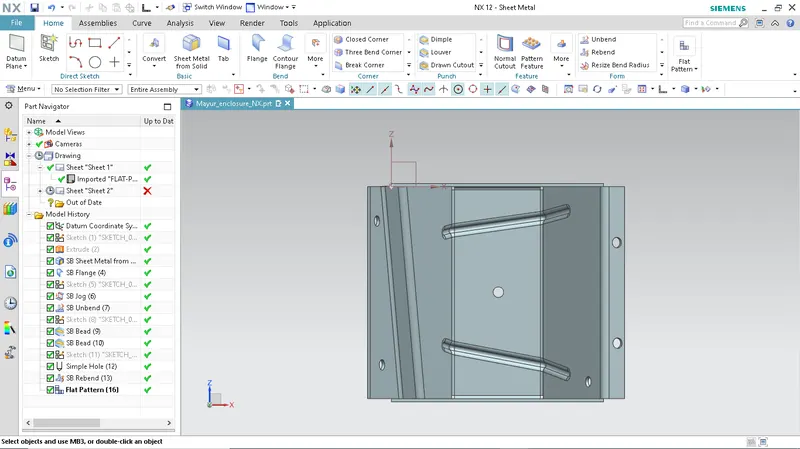
Top View:
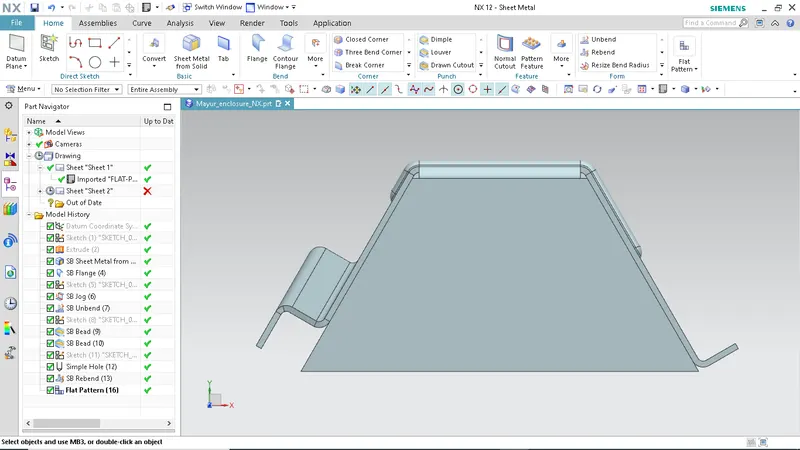
Side View:
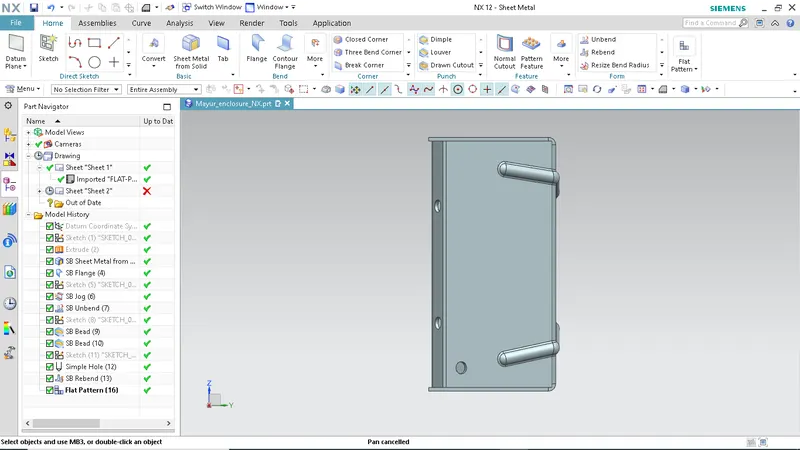
CONCLUSION:
- Successfully learned to design an odd shaped enclosure in industrial manner in NX.
- Learned basic commands of siemens NX cad.