Advanced Sheet Metal Design Using NX Cad Challenge_5_Odd Shaped Enclosure
DESIGN OF SHEET METAL-ODD SHAPED ENCLOSURE BY NX-CAD
Aim: The main objective of this project is to modelling the sheet metal of odd shaped enclosure by using sheet metal workbench within the NX-CAD software.
Introduction:
Sheet metal design is a forming process of making various complex design shapes from the thin metal sheets.They are made up of materials like steel,Aluminium,Copper,Nickel etc.These sheet metals can be manufactured based upon the require application as well as material properties.In olden days, sheet metals can be manufactured by manual bending, hammering etc ;with different hand tools.But now, several advanced machines came into existence and easily perform the forming operations like bending,embossing punching,fastening,cutting etc.Sheet metals can be used in various applications like in marine,automobile sector, locomotives, aviation etc.
But before coming to real time manufacturing of sheet metals today, the structure and behaviour of sheet metals can be studied,designed by using various computer aided softwares.They are several softwares are available, but here in this project NX-CAD software application is used for designing the sheet metal of odd shaped enclosure.Coming to NX-CAD,it is formerely known as unigraphics and after that several new versions are updated,changes its name accordingly.Here the version NX 12 is used for designing the component by using the sheet metal workbench.And after the formed sheet metal can be converted into flat pattern which indicates total blank size and properties of sheet metal used for drafting.
Design Methodlogy:
While designing the odd shaped enclosure, several sketches and lot of features are require.so how the workflow can be carried out for this design is clearly explained below.
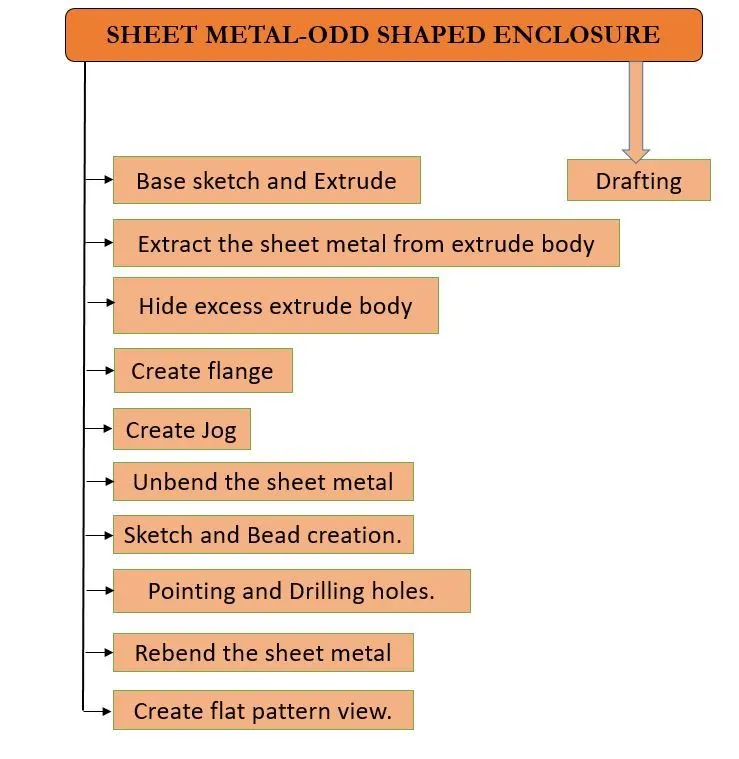
Features used for designing odd shaped enclosure:
Sketch:Sketch creates the 2D drawing for which the model is to be designed and consists of several sketch tools like line,arcs,rectangle,spline etc.
Extrude:Extrude is used to convert the created 2D sketch into 3D body by adding some depth to the material.It can be done either forward or reverse directions.
Sheet metal from solid:This feature is most important tool used for converting the solid bodies,non sheet metals,dumped bodies into valid sheet metals by adding some thickness value and bend radius.
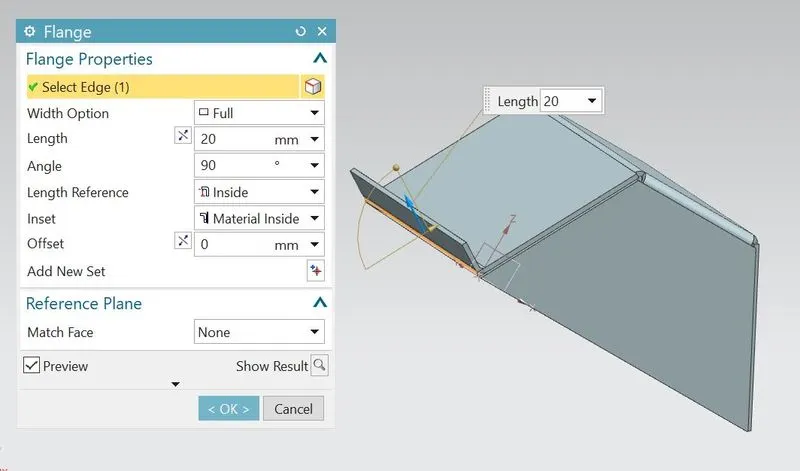
Flange:Flange helps us of creating extend body from the selected edge of the body with required length and bend angle.
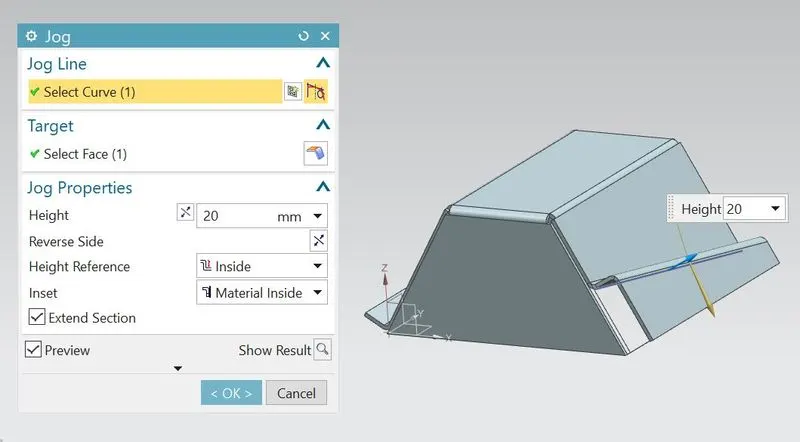
Jog:Jog modifies the working model by liftting material along the sketch line or curve.
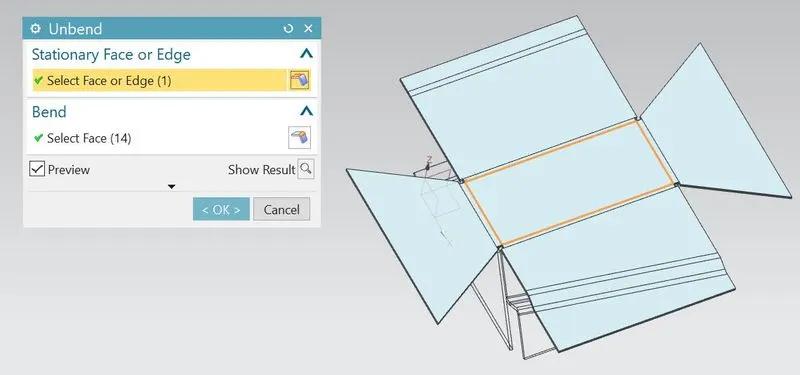
Unbend:Unbend feature converts the bended model into original state model by selecting one of the stationary face and bend faces.
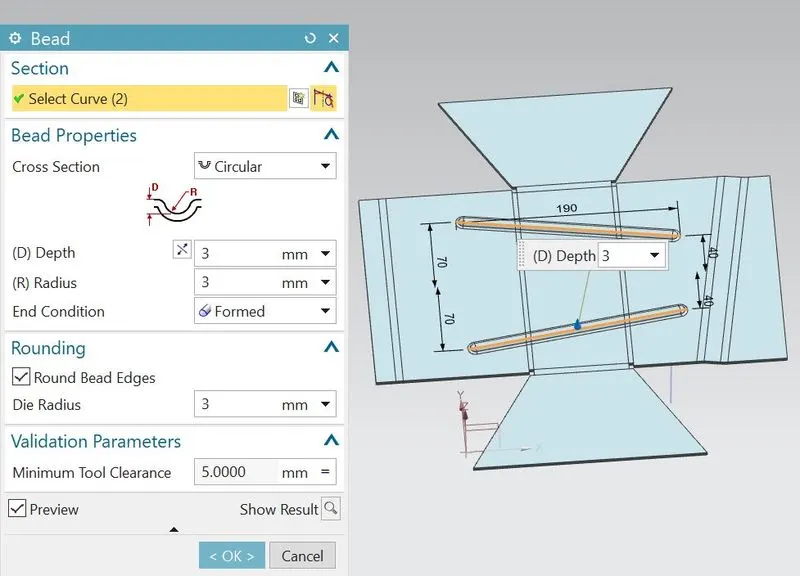
Bead:Bead lifts the material along the contour of sketch that simulates a stamping tool.
Hole:Hole is used for creating the required holes like counterbored,countersink,threaded holes on the body.
Rebend:Rebend is used to revert the unbended body after the work is completed on the model.
Flat Pattern:This feature is used for creating flat view of formed sheet metal.It helps us of indicating all the sheet properties what we have done during the work and also add a flat pattern view while in drafting.
Description:
- First open the NX application from the start menu and select the model workbench by changing its untit Millimeters.
- Select sheet metal ribbon from application tab.
- Create new sketch on XZ plane and draw the profile as per dimensions as shown.
- Exit from the sketch.
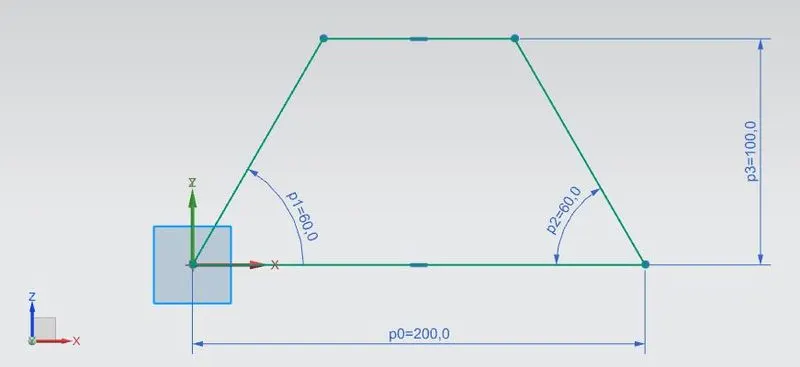
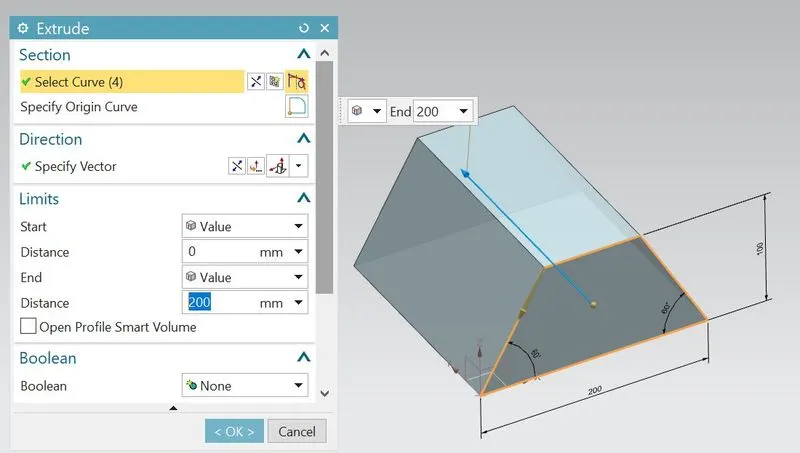
- Extrude the sketch with distance 200mm by using extrude feature from modelling application tab.
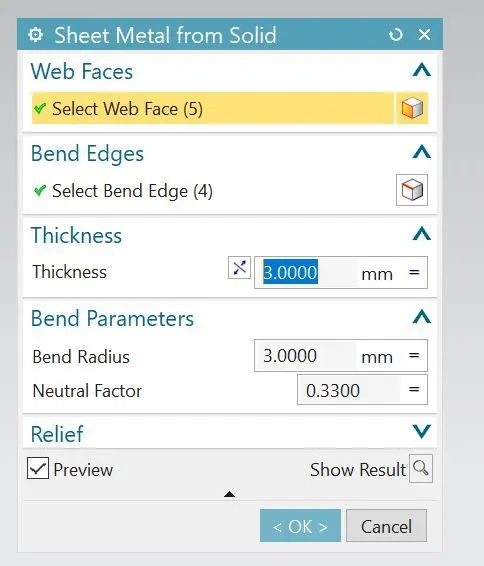
- Extract the sheet metal of thickness 3mm from the solid body by using Sheet metal from solid feature.
- Select top face as web face and select side edges as bend edges.
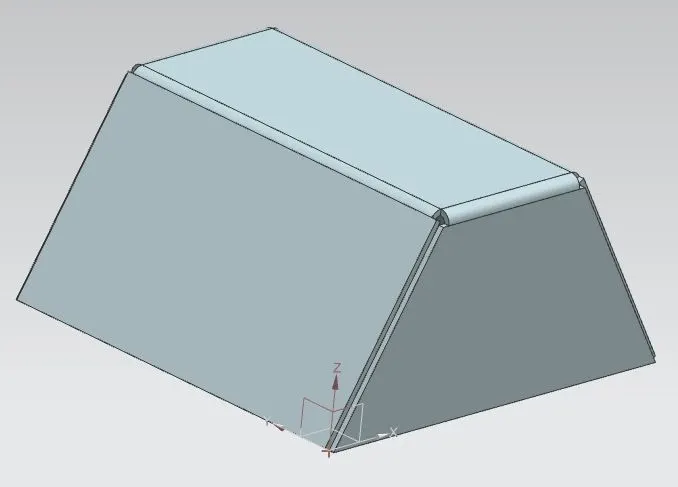
- Hide the excess extrude body.
- Add flange from the selected edge of length 20mm at an angle 90 degrees.
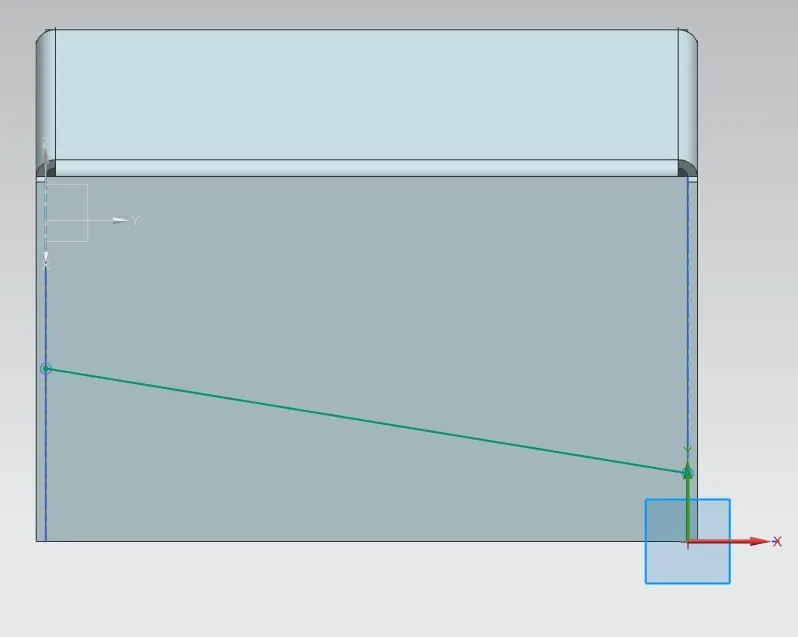
- Create the sketch on right side surface and draw the inclined line as shown.
- Exit from sketch
- Create the jog by selecting sketch line as jog curve with height 20mm.
- Select unbend feature.
- Select top face as stationary face and remaining faces as bend faces.
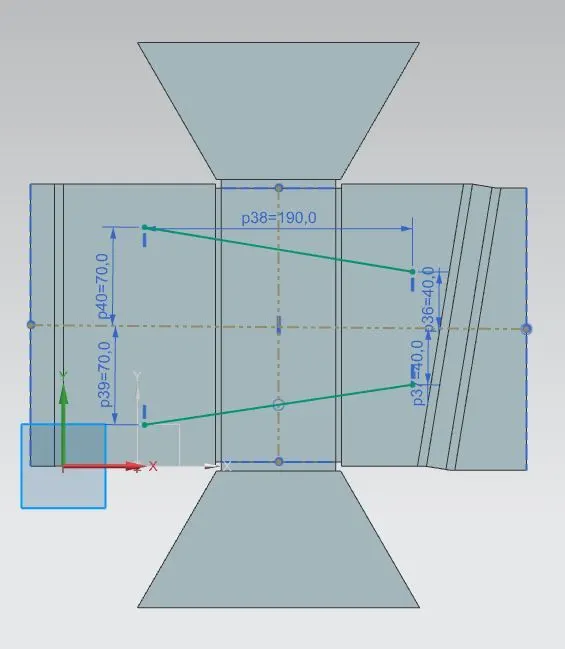
- Create the sketch on top surface and draw two lines as shown.
- Exit from sketch.
- Create beads by selecting two lines as bead curves.
- Change depth and radius to 3mm.
- Select the hole feature and by using sketch creation,point the 6 points.
- Exit from sketch and hole is created by changing diameter to 10mm.
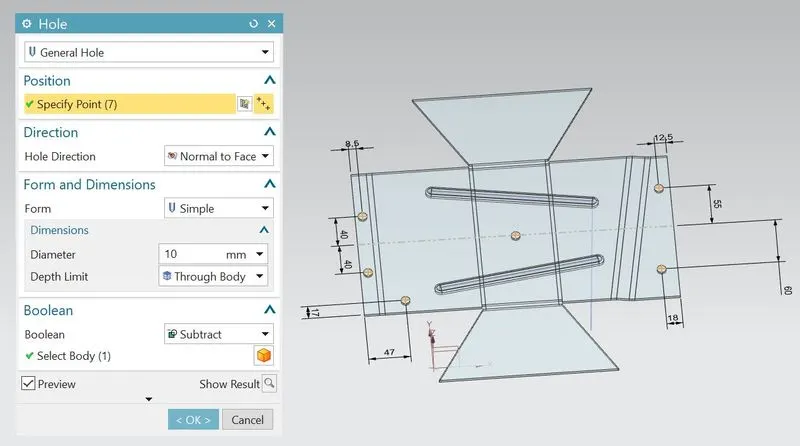
- Once the beads and holes are created,the model will be look like as shown.
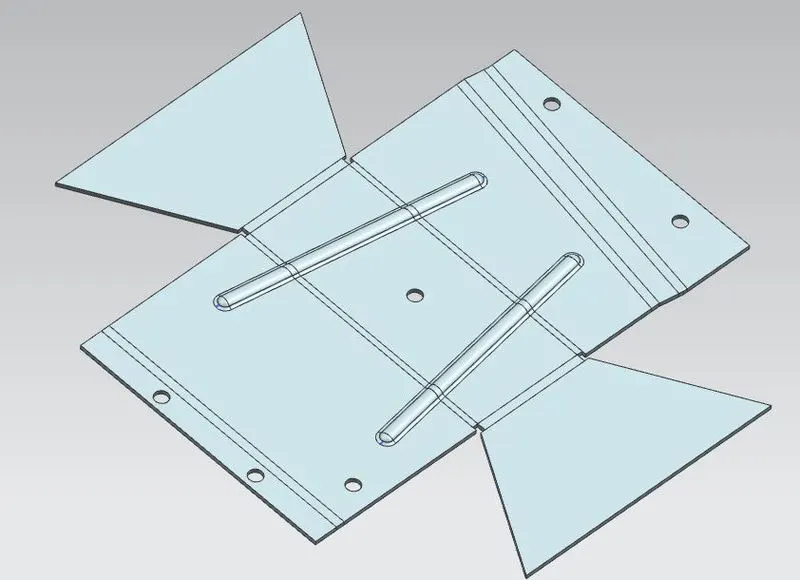
- Rebend the unbended body by selecting all faces.
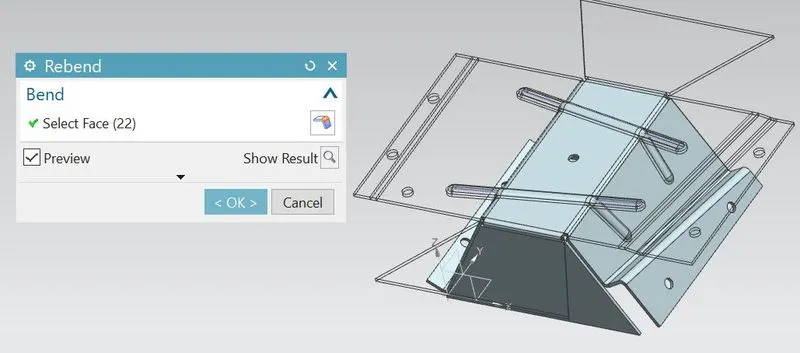
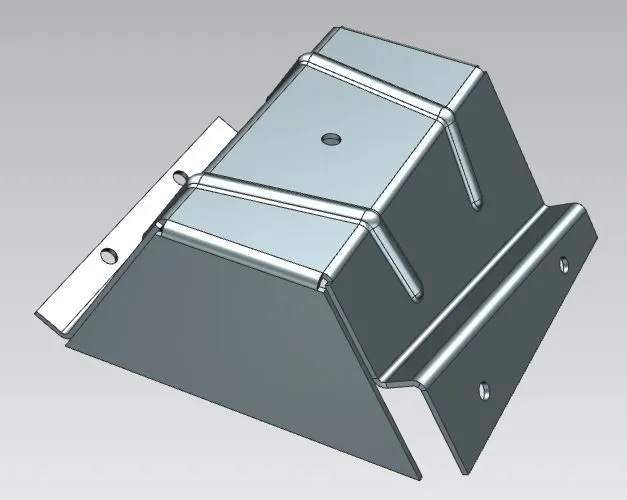
- Ahter rebend,model is completed and can look like as shown.
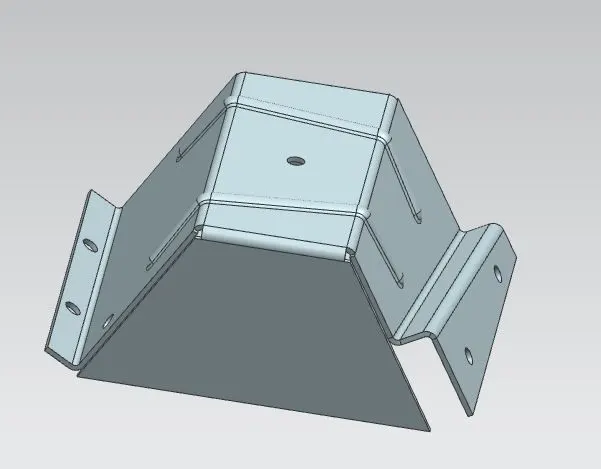
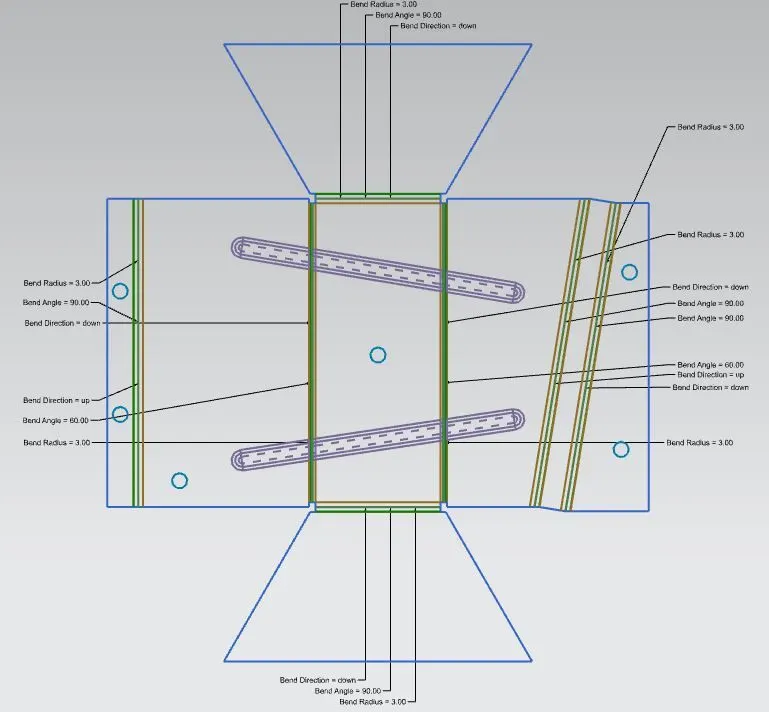
- Select the flat pattern feature.
- Select orange colour face as flat face and select the edge as shown in green arrow indication.
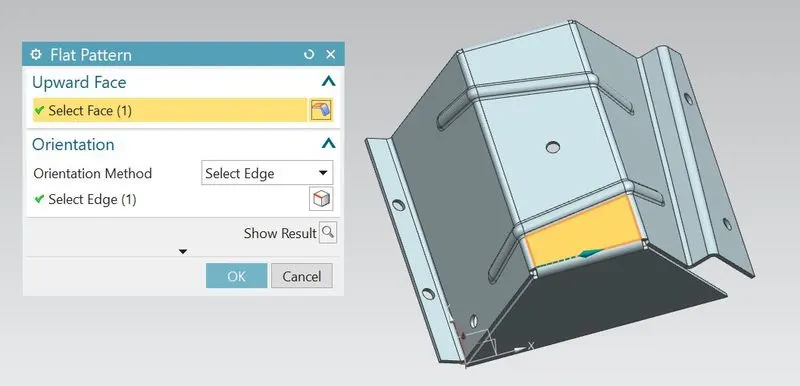
- As the flat pattern is not visible normally.so expand the model views from feature tree.
- So there is a flat pattern view and double click on that to see pattern view.
- Flat pattern view:
- Select the drafting ribbon from the application tab.
- Automatically it opens sheet dialogue box and select the sheet size.
- Select base view tab feature and select the flat pattern view from model view.
- Select the suitable scaling ratio based on model view.
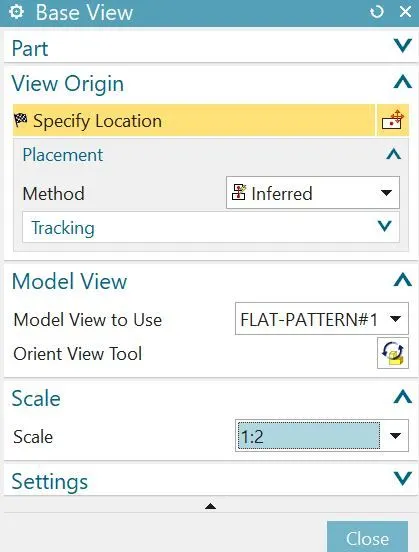
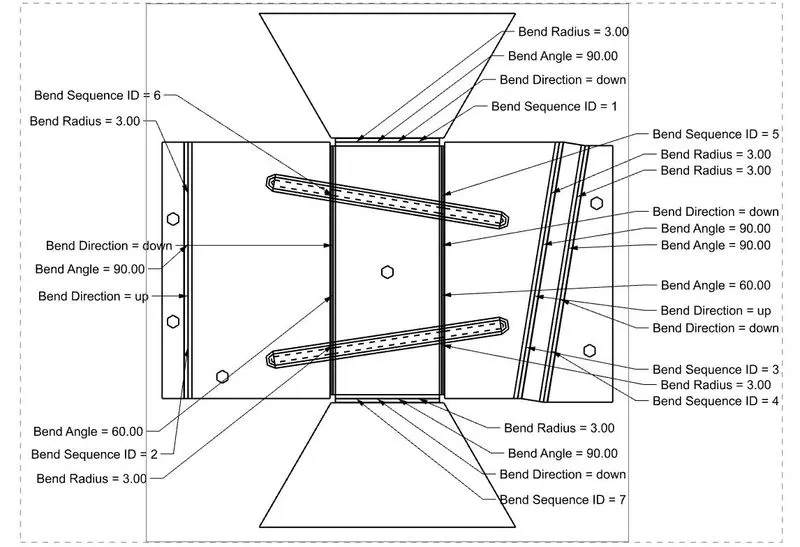
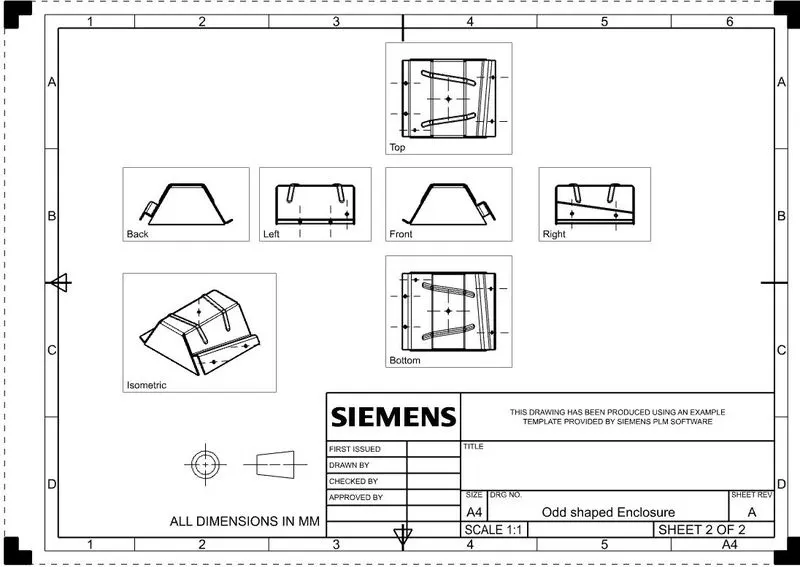
- Once the drafting is completed,click on the save button to save the entire work.
Feature Tree of Part navigator:
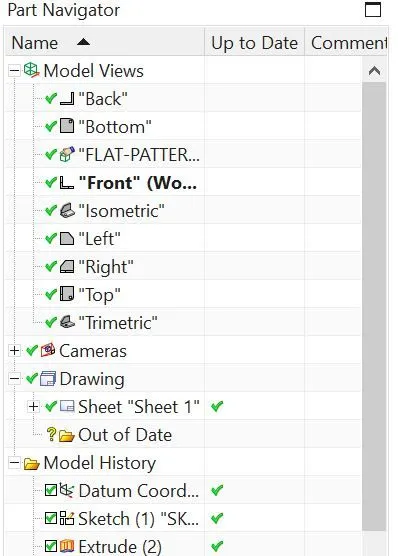
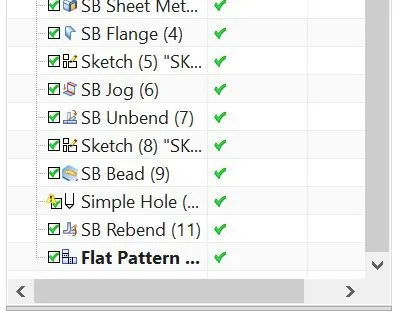
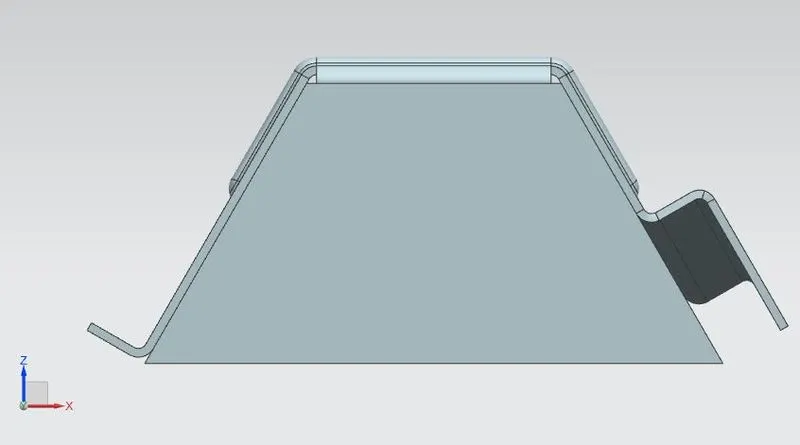
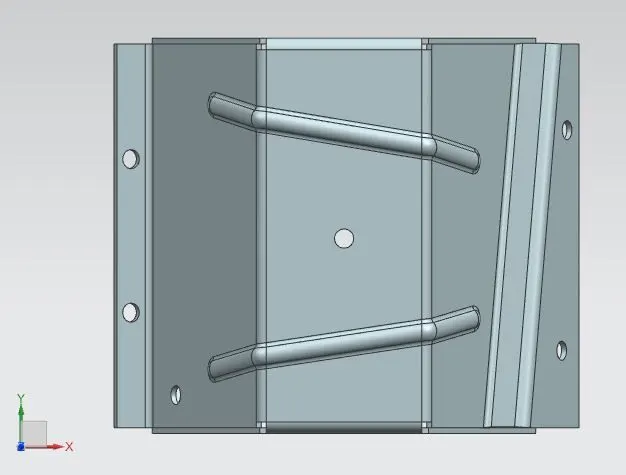
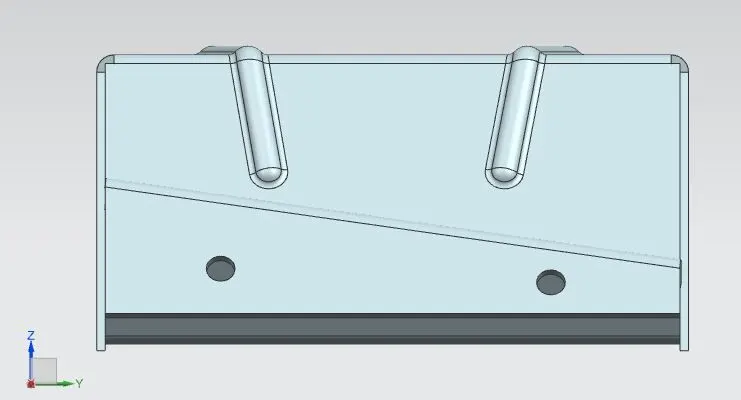
Different views of odd shaped enclosure:
Front view
Top view
Right view
Isometric view
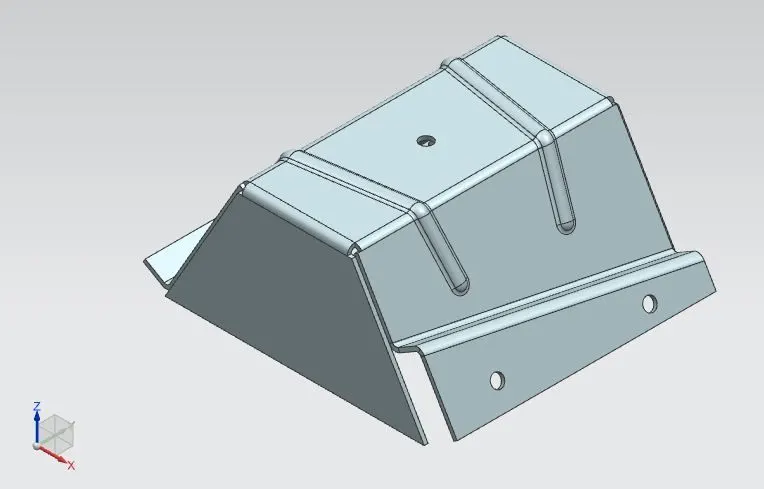
Final Model Image
Drawing sheet images:
1.Image with flat pattern view-
2.Image with proper Standard views-
Conclusion:
Design of odd shaped enclosure sheet metal can be completed by using the NX-CAD software and also learnt on how to convert the formed sheet metal model into drafted model.
THANK YOU