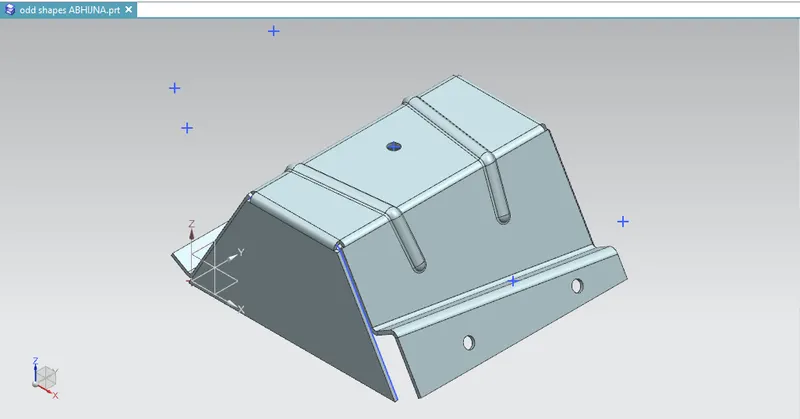
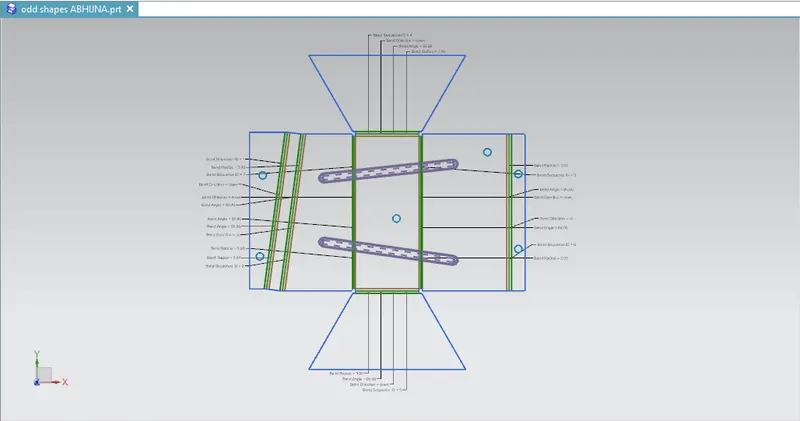
Advanced Sheet Metal Design Using NX Cad Challenge_5_Odd Shaped Enclosure
|
2021 |
|
|
SKILL-LYNC ADVANCED SHEET METAL DESIGN OF ODD SHAPED ENCLOSURE USING SIEMENS NX |
By
ABHIJNA K
CHAPTER 1
INTRODUCTION
NX is one of the world’s most advanced and tightly integrated CAD/CAM/CAE product development solutions. Spanning the entire range of product development, NX delivers immense value to enterprises of all sizes. It simplifies complex product designs, thus speeding up the process of introducing products to the market.
NX formerly known as "UNIGRAPHICS" is an advanced high end CAD/CAM/CAE, which has been owned since 2007 by Siemens PLM Software. It is used among other tasks for Design, Engineering analysis, Manufacturing.
- OBJECTIVES
- To design odd shaped enclosure using NX-Cad sheet metal applications.
- To familiar about the usage of tools while designing the odd shaped enclosure.
CHAPTER 2
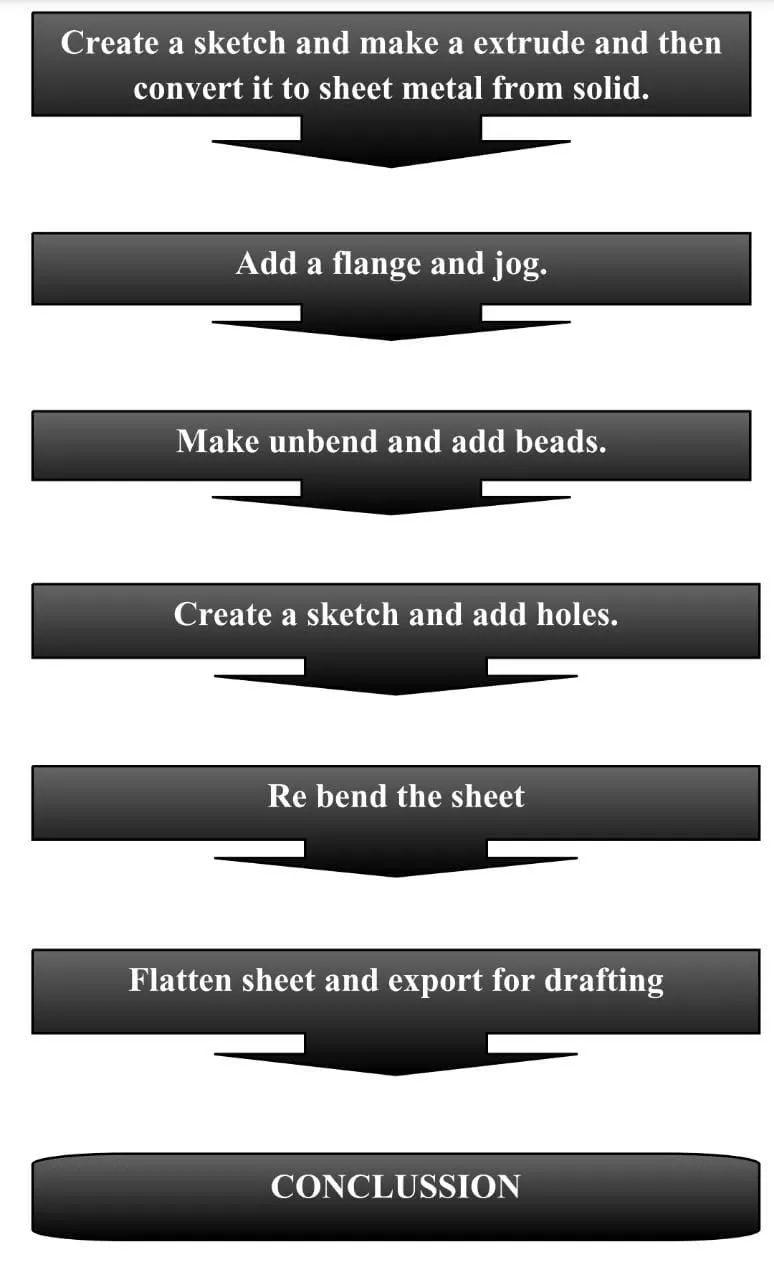
METHODOLOGY
CHAPTER 3
FEATURES
- Sketch:
The sketch is the fundamental base element for any feature in the design of any sheet metal component. The very first step is to create sketch which is then used to create tab or the base feature.
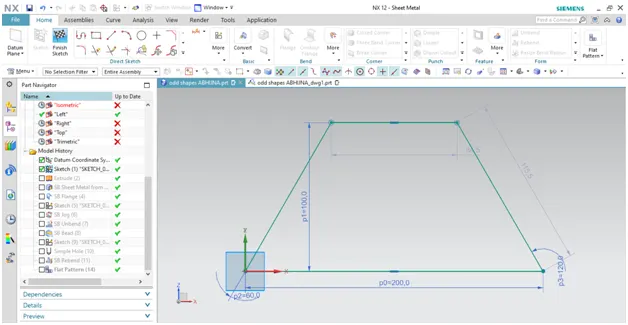
Figure 3.1: sketch.
- Extrude:
With the Extrude command, you can obtain the base 3D geometry in Siemens NX, and then you can add other features on it.
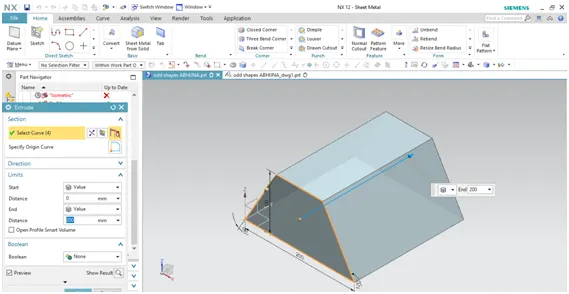
Figure 3.2: Extrude.
- Sheet metal from solid:
Sheet metal from solid use to build a sheet metal model that takes its shape from a collection of planar face.
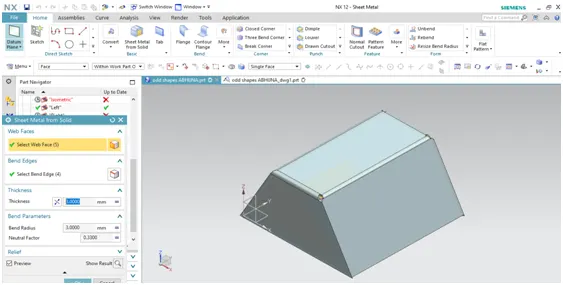
Figure 3.3: SB sheet metal from solid.
- Jog:
Jog lifts one side of the sheet metal part through a defined line. And adds flange between the stationary side and the lifted side
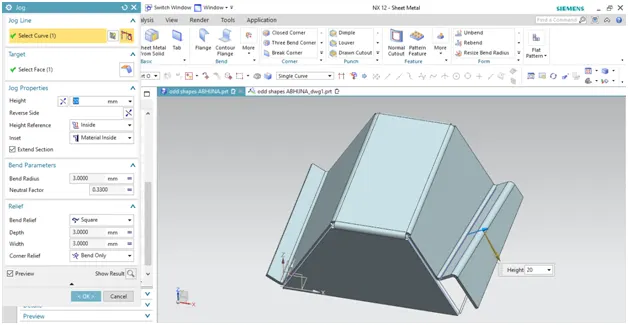
Figure 3.4: Jog.
- Flange:
The flange is an additional face created automatically from any edge of the existing sheet metal component. It is additional material connected to any face or edge which is bent from the respective face or edge.
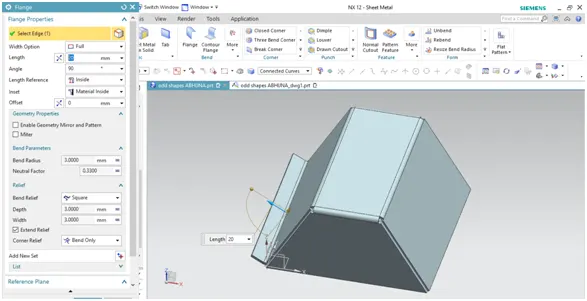
Figure 3.5: Flange.
- Unbend:
Unbend is the very powerful and useful tool in the Siemens NX. It allows all the bend made by various feature to the unbend state at once.
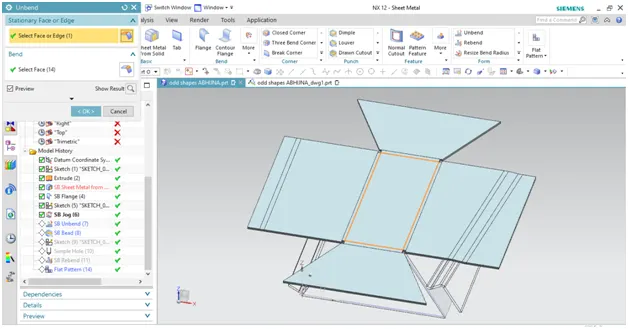
Figure 3.6: Unbend.
- Beads:
Beads are the features added in the sheet metal components in order to increase the stiffness of the component. Beads require a sketch in order to apply the feature. It can be either open or closed profile.
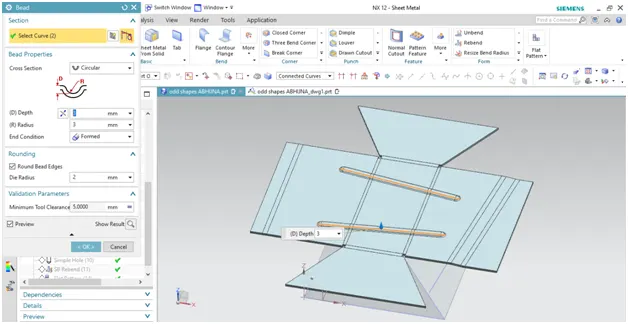
Figure 3.7: Beads.
- Hole:
Hole feature in the sheet metal workbench is just like in the model workbench. It can be created simple, counter bore, counter sink or tapered holes.
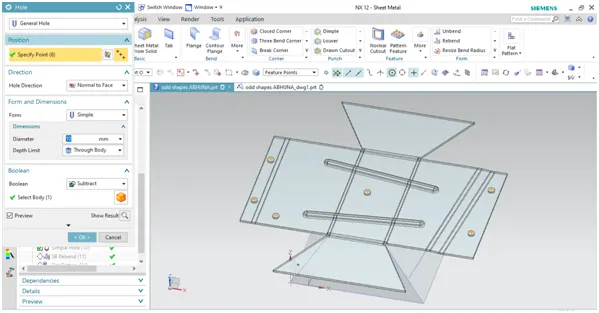
3.8: Hole.
- Re bend:
All feature added after the unbend feature are added in the unbend state itself. After the addition of sketches and additional features are completed, the sheet metal components has to be re bend to the required position.
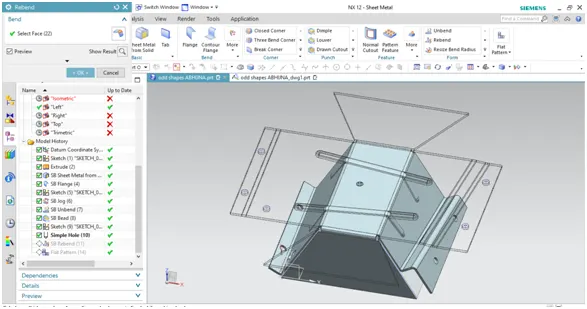
Figure 3.9: Re bend.
- Flat pattern:
Flat pattern is the representation of the entire sheet metal component in the 2D form of the flat sheet metal with all the additional feature in the form of lines or edges. It removes the possible errors such as interference or collision with in the same component.
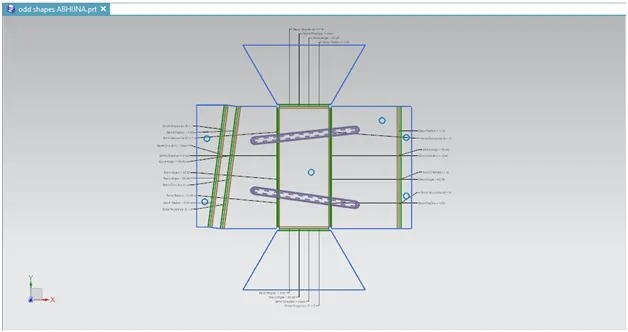
Figure 3.10: Flat pattern.
- Drafting:
After the design is complete, the execution or the manufacturing of the component requires a technical drawing of the component with the provided scale and with accuracy.
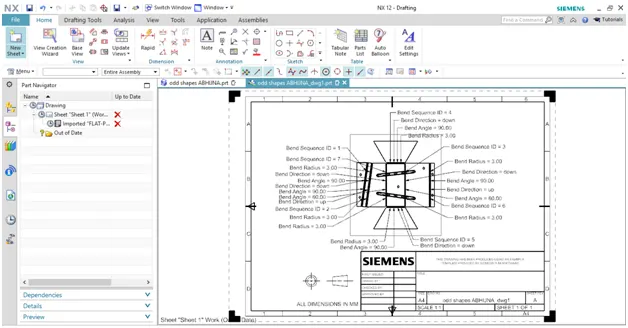
Figure 3.11: Drafting.
CHAPTER 4
MODEL IMAGES
THE DIFFERENT VIEWS OF ADVANCED SHEET METAL DESIGN OF ODD SHAPED ENCLOSURE:
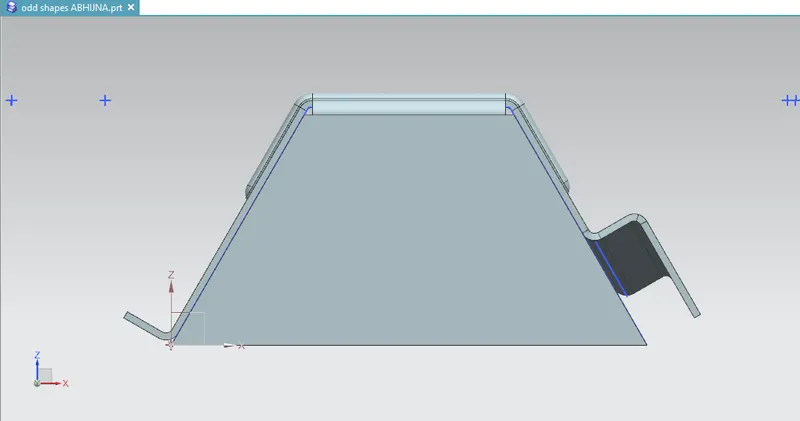
4.1. Front view:
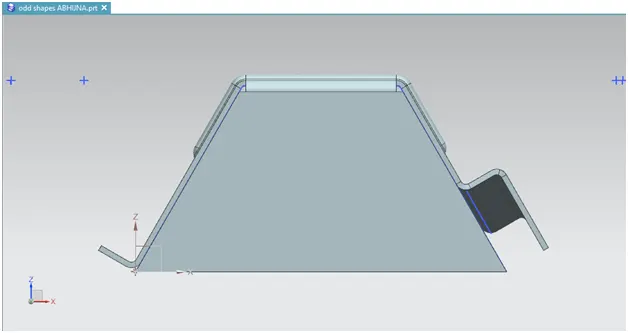
Figure 4.1: Front view.
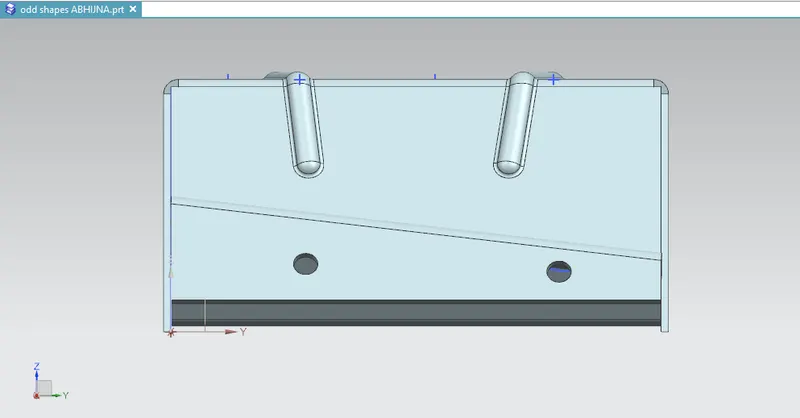
4.2. Right view:
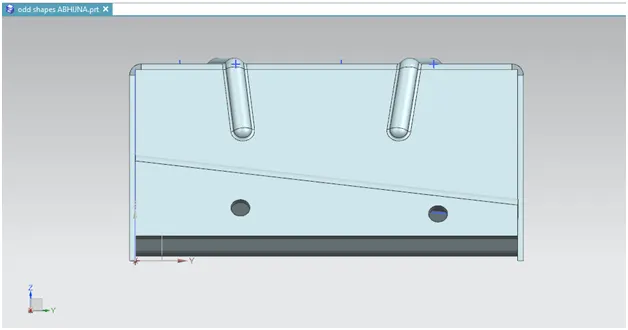
Figure 4.2: Right view.
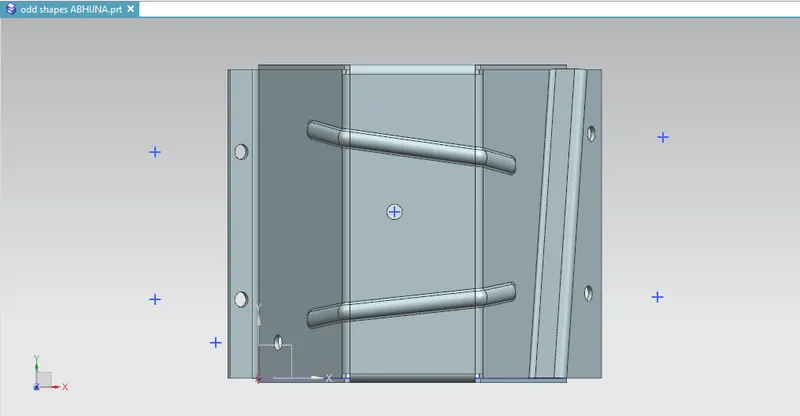
4.3. Top view:
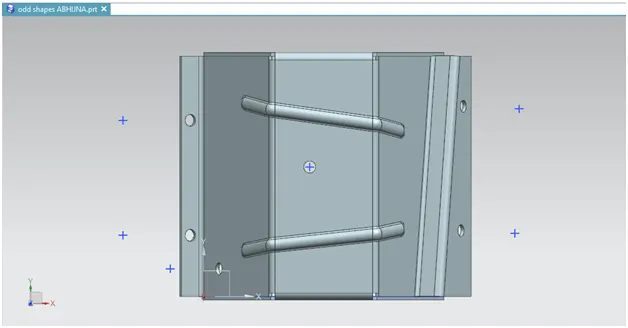
Figure 4.3: Top view.
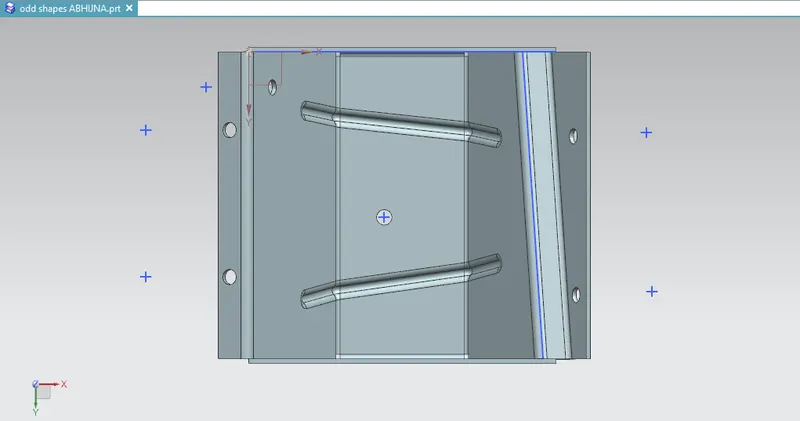
4.4. Bottom view:
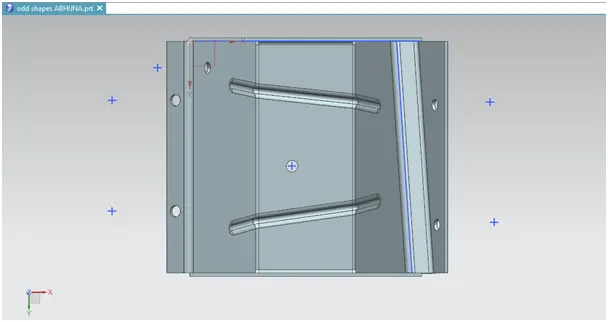
Figure 4.4: Bottom view.
4.5. Isometric view:
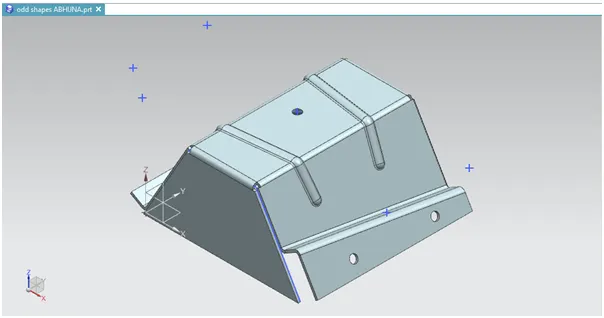
Figure 4.5: Isometric view
CHAPTER 6
CONCLUSSION
In this project, the odd shaped enclosure is successfully designed in the sheet metal work piece of Siemens NX