Advanced Sheet Metal Design Using NX Cad Challenge_5_Odd Shaped Enclosure
TITLE OF THE PROJECT
To design a Sheet metal odd enclosure using sheet metal of NX CAD
OBJECTIVE
The main objective of the project is to design a sheet metal odd shaped enclosure and create its drafting on a drawing sheet using grafting tool and NX Sheet Metal application
- To learn the fundamentals and advance tools of NX CAD
- To learn about various parameters and sheet metal designing.
INTRODUCTION
In this project, we have created odd shaped enclosure using NX Sheet metal application and after that we created the 2D drawing of the odd shaped enclosure using drafting tools.
This can be used in Engineering industry, Automobile industry, etc and also there are many such practical applications of this project.
To create this, first of all we have created a solid body by creating a sketch of given dimensions and then extruding the sketch, then the sides and beads are made using various features and tools of NX CAD.
The various tools used in creating this are:
- Sketch
- Extrude
- Sheet metal from solid
- Flange
- Jog
- Unbend
- Bead
- Hole
- Rebend
- Flat Pattern
WORKFLOW:
- Creating a sketch of given dimensions
- Converting the sketch to solid body
- Converting the solid body to sheet metal
- Creating a side bend bend using flange to support
- Creating side bend on other side using Jog
- Unbending the bend edges
- Create a bead on top surface
- Rebend the unbend edges
- Create a Flat pattern view
DESIGN METHODOLOGY AND DESCRIPTION
To create this odd shaped enclosure, first of all we have created the sketch of given dimension after which the sketch is converted to solid body using extrude command.
EXTRUDE: This feature is used to convert a 2D sketch into 3D solid body
Then the solid body is converted into sheet metal using Solid body to skeet metal command.
SOLID BODY TO SHEET METAL:
After this step, one of the edges were bend to create side support using flange command and the other opposite face was bent using jog command because in this there were 2 bents.
FLANGE: This feature is used to create a bend of edges at an angle and upto a given length.
JOG: It modifies the model by lifting material on one side of the sketch and adding a flange between 2 sides.
The next step was to unbend all the bend edges using Unbend command
UNBEND: This feature is used to open the bend edges.
After that, beads are created on top surface by first creating the sketch and then converting to bead.
BEAD: It lifts the sketch along the contour of the sketch. It is used to provide the strength to the body
Then, holes are created according to given guidelines at certain dimensions
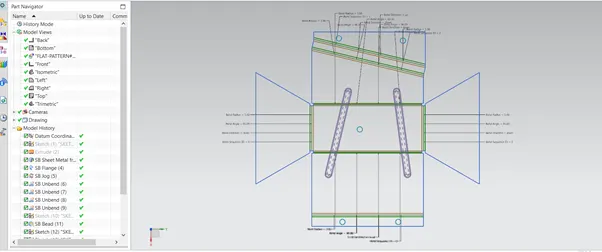
And finally flat pattern view is made using flat pattern command.
FLAT PATTERN: This feature is used to create a flat patten view of the given sheet metal
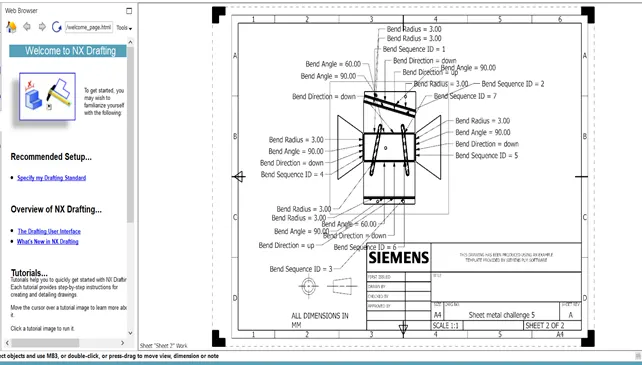
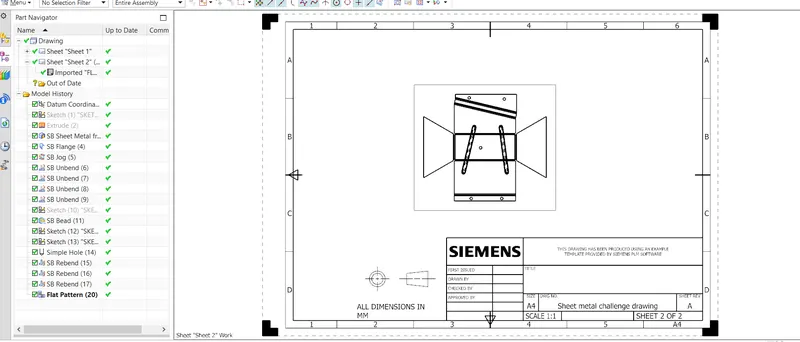
And then a 2D drawing sheet is created using drafting tool.
VIEWS:
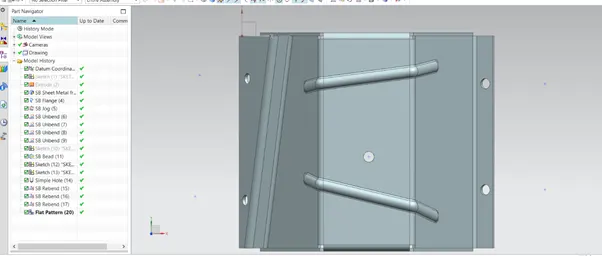
TOP VIEW
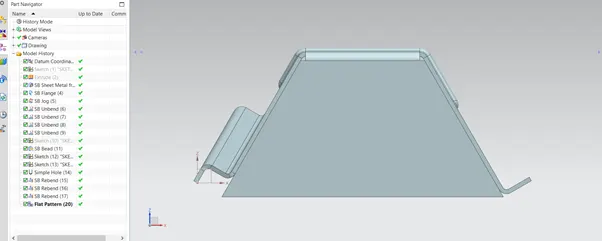
FRONT VIEW
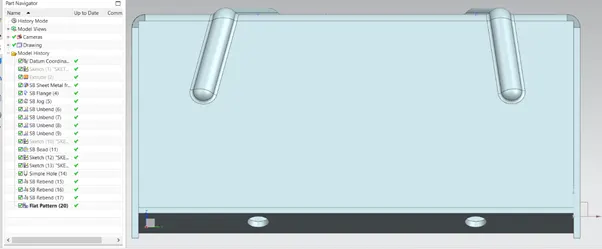
RIGHT VIEW
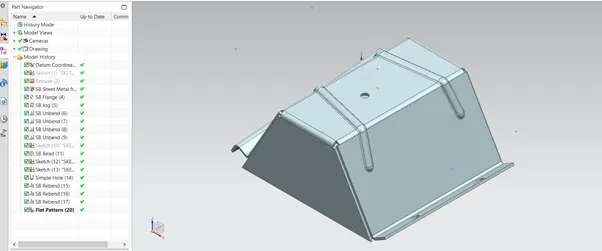
ISOMETRIC VIEW
FLAT PATTERN VIEW
DETAILED DRAWING SHEET
CONCLUSION
Through this project, I have learnt about how to make this odd shaped enclosure using various tools used in NX such as Extrude, Flange,Jog, Bead , etc.