Advanced Sheet Metal Design Using NX Cad Challenge_5_Odd Shaped Enclosure
Objective
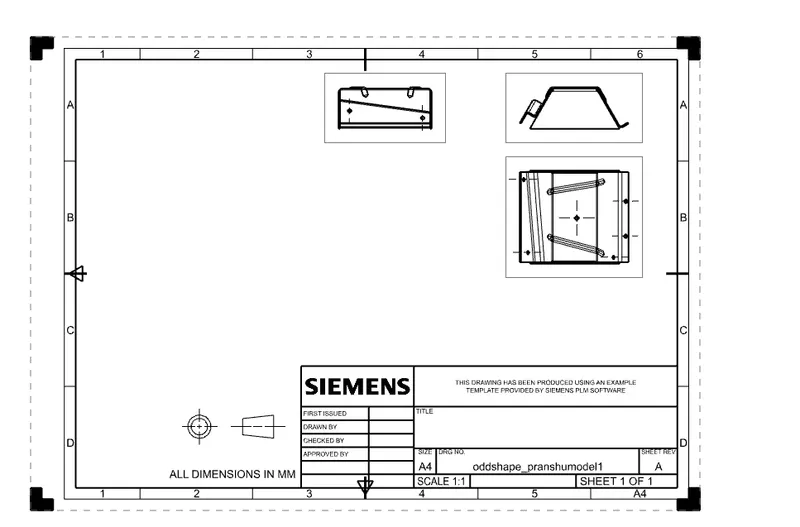
To design an odd shaped enclosure and create a draft of it using simens nx sheet metal applications.
Introduction
Sheet metal is metal formed by an industrial process into thin, flat pieces. sheet metal is one of the fundamentals forms used in metal working and it can be cut and bent into a variety of shape. Countless everyday objects are fabricated from sheet metal thickness can vary significantly ; extremely thin sheets are considered foil or leaf and pieces thicker than 6mm are considered plate steel or “structural steel”.
NX, formerly known as "unigraphics", is an advanced high-end CAD/CAM/CAE, which has been owned since 2007 by Siemens PLM Software. In 2000, Unigraphics purchased SDRC I-DEAS and began an effort to integrate aspects of both software packages into a single product which became Unigraphics NX or NX.
Design methodology
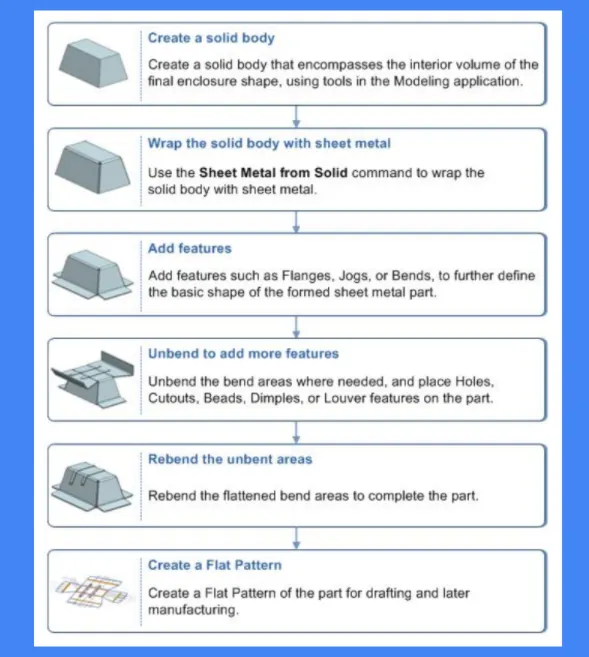
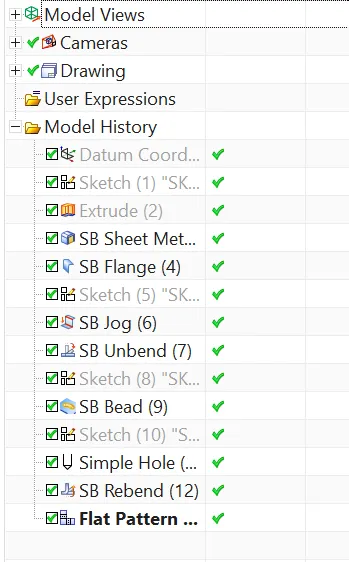
- Create a sketch with given dimension and convert into solid body.
- Wrap the solid body to sheet metal.takes its shapes.
- Add feature like flanges , unbend jog according to the given dimensions.
- Unbend to add features like holes,beads.
- Rebend the unbent area.
- Create a flat pattern
Features used in modelling
- Sketch- it is the basic of any design.
- Extrude- it creates a feature by extruding a section along a vector.
- Sheet metal from solid- it builds a sheet metal model that takes it shapes from a collection of planar surfaces.after selecting the command and the solid body, wee can also remove the edge sharpness by removing the material at these place.
- Flange- it is used to create an extended part of a sheet metal. It is created at the edge of one side of the model .this command will allow us to select the edge of the base to create a projecting flat extruded surface . the angle , width , length and type of flange can be determined as per the requirements.
- Jog-it modifies the model by lifting material on one side of sketch line , adding a flange between the two sides.
- UNBEND-Unbend is a very important feature . before creating any feature the model the model should unbended for easy understanding.
- Hole-it adds a hole to one or more solidbodies in apart of assembly with options for counterboard , countersunk ,and threaded.
- REBEND-Rebend of unbend profile is called rebending
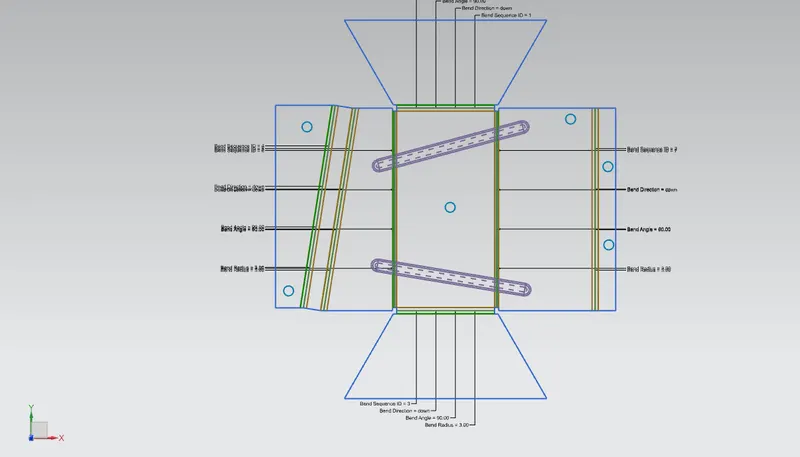
- Flat pattern-it creates a flat pattern feature from the formed sheet metal part. The user choose this command to create a flat view of the sheet metal after unbending all the sides and faces.
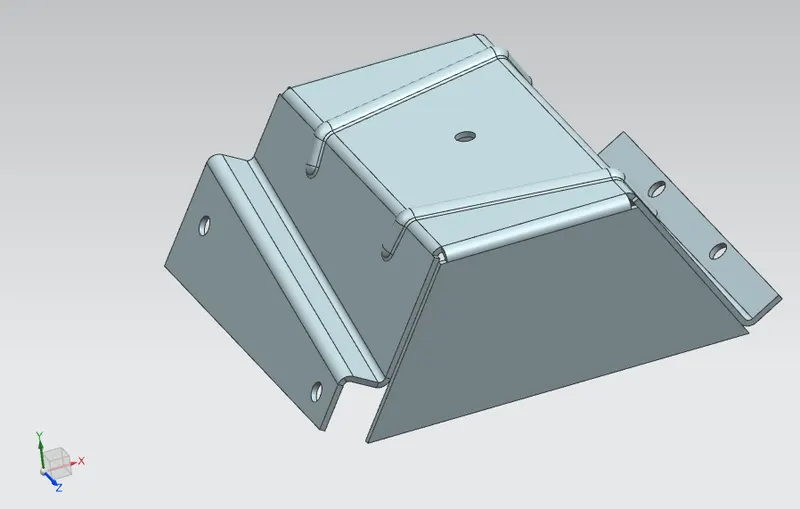
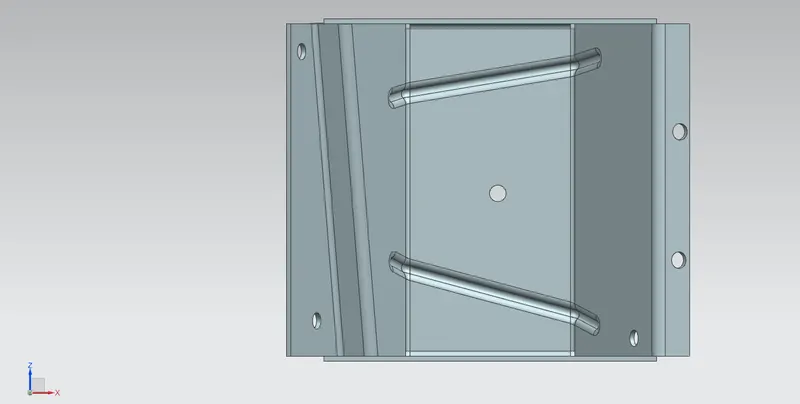
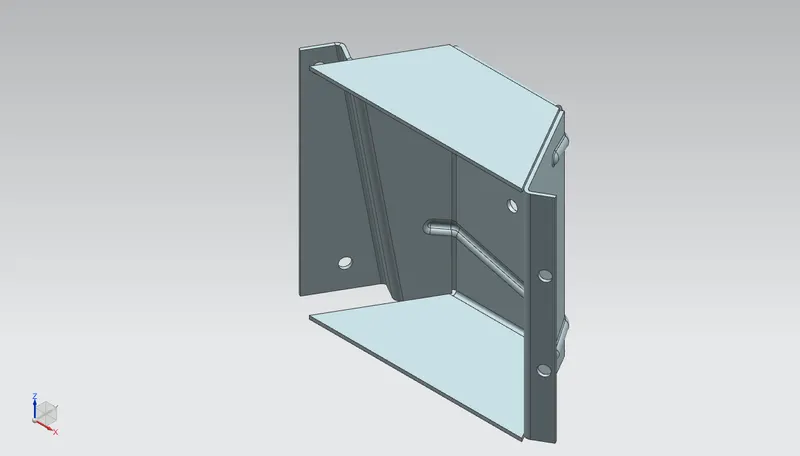
Screenshot of the model
Conclusion
The sheet metal design of an odd shaped enclosure was completed using the basic command such as tab , flange , sheet metal from solid,jog,hole,unbend ,flat pattern.