Advanced Sheet Metal Design Using NX Cad Challenge_1_Casing Design
SHEET METAL DESIGN OF CASING
Objective
This report contains a detailed explanation of Sheet Metal Design of a Casing. The main objective of this course module is to learn the basics of Sheet Metal Design and also exploring most of the tools that are used in Sheet Metal Design using Siemens NX.
Introduction
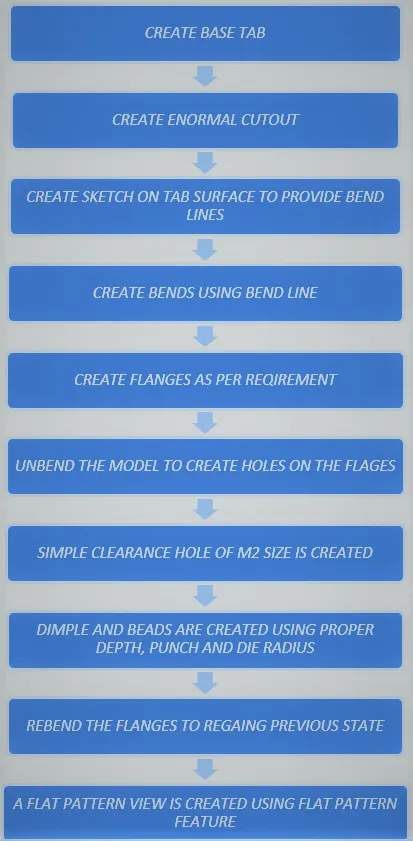
Sheet metal design is the process of making components from thin metal sheets by bending, cutting and fastening. Sheet metal design has varied application. The basics of sheet metal design are learnt and applied in creation of a Casing. The following steps were undertaking while designing the Sheet Metal Casing:
1.Creating the sketch for base plate and extruding it via tab feature
2. Creating bends, flanges and break corners
3. Unbending the bends created
4. Drilling holes
5. Creating the sketch the profile for the creation of the Dimple on the center face
6. Creating the sketch and create bead on the center face
7. Rebend the Component
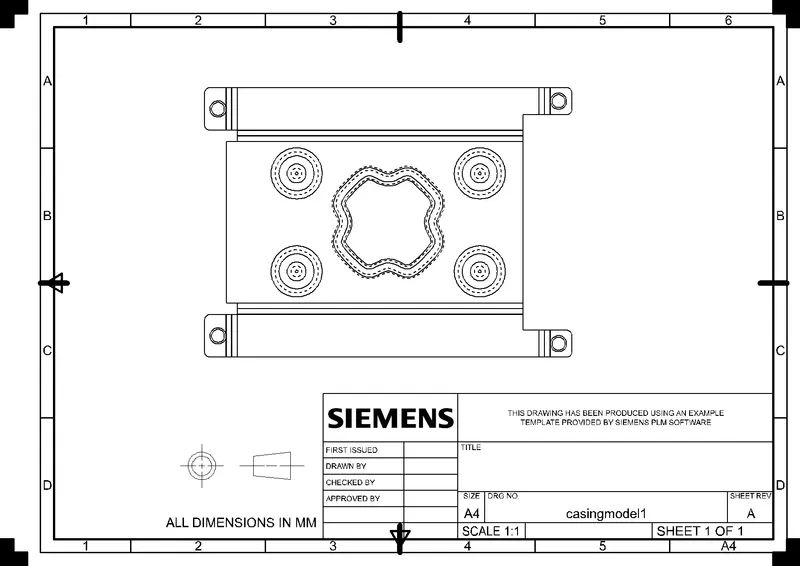
8. Drafting
Design Methodology
Features used -
1)Sketch - A sketch is a 2D profile and can be extruded, revolved, or swept along a path to construct features.
2)Tab - Creates a base feature by extruding a sketch along a vector by a thickness value, or adds material to a planar face.
3)Bend - Bend feature is used to part of the flat tab into the flange. It uses a sketch that includes bend lines. Bend can be created either side of the bend line.
4)Flange - Flange feature is used to create an extended portion or bend to the selected edge.
5)Break Corner - This feature is used to smoothen the harmful corner of the sheet.
6)Unbend – This feature is used to flatten the sheet metal part for further design operations.
7)Hole – This feature adds holes to the sheet metal part.
8)Dimple – This command is Use to lift an area of the model inside a sketch that simulates a stamping tool
9) Bead – The bead is like a raised rib in the sheet metal panel. It requires that you have at least one sheet metal panel in the active part as well as an open or closed-loop sketch.
10) Rebend – Rebend feature is used to get the original bend shape after performing forming operations like a dimple, bead.
11)Flatt Pattern – This feature is used to create an instance of the flat shape and size of the sheet metal that required to create the final part.
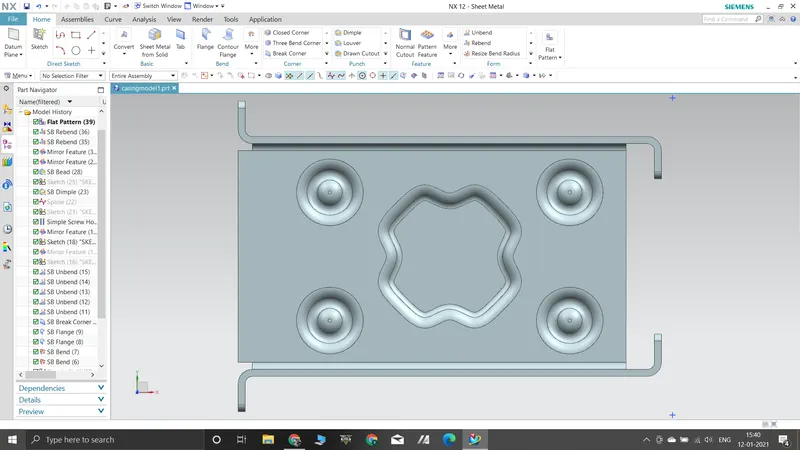
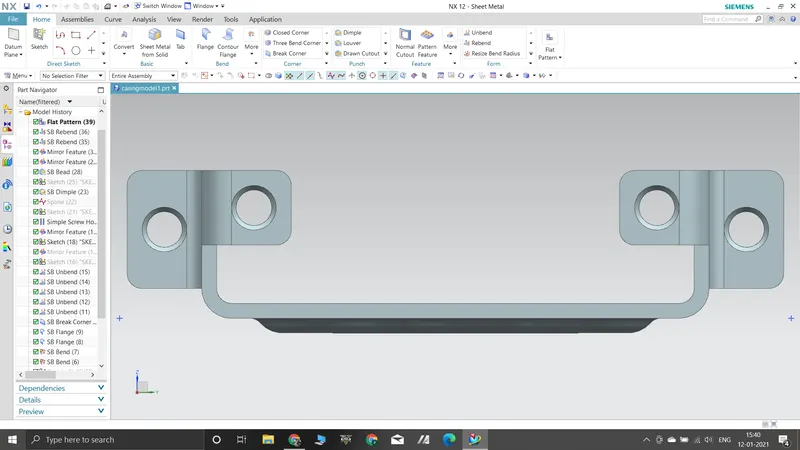
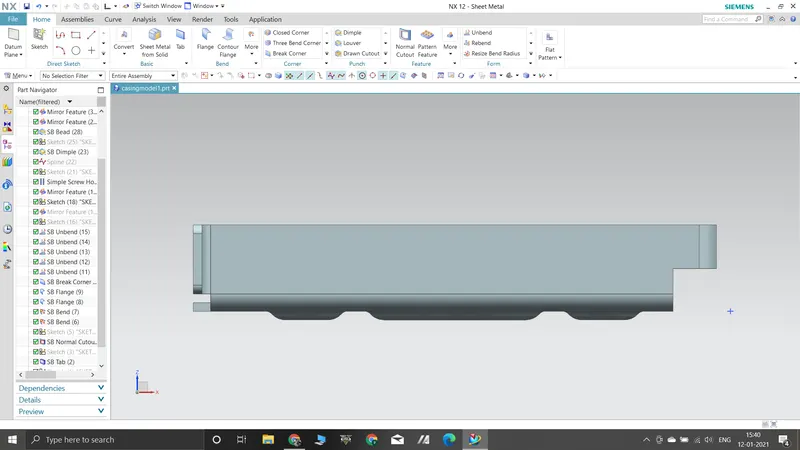
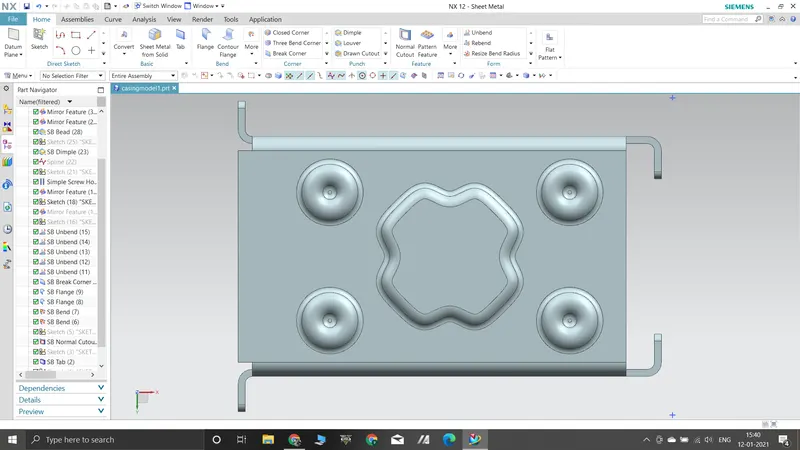
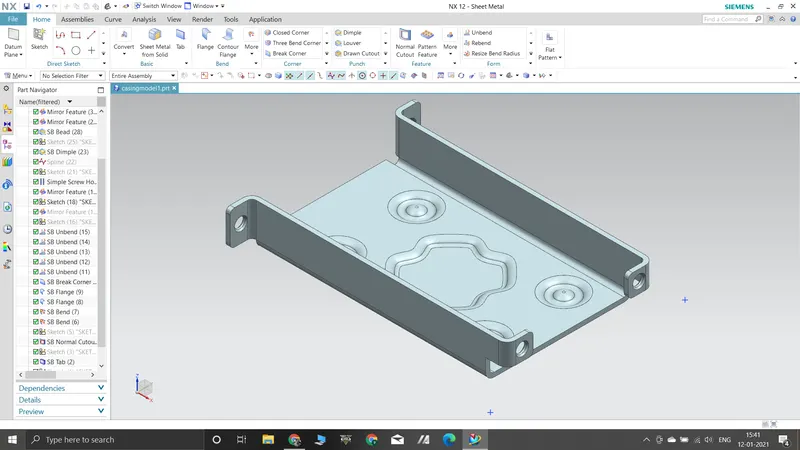
Drawing sheet -