Advanced Sheet Metal Design Using NX Cad Challenge_1_Casing Design

Objective:
- To Design a sheet metal casing on siemens Nx-11
- To learn about the tools and features used on the sheet metal.
INTRODUCTION:
- Sheet metal is the basis of all engineering today. We can see it everywhere from cars and machinery to house facades and furniture.
- Sheet metal is metal that is formed into thin, flat pieces. Sheet metal is generally produced in sheets less than 6 mm. It is one of the fundamental forms used in metalworking and can be cut and bent into a variety of different shapes. Thicknesses can vary significantly. Extremely thin pieces of sheet metal are designated as “foil” or “leaf”. Pieces thicker than a quarter of an inch are designated as “plate”. Countless everyday objects are constructed from sheet metal.
- Sheet metal has applications in car bodies, airplane wings, medical tables, roofing materials and multiple other uses.
- For reference:
- Sheetmetal: (https://en.wikipedia.org/wiki/Sheet_metal)
- Siemens: (https://en.wikipedia.org/wiki/Siemens)
SHEET METAL TERMINOLOGY:
- BEND RADIUS:
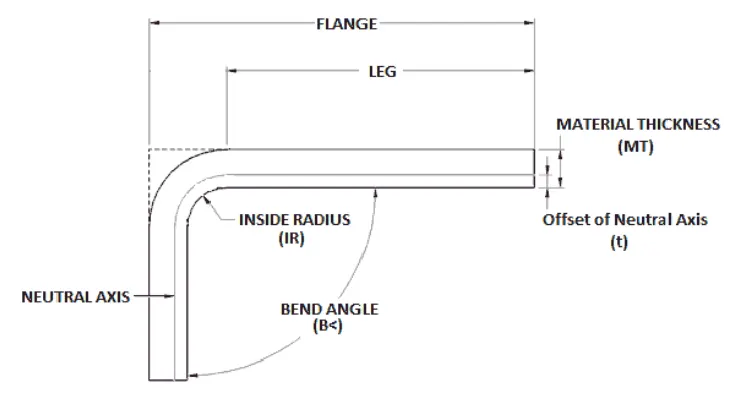
In modern techniques bending an sheetmetal @90 degrees is not possible it will create a bend surface on the region as the above image indicates the bending of the sheetmetal, The inside radius Value will have different standards based upon the manufacturer.We need to consider this for designing a sheetmetal.
- K-FACTOR:
1) When we bend an sheetmetal the inner region will be compressed and the outer region will expand in between them there is an neutral line which is shown in the above fig where the length wont be changed and on that region the compression to tension takes place.
2) K-factor is the ratio of neutral line distance to the material thickness.
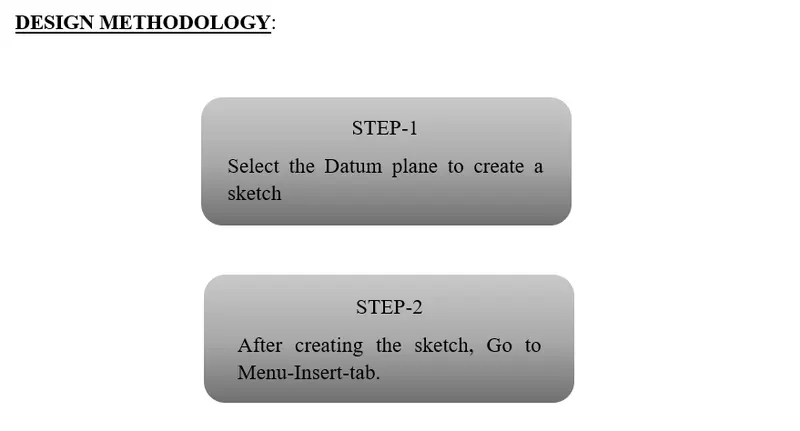
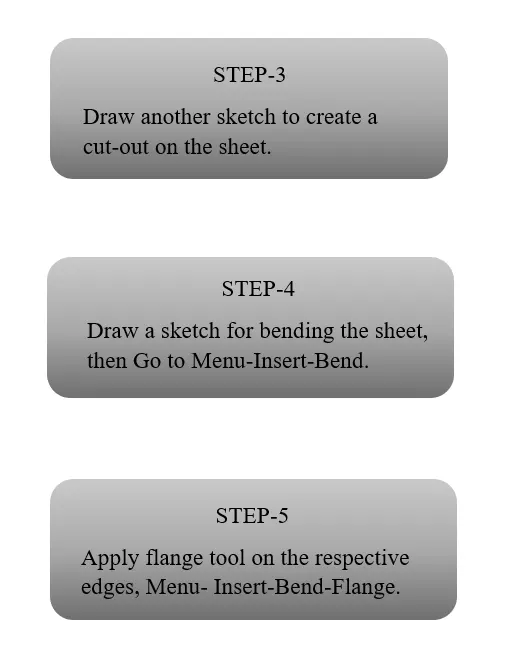
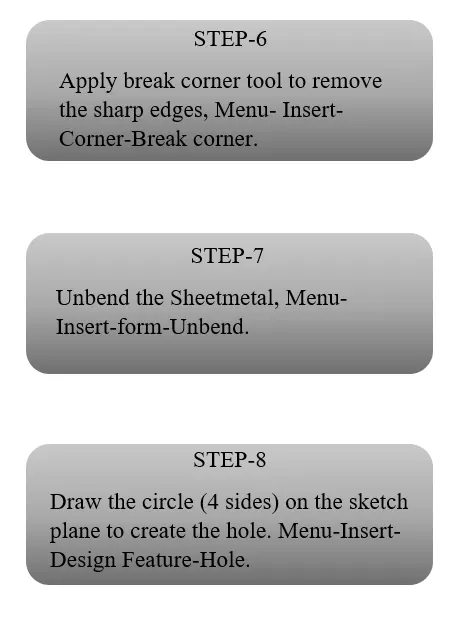
FEATURES AND TOOLS USED:
1) TAB: This tool act as an extrude (i.e) 2D sketch to 3D sketch can be done.
2) FLANGE : This tool is used to create a bend structure on the edges of the sheetmetal.
3) NORMAL CUTOUT: This tool is used to cut the selected region on the body.
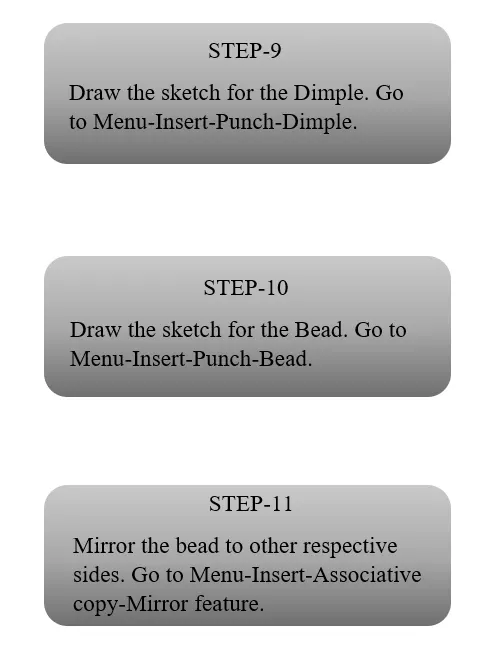
4) BEAD: This tool is used to create a punch formation on the selected region on the body with smooth curvature on the edges.
5) BREAK CORNER: This tool is used to remove the sharp corners on the sheetmetal,It will produce smooth blend on the edges.
6) SIMPLE SCREW HOLES: This tool is used to produce the hole on the sheet metal body.
7) DIMPLE: It is a stamp tool used to lift the certain boundries of the body and creates a punching action on the surface of the tool.
8) BEND/UNBEND: As the tool name indicates the bend tool is used to bend the sheetmetal bodies and the unbend is viceversa of the bend tool,It is to unbend the bended regions.
9) MIRROR FEATURE: This feature act as a mirror,It copies the feature and place it in a selected plane.
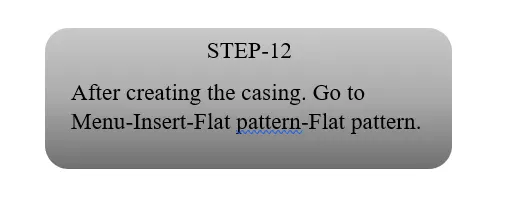
10) FLAT PATTERN: It creates a flat pattern of the selected regions on the sheetmetal.
DESIGN PROCEDURE:
1) Step 01:
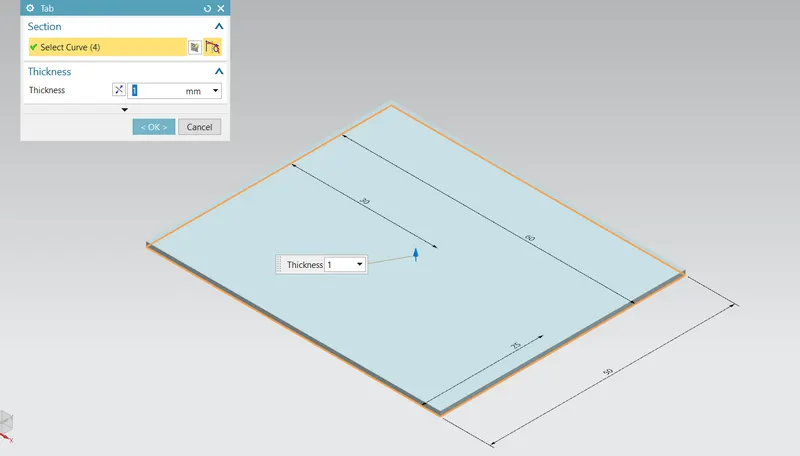
Create a rectangular sketch of dimension (60*50) and use an tab tool to add thickness of 1mm to it.
2) Step 02:
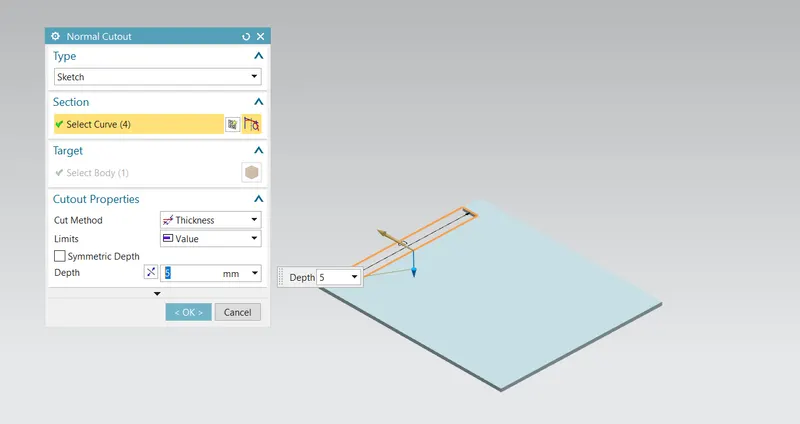
Create a rectangular sketch of (40*5) dimension and create a cutout on that region.
3) Step 03:
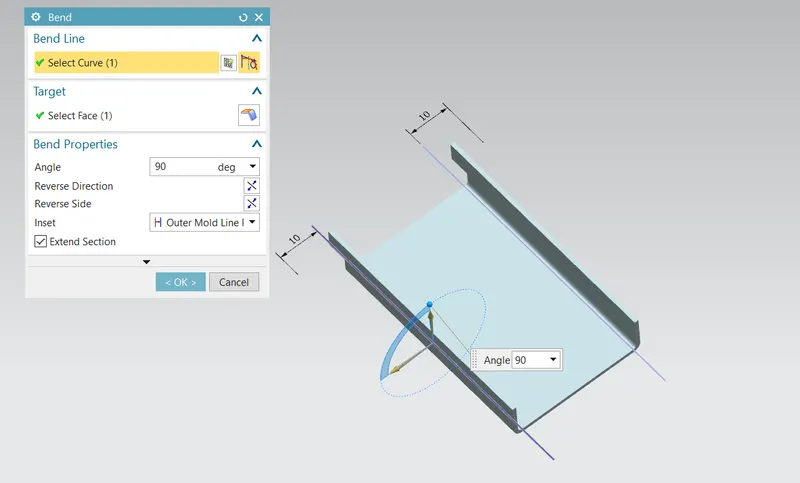
Create a line sketch with 10mm distance on both sides and create a bend on that line of 90 deg.
4) Step 04:
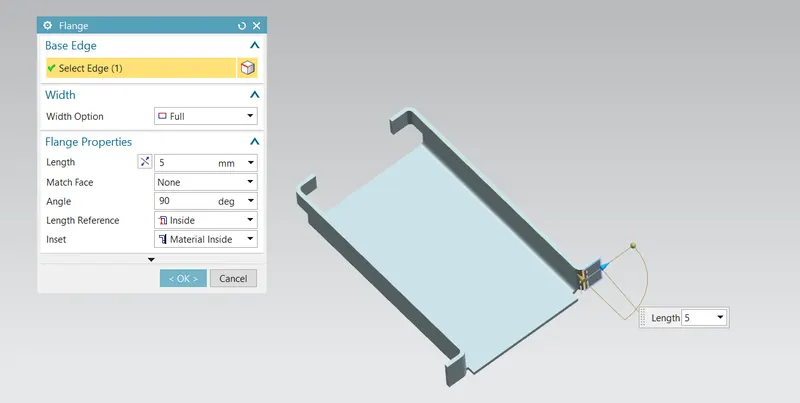
Create a flange on the edges (4 sides) of 5mm length @90 deg.
5) Step 05:
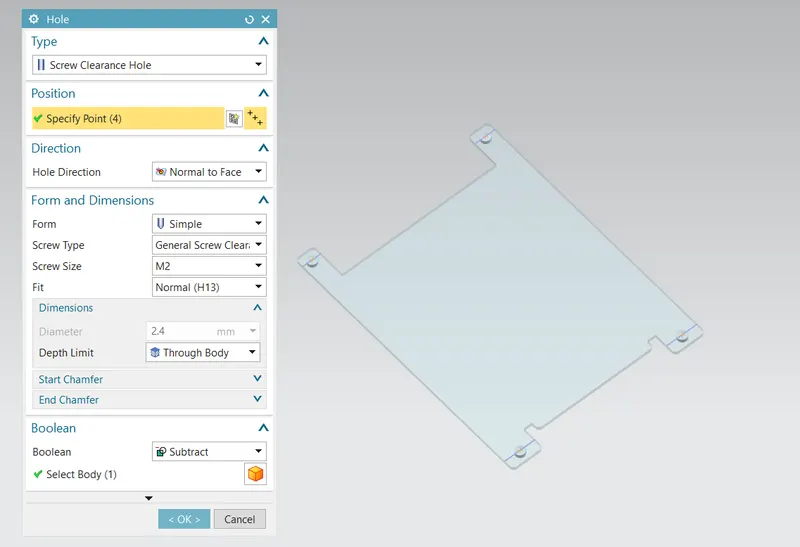
Undend the sheet metal and provide the holes on the top edges of 4 corners @5 dia circle.
6) Step 06:
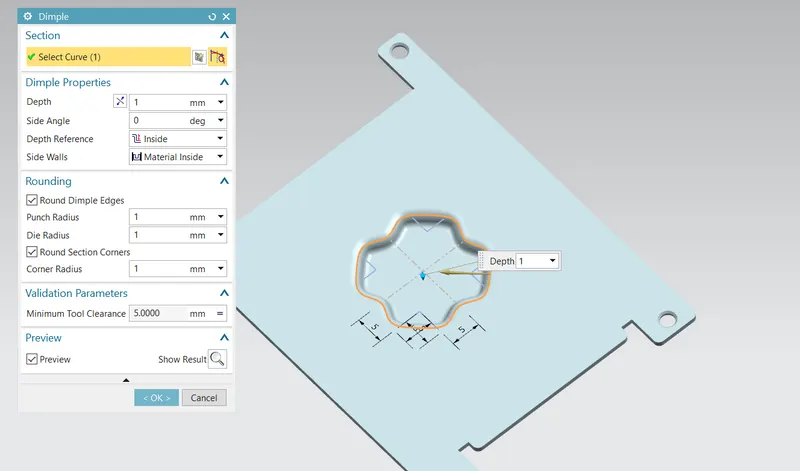
Create an closed profile sketch and use an dimple option tool of 1mm thickness.
7) Step 07:
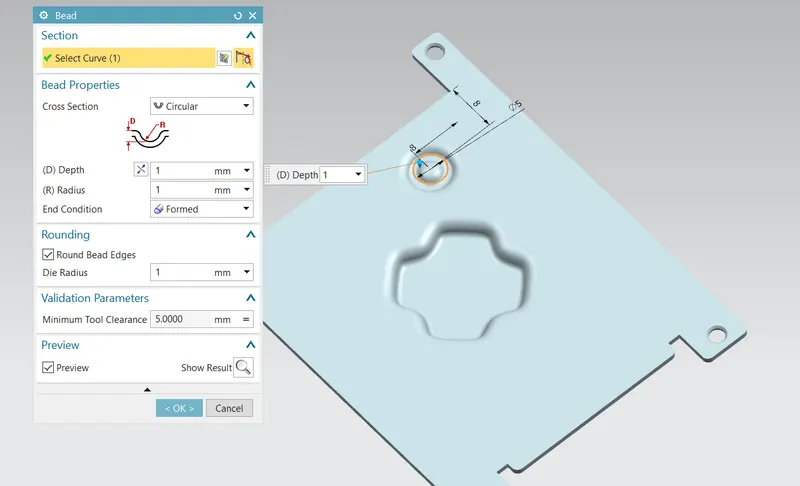
Create an Bead with respect to the sketch and use the mirror feature option for other 3 sides and rebend it.
8)Step 08:
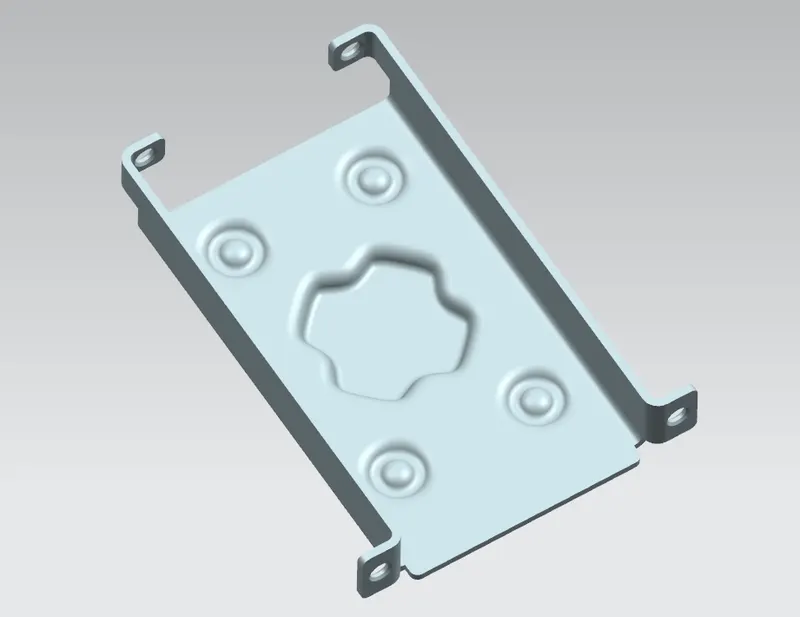
The final model of the casing sheetmetal is now designed.
Views:
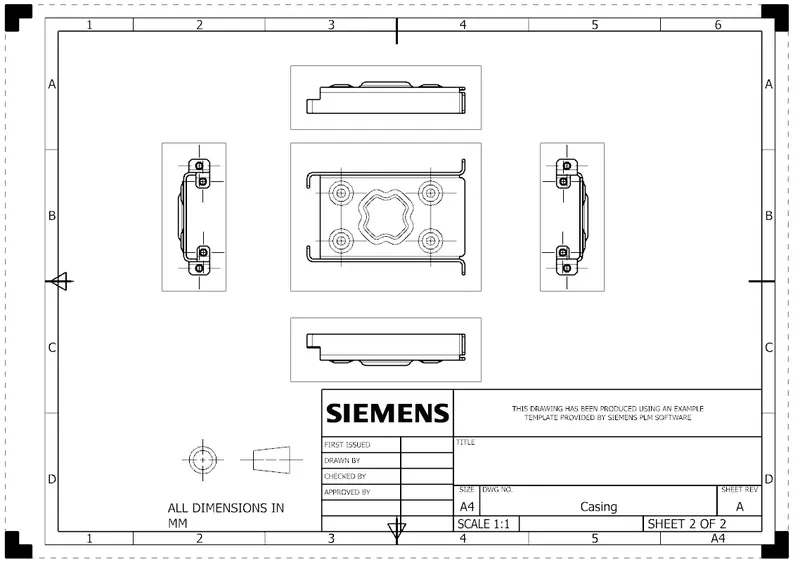
1) Front view:
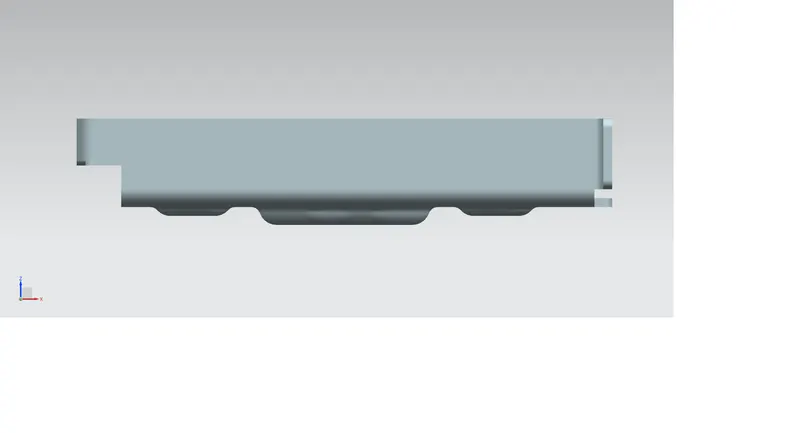
2) Top view:
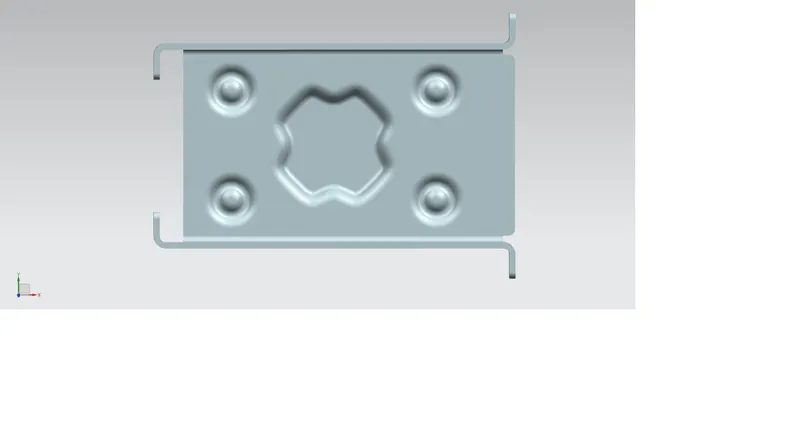
3) Side view:
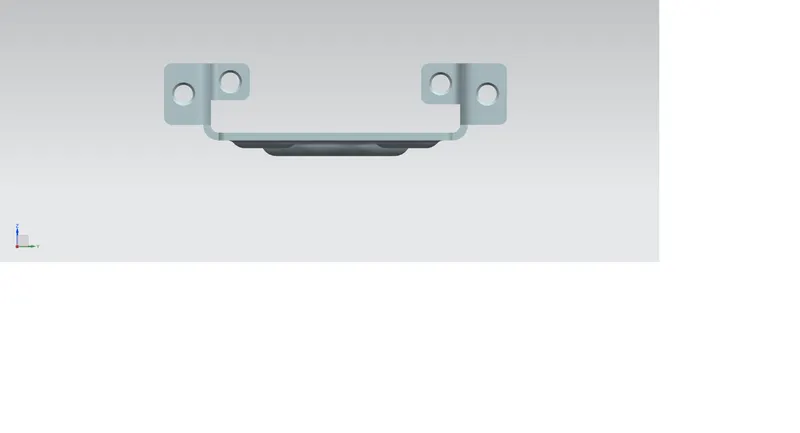
4) Isometric view:
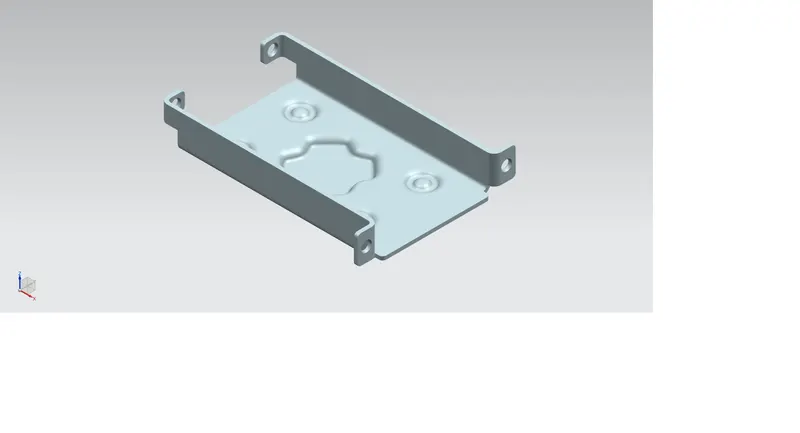
DRAWING SHEET:
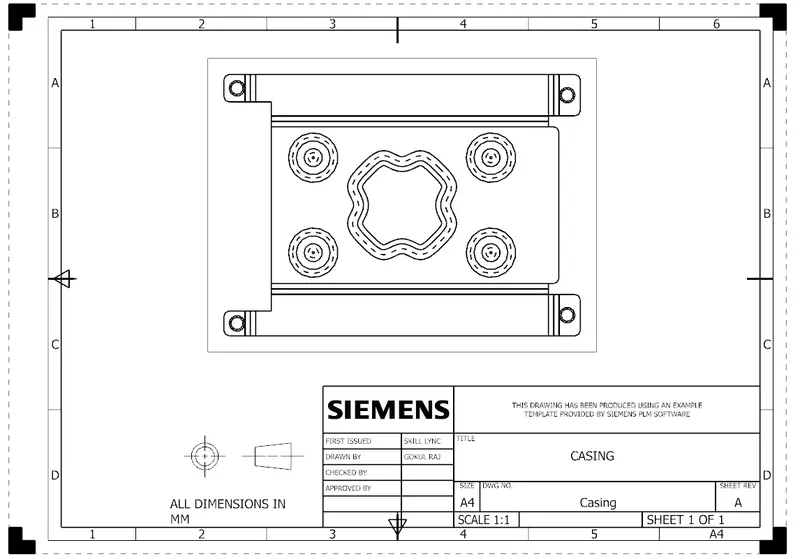
Detailed view:
CONCLUSION:
- Finally the casing of the sheetmetal is designed on the Siemens NX11
- The tools and features used for the casing is learned and K-factor,Bend radius terminology is learned.