Advanced Sheet Metal Design Using NX Cad Challenge_1_Casing Design
Modelling and drafting of a sheet metal component
Objective
- Designing a sheet metal component using NX cad.
- Drafting of the designed sheet metal component.
Introduction
- Our main aim is to design a sheet metal component using, various tools and commands in NX cad.
- Drafting of the designed sheet metal component by using NX Cad.
Flowchart
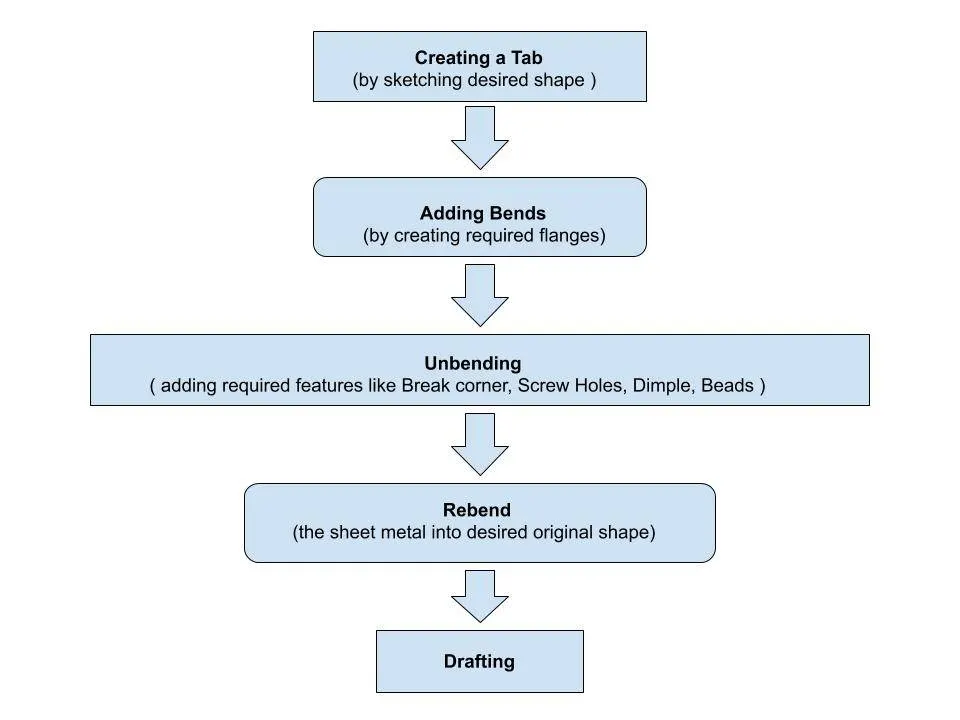
Description
- The solid sheet metal component is designed by drawing a 2D sketch in a plane and creating a tab out of it.
- Even some commands need to be used to obtain the desired Sheet metal component.
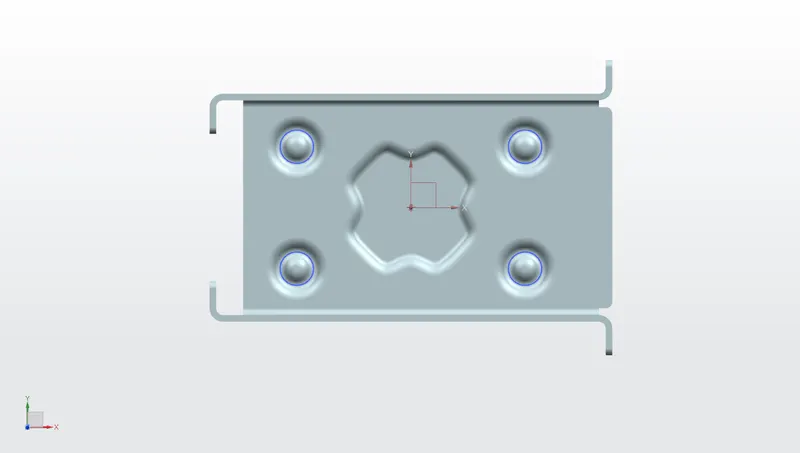
Features used in creating the sheet metal component are
- Sketch
- Tab
- Normal Cutout
- Bend
- Flange
- Unbend
- Break Corner
- Hole
- Dimple
- Beads
- Rebend
- Drafting
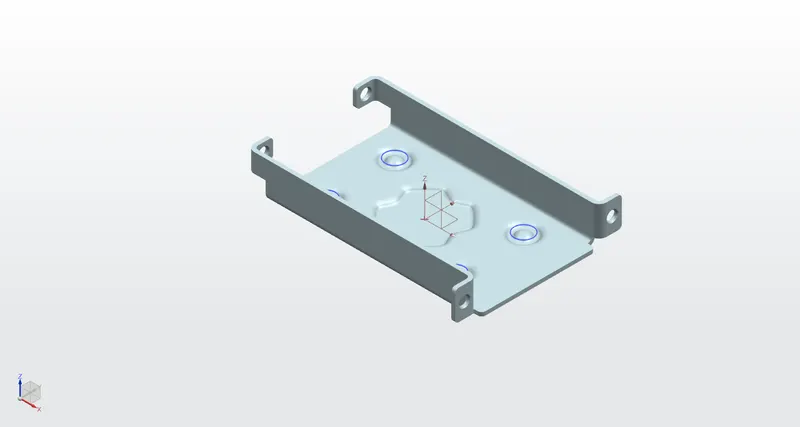
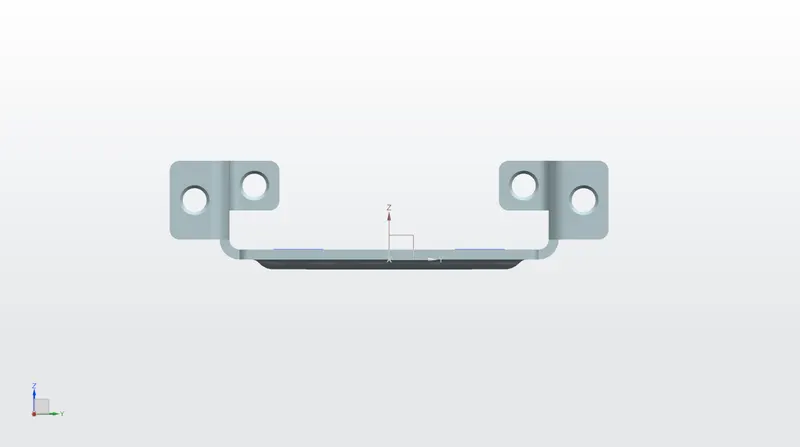
There are various sub-features are available inside every feature, we have to use them according to our requirement or necessity.
Sketch
Creates a 2D sketch in the current application. Use the direct sketch tools to add curves, dimensions, constraints, etc.
Tab
Creates a basic feature by extruding a sketch along a vector by adding thickness value, or adds material to a planar face. Additional planar selections can be added to generate bends as a part of the base feature.
Normal Cutout
Normal Cutout is used to cut material by projecting a sketch into the model & then cutting perpendicular to the faces intersected by the projection.
Bend
Bend command modifies the model by bending material on one side of a sketch line, adding a bend between the two sides.
Flange
Adds a flat flange at an angle to a planar face and adds a bend between the two.
Unbend
Unbend flattens a bend and the material adjacent to the bend.
Break Corner
Break corner command rounds or chamfers a sharp corner of a tab or flange.
Hole
Adds a hole to one or more solid bodies in a part or assembly with options for counterbored, countersunk, and threaded.
Dimple
Dimple lifts an area of the model inside a sketch that simulates a stamping tool.
Bead
Bead command lifts material along the contour of a sketch that simulates a stamping tool.
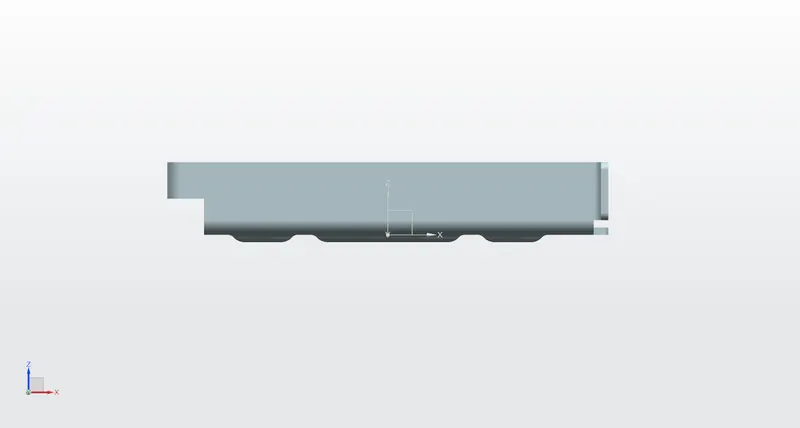
Rebend
Restores an unbend feature to its previous bent state, along with any features added after the unbend feature.
Drafting
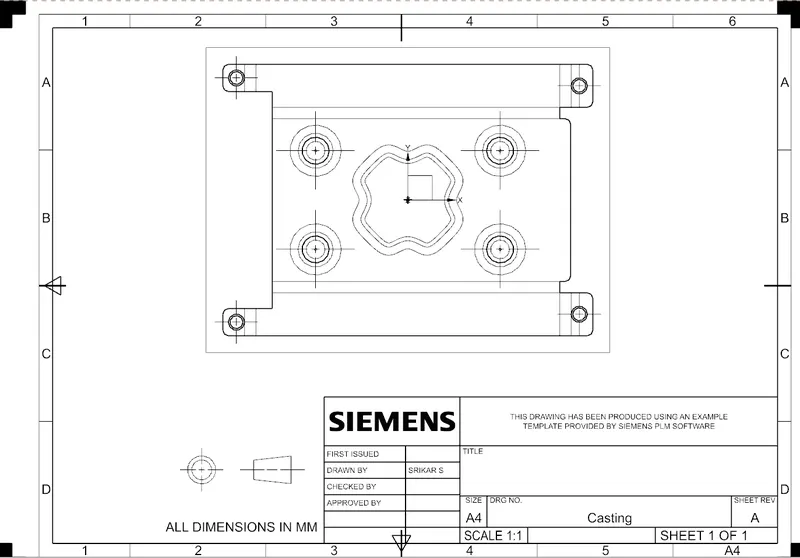
Drafting command starts the drafting application, which provides tools to create and maintain drawings of the design model.
Conclusion
Sheet metal casting is designed using NX Cad.
Sheet metal casting is drafted using NX Cad.