Advanced Sheet Metal Design Using NX Cad Challenge_1_Casing Design
Title of the Project : Casing Design.
Objective : Design Casing Using Nx Sheet metal.
Introduction : In this challenge we have Designed Casing using various key features of NX sheet metal as below.
- Tabs
- Flanges
- Cutouts
- Corners
- Bending
- Unbending
- Holes
- Dimple
- Beads
- Flat pattern
Design methodology / approach
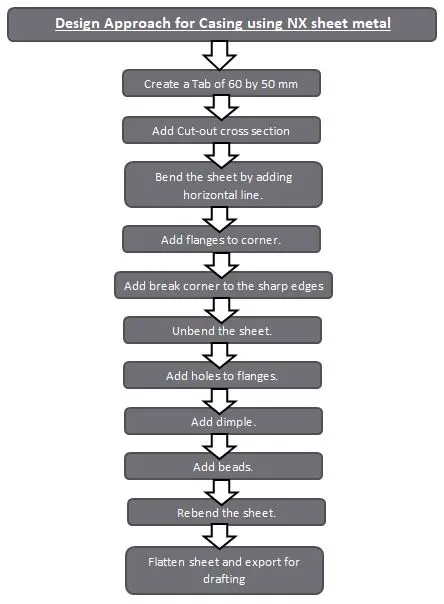
Description :
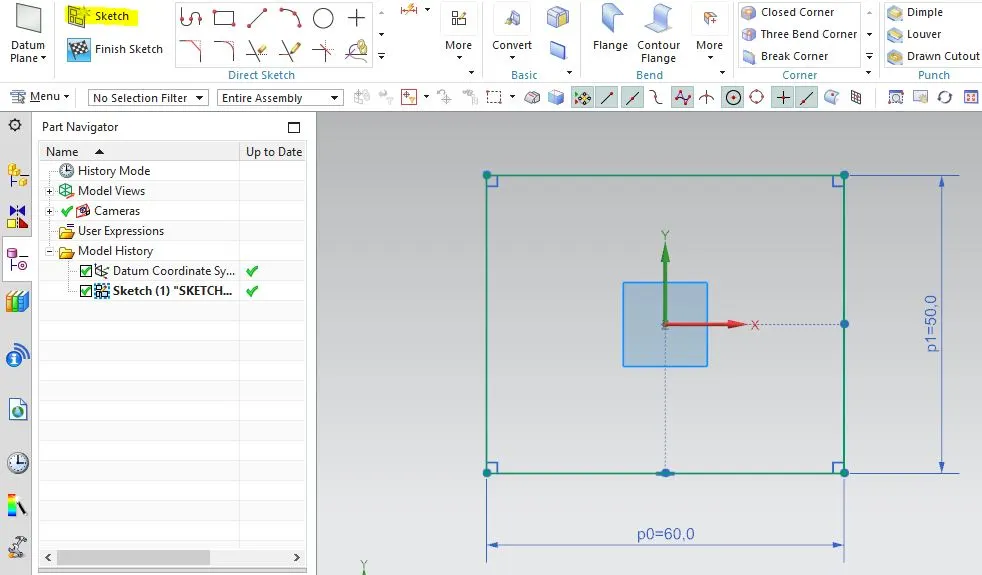
Start sketching in Sheet metal enviornment.
sketch a rectangle of 60 by 50 mm .
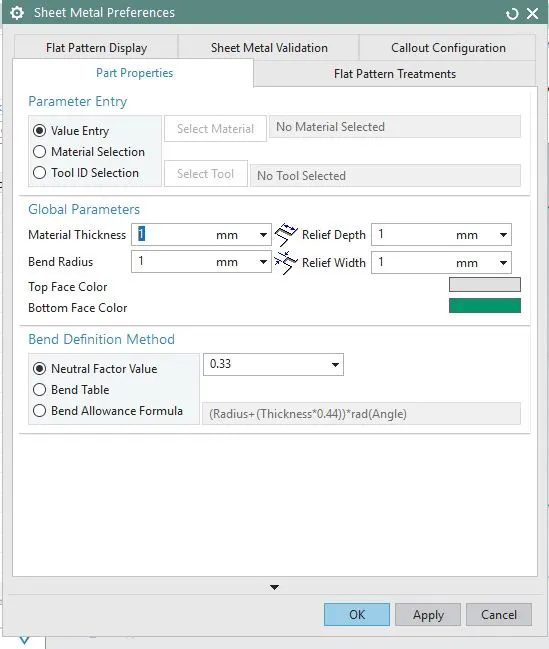
Set the default values in sheet metal preferences.
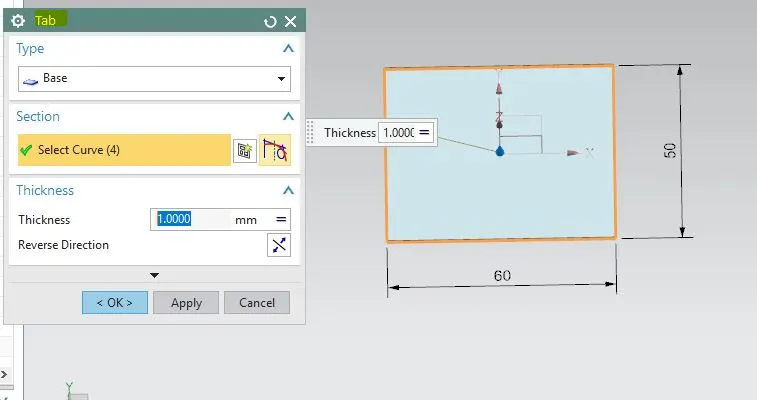
Then create Tab.
Sketch on tab face the cross section to create a cut-out.
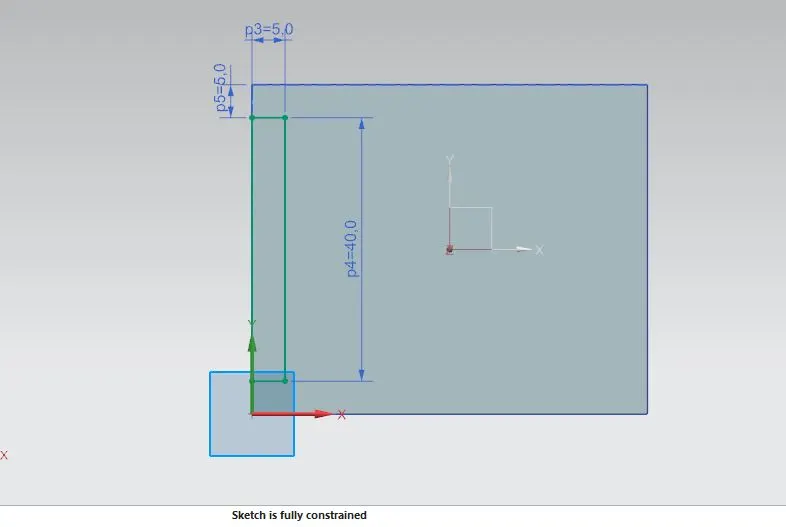
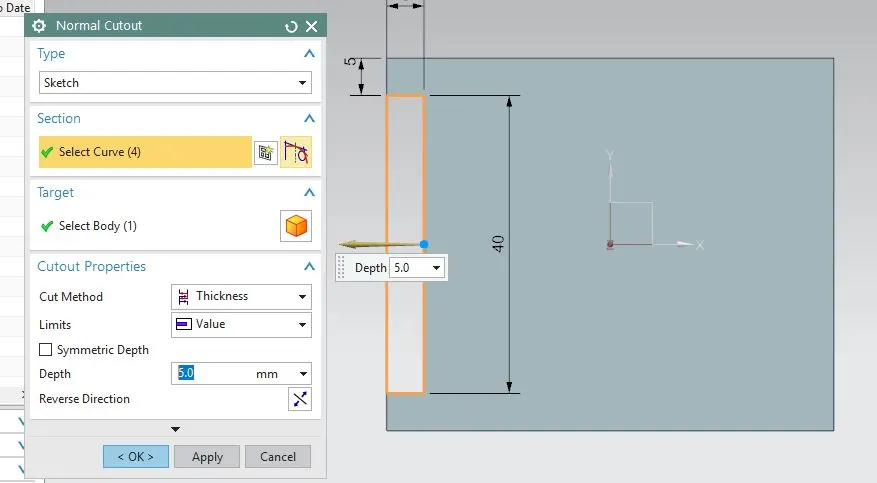
Use Normal Cut-out feature.
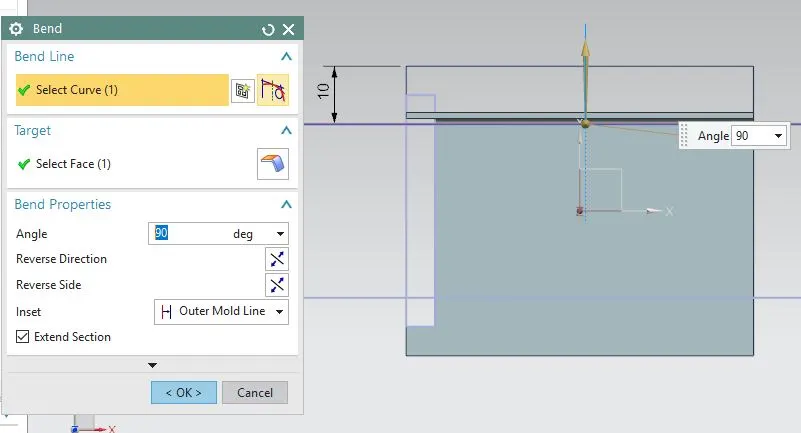
Then Bend the sheet.
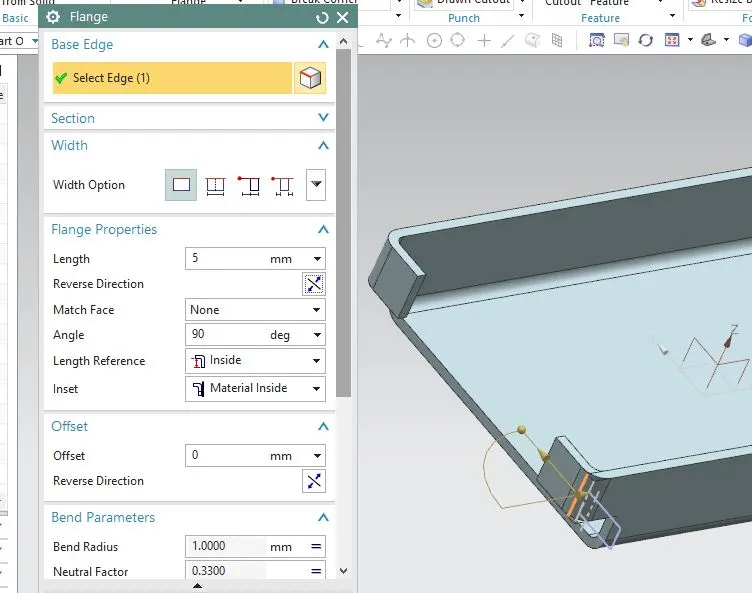
Add flange.
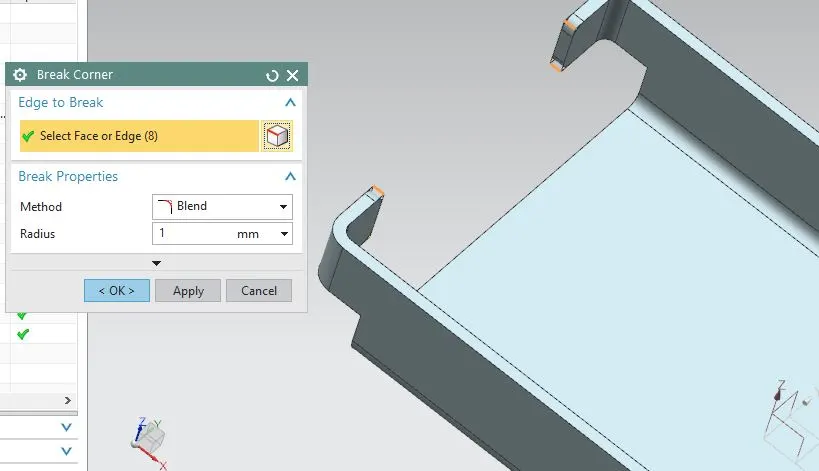
Add Break corner to the sharp edges
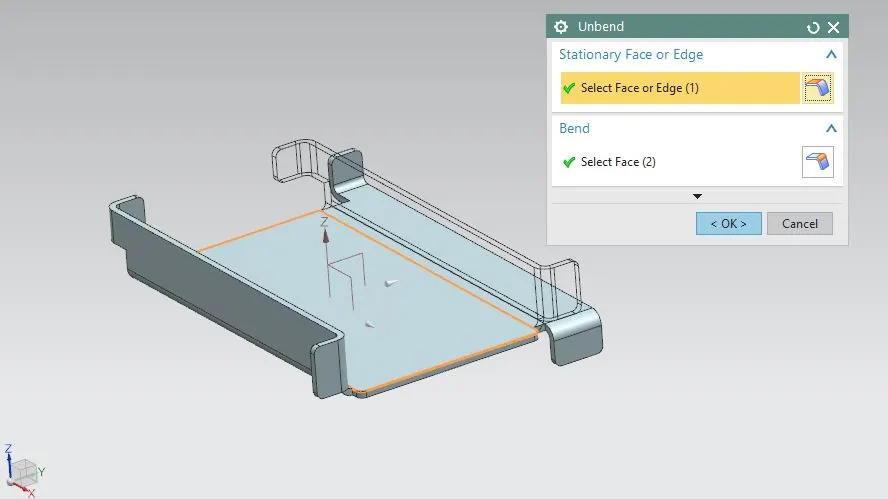
Unbend the sheet.
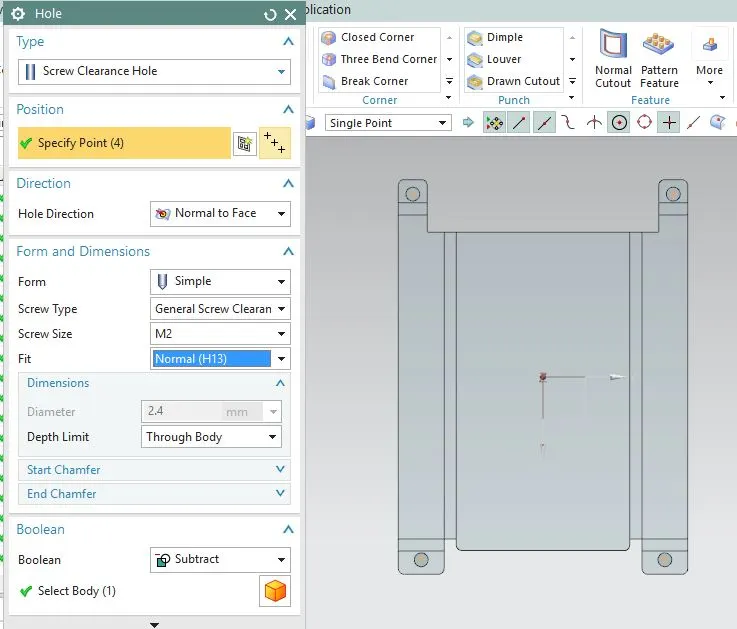
Add Holes to the flanges.
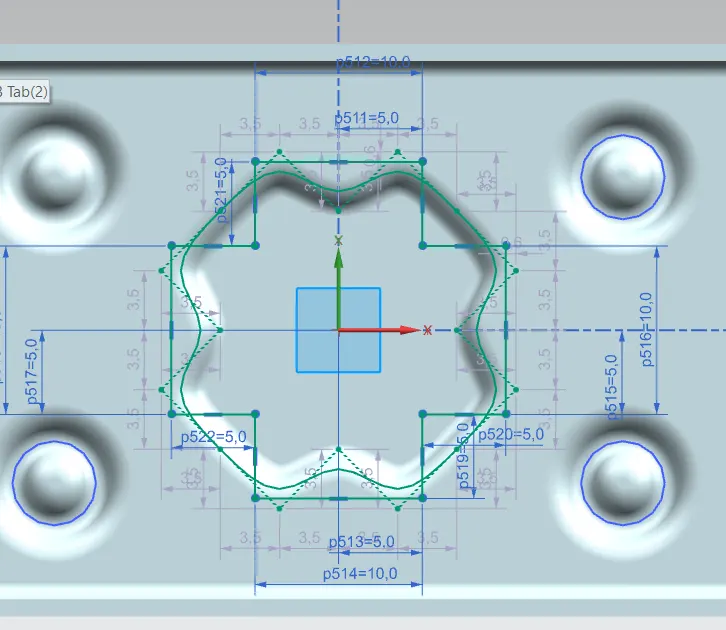
Add Dimple of desired cross section.
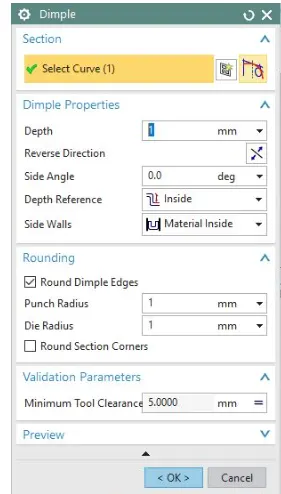
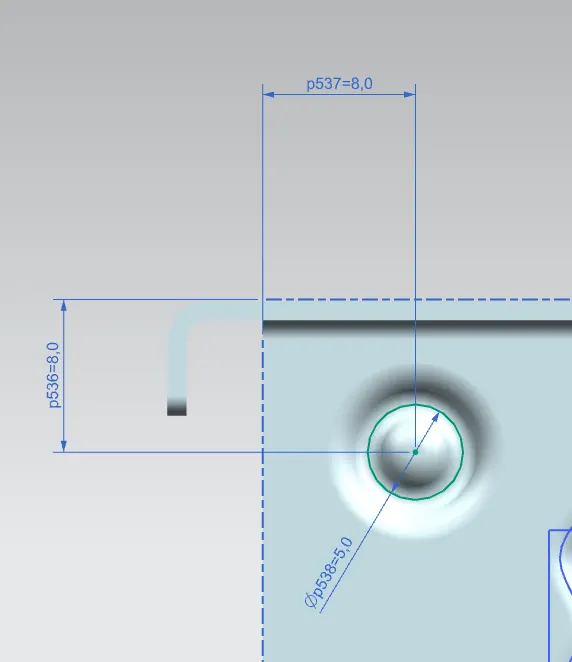
Use Flat Pattern.
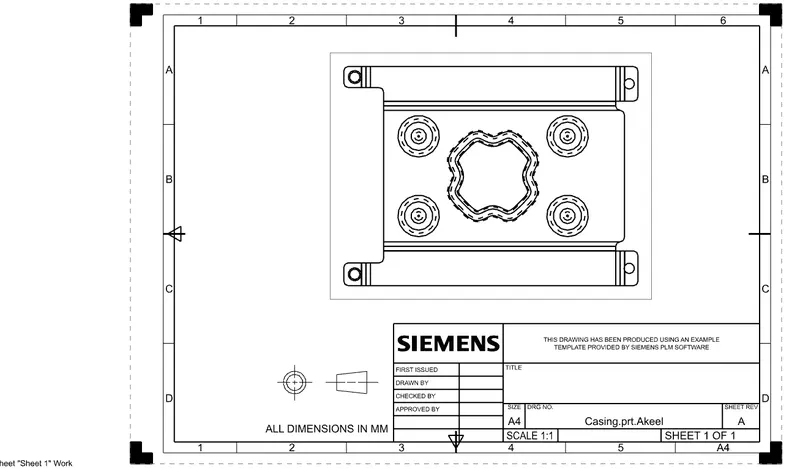
Then Use flat pattern to crate a flat sheet drafting.
TO create a flat pattern i selected Upward face as a flate and long face of part
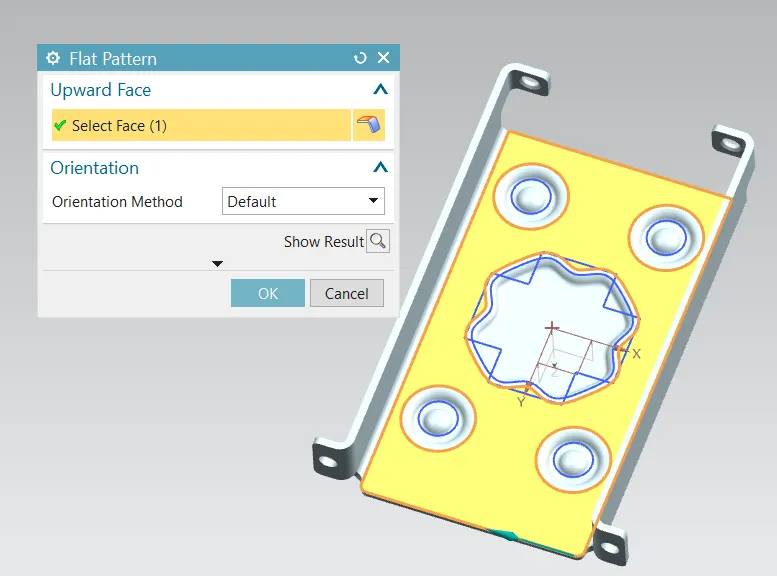
Open Drafting module and save drafting sheet.
To create a drafting of this flat pattern sheet i go to the draft workbench and then selected a base view in that model view option i selected a flat pattern so it creates a flat sheet draft and scale kept as 2:1 to fit drawing in A4 sheet.
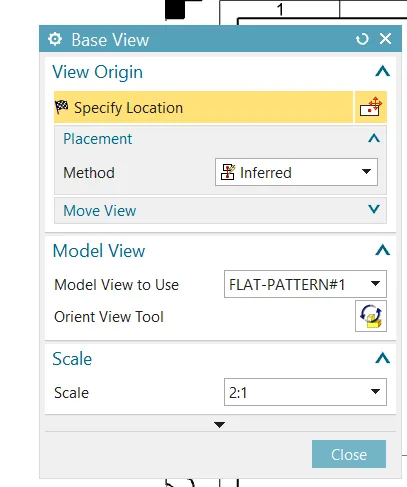
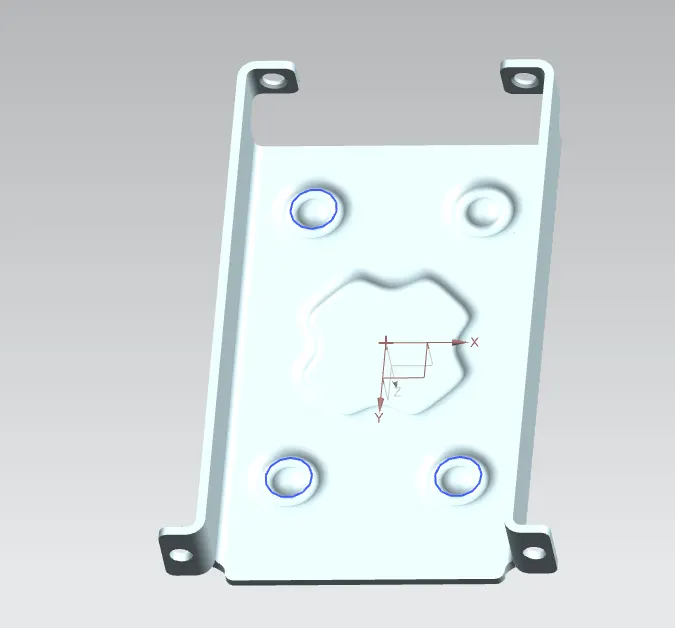
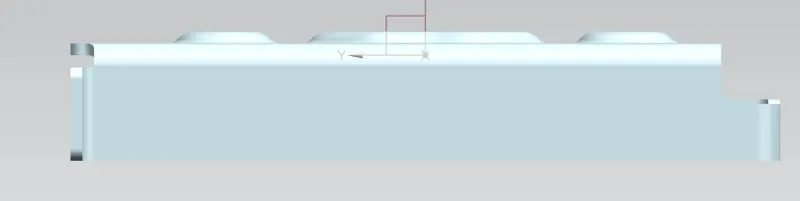
This is the final Casing model.
- Isometric View
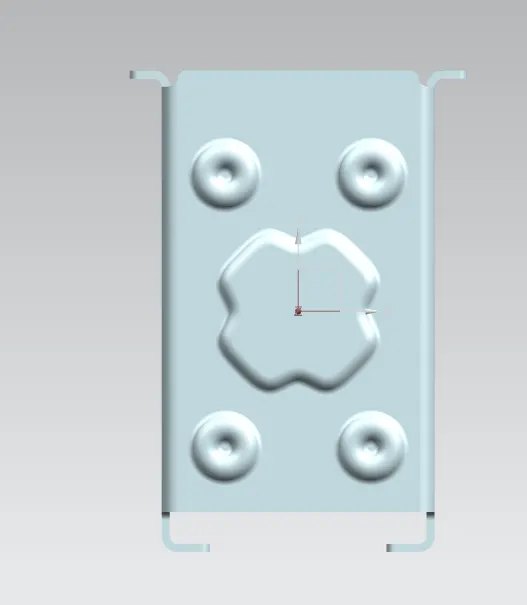
- Top View
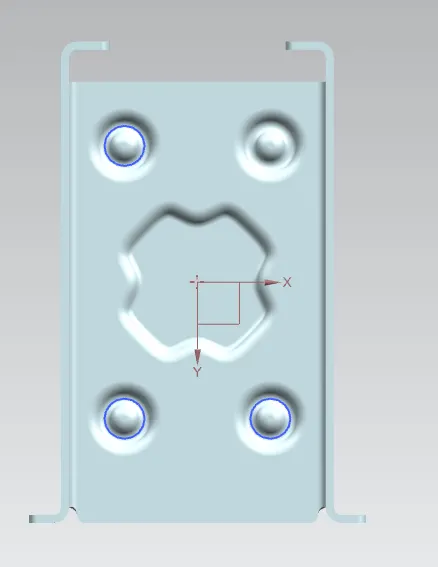
- Bottom View
Side View -
Conclusion : In this way we have completed Casing modeling using NX sheet metal.