Advanced Sheet Metal Design Using NX Cad Challenge_1_Casing Design
Title of the Project:Advanced sheet metal casing design using NX CAD
Objective: To create an advanced sheet metal casing design using NX CAD and draft the casing design as per given standards.
Introduction: Sheet metal is widely used in the manufacturing industry and materials used such is steel, alumininum, copper, Carbon steel and other metals as per required for the component.Sheet metal can be difficult to manufacture as per design guidelines but siemens NX CAD helps to resolve this issue and saves manufacuring defeats,cost effective and saves time.
The sheet metal casing design done using NX CAD in this project,report shows the procudure in sequence and various features used which are available in NX CAD to create the sheet metal component.
Design methodology / approach explained with the help of Flowcharts
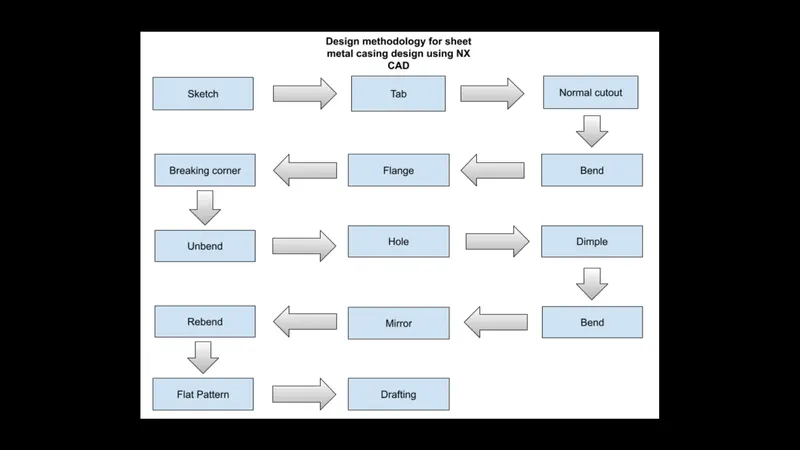
Description (Need to explain tools/ Features used while designing)
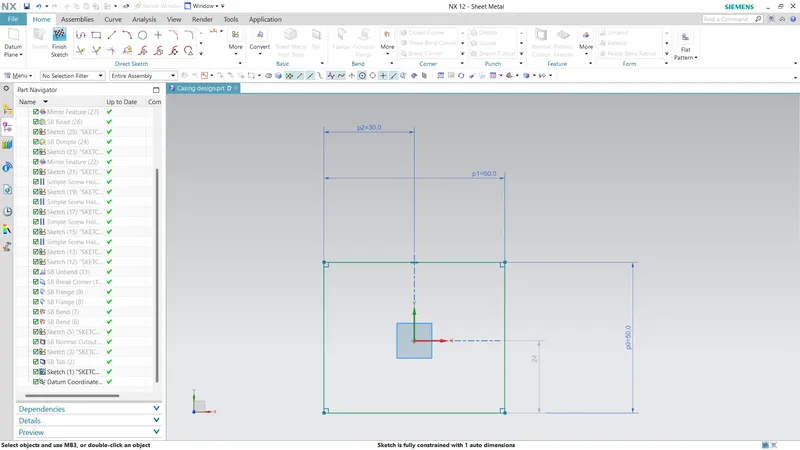
- Sketch
The sketch is made in the XY Plane with the dimensions given which forms the base for the design.
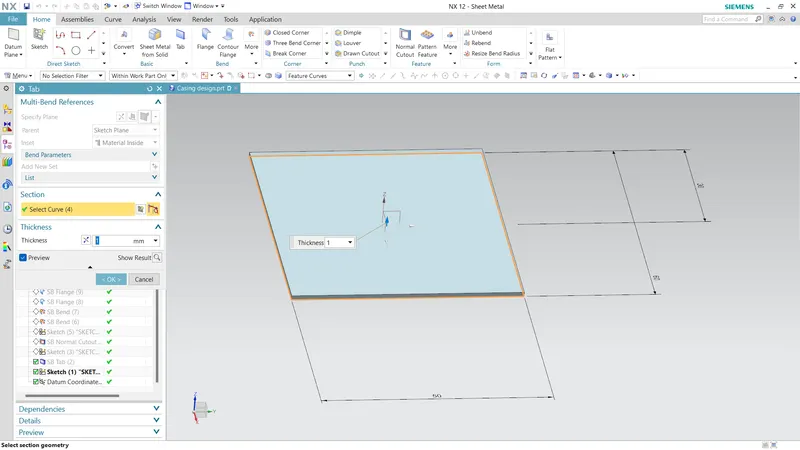
- Tab
This feature helps to thicken the base with the required thickness, the industry recommanded thickness is 3mm which is shown as default in the nx cad.If we need different thickness other than default thicknessused the local value option has symbol "=" in the dimension dialod box.
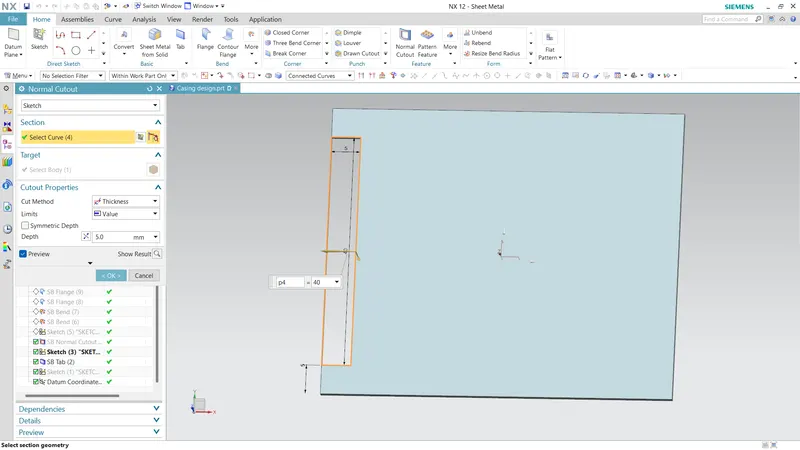
- Normal cutout
The material gets cut perpendicular to the selected face by extracting the volume of the tab thickness given.
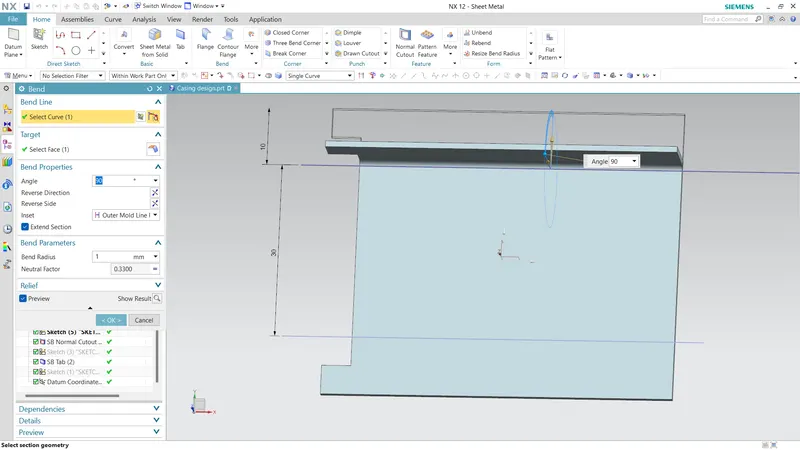
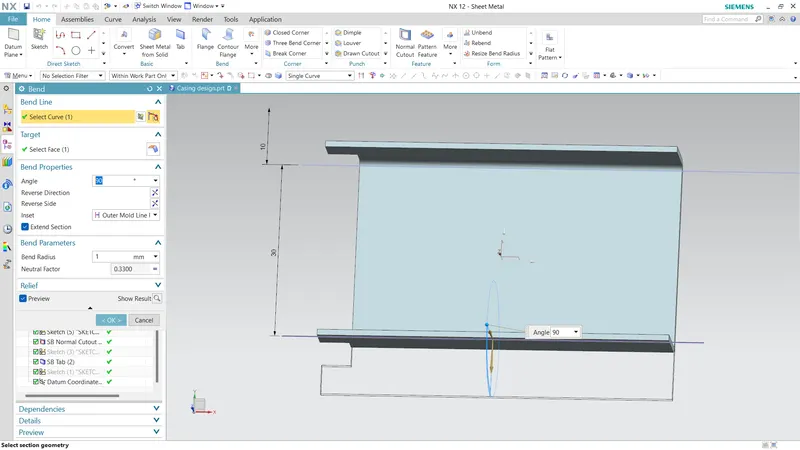
- Bend
The material is bend in required radius , angle and direction given as inputs.
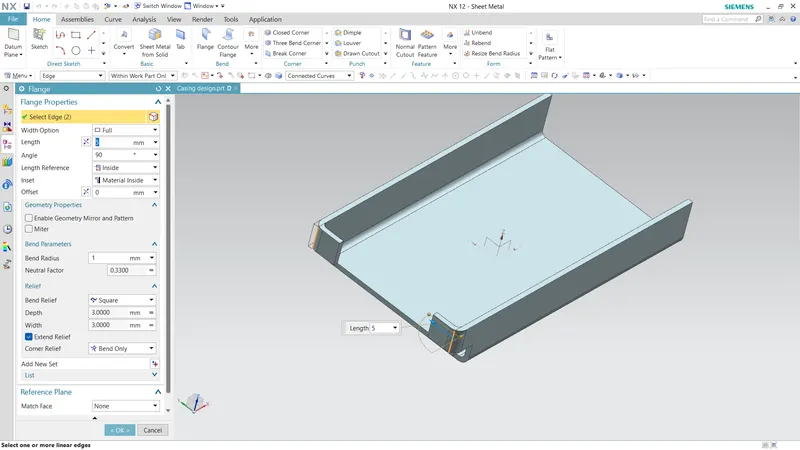
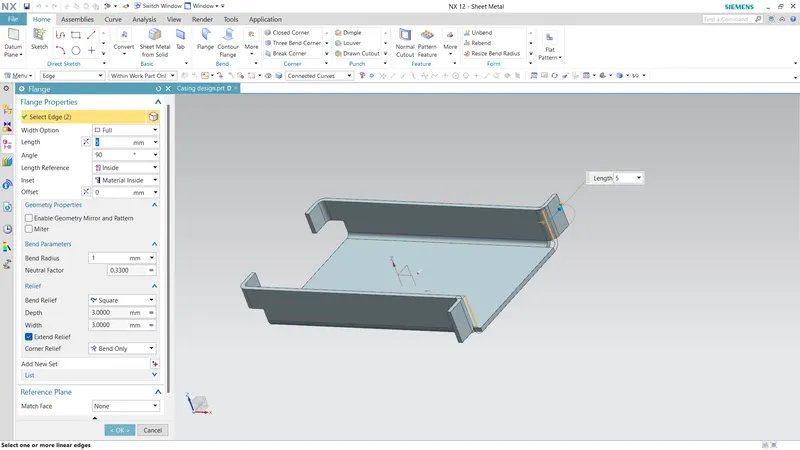
- Flange
This option helps to add flange to slot the screw holes in the desired direction (Material inside or material outside),Radius and corner relief given
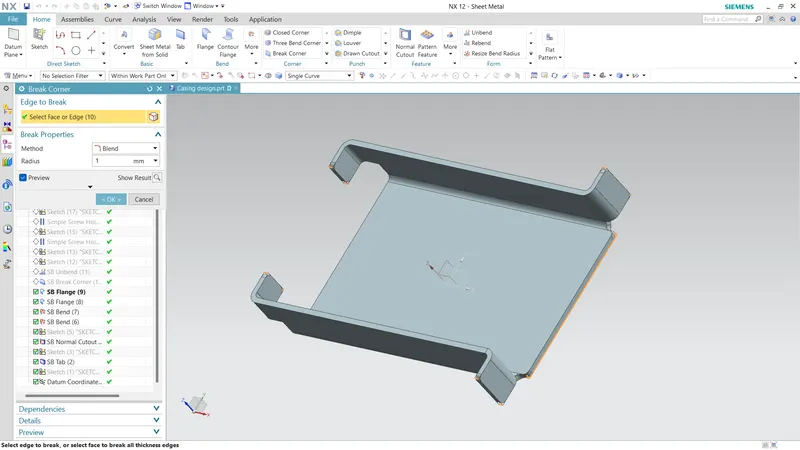
- Break corner
This feature helps to cut the shape edges, method given Blend and radius as 1mm
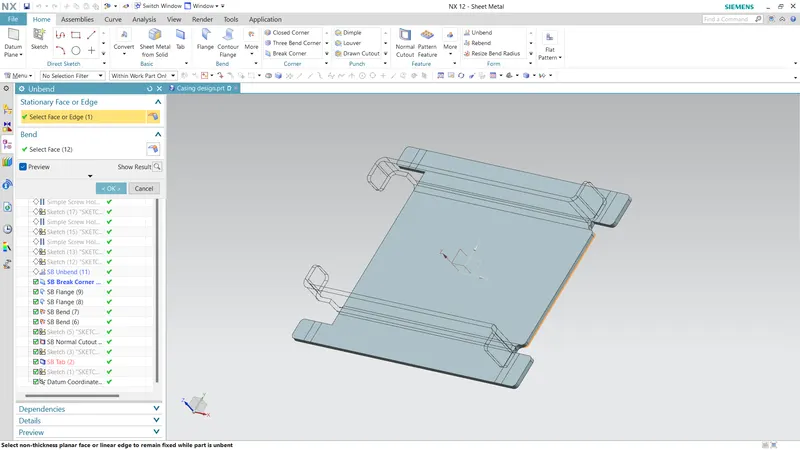
- Unbend
This gives a graphical representation how a flat sheet metal has to be manufactured and assembled.
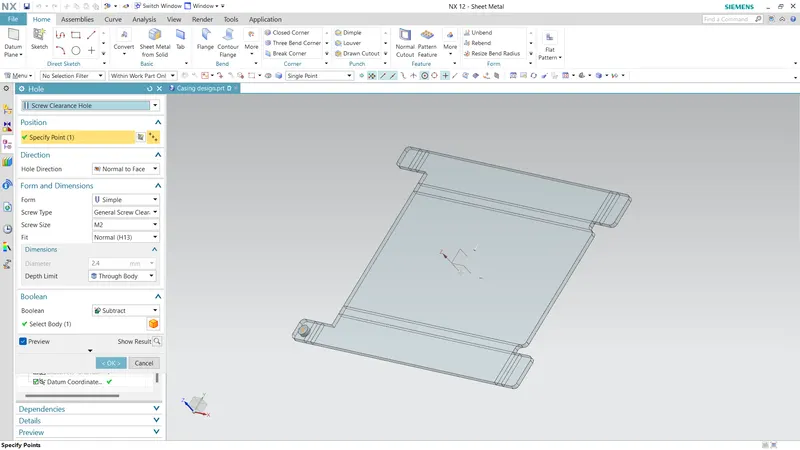
- Hole
This feature helps to make a hole at a specified location on the sheet metal by giving a point
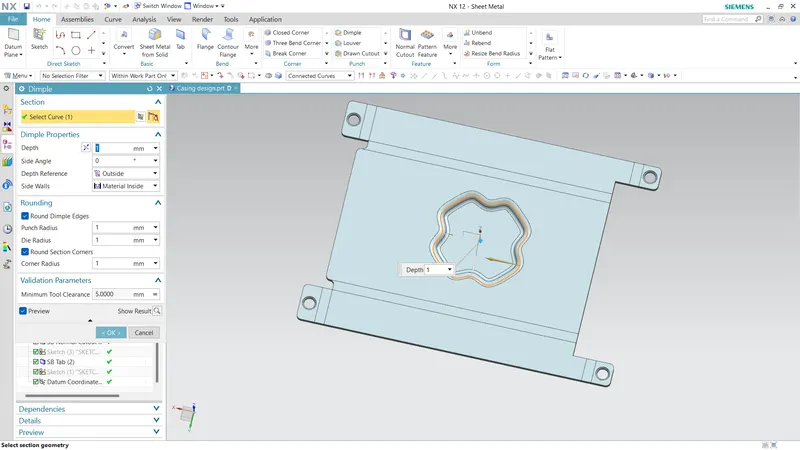
- Dimple
This feature creates depth on the sheet metal of given mm, rounding properties and clearances
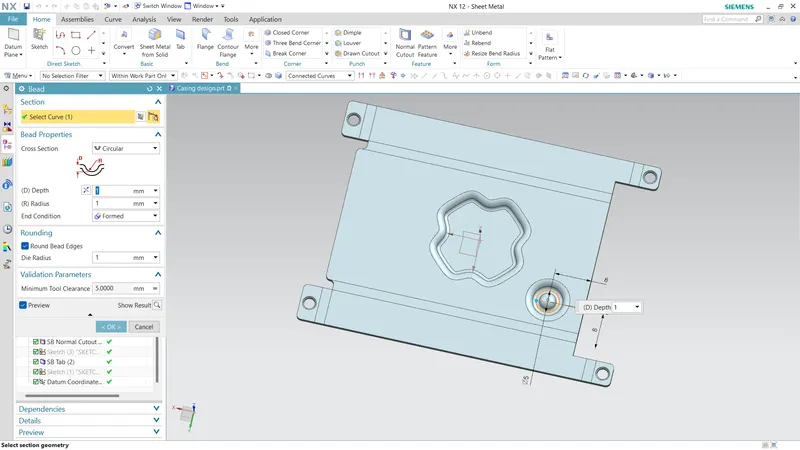
- Bead
Sketch of circle is made and for bend,properties,rounding die radius is given.
- Mirror
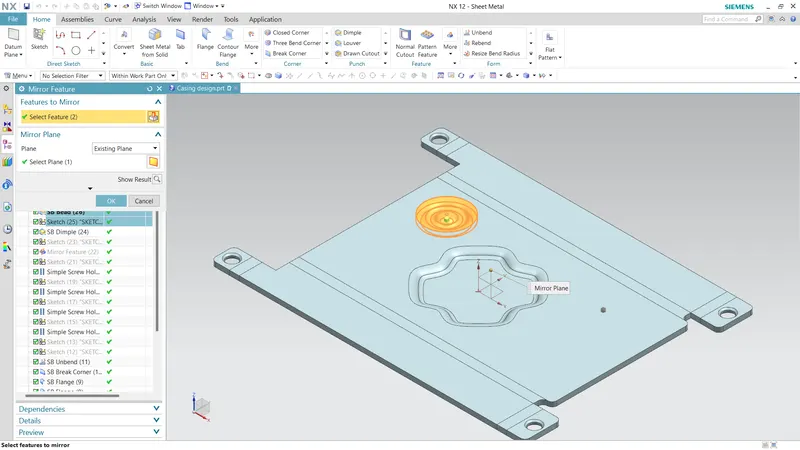
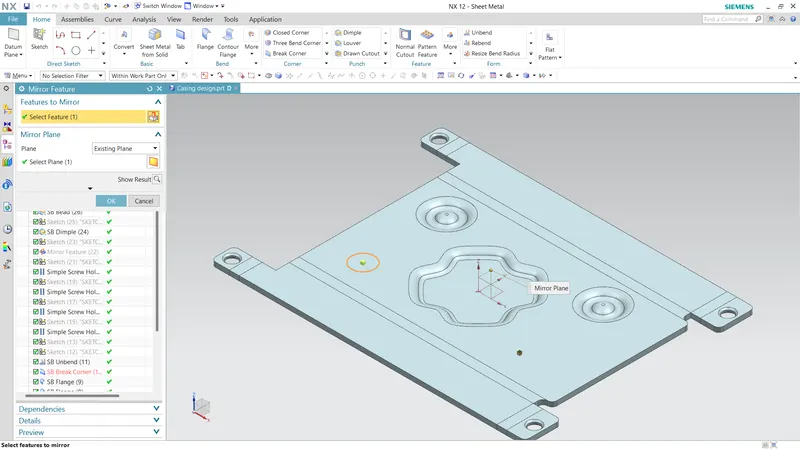
This option is used to mirror the bead design along YZ Plane and XZ Plane
- Rebend
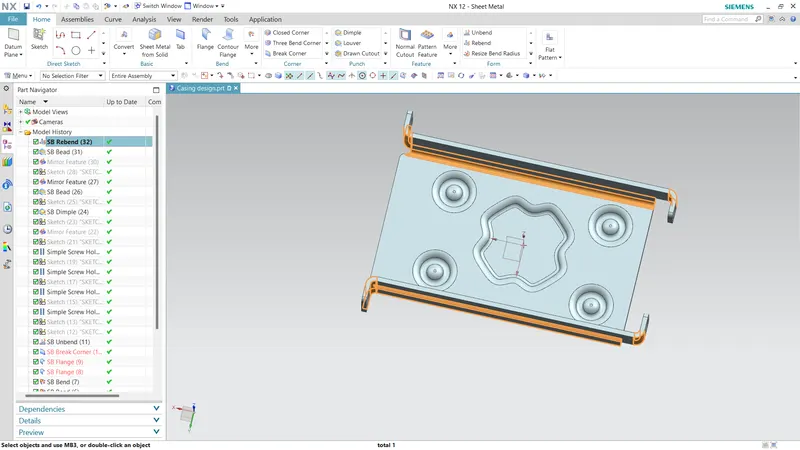
This feature brings back the design to its original design made
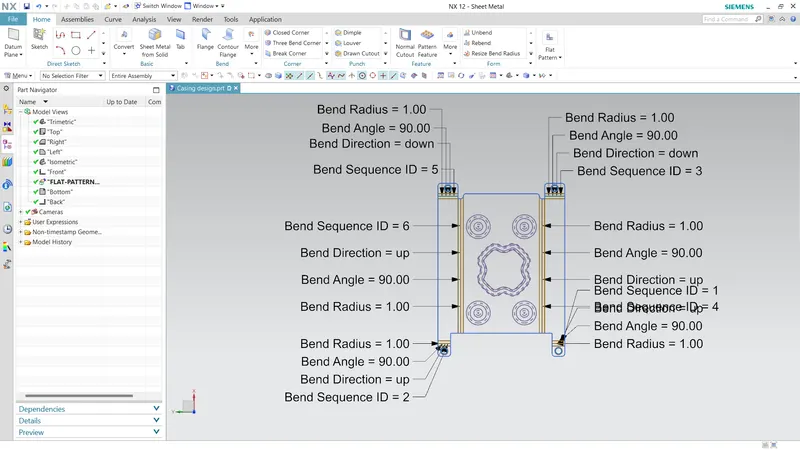
- Flat Pattern
This feature by default shows the dimensions and has to be accessed from model view in the Part navigator
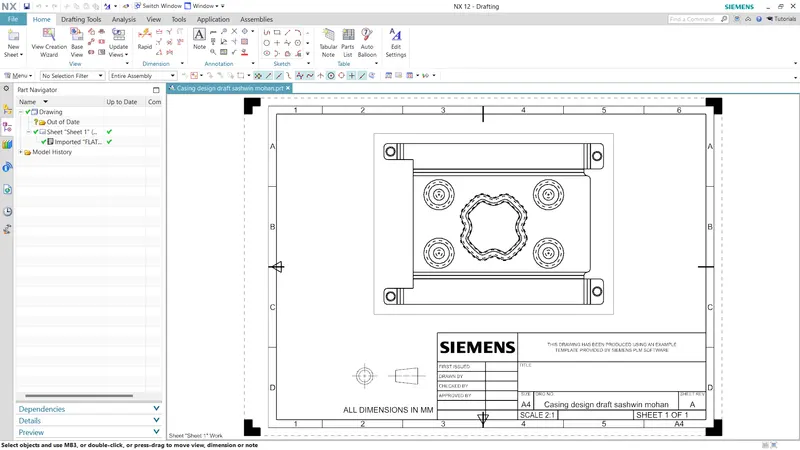
- Draft
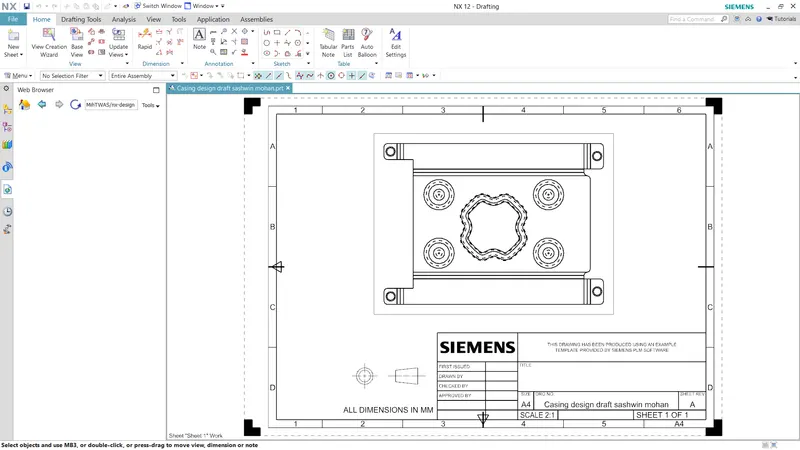
This feature helps to understand the design easily and to manufacture the component.
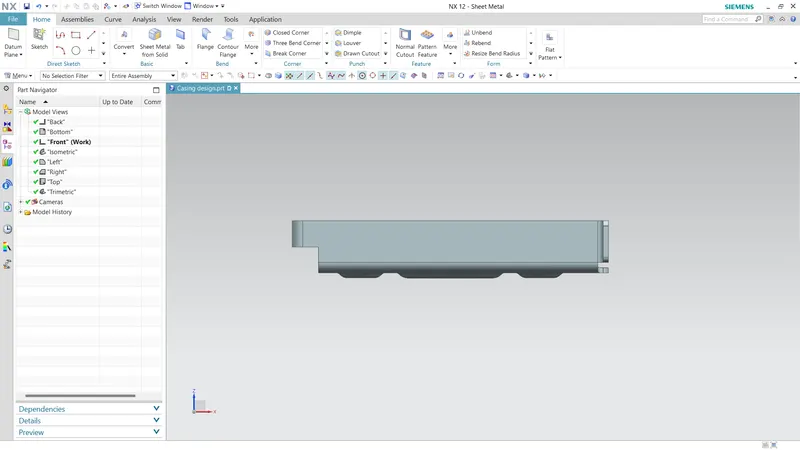
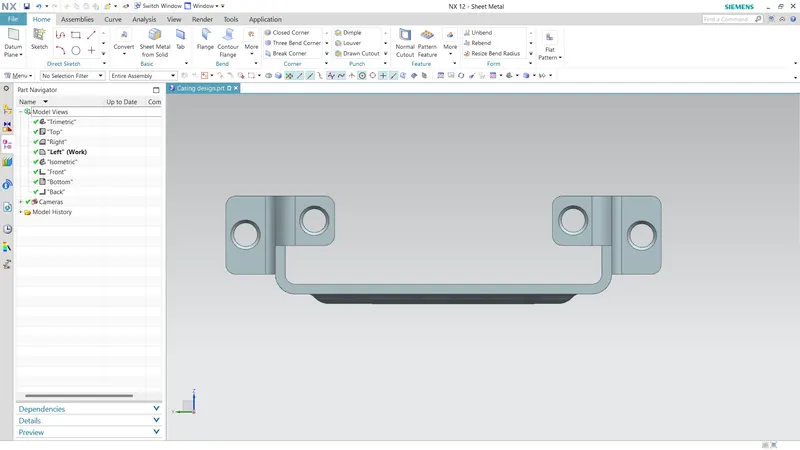
Upload a min of four screenshots of Model in the report.
Front View
Side View
Trimetric view
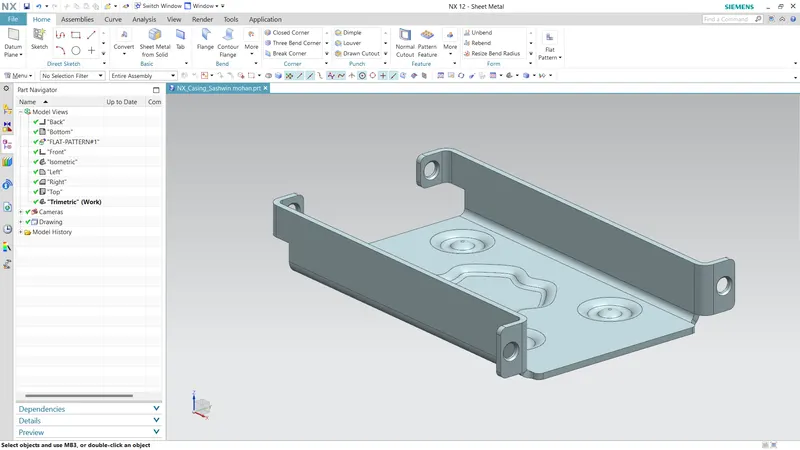
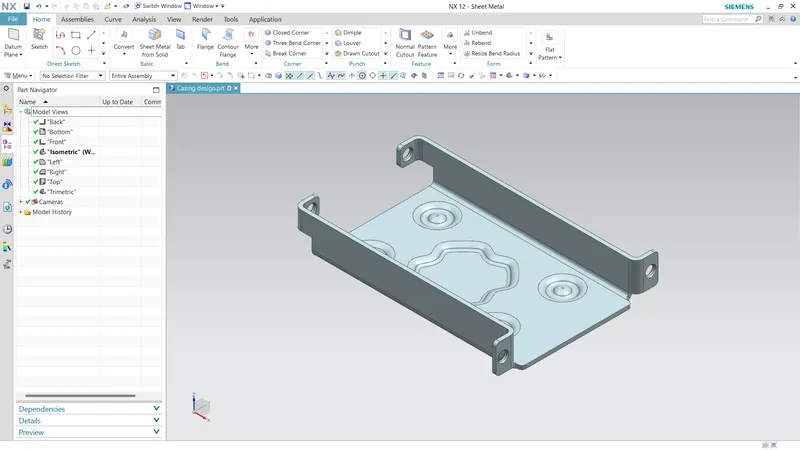
Isometric View
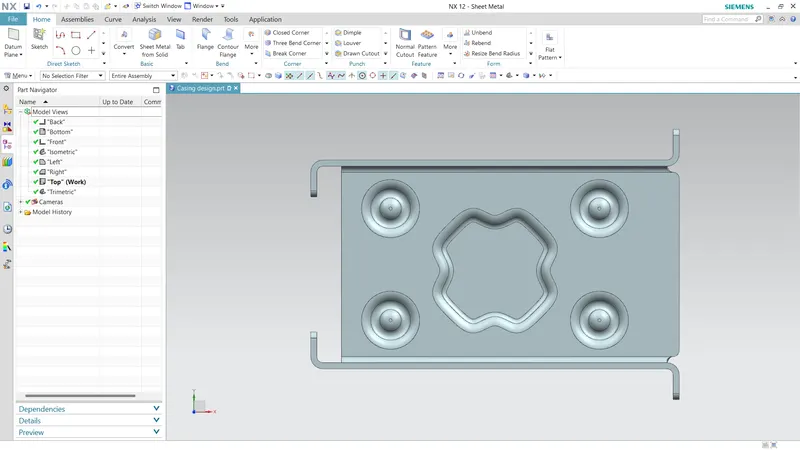
Top View
Attach Detailed Drawing Sheet Image
Conclusion: Sheet metal casing design using NX CAD has been created following the given dimensions and design guidance
NOTE: The NX CAD file with extension .prt named "NX_Casing_Sashwin mohan " has been submitted
THANKYOU