Advanced Sheet Metal Design Using NX Cad Challenge_1_Casing Design
Title: Sheet metal Casing design.
Objective: Design of sheet metal casing design using NX CAD.
Introduction: Basic Principles Sheet Metal Fabrication is the process of forming parts from a metal sheet by punching, cutting, stamping, and bending. 3D CAD files are converted into machine code, which controls a machine to precisely cut and forms the sheets into the final part. In this project, we design the sheet metal casing design using NX CAD software with given parameters values.
Design Methodology:
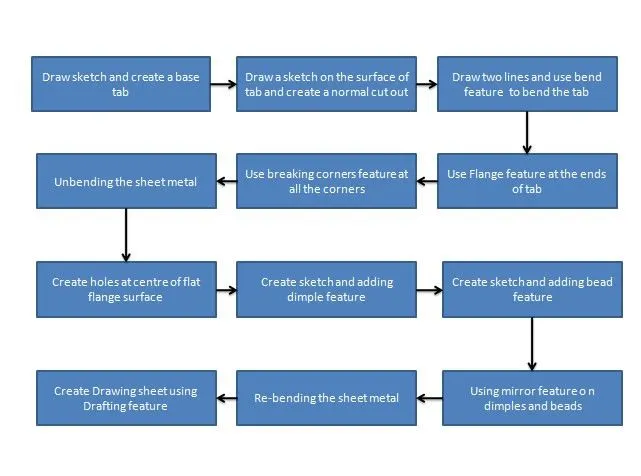
Description of tools and features used in Sheet metal casing Design:
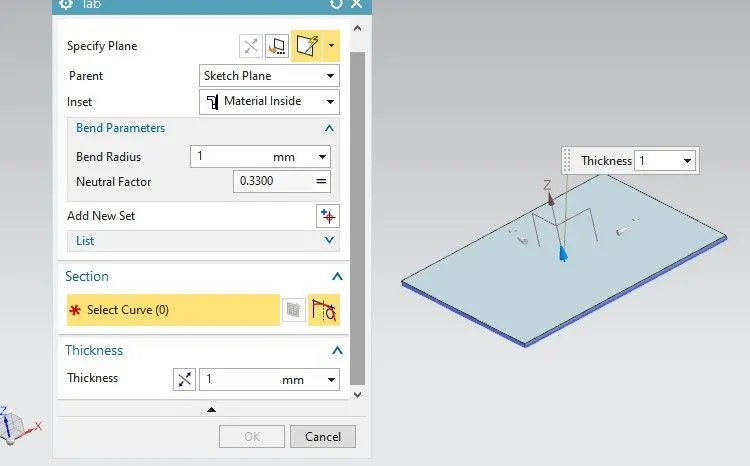
Draw a rectangle of 60mm length and 50mm breadth on the XY plane and use the Tab feature to create the sheet metal Base of thickness 1mm.
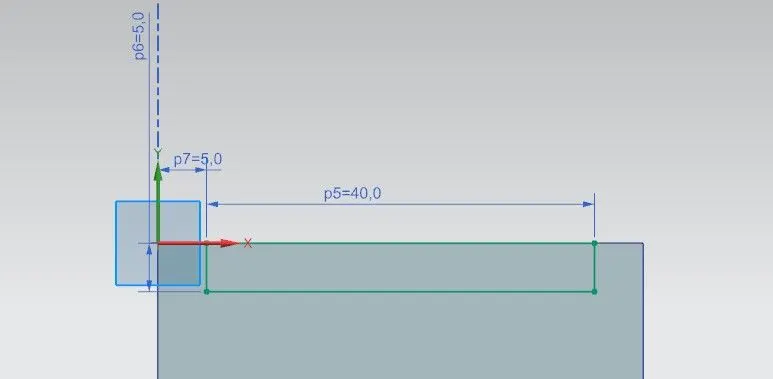
Draw a rectangle sketch of 40mm breadth and 5mm length on the left side on the surface of the base tab.
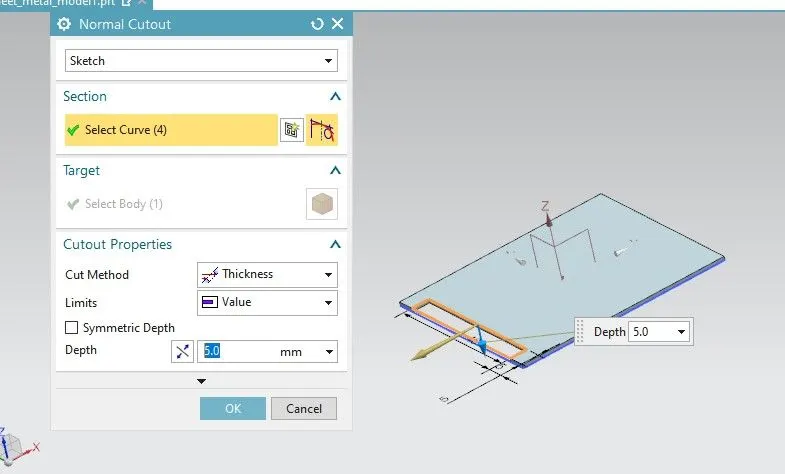
Use the Normal Cutout feature to cut the sheet metal base in rectangle shape.
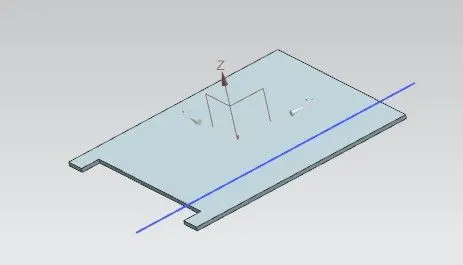
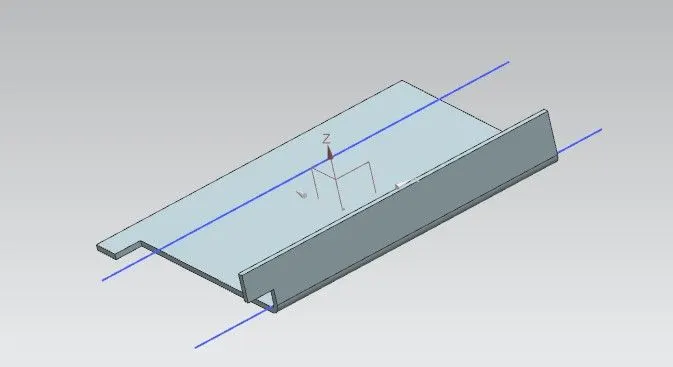
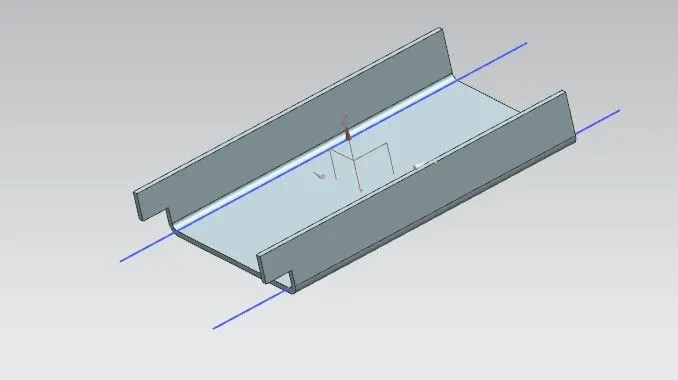
Draw two lines on the surface of the base and use the Bend feature to bend the sheet metal base.
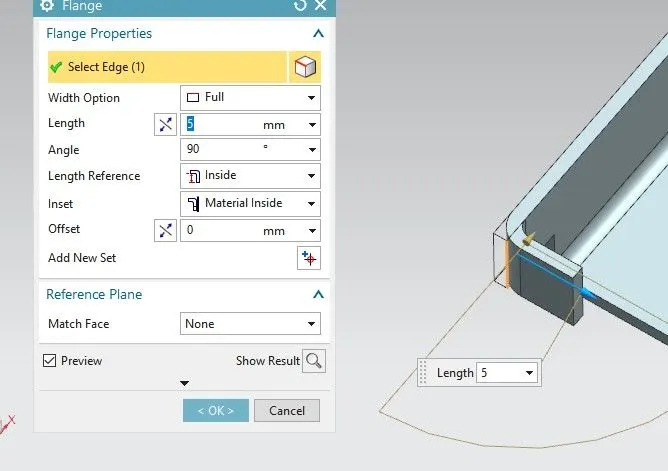
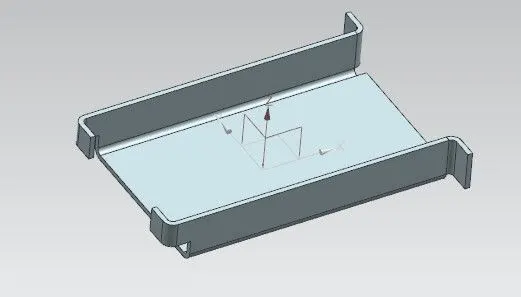
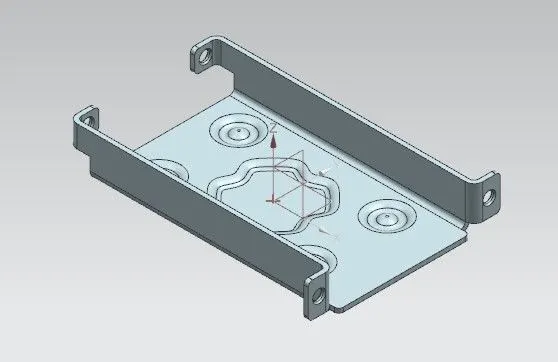
Use the Flange feature and create the flanges on the ends of the base of 5mm length at 90 degrees angle.
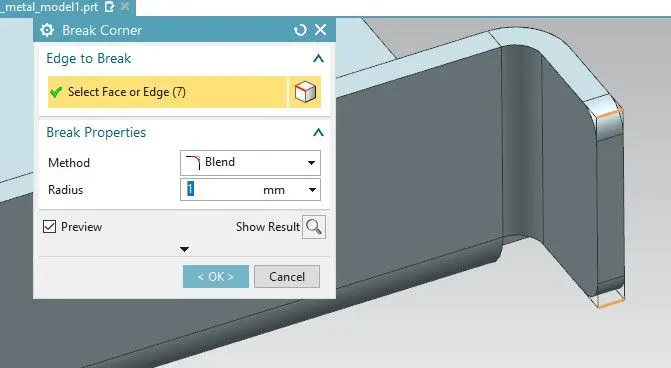
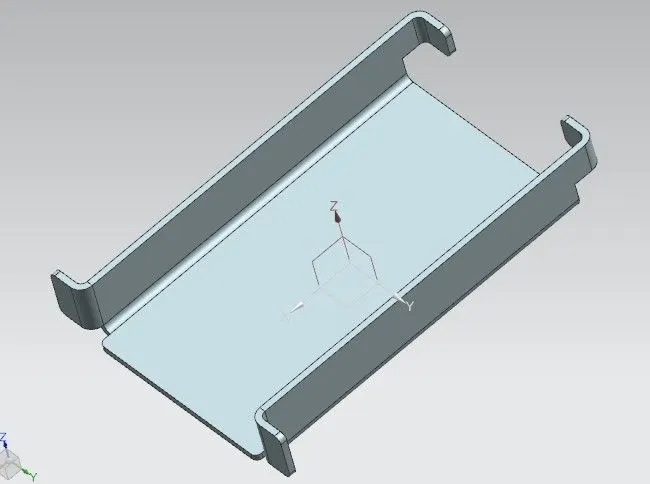
Use the Break Corner feature to make the round corners of the sheet metal.
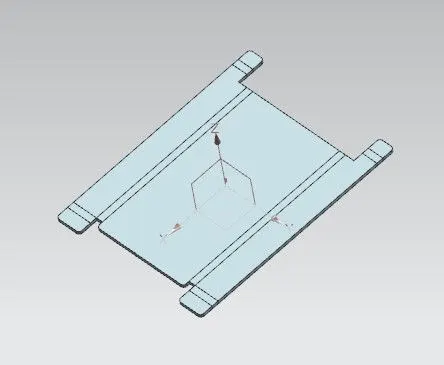
Use the Un-bend feature on the sheet metal design.
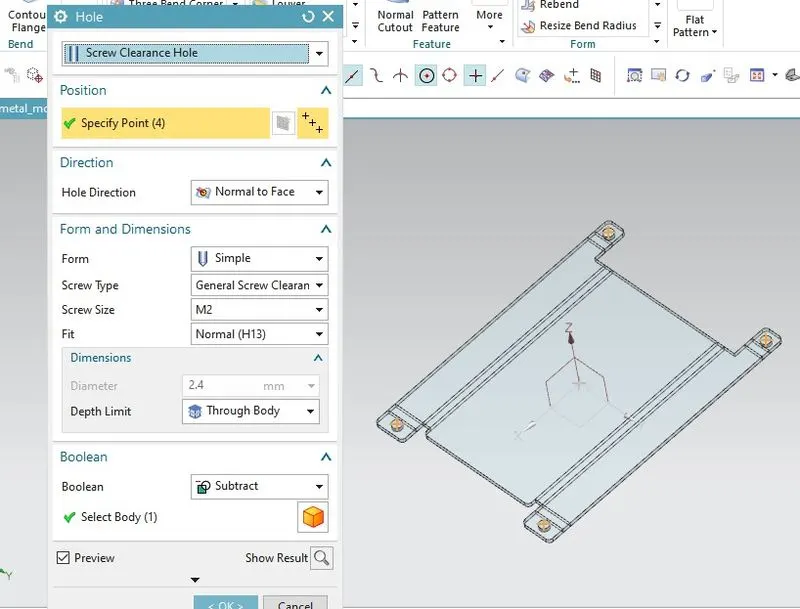
Use the Hole feature and create the holes on the flat surface of the flanges.
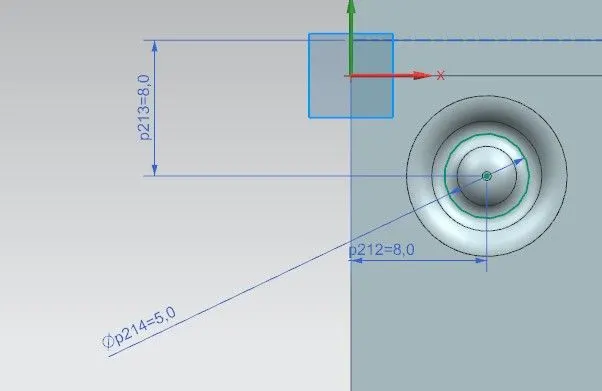
Draw a circle of 5mm diameter and use the Bead feature on the circle to make the bead on the surface of the sheet metal.
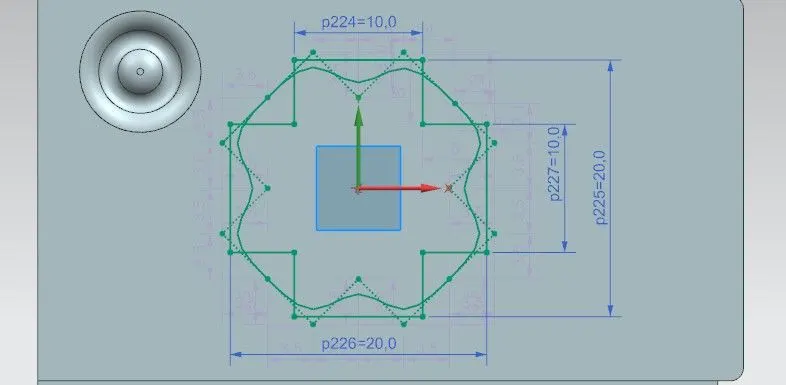
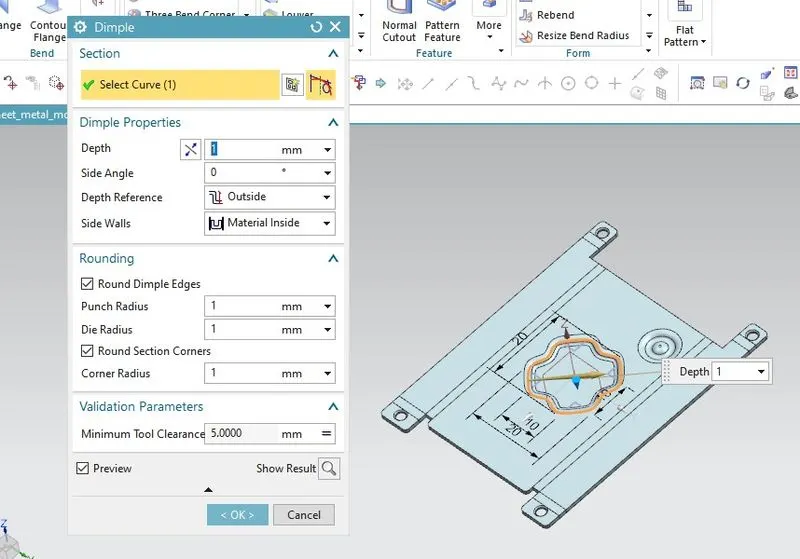
Create a sketch and convert that sketch into a splines sketch using the studio spline tool.
Create the dimple on the surface of the sheet metal using the Dimple features.
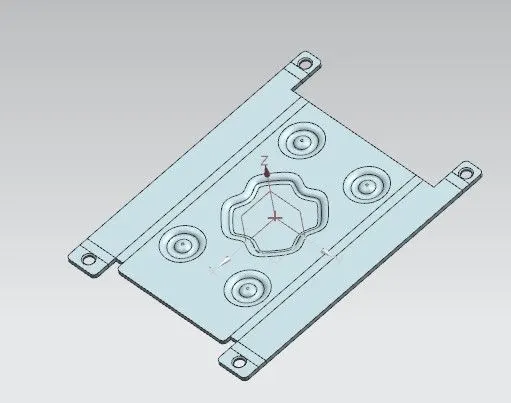
Use the Mirror feature and mirror the bead design about the ZX and ZY planes.
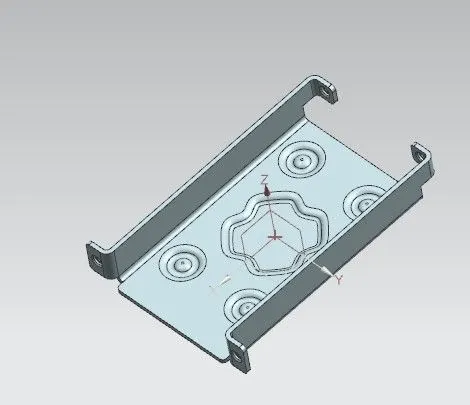
Use the Rebend feature and again bend the sheet metal design according to the same procedure of Un-bend.
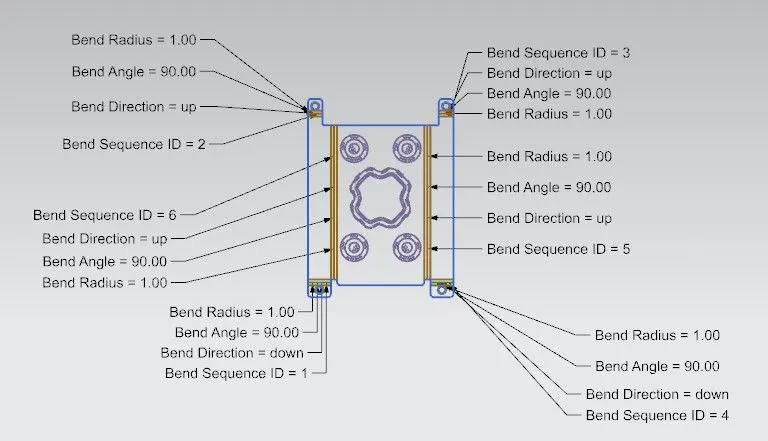
Use the Flat Pattern feature on the sheet metal design and enable the Flat pattern view in the views option to see the flat pattern of the design.
Drawing Sheet of the Sheet Metal Casing Design:
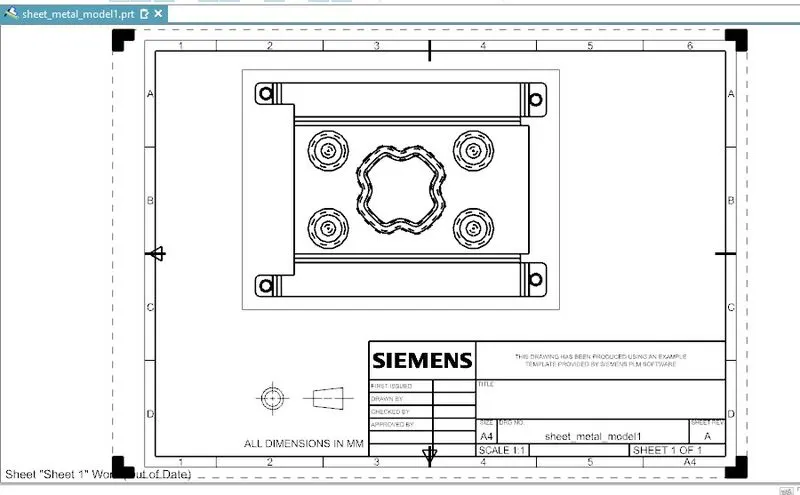
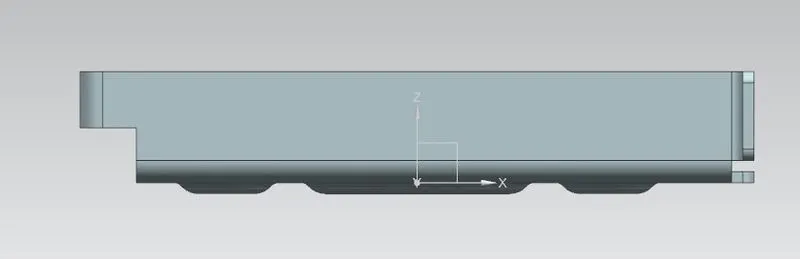
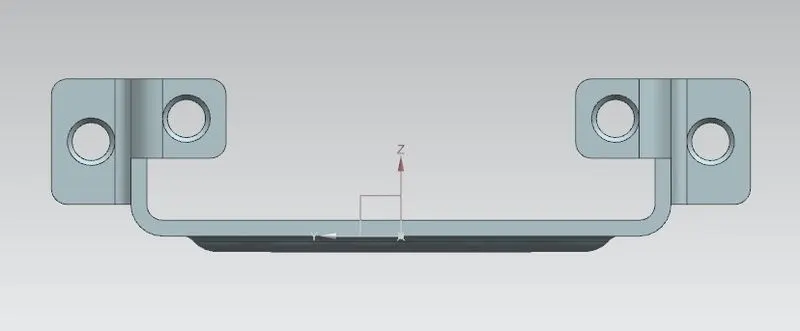
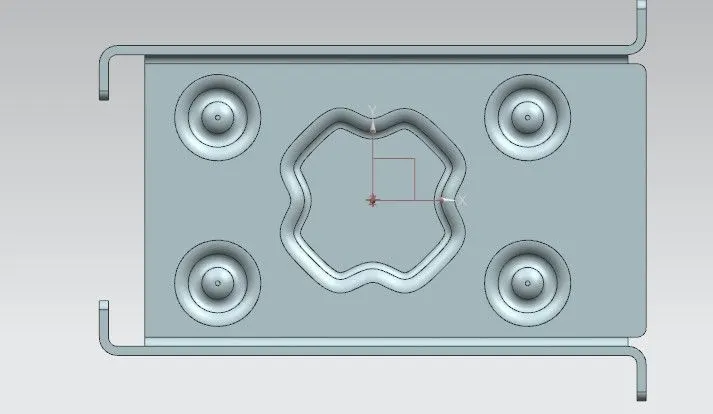
Go to the application> Drafting> Base view option and create the 2D drawing of the design.
Views:
Isometric view:
Front view:
Side view:
Top view:
Conclusion:
- Learn about the sheet metal design of casing using NX CAD.
- Learn about the design of some features like flange, dimple, bead, break corner, unbend, rebend.
- Learn about the creating of a 2D drawing sheet of the design.
- Learn about the sheet metal standards and fundamentals.