Advanced Sheet Metal Design Using NX Cad Challenge_1_Casing Design
Design of sheet metal casing
Introduction -
NX cad is a designing and modling software used software used to model various designs.Siemens NX software is a flexible and powerful integrated solution that helps you deliver better products faster and more efficiently.
Description -
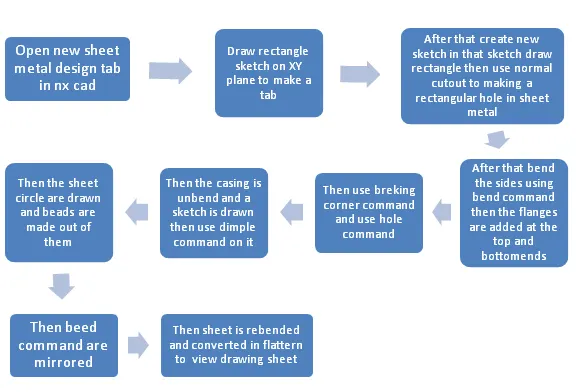
Various features are used in the design of casing
Tab - It is basic feature sheet metal design. It is base of model. Firstly draw the sketch and select tab command and apply on it then create tab.
Normal cutout- Used to cut the sheet metalnormally usingg sketch or other bodies unlike extrude cut which rapidlycuts.
Flange - Flange on an edge and create a bend between two walls. The flange can only be made on a straight edge.
Bend - This command is used to creats bends at desired location in the sheet metal.
Break Corner - It is give tosmooth to the sharp corners.Use the corner command to round or chamfer sharp corner of tab or flange.
Dimples - Use the Dimple command to lift an area of the model inside a sketch that simulate a stamping tool.
Bead - A bead is along drawn out impression, which is impression to increase stiffness in metal sheet or plates.
Mirror Feature - It is used to mirror the existing feature along a plane on to a body.
Hole - It is required to make holes a required position with many variations in sizeand shapes.
Unbends - This command used to unbends the bends area inthesheet metal to get flattern sheet metal.
Rebends - This command is used to rebend the unbent areas to obtain the bend feature and also to obtain the final sheet metal part.
Flat pattern - This command to crate the flat pattern view which is needed for drafting and later manufracturing purpose for a sheet metal.
Final Design Model
Front View-
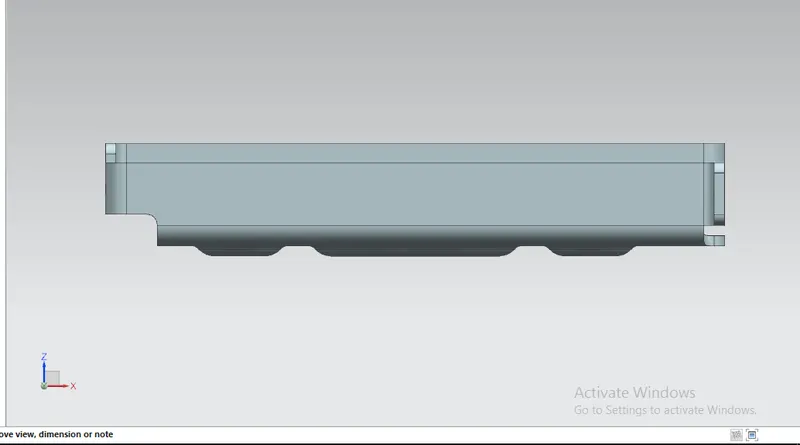
Side View -
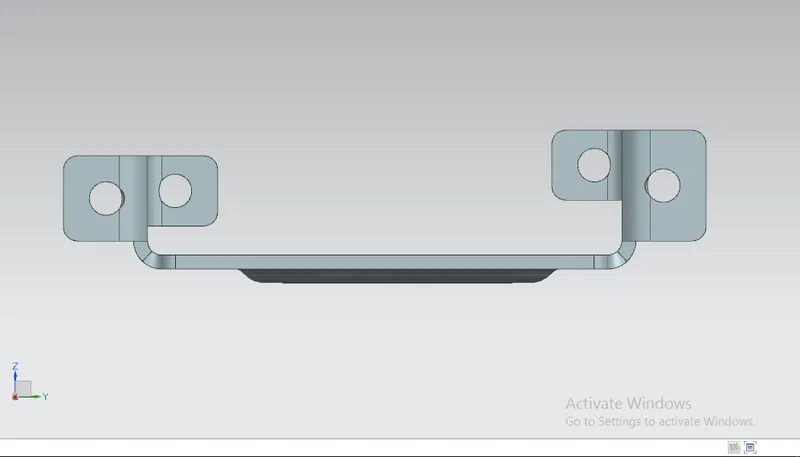
Top View-
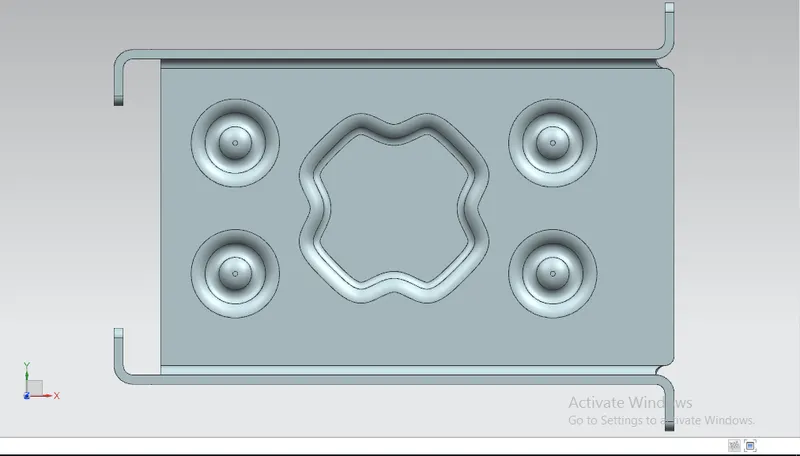
Isometric View-
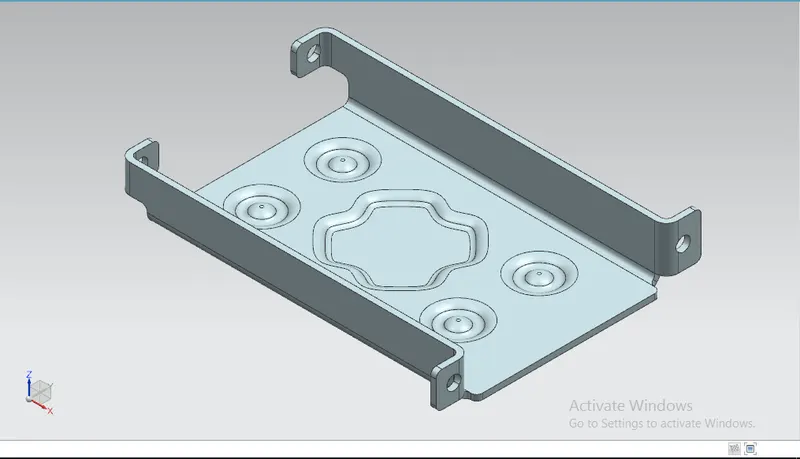
Flat Pattern -
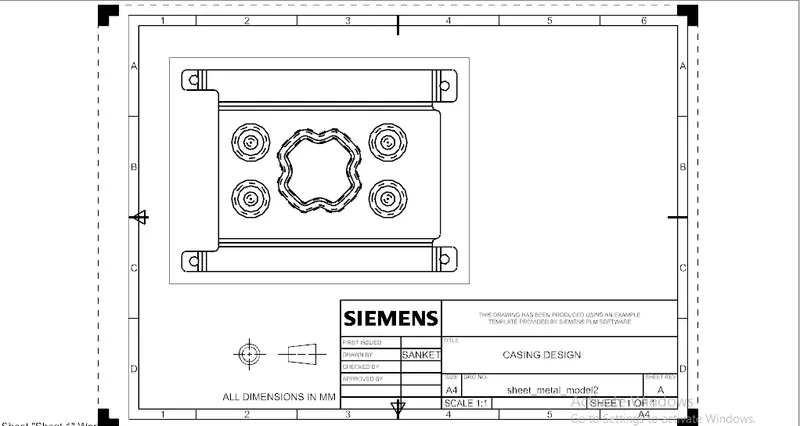
Conclusion-
This project understand the basic feature of sheet metal workbench in NX-cad and unerstood various terminology related to sheet metal design.