Understanding Anonymous functions in MATLAB
Anonymous functions are very much similar to the regular user-defined functions in MATLAB, but with some distinct individual traits, Anonymous functions are not stored as function files or codes, instead it is just a data type which makes use of ‘function handle’ data type.
 Anup KumarH S·1 Dec 2022·2 min read
Anonymous functions are very much similar to the regular user-defined functions in MATLAB, but with some distinct individual traits, Anonymous functions are not stored as function files or codes, instead it is just a data type which makes use of ‘function handle’ data type. To understand more about anonymous functions, let us dive deep into function handles
Function handles are simple function codes that can be created without using the regular function definition using keywords ‘function’ and ‘end’. They do not require any separate ‘.m’ files or not needed to be declared separately below/above the main code. Function handles are directly declared in the main code itself and also accessible from any point in that particular code, i.e they are localized to a particular conditional.
A function handle declaration is quite similar to a function declaration. By placing a "@" symbol before your value or expression allocation, it can be identified,
Func_handle=@(input_argument) func_definition
here,
Func_handle is the name of the particular handle
input argument is the one which will be fed into the function
func_definition will have the equation/expression which will use the input to give us the output
Syntax for calling the function handle in Function Matlab
Variable_name=Func_handle(input_argument)
here,
The output from the handle will be stored under ’Variable_name’
Let us try to execute this syntax with an example snippet in MATLAB
func = @(x) x+x
A = 10;
B = 20.6;
res1 = func(A)
res2 = func(B)
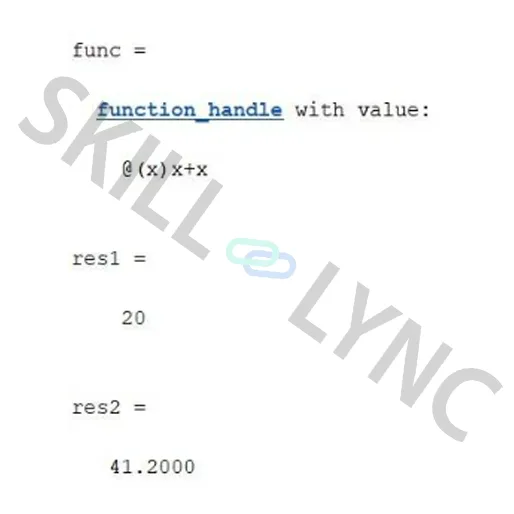
The above image represents the output for the particular snippet we entered in the MATLAB command window and workspace.
Multiple Arguments Anonymous Function:
The same can be done for functions with multiple input arguments and multiple output arguments and other different input data types
func= @(a,b) strcat(a,b)
str1=’MAT’
str2=’LAB’
strout = func(str1,str2)
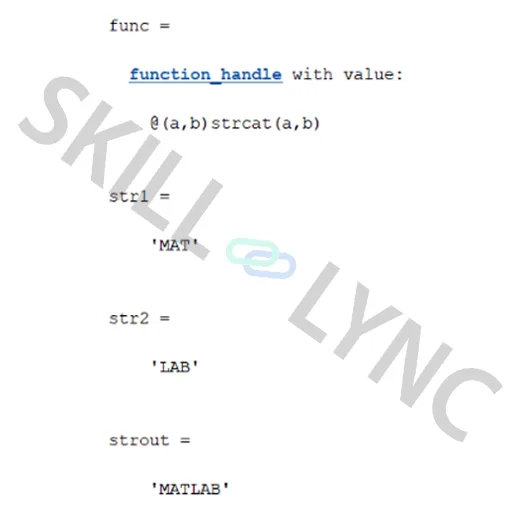
This particular feature comes in handy when you don’t want to create a function script for simple repetitive operation
In conclusion we are ideally defining a function to a variable so that it saves us the time and space for creating a separate function script.
Anonymous functions can store the values required for particular equations apart from the input arguments. For an instance consider this particular snippet
a=4;
b=6;
c=3;
func = @(x) a*x^2+b*x+c
input=5
Res=func(input)
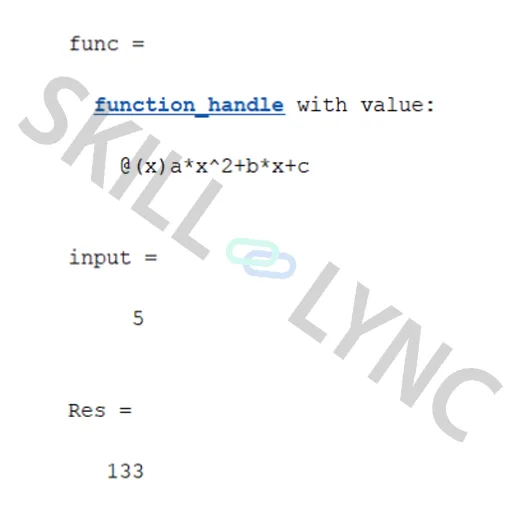
This particular method works only if you declare the required variables before the function handle definition
Anonymous Functions Without Input Arguments
You can also execute an anonymous function without any input arguments. Let us execute the particular snippet in MATLAB
func = @() 8*5+5
Res=func()
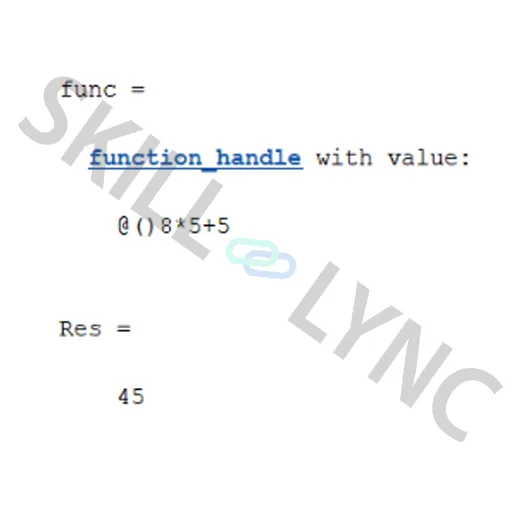
Arrays of Anonymous Functions:
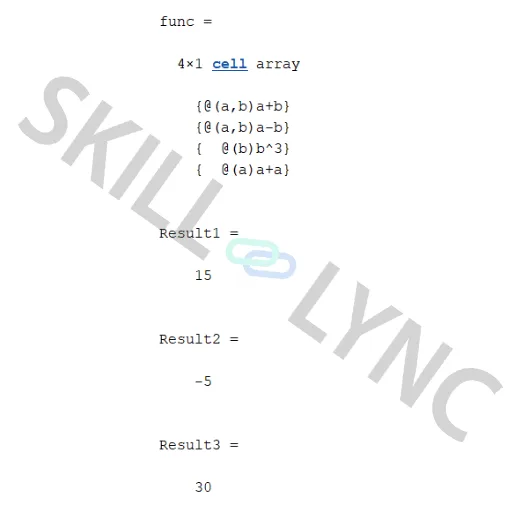
One more trick you can do is that you can create an array of anonymous functions with different definitions. This results in a cell array of different anonymous functions. You can call a function easily by using the cell index in this case.
Consider this following snippet as an example
x=5;
y=10;
func={@(a,b) a+b;
@(a,b) a-b;
@(b) b^3;
@(a) a+a}
Result1= func{1}(x,y)
Result2=func{2}(x,y)
Result3=func{4}(x+y)
Thus anonymous functions can be used at times when the function definition is very simple and to save program space and computational time. Also some specific solvers like 'ga' and other ode solvers require anonymous functions to execute.