A Guide on the Dashboard Library Blockset
Dash in your car is your source of information. It basically functions as a control panel that sits in front of the driver and shows numerous controls and instrumentation required for your car to function.
 Navin Baskar·31 Aug 2022·2 min read
A Guide on the Dashboard Library Blockset
Dash in your car is your source of information. It basically functions as a control panel that sits in front of the driver and shows numerous controls and instrumentation required for your car to function. Technically, we also refer to it as an instrument panel (IP).
Initially, manufacturers made dashboards out of metal or wood. Modern dashboards are typically more fashionable. Due to a number of benefits, plastics are now frequently utilised as the material for automotive dashboards. The strength-to-weight ratio, moldability, durability, affordability, attractiveness, wear resistance, and scratch resistance are a few.
You might receive different amounts of information from your dash than other folks. This can be due to various manufacturers, models, and prices.
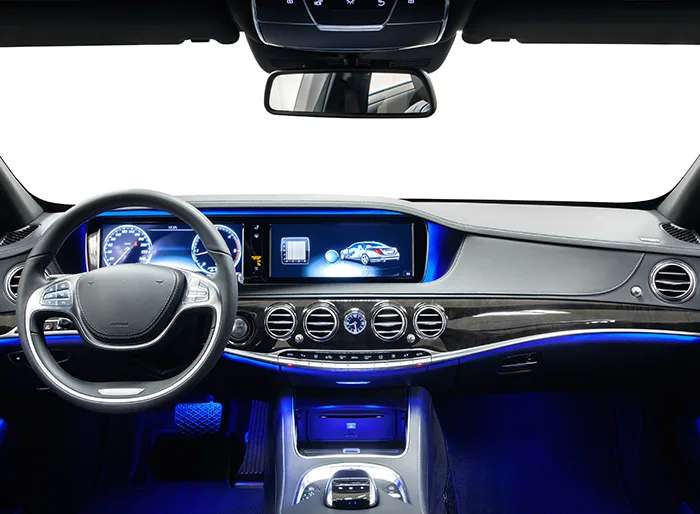
Parts of a Dashboard
Below are the common parts of a dashboard in a car:
- The dashboard of an automobile is where the controls are located. include instruments for measuring distance travelled, speed, etc. In most cases, the driver's front is where it is.
- Rearview mirror: a rearward-facing mirror.
- Cigarette lighter: A device used to light cigarettes:
- Vent: An aperture that lets air flow through the passenger area.
- The storage area in the front of the passenger compartment is known as the glove compartment.
- Radio controls: Pressing this button will change the radio's settings.
- Heating controls a button used to manage a car's various heating systems.
- A foot-operated device that accelerates a vehicle is known as an accelerator pedal.
- Foot-operated control that slows and stops a vehicle is known as the brake pedal.
- A steering column is a group of mechanisms used to steer a vehicle.
Steps to Connect the Lamp with Signal in a Simulation Dashboard
Below are the steps:
- The Dashboard library contains blocks to control during simulation or to indicate the Input/Output of simulation visually. The lamp block can be found in the Dashboard library. The lamp block displays a color representing the value of a signal that has been mapped to it. The method to map the lamp with the signal can be discussed below.
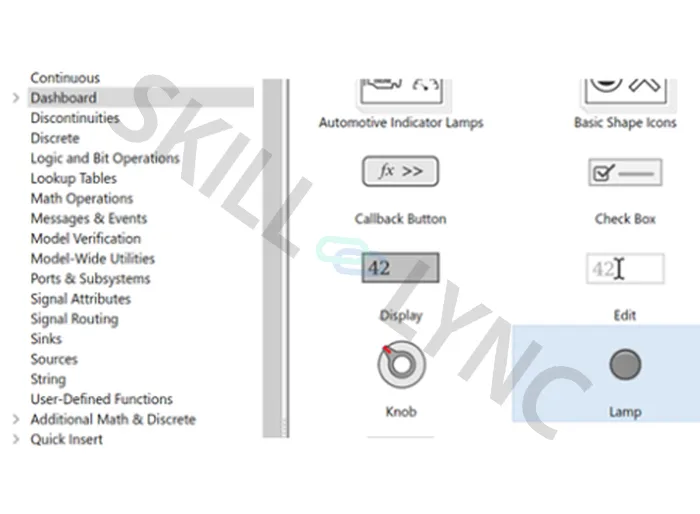
- To add the block to the model, select the lamp block and click Ctrl+I. Place the block in the model. The dashboard blocks do not have ports to map or connect with signals. To map dashboard blocks to signals in the model, click connect
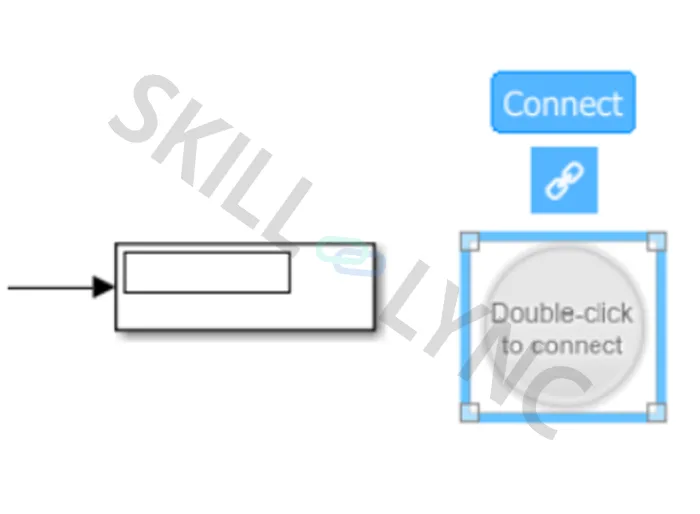
- Select the signal that needs to be mapped with a lamp. Another window will be prompted to connect the signal:
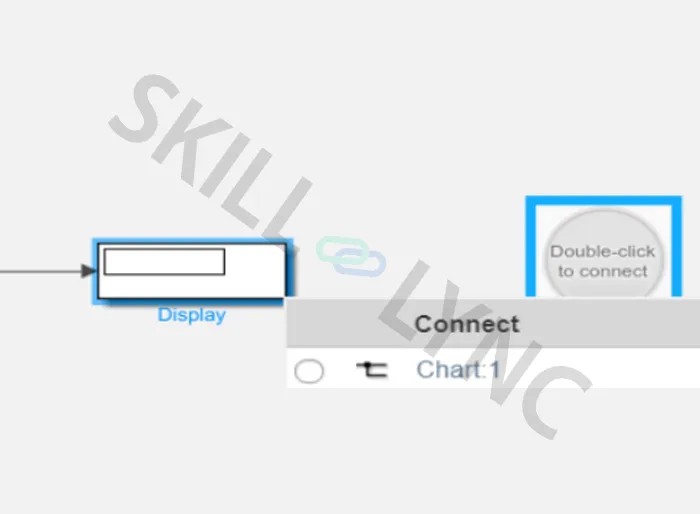
- Select the Radio button of the respective signal:
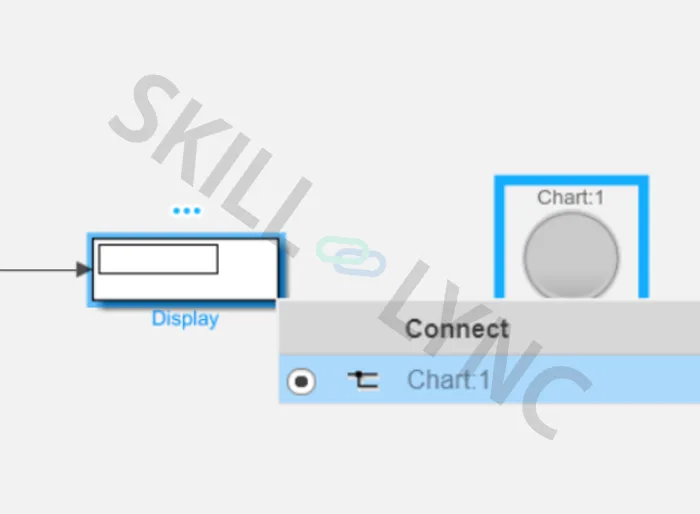
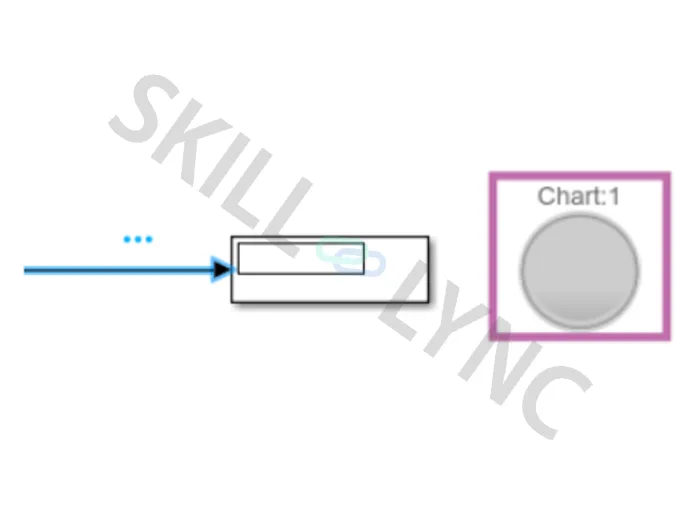
- Now the Signal has been mapped with a lamp block. One can double-check the connection by selecting the Jump to connected element. The mapped Signal will be highlighted:
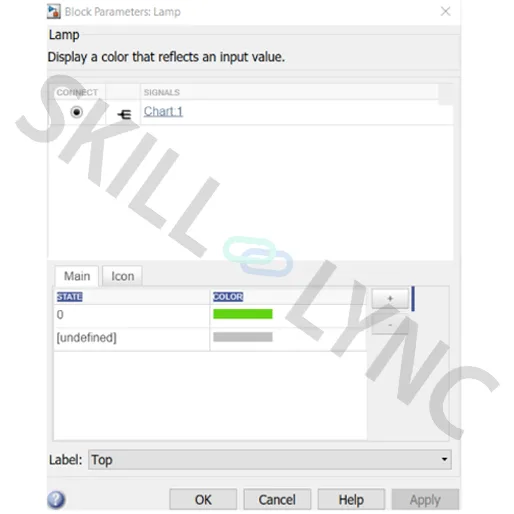
- To represent the values of the signal in a different color, Double click the block. In the block parameters window, one can mention the color for each state (value) of the signal. One can add/delete any number of states and colors to the signal by clicking the + button. Hence, the different colors will be displayed representing each value of the signal: