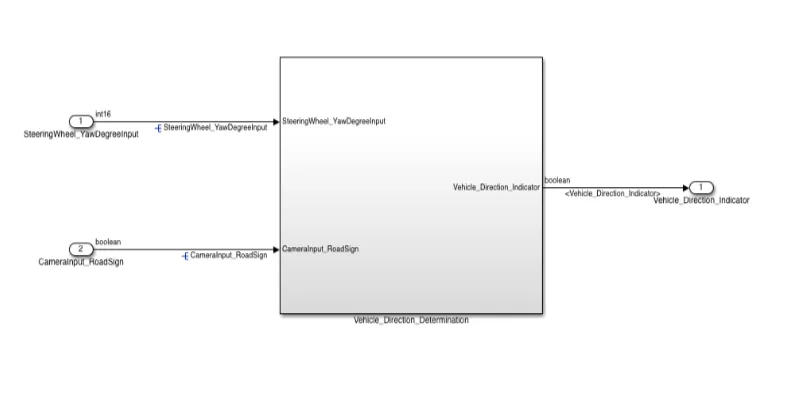
Vehicle Direction Detection
During this project work, the students will develop a MATLAB Simulink model for detecting the direction of the vehicle based on the given requirements. The projects should be MBD c…
Black FridayUpgrade your career this Black Friday. Get up to ₹60,000 Scholarship on IIT programsUp to ₹60K Black Friday Scholarship52 seats leftOffer ends Fri, 27 Nov, 11:59 pm IST.
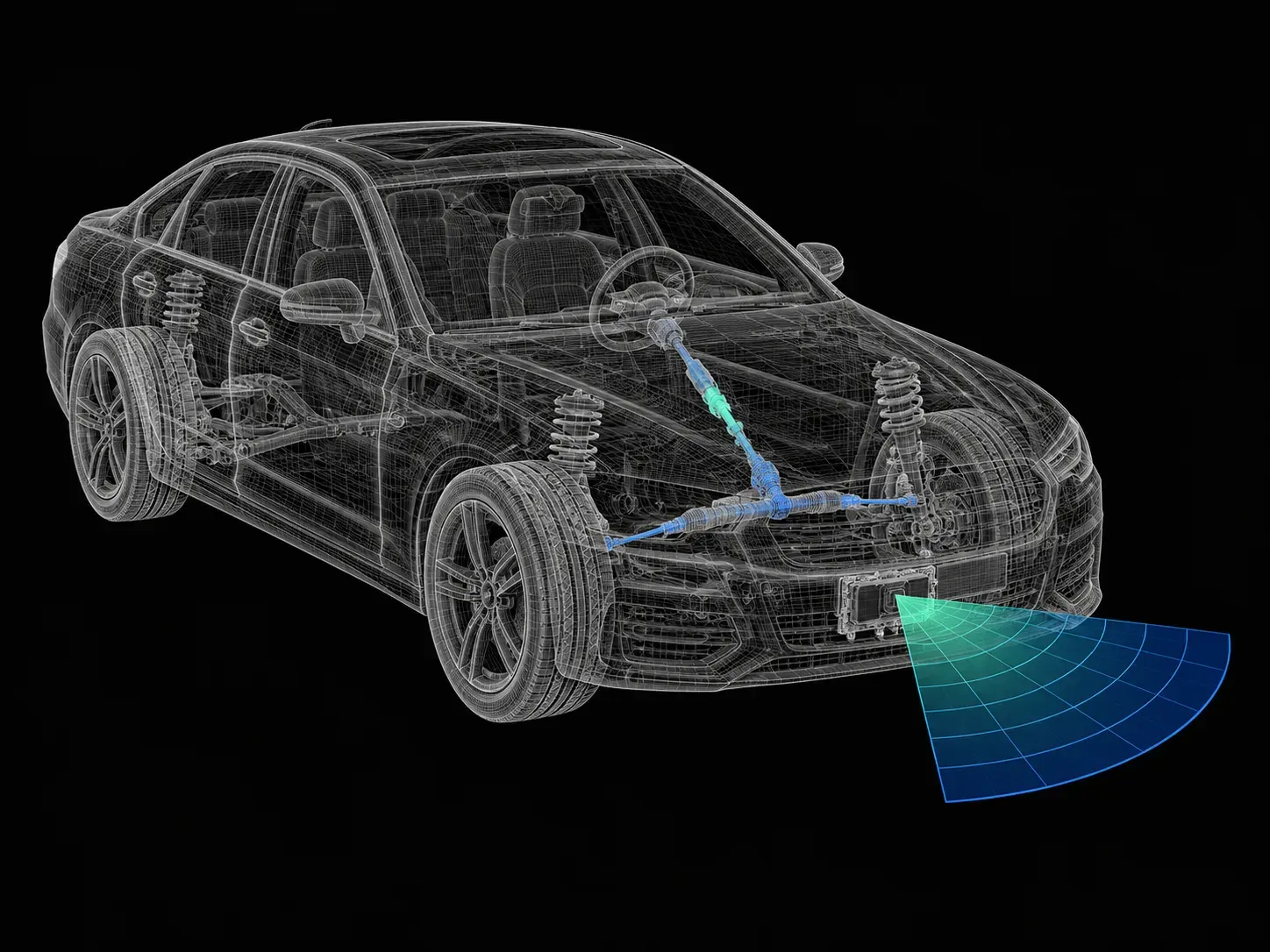
A comprehensive course on Advanced Driver Assistance System using Matlab and Simulink. This course is highly suited for beginners
Introduction to Model-Based Development using MATLAB and Simulink is an online course from Skill-Lync: 12 weeks, 29 hours of content and 2 industry projects.
5 h 38 min of this course's own recorded sessions, with transcripts, on Grow by Skill-Lync:
In this week, the following topics are discussed:
Our projects are designed by experts in the industry to reflect industry standards. By working through our projects, Learners will gain a practical understanding of what they will take on at a larger-scale in the industry. In total, there are 2 Projects that are available in this program.
During this project work, the students will develop a MATLAB Simulink model for detecting the direction of the vehicle based on the given requirements. The projects should be MBD c…
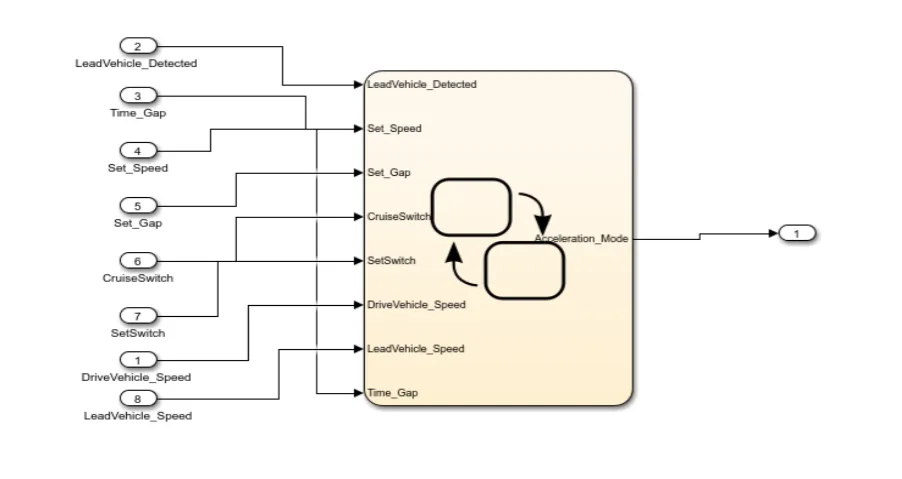
During this project work, the students will develop the Adaptive Cruise Control Feature for passenger cars in the MATLAB Simulink environment based on the given requirements. The s…
Video stories from learners of related electrical programs, from Skill-Lync's YouTube channel.
by the Skill-Lync team
It is a model-based development course that uses driver-assistance features as its projects. The web address and older copy call it an ADAS course. Weeks 1 to 4 teach MATLAB, Simulink, Stateflow and the MBD workflow; week 5 introduces ADAS. The projects are vehicle direction detection and adaptive cruise control.
ADAS, advanced driver assistance systems, are features such as adaptive cruise control that help the driver. MBD, model-based development, is the way their software is built. The syllabus, in order:
The recorded course is 52 lessons plus 2 feedback forms, 1,719 minutes or about 29 hours of video. Lesson titles include "MATLAB User Defined Functions and Lookup Tables", "MATLAB Simulink and Stateflow Basics", "Model Simulation and Model Advisor Report", "MATLAB Model Validation and Coverage Analysis", "Overview of Hardware-in-Loop Testing" and "Introduction to the Interview Preparation Session". All lessons are locked until you enrol, but the first three are free on Grow, about 5.6 hours: MATLAB basics, tables, functions and callbacks (ending with a Simulink model built from a script with set_param), and Simulink blocks, signals and the toolbar.
The two projects. Vehicle direction detection: a Simulink model that detects which way the vehicle is moving, built to the given requirements, MBD compliant, with a 0.01 s sample time on every signal. Adaptive cruise control: the full MBD process, with requirement tagging and traceability, a data dictionary, configuration parameter changes, a Model Advisor check and code generation. The course is also one of the four inside the Pre-Graduate Program in Embedded Systems. For the maths of how cruise control picks its following distance, see the ADAS validation course; it is not repeated here.
Model-based development means the control software is designed and tested as a simulation model, and the C code for the car's computer is generated from that model instead of being typed by hand. MathWorks defines its version, Model-Based Design, as "the systematic use of models throughout the development process".
Automotive teams usually draw the process as a V. Down the left side, requirements become a system design, then a software design. At the bottom sits the code. Up the right side, each level is tested against its partner on the left: units against the design, the integrated software against the system design, the car against the requirements. Think of it as writing a recipe, then tasting each stage of the dish against the matching line of the recipe.
MBD changes the bottom of the V. The software design is a model you can run, so you can test the design before any code exists, and the code comes out of the model. The tools in this course:
When do you need Stateflow? When the right output depends on which mode the feature is in and what happened before, not just on the inputs right now. Cruise control is a good test. Working out the speed error is plain arithmetic, so it is Simulink. Deciding whether the system is off, on standby, active, or overridden by the driver is a state machine, so it is Stateflow. You can build mode logic from Simulink switches, but a chart with named states is far easier to read and review.
Week 4 tests the model in the loop, then the generated software in the loop, with an overview of hardware in the loop. The AUTOSAR course guide explains MIL, SIL and HIL, so they are not repeated here.
Between two stored points it draws a straight line and reads the answer off that line. Outside the table, it depends on the extrapolation setting. The 1-D Lookup Table block defaults to Linear, which extends the end line, while Clip holds the end value. The MAB modelling guideline jc_0626 asks for Clip.
A lookup table replaces an equation with measured points, like reading a value off a graph. The input values are the breakpoints; the outputs stored against them are the table data. With the default method, Linear point-slope, MathWorks says the block "fits a line between the adjacent breakpoints, and returns the point on that line corresponding to the input". For an input between breakpoints and :
Assumed values: an accelerator pedal map, pedal position 0, 20, 50, 80 and 100% giving a torque request of 0, 40, 120, 220 and 250 N·m. We try 35%, then two readings a faulty sensor might send, 110% and -5%, with and without Clip.
bp = [0, 20, 50, 80, 100]    # pedal position, % (assumed)
tq = [0, 40, 120, 220, 250]  # torque request, N·m (assumed)

def lookup(x, clip):
    if clip:  # hold the end values
        x = min(max(x, bp[0]), bp[-1])
    i = 0 if x < bp[1] else len(bp) - 2  # end segment
    for k in range(len(bp) - 1):
        if bp[k] <= x <= bp[k + 1]:
            i = k  # segment that holds x
    s = (x - bp[i]) / (bp[i + 1] - bp[i])
    return tq[i] + s * (tq[i + 1] - tq[i])

print(lookup(35, True), lookup(110, False), lookup(110, True),
      lookup(-5, False), lookup(-5, True))
# 80.0 265.0 250.0 -10.0 0.0
At 35% the input is halfway from 20 to 50, so the torque is halfway from 40 to 120 N·m: 80 N·m. At 110%, Linear extends the last segment and asks for 265 N·m, more than the table ever holds; Clip gives 250. At -5%, Linear asks for -10 N·m, a negative torque nobody put in the table; Clip gives 0.
That is the reason behind jc_0626. Its rationale says an unexpected input can make the extrapolated output "an impossible value" or overflow. The guideline sets the n-D Lookup Table block to a linear interpolation method, Clip, and "Use last table value for inputs at or above last breakpoint". Clip is not fault detection, though: MathWorks notes it does not protect against out-of-range inputs, so the sensor still needs its own range check. A 2-D table, say pedal and vehicle speed, interpolates the same way along each input in turn. The course teaches lookup tables in week 2.
Because the car's computer runs the generated code as a task on a fixed tick, say every 10 ms, and cannot stretch or shrink that step the way a variable-step solver does on a PC. MathWorks' Simulink Coder documentation says to set the solver type to Fixed-step for the GRT, ERT and ERT-based targets.
The solver is the part of Simulink that decides when to compute the next value. A variable-step solver takes small steps when things change fast and big steps when they are calm, which suits physics on a PC. A fixed-step solver takes the same step every time, like a metronome. A controller made only of discrete blocks uses the "discrete (no continuous states)" solver, and with the step size on auto Simulink uses the model's fundamental sample time. ERT, embedded real-time, is the system target file for production code and needs Embedded Coder; GRT, generic real-time, comes with Simulink Coder.
Project 1 asks for a 0.01 s sample time on every signal, so the step function runs 100 times a second, and time inside the model is counted in steps. A common job is debouncing a switch: a mechanical contact chatters on and off for a few milliseconds when pressed, so the software accepts a new switch state only after it has stayed steady for a set time.
Assumed values: a 50 ms hold time, and a press that bounces once before it settles.
Ts = 0.01    # s, sample time (project 1)
hold = 0.05  # s, time the switch must stay steady (assumed)
N = round(hold / Ts)  # samples

raw = [0, 1, 0, 1, 1, 1, 1, 1, 1, 1, 1]  # one value per 10 ms
state, count, out = 0, 0, []
for x in raw:
    count = count + 1 if x != state else 0
    if count >= N:  # steady long enough: accept
        state, count = x, 0
    out.append(state)

print(N, f"{out.index(1) * Ts:.2f}", f"{N * 0.02:.2f}")
# 5 0.07 0.10
The press first shows at 0.01 s, drops out, and is steady from 0.03 s. The model accepts it at 0.07 s, on the fifth steady sample. Now the trap: if the model is later run at 0.02 s and the count stays at 5, the hold time quietly becomes 0.10 s. The feature still works but feels sluggish, and nothing in the model complains. That is why counts should be computed from the sample time, kept as a named parameter, not typed in as 5.
Switch inputs like the tilt and telescopic switch in week 5 are where this kind of timing logic usually lives. The debounce example is ours, not the course's.
Model Advisor is a Simulink tool that runs a list of checks on a model and reports what passed and what did not. The MAB guidelines, from the MathWorks Advisory Board, are a widely used rule book for those checks: naming, layout, block settings and patterns that keep models readable and ready for code generation.
Some background, from the MathWorks guideline document:
In this course, week 4 starts with "Model Simulation & Model Advisor Report", and the adaptive cruise control project must pass a Model Advisor check before code generation. A clean report does not mean the feature is right, only that the model follows the rules; whether it meets its requirements is what testing and coverage, next, are for. The verification and validation course for MBD spends a full week on the JMAAB guidelines (the Japanese edition) and goes on to Simulink Design Verifier and Polyspace.
Decision coverage needs the whole if-statement to come out true once and false once. Condition coverage needs each input inside it to be true once and false once. MC/DC adds that each input must be shown to flip the result on its own. For a decision with three inputs that takes 4 tests, against 2.
Coverage measures how much of the logic your tests actually exercised, like ticking off roads on a map as you drive them. Simulink Coverage measures it on logic blocks and Stateflow transitions; week 4 covers coverage analysis. MC/DC stands for modified condition/decision coverage.
Assumed requirement: cancel cruise control when it is on and the driver brakes or the speed drops below a minimum. In logic, cancel = acc_on AND (brake OR slow). Three inputs give 8 combinations. The script tries every set of tests, smallest first, until each input has been seen to flip the result while the other two stay the same:
from itertools import product, combinations

cancel = lambda on, brk, slow: on and (brk or slow)
rows = list(product([0, 1], repeat=3))  # (acc_on, brake, slow)

def flips(tests, i):  # does input i flip the result on its own?
    return any(s[i] != t[i] and cancel(*s) != cancel(*t)
               and all(s[k] == t[k] for k in range(3) if k != i)
               for s in tests for t in tests)

best = next(c for n in range(1, 9) for c in combinations(rows, n)
            if all(flips(c, i) for i in range(3)))
print(len(rows), len(best), *("".join(map(str, r)) for r in best))
# 8 4 001 100 101 110
Read each test as (acc_on, brake, slow). 100 and 110 differ only in brake, and the result goes from 0 to 1, so brake matters. 100 and 101 prove slow. 001 and 101 prove acc_on. Four tests, which matches the general rule in NASA's MC/DC tutorial: at least n+1 tests for a decision with n inputs.
Why not stop at 2? Tests 000 and 111 already give full decision and condition coverage: the result is 0 then 1, and every input is both 0 and 1. But a wrong implementation, acc_on AND brake AND slow, passes the same two tests. MC/DC catches it, because test 110 should cancel and the wrong logic does not.
Two cautions. Simulink Coverage has an option to treat logic blocks as short-circuited, like C's &&, and MathWorks warns that you may then not reach 100% condition or MC/DC coverage on those blocks. And MathWorks' coverage page frames 100% MC/DC "as defined by the DO-178C/DO-331 standard", the aviation software standard. For a car project, check what your safety plan asks for before choosing a target.
They do, usually under the title "MBD engineer", but our records cannot tie jobs to this course: only 1 of 3,905 placement records names it. As of 21 Nov 2026, 135 records have MBD or model-based in the job title, with a median disclosed starting pay of ₹3.5 LPA.
How we counted, in Skill-Lync's placement records:
These are self-reported learner records, mostly 2021 to 2023 starting offers, so treat them as a starting point, not a promise. The MBD engineer salaries page uses a slightly wider title match and adds market context.
| Course | Length | Projects | Tools | Fee |
|---|---|---|---|---|
| Introduction to Model-Based Development using MATLAB and Simulink (this page)12 weeks: MBD in Simulink, MIL/SIL, 2 ADAS projects | 12 weeks, 29 h | 2 | MATLAB, Simulink | ₹40,000 |
| Software Verification and Validation and System Testing for Model-Based Development12 weeks: JMAAB, Design Verifier, Polyspace, testing | 12 weeks, 20 h | 2 | MATLAB, Simulink | ₹40,000 |
| Introduction to Automotive Embedded Systems and AUTOSAR12 weeks: MBD with AUTOSAR layers and ISO 26262 | 12 weeks, 44 h | 2 | MATLAB, Simulink | ₹40,000 |
| Autonomous Vehicle Controls using MATLAB and Simulink12 weeks: cruise control and automated driving models | 12 weeks, 24 h | 2 | MATLAB, Simulink | ₹40,000 |
| Introduction to the Future of Vehicle Validation-ADAS12 weeks: ADAS validation in Simulink and Python | 12 weeks, 13 h | 2 | MATLAB, Simulink, Python | ₹40,000 |
| Pre-Graduate Program in Embedded SystemsPre-grad: 16 weeks, 4 courses including this one | 16 weeks, 94 h | 9 | MATLAB, Simulink, C Programming, STM32CubeIDE, AVR ATmega328, SimulIDE, Microchip Studio, LRDA Tool Suite | ₹1,50,000 |
Lengths, projects and fees are taken from each course page on 21 Nov 2026; fees are the Premium plan in INR, including all charges.
Become job ready with our comprehensive industry focused curriculum for freshers & early career professionals
Field experts have designed the course curriculum to deliver both academic and practical learning experiences. Through projects on MATLAB and Simulink, this course assists you in reconciling academic knowledge with industry application. The curriculum in Indian colleges does not address these concepts or their application in industry.
A professional support expert engineer is always available to help you with any questions or concerns. You may also contact Skill-Lync professionals for personalized assistance through email and forum support.
In Skill-Lync's placement records (n = 3,905, as of 21 Nov 2026), the employers that hired most learners into roles with MBD or model-based in the job title were Expleo, Tata Elxsi and BlueBinaries. These are self-reported starting offers, mostly from 2021 to 2023, by learners of longer PG programs, not of this course alone.
Learners will work on one mini-project and one main project, namely Vehicle Direction Detection and Adaptive Cruise Control.
You must be pursuing or have completed a B.E/B. Tech degree in Mechanical, Automotive, Electrical, Electronics, Mechatronics, or Instrumentation Engineering. No prior knowledge of Model-Based Development (MBD) or Advanced Driver Assistance Systems is assumed, because the syllabus starts with MATLAB scripting basics.
The duration of this course is usually three months. However, you may need some more time to finish the project work.
Our instructors for this ADAS course are industry experts with ten years of experience. You will be provided with access to recorded videos and the learning takes place through online mode.
ADAS is Advanced Driver Assistance System that works primarily to avoid accidents that happen on road due to human error. It is implemented in autonomous vehicles and many other vehicles to assist drivers. It helps to detect vehicles and obstacles that are even in the blind spot using sensors and cameras.
Skill-Lync's placement records have no job titles that mention ADAS, so we cannot quote an ADAS-specific figure. For model-based development roles, 129 learners with MBD or model-based in the job title disclosed a median starting salary of ₹3.5 LPA (as of 21 Nov 2026; self-reported, mostly 2021 to 2023 offers). See MBD engineer salaries for more.
A counsellor will walk you through the syllabus, projects and fee options — and tell you honestly if another course suits you better.