Wiring harness routing & packaging Rules Week 3 Challenge
Q1. Download following cad data & define it as Electrical support using Electrical Part design Workbench. Define all the necessary properties.
Ans:
Step 1: First we have to download the the part ie. p clamp from given link into .igs format.
Step2: Now we have to open this in CATIA V5 and save this as .catpart.
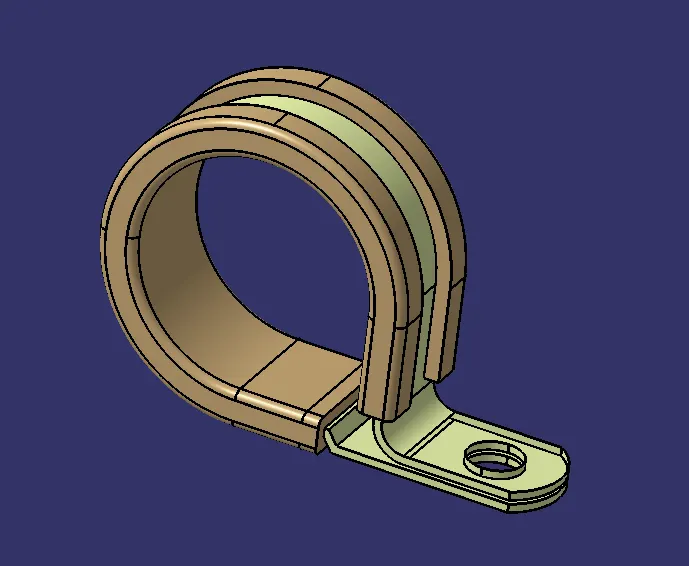
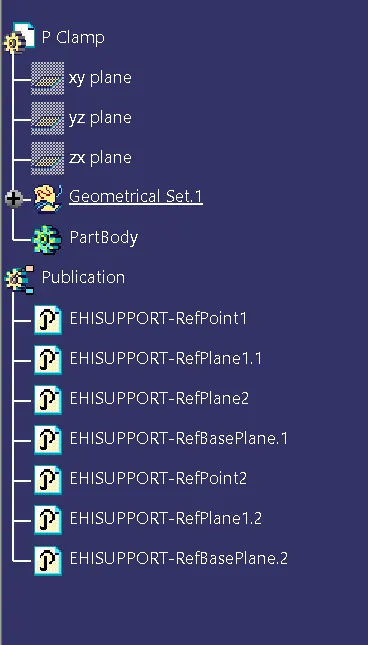
Step3: Create Entry, exit point and plane also base plane, in part workbench.
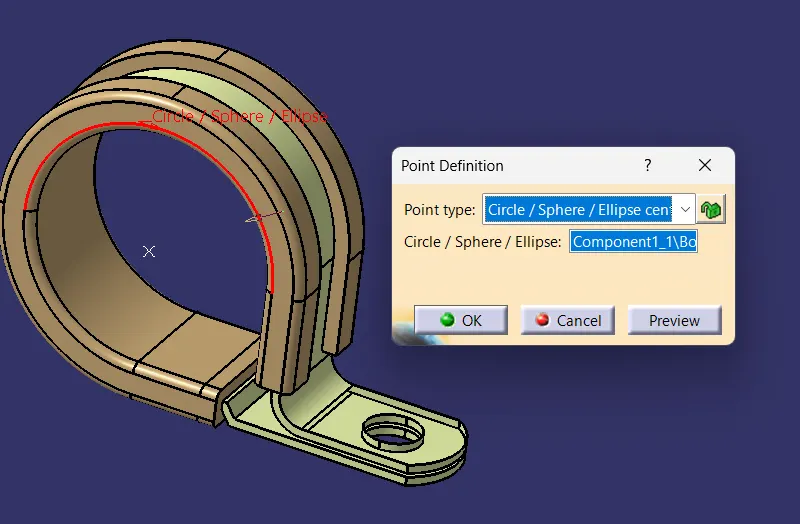
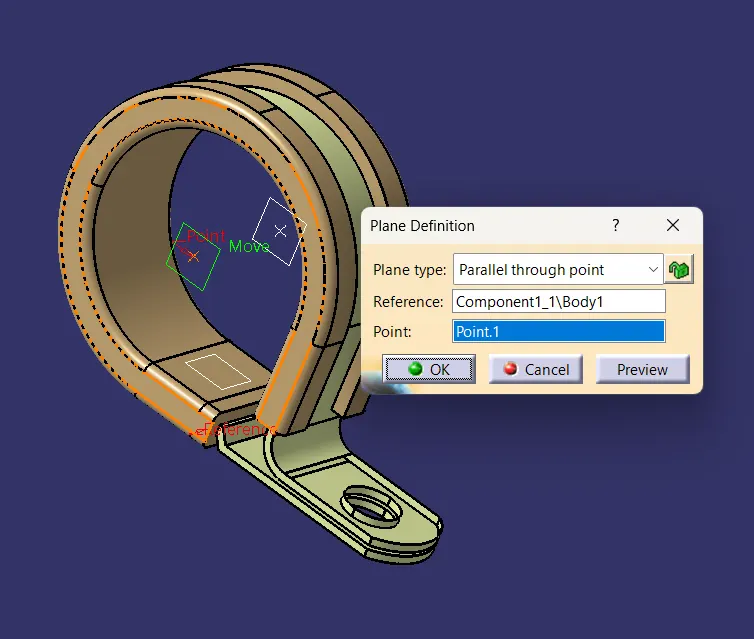
Step4: Now shift from part work design bench to electrical design workbench
Define P clamp as a support part and enter the parameters like entry point, entry plane and base plane,
and click on OK.
Do the same process one more time as it has two entry and exit point.
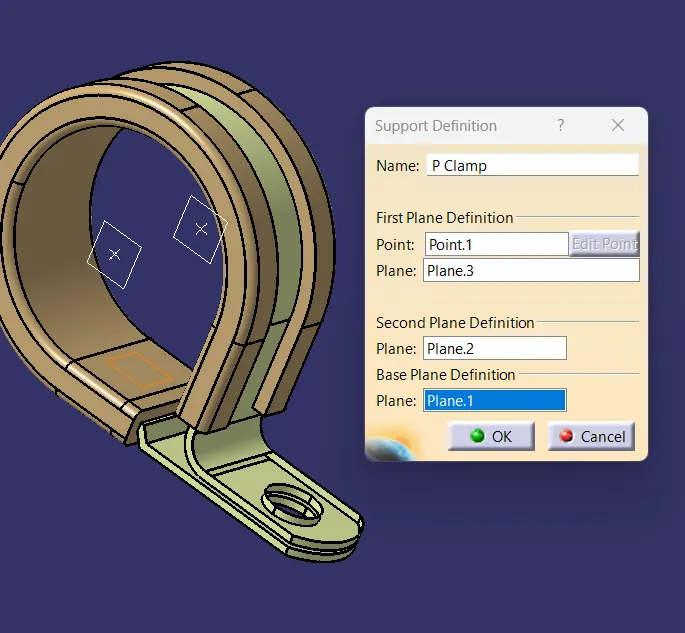
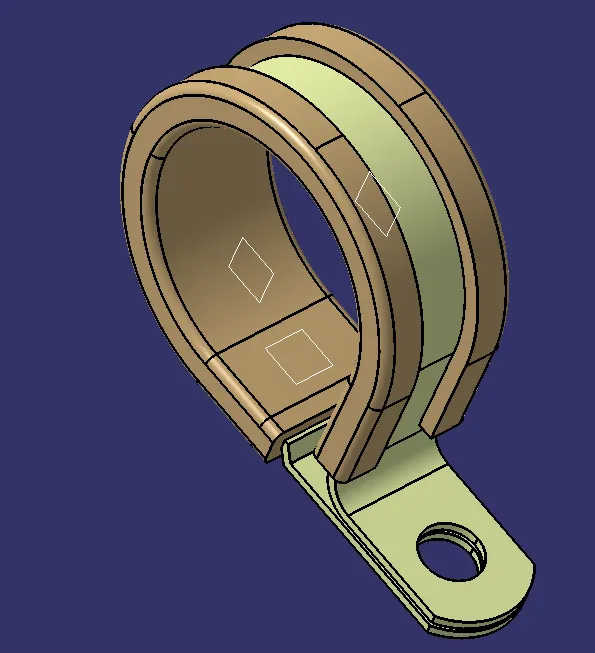
Now The P Clamp is electrically defined as a support.
Q2. Download following Back shell cad data & define it as Electrical back shell using Electrical Part design Workbench. Define all the necessary properties.
Tyco 1738312-1 https://www.te.com/usa-en/product-1738312-1.html
Ans:
Step 1: First we have to download the the part ie. Tyco 1738312 from given link into .igs format.
Step2: Now we have to open this in CATIA V5 and save this as .catpart.
Step3: Now create back shell connection point and axis as well as bundle point in part design work bench.
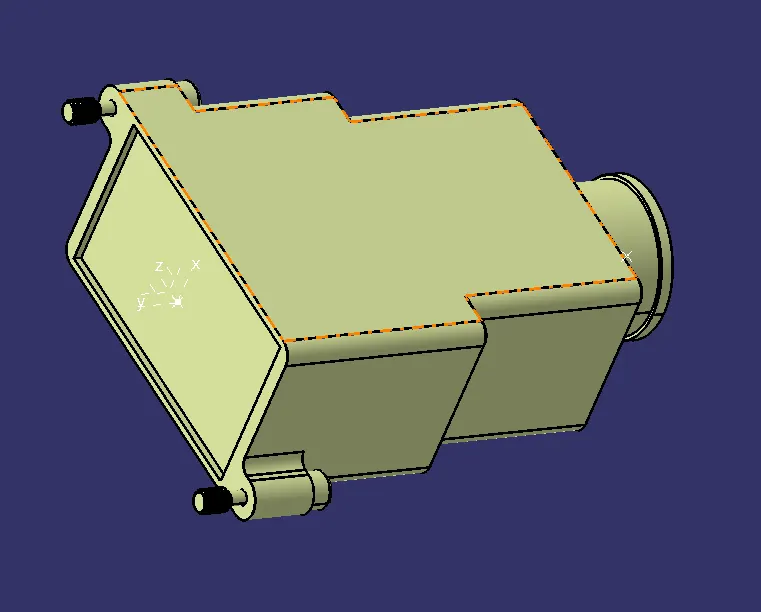
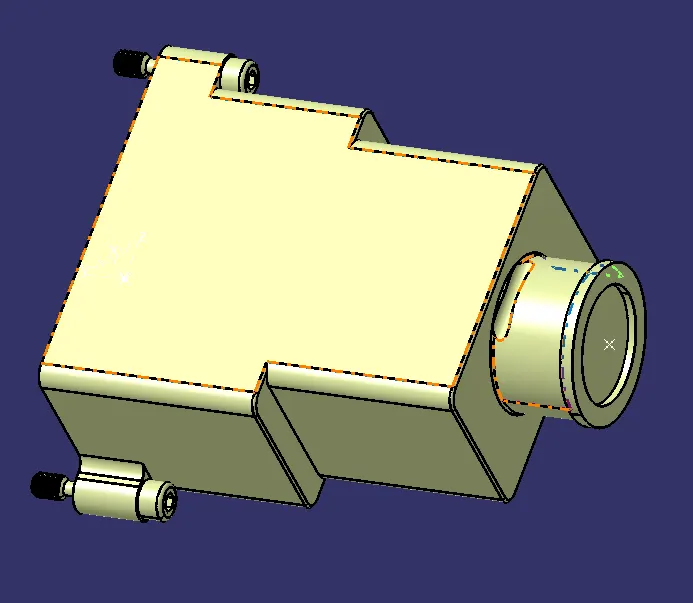
Step4: Now Shift to electrical design workbench and define it as a backet first
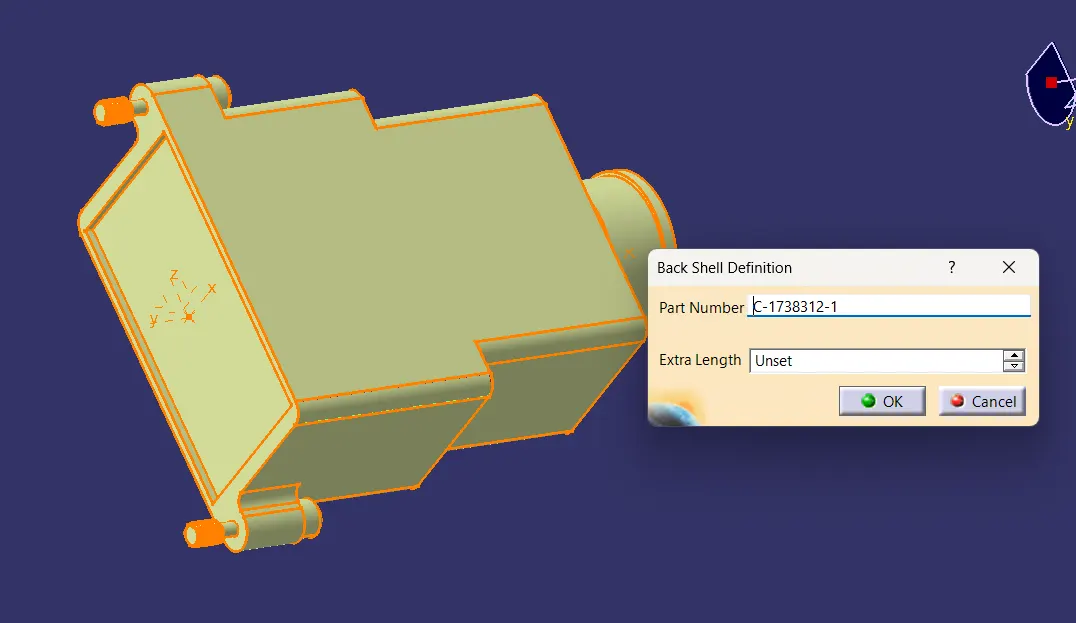
Step5: Define backshell connection point and bundle connection point.
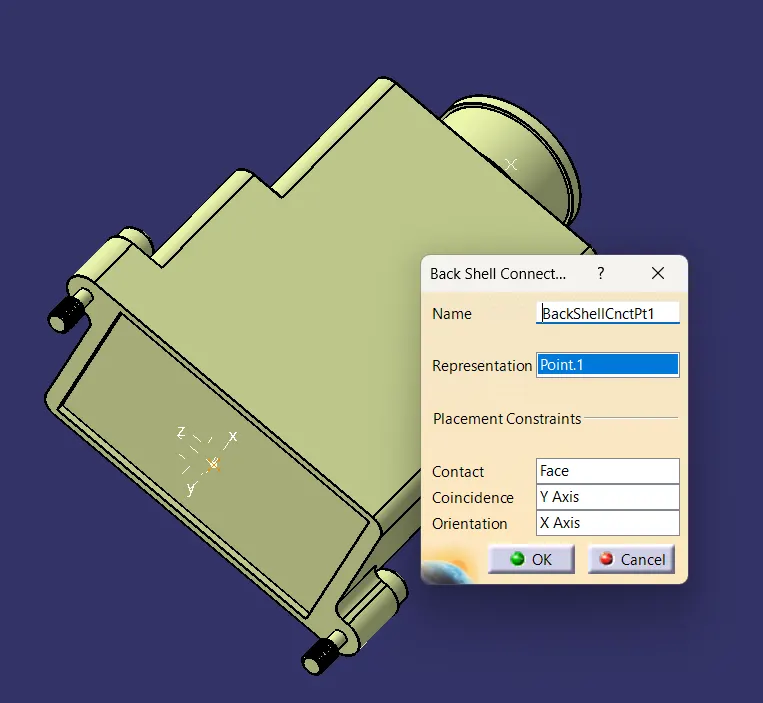
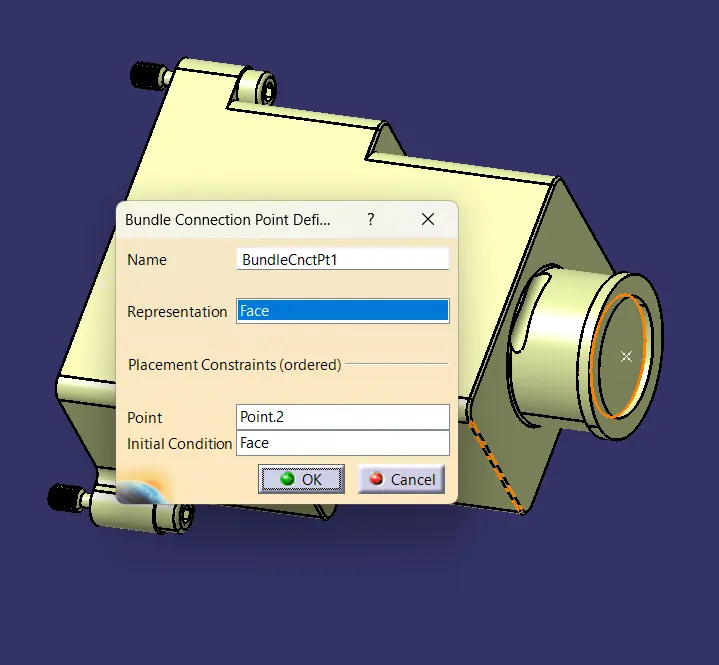
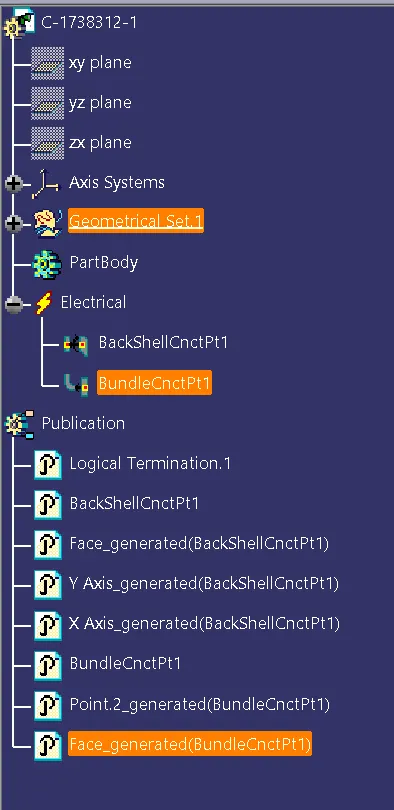
Step6: Now Backshell is electrically defined.
Q3. Create Following Corrugated tubes & Add them in Catalogue under “Slit COT” family.
Name | ID (mm) | OD (mm) | Thickness (mm) |
15mm COT | 12 | 15 | 1.5 |
20mm COT | 17 | 20 | 1.5 |
35mm COT | 32 | 35 | 1.5 |
10mm COT | 7 | 10 | 1.5 |
5mm COT | 3 | 5 | 1 |
Ans:
Step1: First Create a new catalog
Step2: To create a corrogate tube create new part
Select define protection part and enter the parameter like inner diameter, thickness and bend radius and click on Ok new corogated tube will be created as per defined parameter.
Save this file as .catpart and later add this into catalog created.
Repeat the process for all.
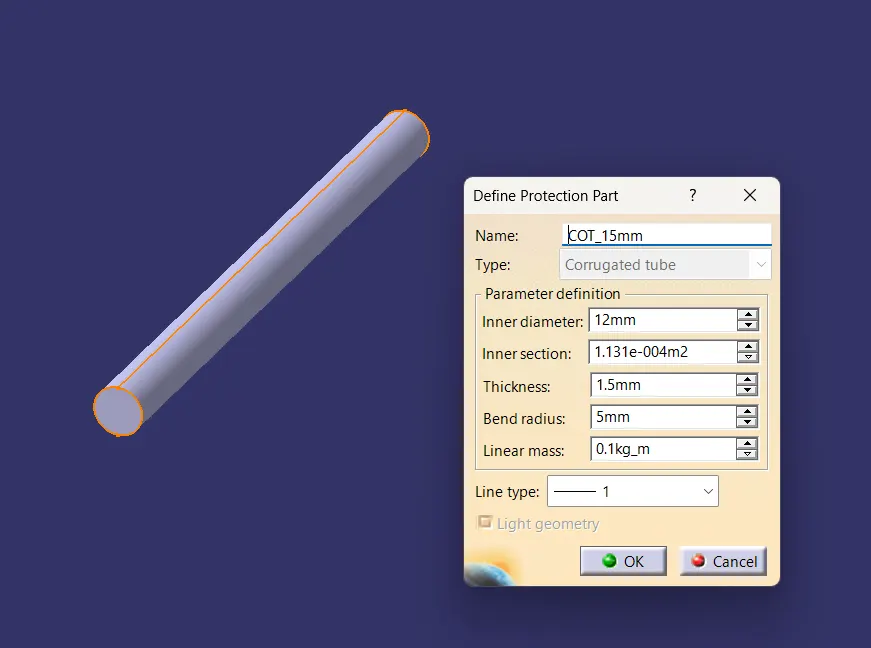
Similarlly all the corogated tubes are created.