Wiring harness routing & packaging Rules Week 3 Challenge
Objective: To convert Mechanical CAD Data into electrical part & catalogue creation for COT tubes.
Description:
Q.1. P Clamp:
Steps for Defining P clamp electrically
- Ref Data: Define the point & plane for the entry, exit & base position.
- The plane at base position should be offset at some distance.
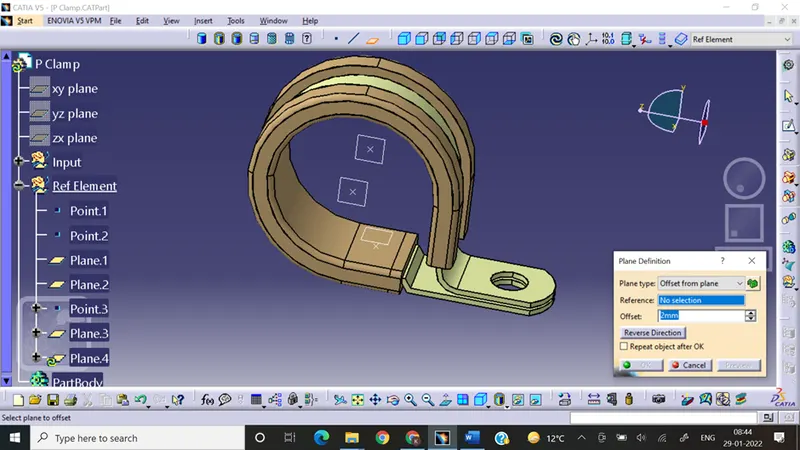
- Open the P clamp in electrical part design workbench
- Define the electric support entry from both side one after other
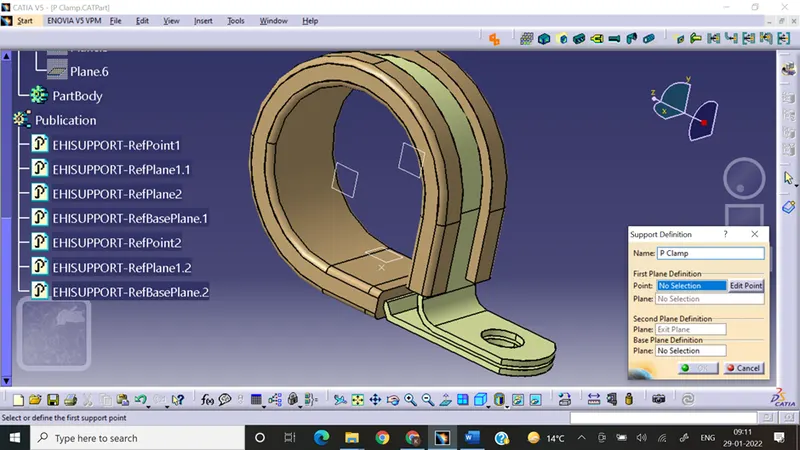
Q. 2. Steps involved in defining the backshell :
- Define Point & axis in the backshell as reference data
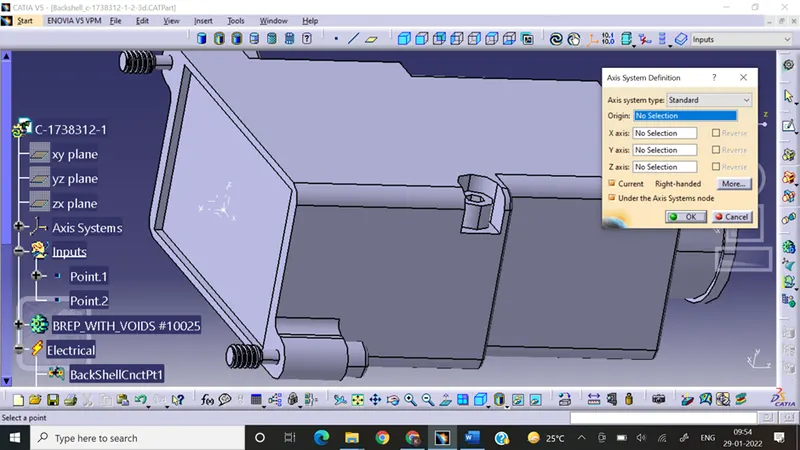
- Enter into electrical part design workbench
- Define part as backshell
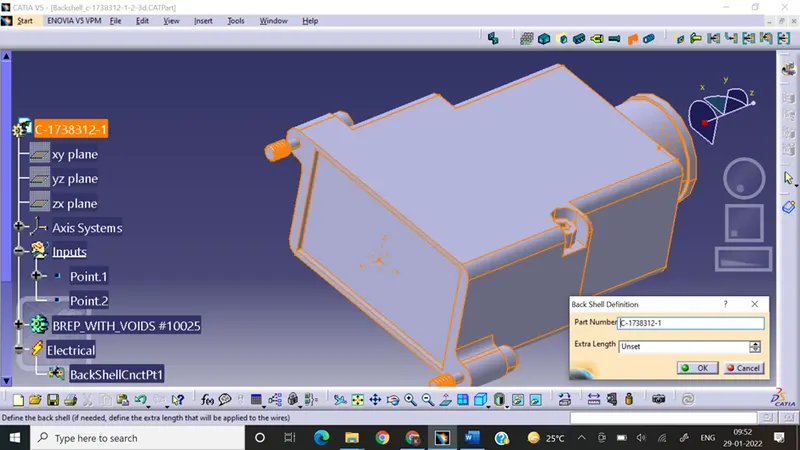
- Define the backshell connection point
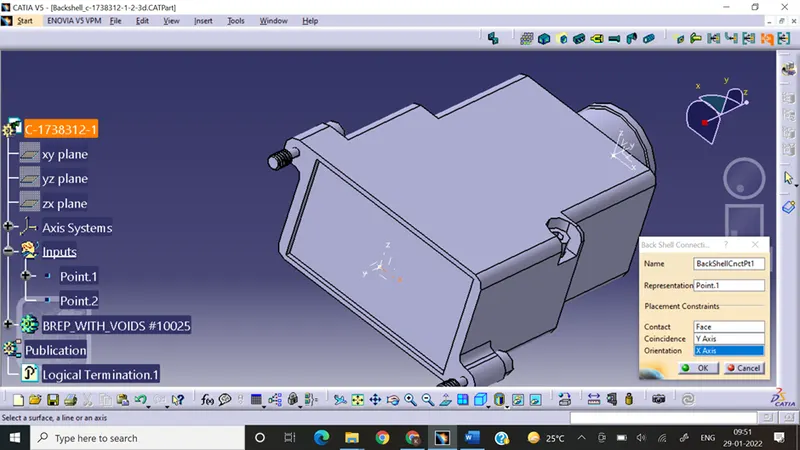
- Define bundle entry connection point
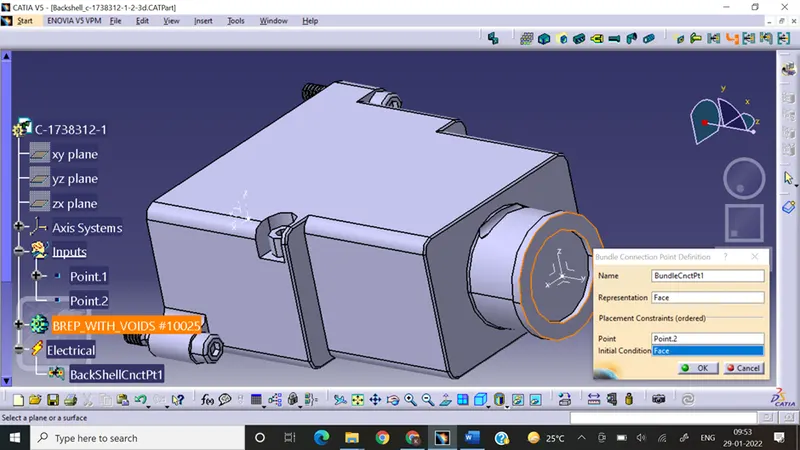
Q.3. Catalogue Defintion is performed for 5,10,15,20,35 by maintaining bend radius ratio as 1.5 for all COT Tubes.
Steps:
- Create a Part
- Enter into electric part design workbench
- Select define Protection part fill the details inner radius, bend radius, thickness.
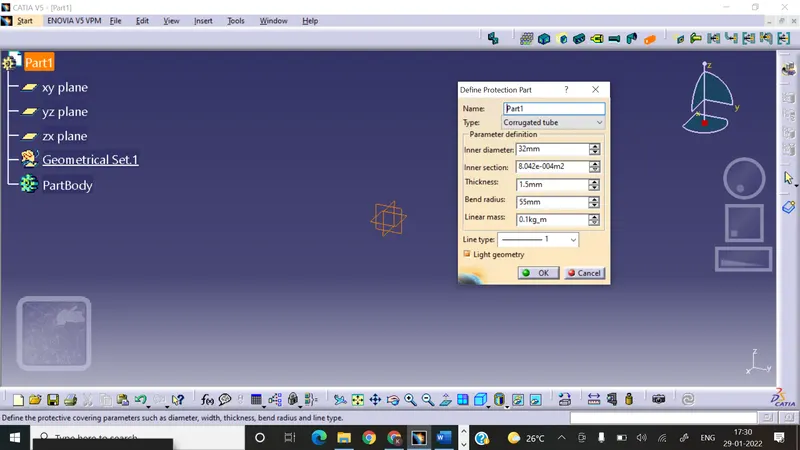
- Save the file
- Create new catalogue document
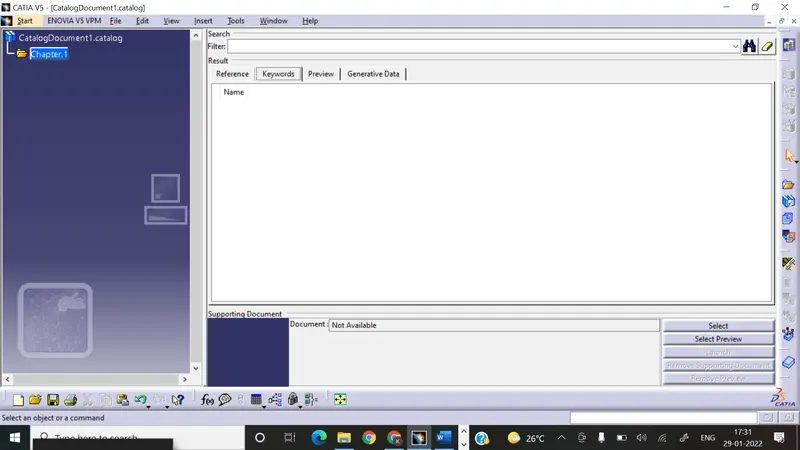
- save catalogue with conduit
- create family conduit
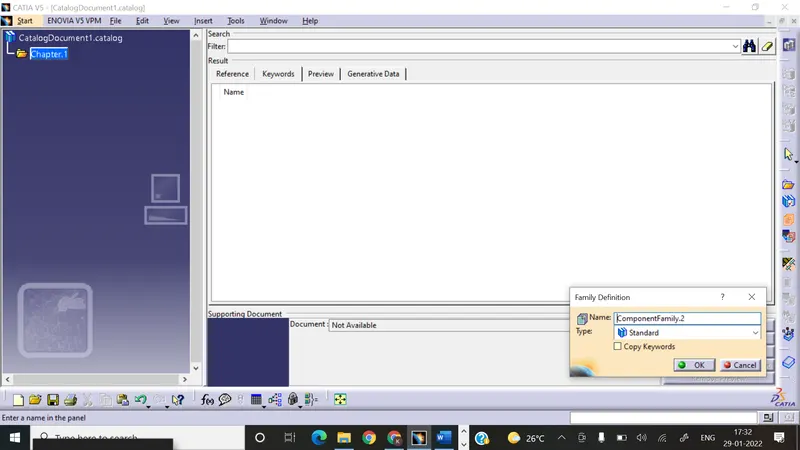
- save it
- select store option select the catalogue
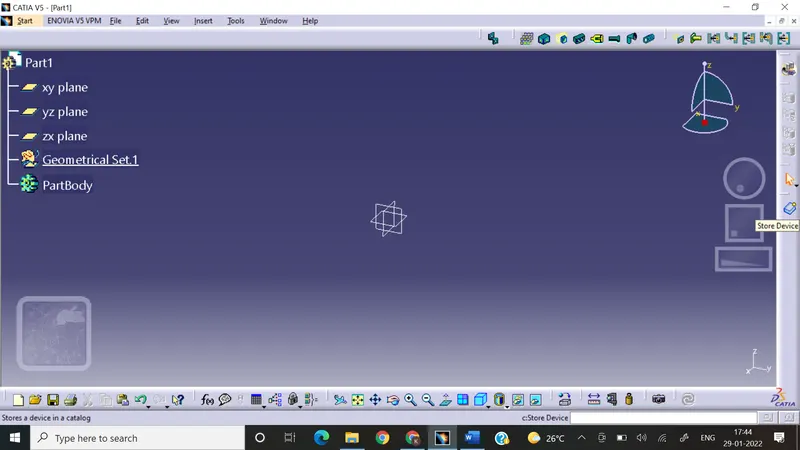
- save cot tube in catalogue.
Conclusion:
In this way by following above steps we can perform the electrical definition of P clamp, backshell & Catalogue creation for Cot tubes.