Wiring harness design in CATIA V5 - 3D modeling Week 7 Challenge
Wiring harness design in CATIA V5 - 3D modeling Week 7 Challenge:
AIM:
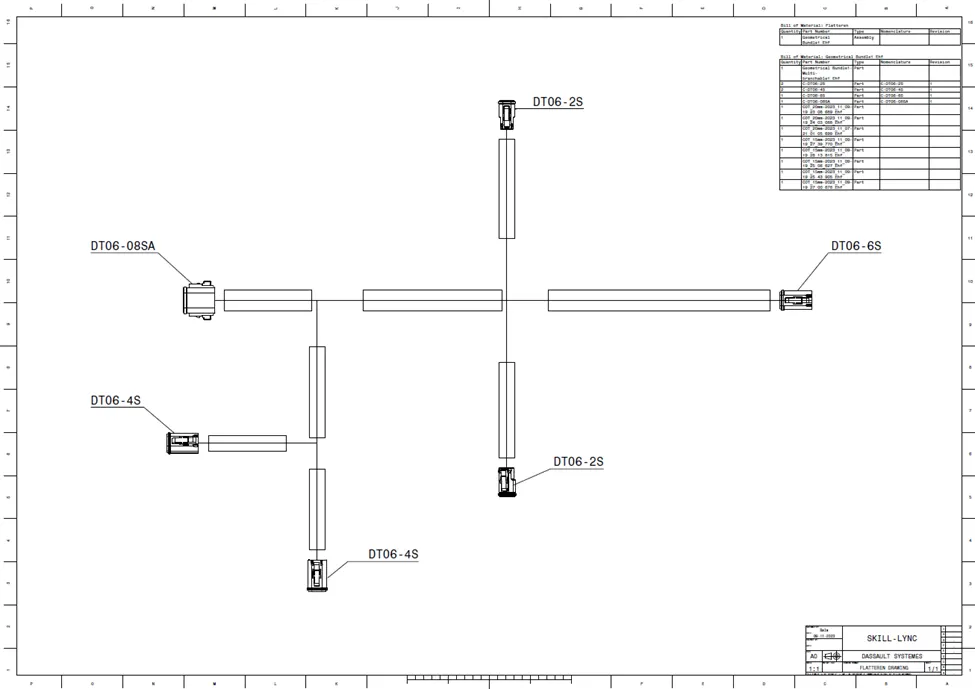
To create flatten harness assembly Drawing of above given layout.A nd we need to give bundles with protective coverings with different visuals on drawing view.
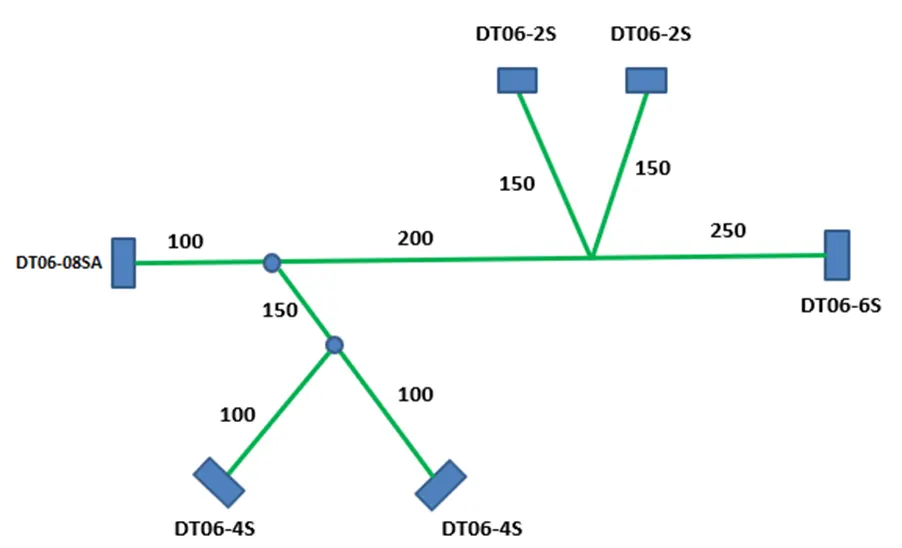
Process involved in Harness Flattening:
Creation of Harness Assembly:
The given above layout is already completed in the previous challenge. So, the geometric bundle is assembly taken from there.
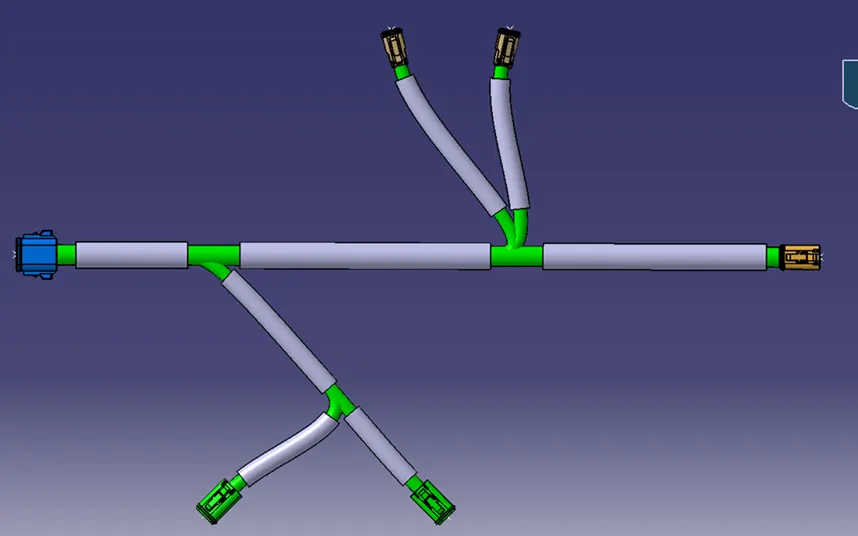
Creation of Harness flattening Assembly:
● After the creation of the harness design assembly, we need to create a new product file.
● Then switch to harness flatten assembly.
● After that we need to define the flatten parameters as shown in the image.
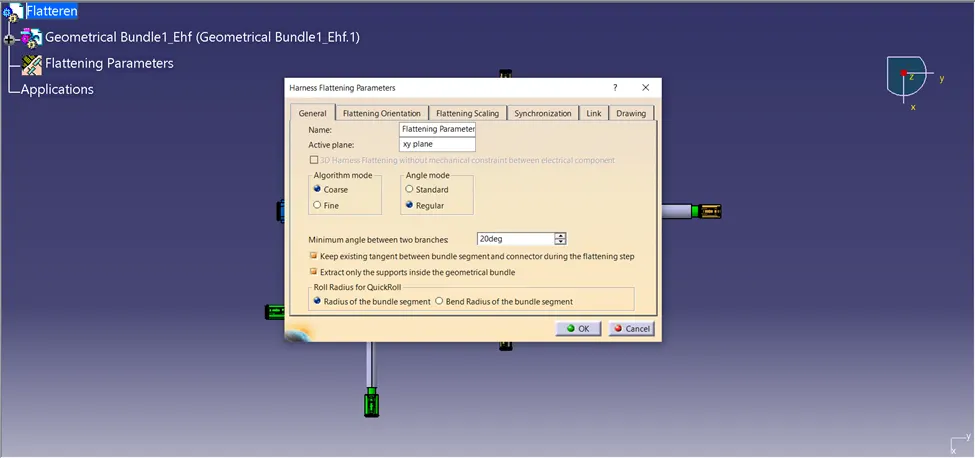
● After that we need to use the extract command and import the harness design assembly as .ehf file.During this time tile the window vertically..
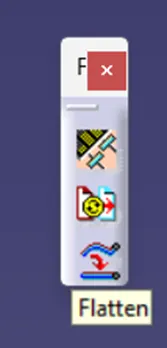
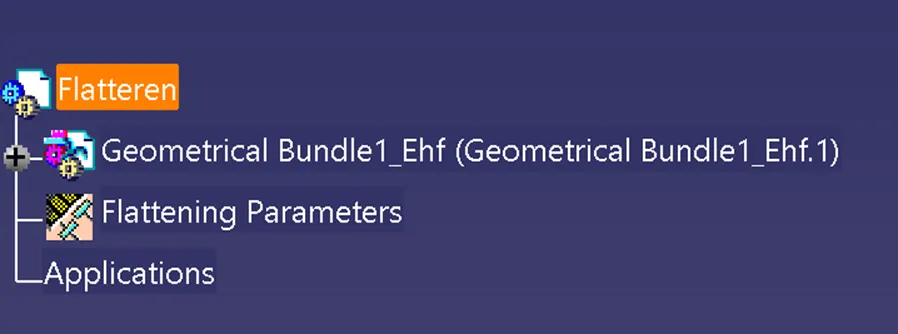
● Then select the Flatten command - select face for the flattering view - select bundle branches - click ok.
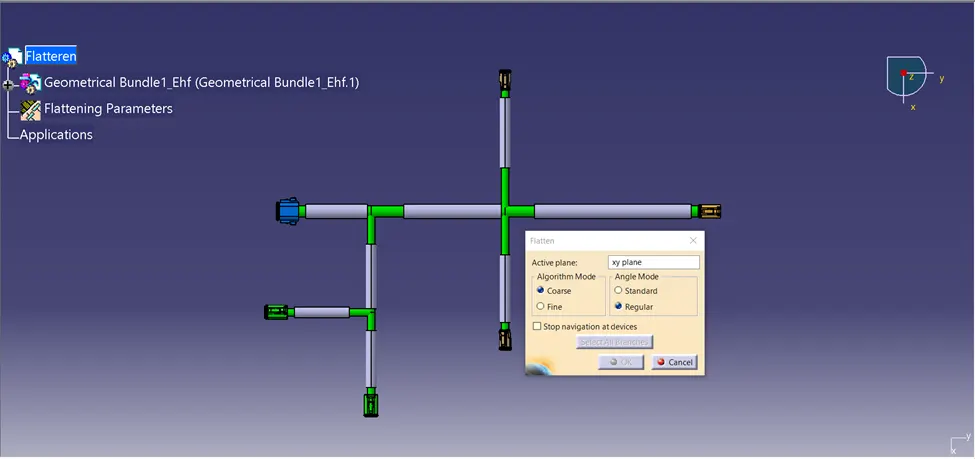
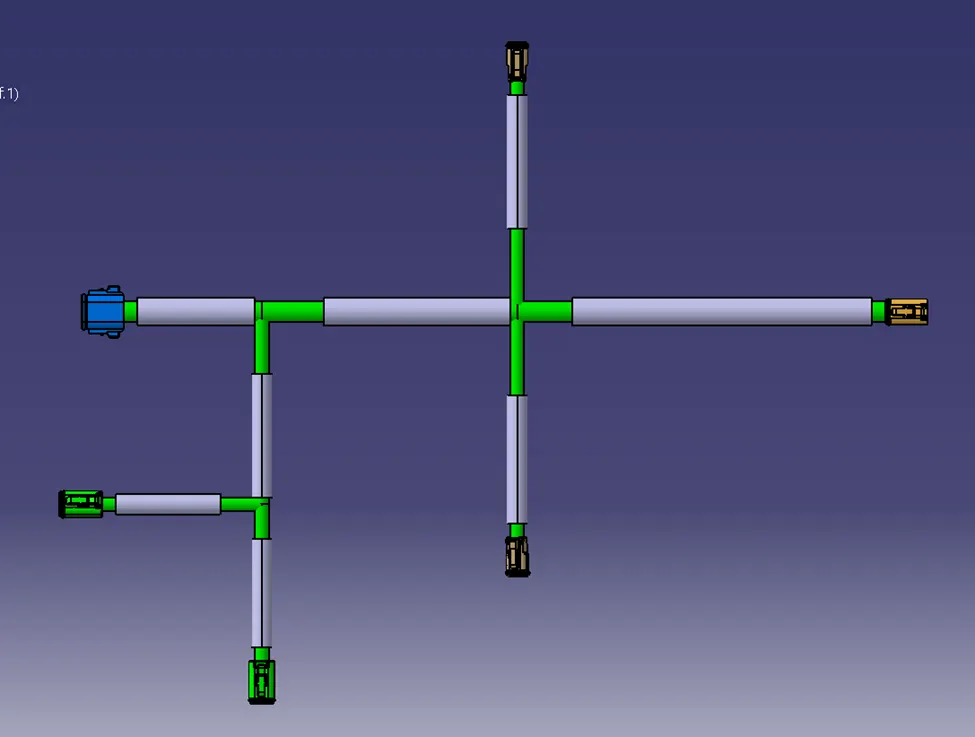
● Here we got our flatten assembly with some default geometrical alignment. we need to use the rotate, roll, scale command as per required layout.
● After that we got our final output of harness flatten assembly.
Drawing creation:
● First we need to create a new drawing file interface.
● Before that we need to ensure with flatten parameters,Inside that we go to drawing and check with bundle segments in single line, protective cover in double line.
● Then graphical representation of the connector should be in 3D projection.
● Then we need to import the front view always on the drawing sheet, for the drawing sheet here we choose A0 size.
● After importing we got as below mentioned diagram.in this we need to change some view properties.
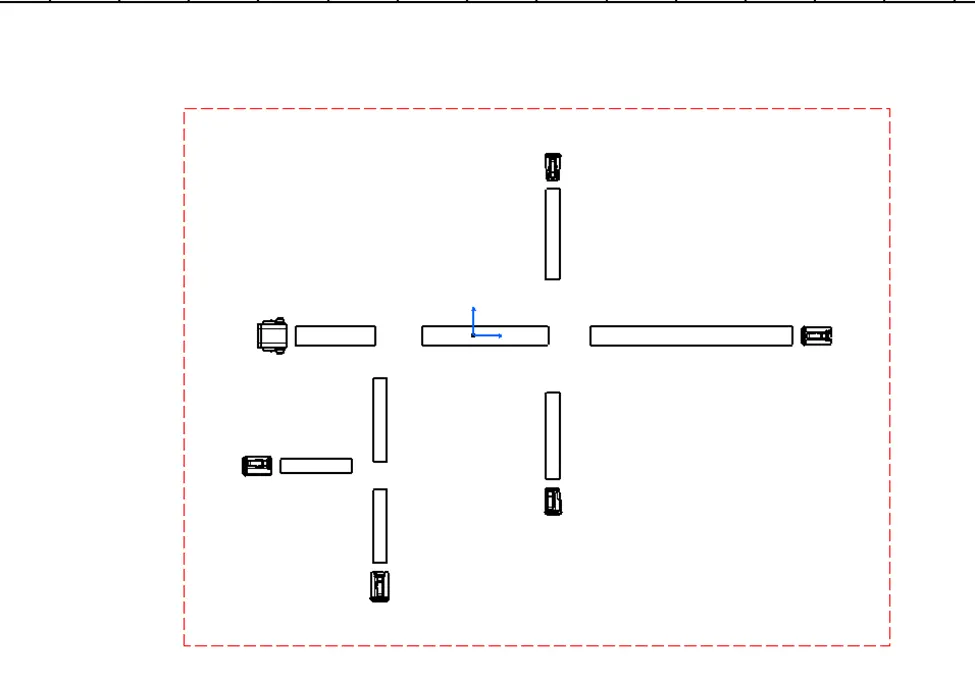
● For aesthetic properties we need to add some text on this drawing.
Conclusion:
● From this challenge we learned the harness flatten assembly and drawing representation successfully.
Note: I am not able to submit my challenge so I attached as gdrive link
https://drive.google.com/file/d/1g-JcTBpej3CwpuFED8fcOpt5_CfmHnnX/view?usp=drive_link