Wiring harness design in CATIA V5 - 3D modeling Week 7 Challenge
Aim:
To create a Flatten the harness assembly and place the flattened view on drawing sheet
Objective:
The objectiveis to create a flatten the harness assembly & place the flattened view on drawing sheet. Ensure bundles with protective coverings have different visuals on drawing view.
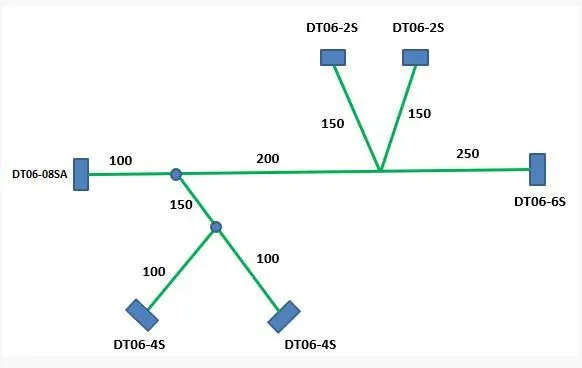
Step 1: Flatten the harness assembly
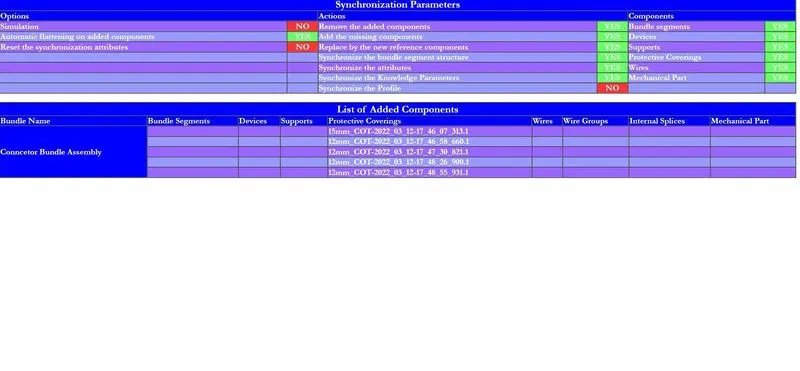
We should make a new product file inside the electrical harness flattening workbench. After define the flattening parameters and enable the all command managers. The extract feature in the electrical harness flatting workbench to bring the harness assembly into the flattening product.
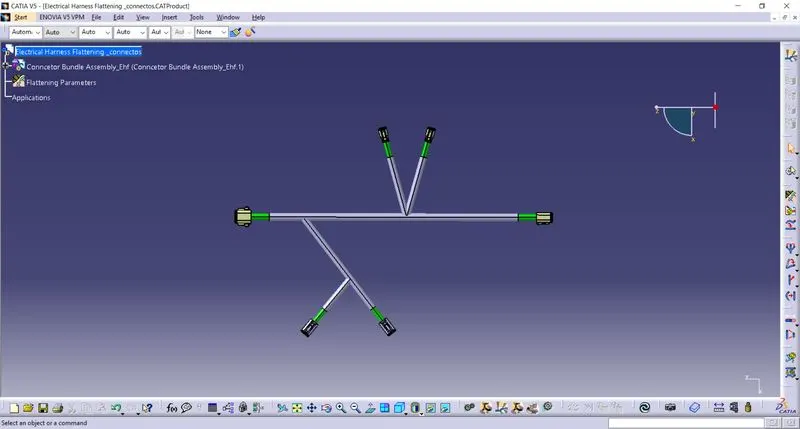
To flatten the harness we should select the flatten plane and then select the all branches of bundle connection. The harness assembly is place in the XY flattening plane.
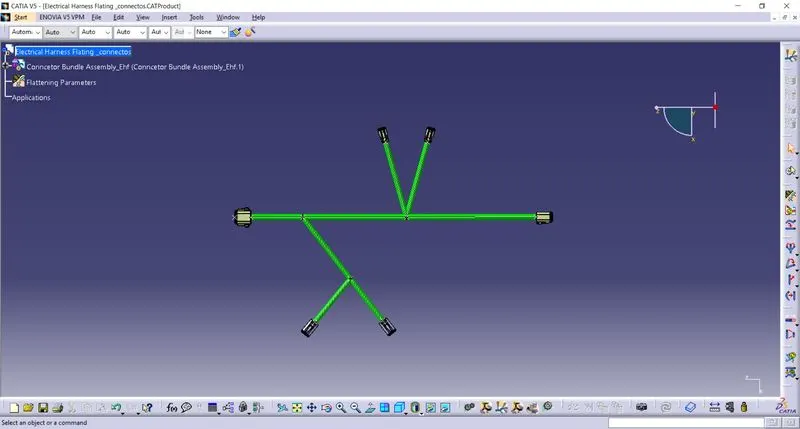
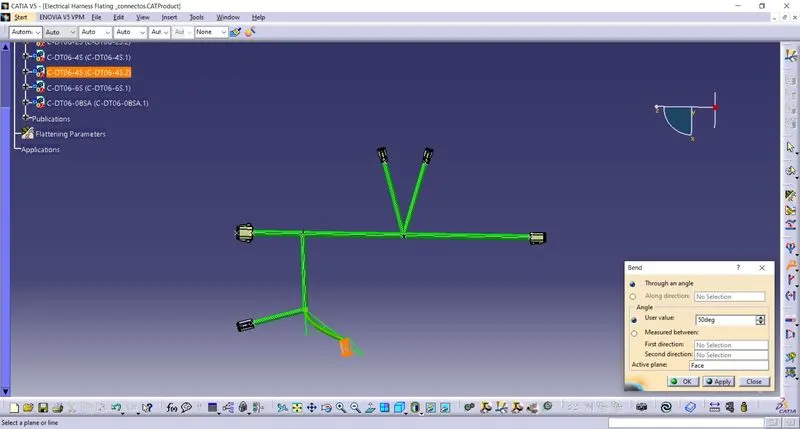
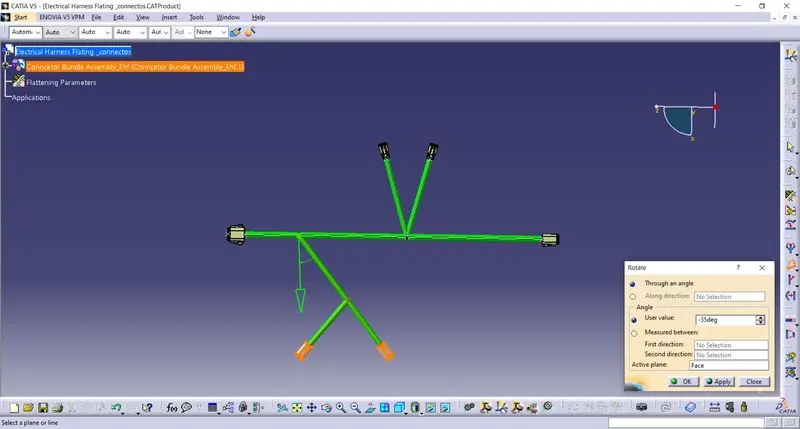
Rotate the bundle segments command managers is used to the rotating bundle in xy plane as the flattening plane. The bundle segments have been rotated in the desired direction we should update the view to get the updated flattened view of the harness bundle as shown below.We can use some other commands like bend, roll, scaling and streamline the harness.
Step 2: Flatten the harness assembly in drawing flies
Open the new drawing file and insert the flatten the harness assembly. We will insert the front view of the wiring harness into the drawing files as shown below.
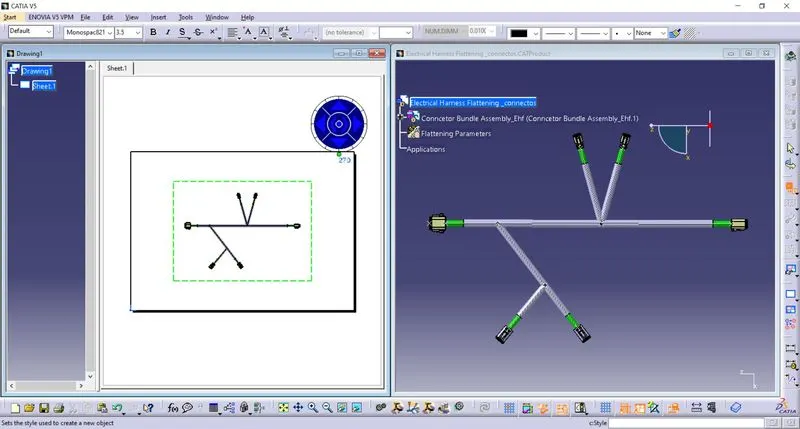
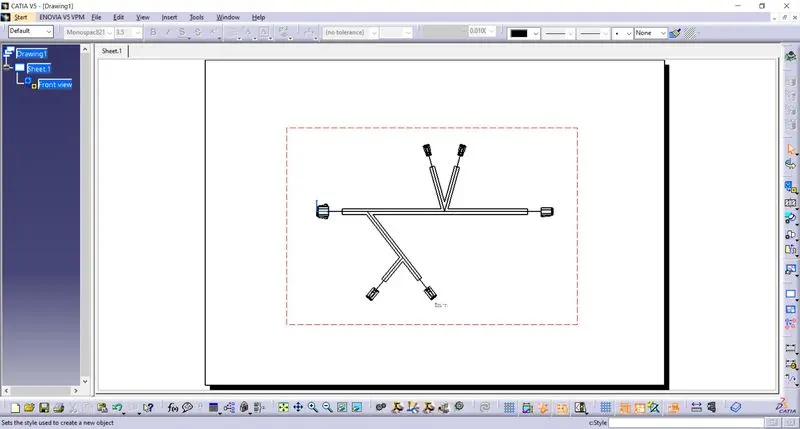
I have change settings 3D wireframe in always ON. If this setting is not selected the bundle segments will not visible on the drawing view. We should make sure that the in Graphic replacement for devices 3D projection feature is ON. This will help us to see the exact representation of the electrical connectors in the drawing files.