Wiring harness design in CATIA V5 - 3D modeling Week 7 Challenge
ELECTRICAL HARNESS FLATTENING
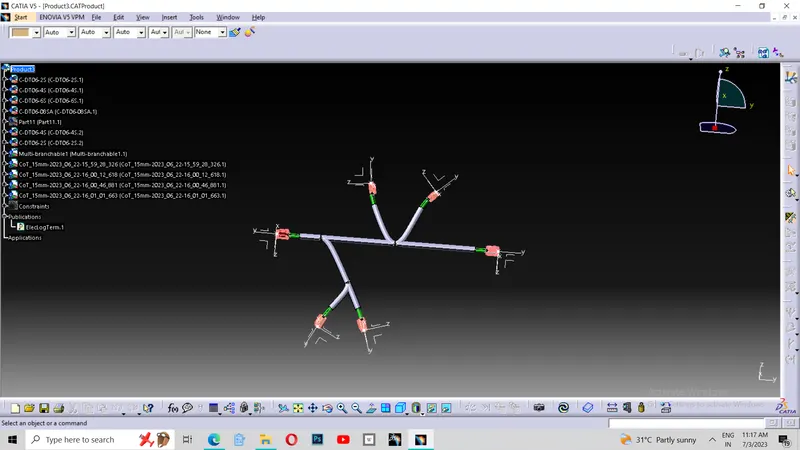
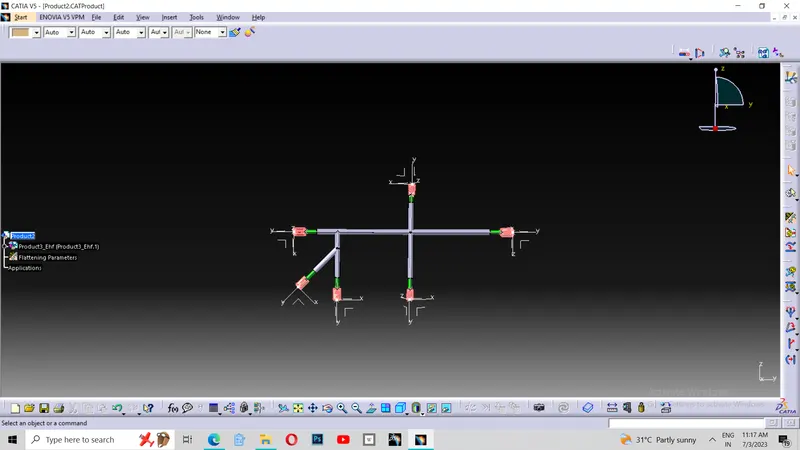
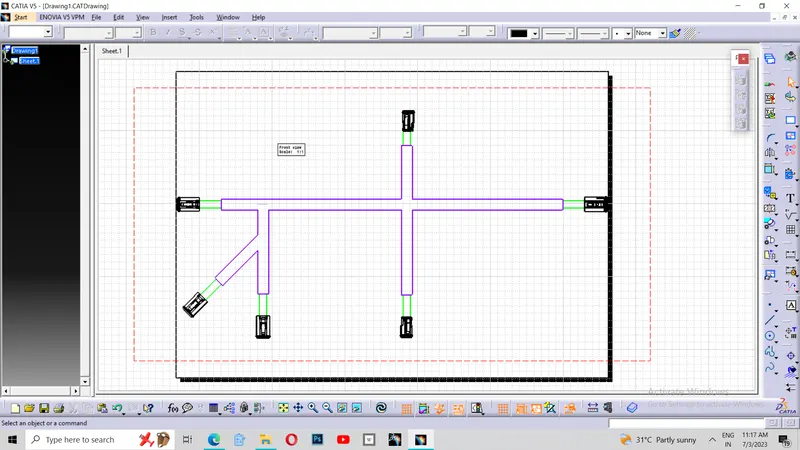
In this challenge, I started to flatten the product file of routing that I have done in the week 4 challenge. For that, I have opened the product file of the week 4 and parallely I have opened the new product for the flattening process. Initially I have given the flatten parameters forf the flattening of the product. Then I have extracted the product file in the tile vertically view. Thus I get the extraction of the file into my new product file where I created the flattening parameters. Then I started to flatten the file using flatten tool. Thus I got flattened surface in the plane of the face. Then I rotated the branch using "Rotate" tool and decreased the length of two branches using the tool "Scale". Then I opened new drawing file for the drafting of the flattened file . Then after taking sheet size as ISO A2, I have taken the front view of the flattened face and given them colours for the proper vision and understanding. Thus I completed my challenge.