Wiring harness design in CATIA V5 - 3D modeling Week 7 Challenge
AIM
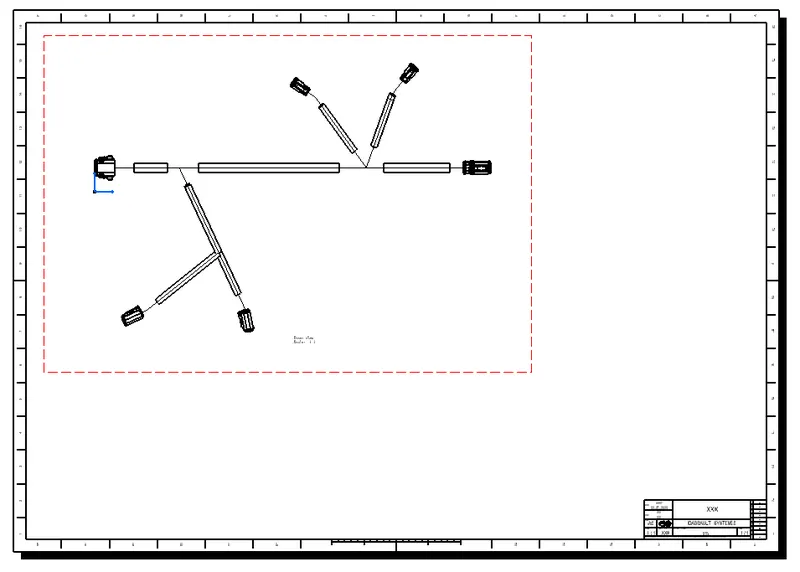
To Flatten the harness assembly completed in “week 4 challenge” then place it in the Flattened view on drawing sheet and also Ensure bundles with protective coverings has Different Visuals on drawing view.
INTRODUCTION
Electrical Harness Flattening is a product which is intended to flatten 3D harnesses in order to create associated 2D drawings.
Electrical Harness Flattening offers the following main functions:
- Flattens bundle segments or electrical and geometrical bundles
- Straightens bundle segments
- Rotates whole bundle segments or bends them at a defined point
- Rolls bundle segments
- Scales bundle segments by introducing fake lengths
- Updates your flattened view at any time during the session thanks to a synchronize option
- Allows you to select the type of representation for your drawing
- Allows you to annotate the wires in your drawing
- Integrates Generative View Styles (GVS) on Electrical Harness Flattening data.
GIVEN:
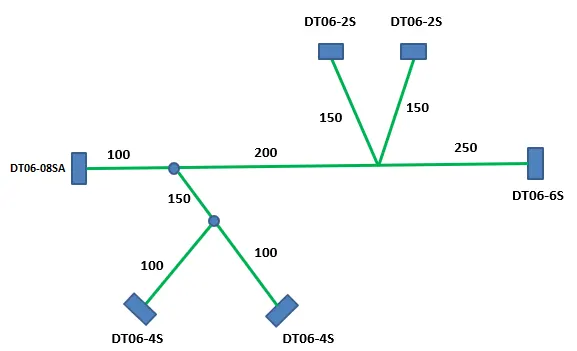
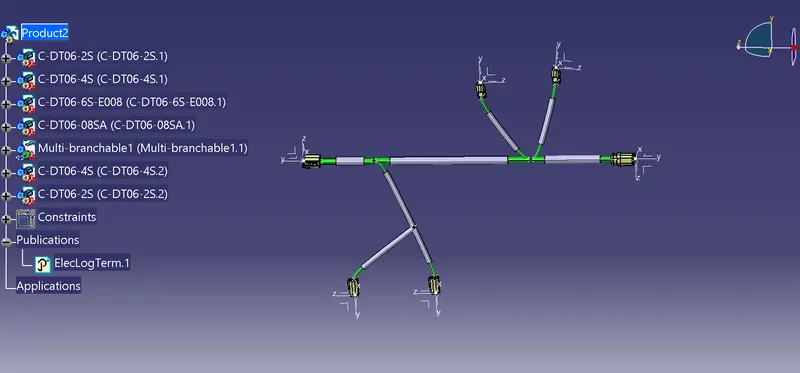
HARNESS ASSEMBLY:
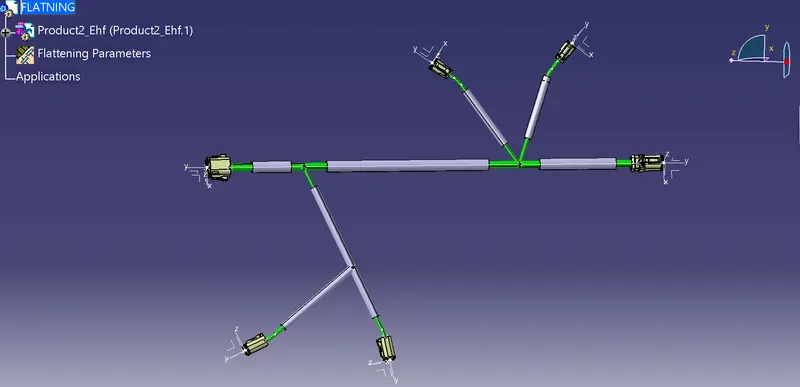
HARNESS FLATTENING:
- WE GO TO THE HARNESS FLATTENING WORKBENCH AND DEFINE THE FLATTENING PARAMETERS.
- WE USE THE EXTRACT COMMAND TO BRING THE HARNESS ASSEMBLY TO THE FLATTENING WORKBENCH HERE.
- CHOOSING A SUITABLE PLANE WE FLATTEN THE HARNESS ASSEMBLY.
- BUNDLE SEGMENTS ARE ROTATED AT THE REQUIRED ANGLES. THE HARNESS ASSEMBLY IS THEN DRAFTED.
- FLATTENING PARAMETERS ARE DEFINED IN ORDER TO MAKE THE BUNDLE AND THE CORRUGATED TUBES VISIBLE IN THE 3D DRAWINGS.
DRAFTING REPRESENTATION: