Wiring harness design in CATIA V5 - 3D modeling Week 7 Challenge
STEP :1 Defining Flattening parameters ,
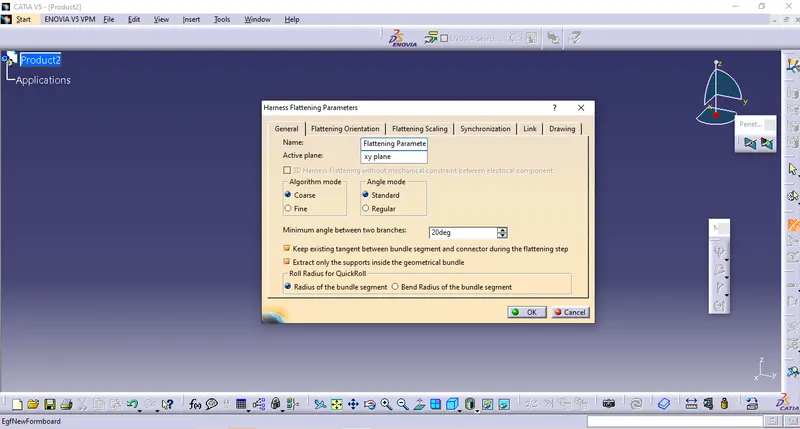
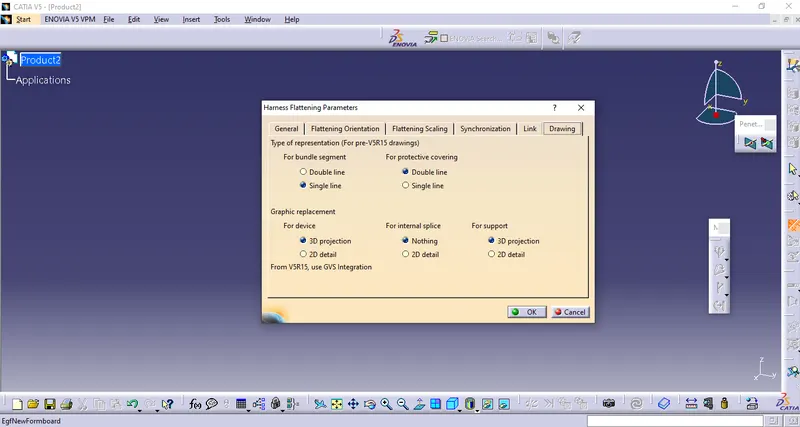
First, we should make a new product file inside the Electrical Harness Flattening workbench. Second, we should define the harness flattening parameters by clicking on its icon as shown above. In the general tab, we should select the settings as shown above. After the general tab settings are complete we should define the settings for the drawing tab as shown below.
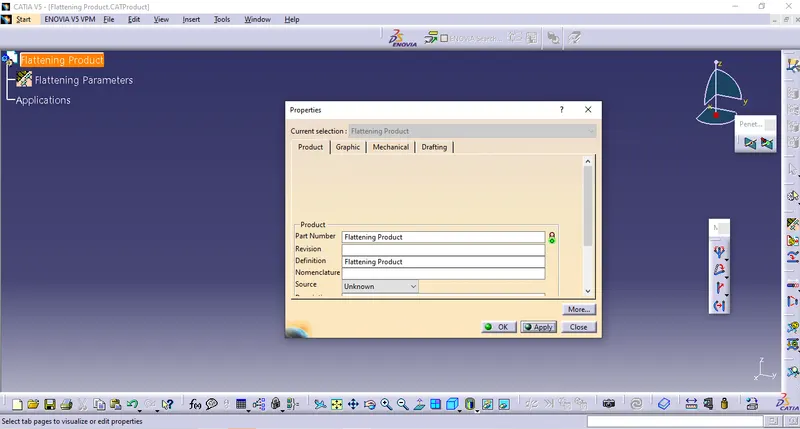
STEP :2 Rename the product file as Flattening Product ,
STEP :3 Bring the assembly in fattening product by using 'EXTRACT' tool ,
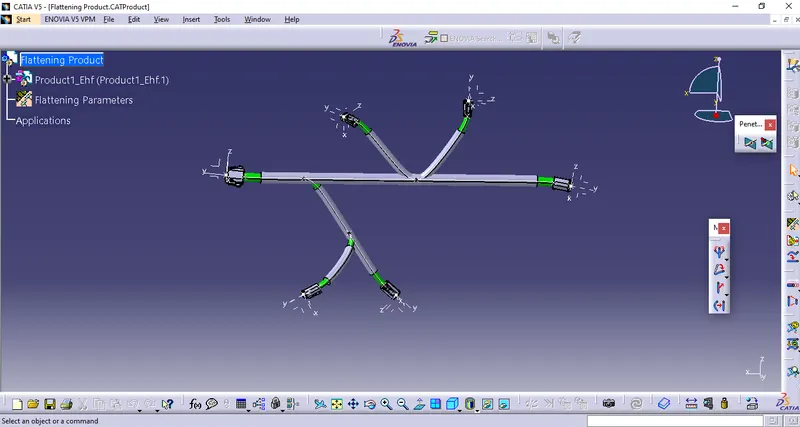
It should be noted that our geometrical bundle assembly or harness assembly file is now changed to an "EHF" file which stands for "Electrical Harness Flattening".
STEP :4 Flattening of Harness ,
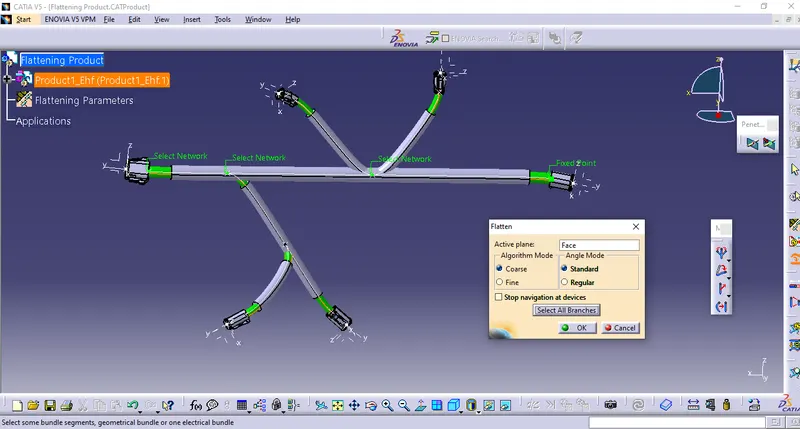
To flatten the harness we should select the flatten plane and then select all the branches present in the harness assembly as shown below ,
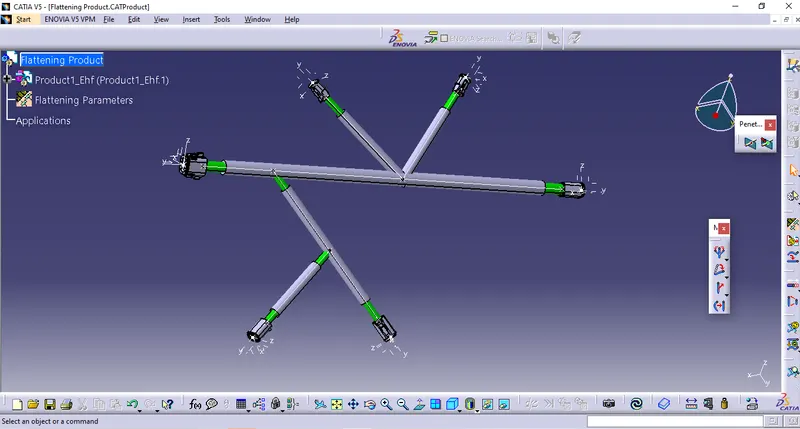
The below image shows the flattened view of the wiring harness along the selected connector Plane ,
STEP : 5 Convert the flattern product into drawing
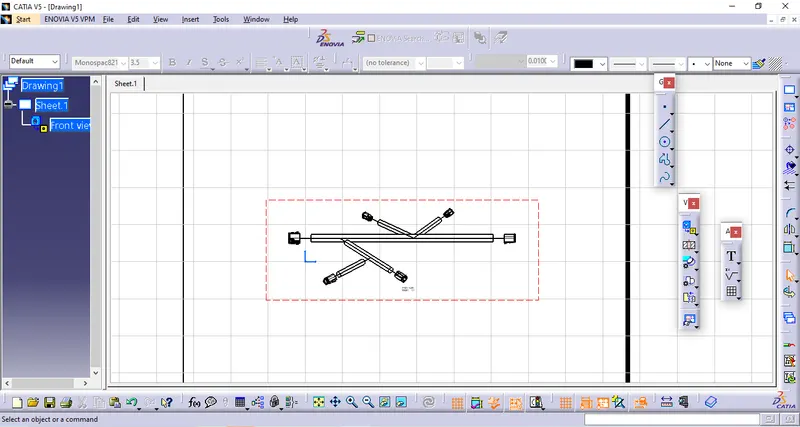
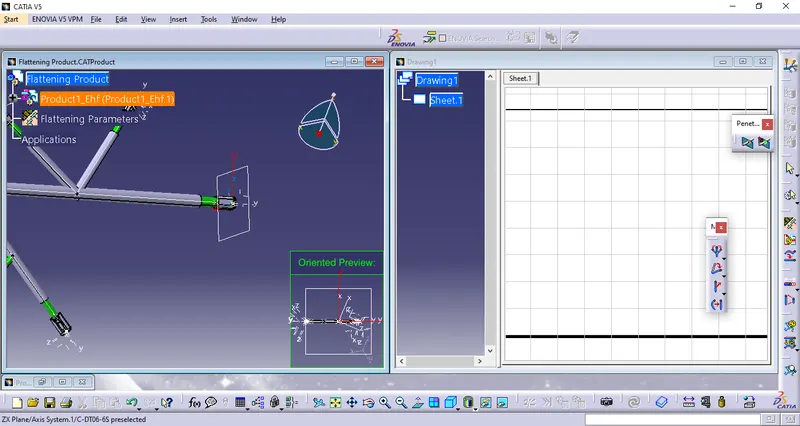
For this purpose we need to make a New Drawing Part and click on Front View of drawing tool , while selecting a plane of connector which we have selected for flattening purpose it will convert our flattening product into drawing ,
STEP :6 Final step of makking flttern drawing ,