Wiring harness design in CATIA V5 - 3D modeling Week 7 Challenge
FLATTENING OF THE HARNESS ASSEMBLY
AIM:
To flatten the harness assembly and to place the flattened view on drawing sheet.
HARNESS ASSEMBLY LAYOUT:
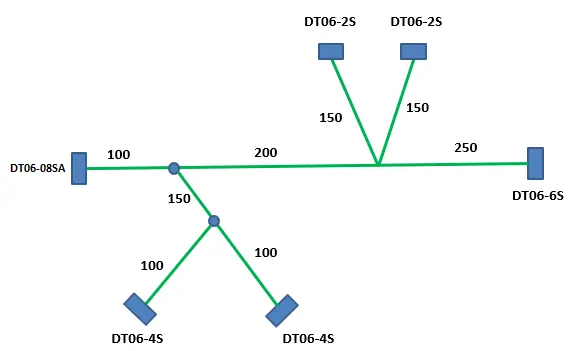
CREATED THE ASSEMBLY AS PER LAYOUT:
- All the components are electricaly definied and added to the catalog already in week 4 challenge.
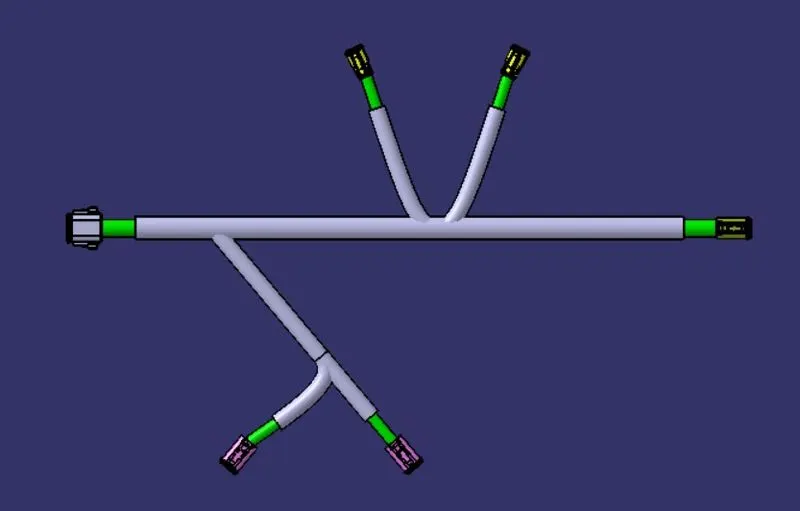
STEPS IN FLATTEN THE HARNESS ASSEMBLY:
- Defining the HARNESS FLATTENING PARAMETERS
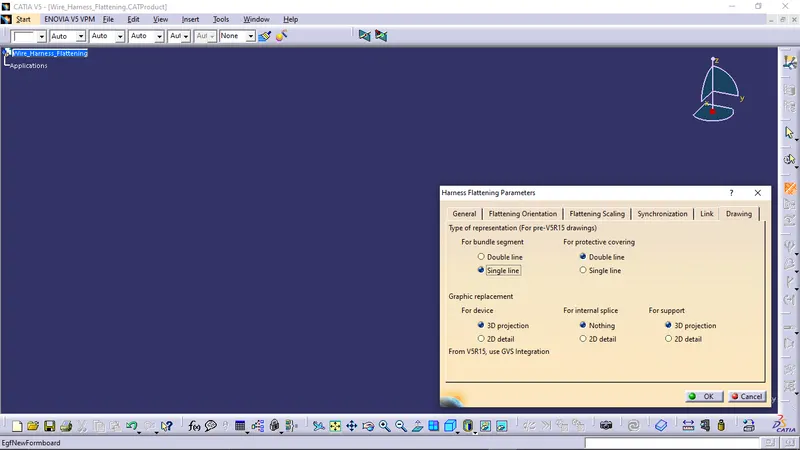
Create a product file and navigate to the Electrical Harness Flattening for wire harness flattening option and save it in the same location where the wire harness or routing assembly is stored.
Define the 'Harness flattening parameters' in order to flatten the required wire harness assembly.
While defining the harness flattening parameters in the drawing menu single line is selected for bundle segment and double line is selected for protective coverings in order to differentiate between the wire bundle and cot tubes in drafting.
- EXTRACTING THE HARNESS ASSEMBLY AND FLATTEN
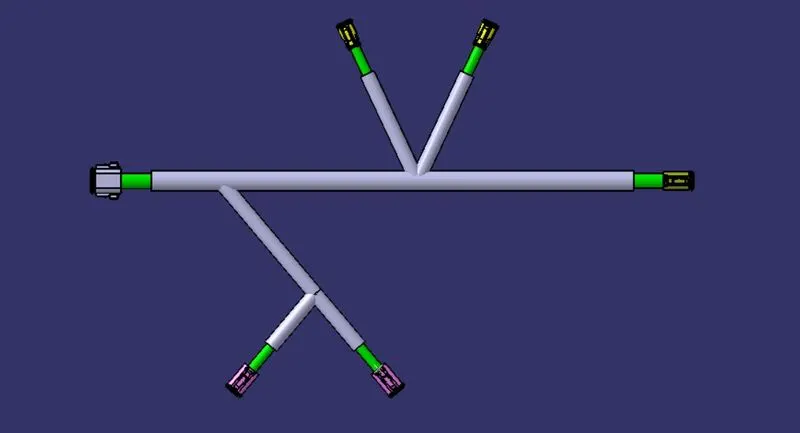
Select the 'Flatten' option to flatten the wire harness assembly.
Then select the active plane, then select any one branch and then select the 'select all branches'.
If there is no discontinuity in the bundle segment then all the branches will be selected and by pressing 'ok' the wire harness assembly will be flattened.
- DRAFTING THE FLATTENED ASSEMBLY
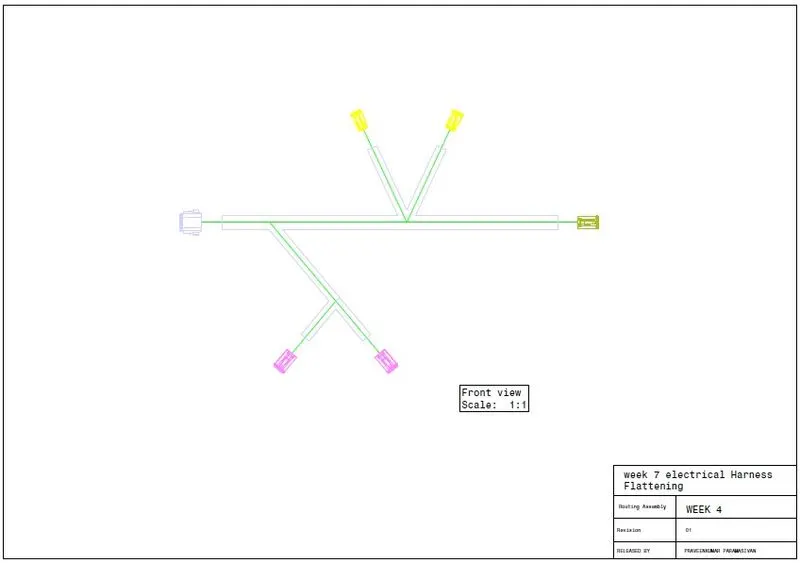
RESULT:
Hence, flattened the harness assembly and drafted successfully.