Wiring harness design in CATIA V5 - 3D modeling Week 7 Challenge
AIM:
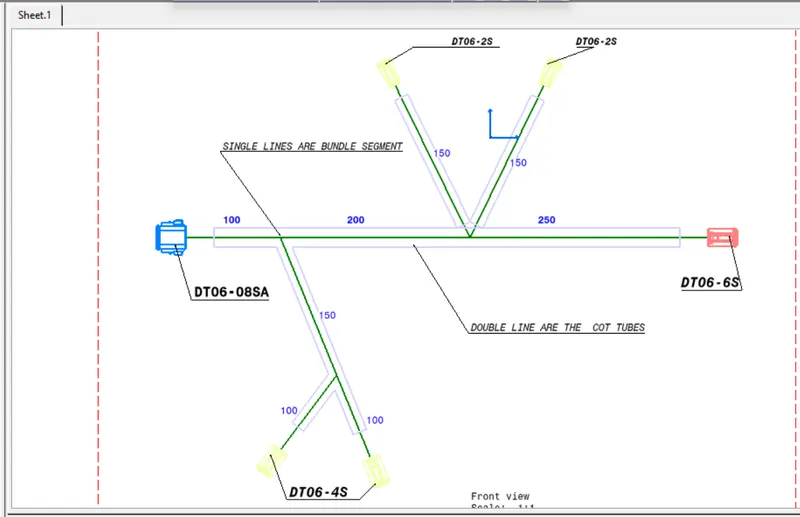
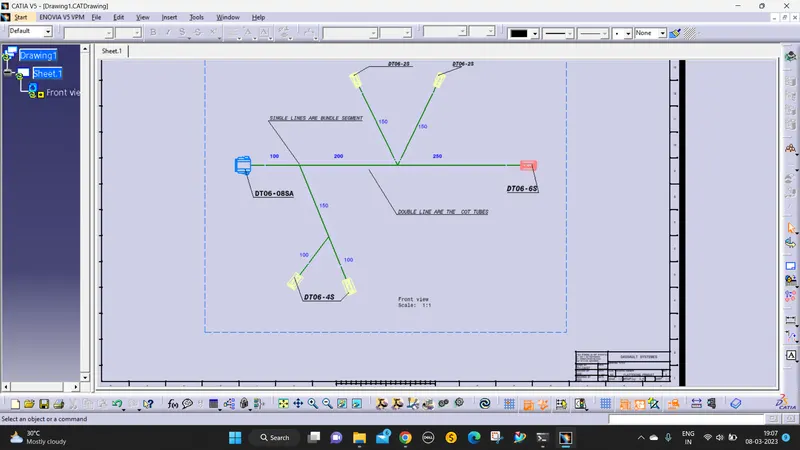
To flatten the wire harness assembly completed in the week 4 assignment and place the flattened view on a drawing sheet.
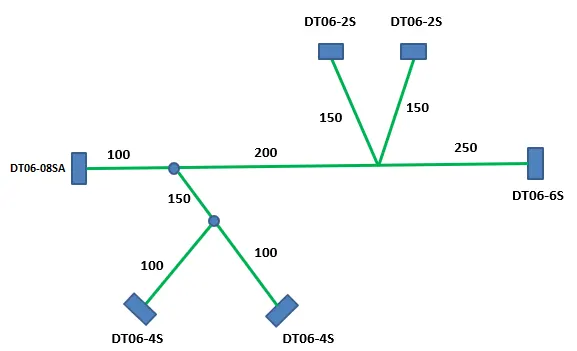
steps involved in flattening:
- open the Electrical harness flattening and then set the parameters for flattening and save it in the new folder.
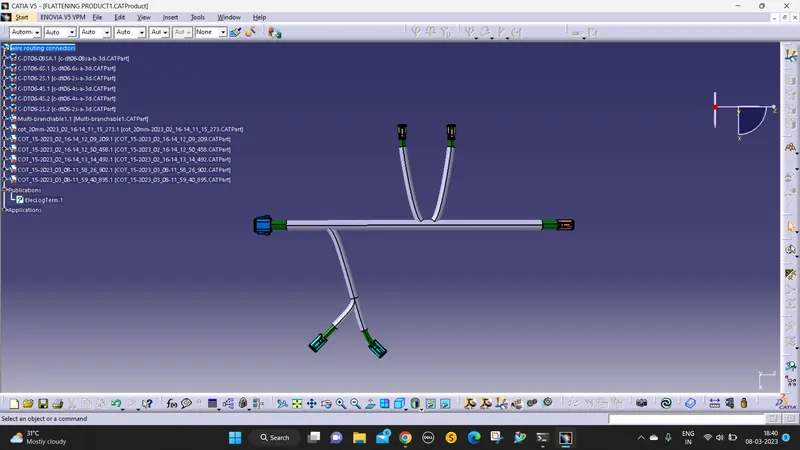
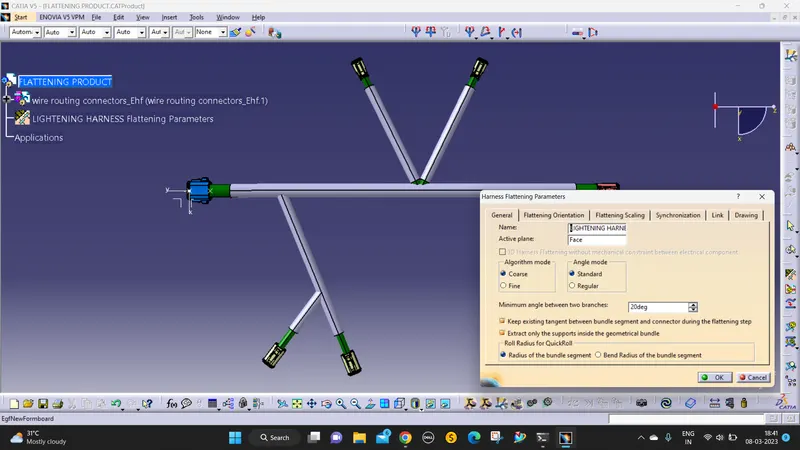
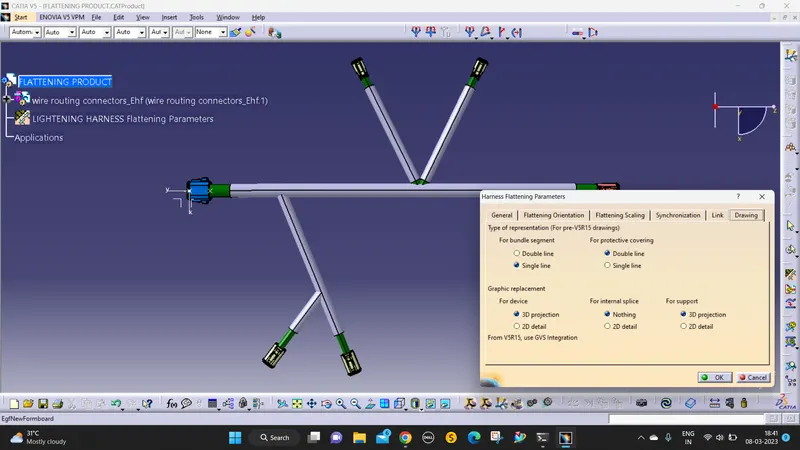
- The next step is the week 4 challenge needs to save in the same folder.
- Open the electrical harness flattening and then give the extract command select the week 4 challenges file and it directly transferred to this folder.
- Then give the flatten command to flat the wiring harness. (select the bundle segments)
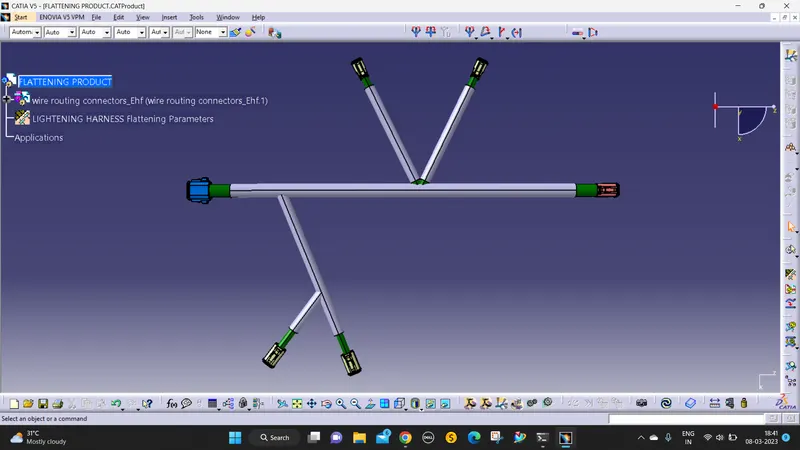
- Then need to correct the mistakes using the flatten, straighten, rotate, bend, roll, etc.,
- Then NEW->DRAWING->SELECT the Sheet size and standard ->ok
- the above step to enter the drawing sheet area.
- select the front view and click the plane or flat surface for the front view in a 2D draft.
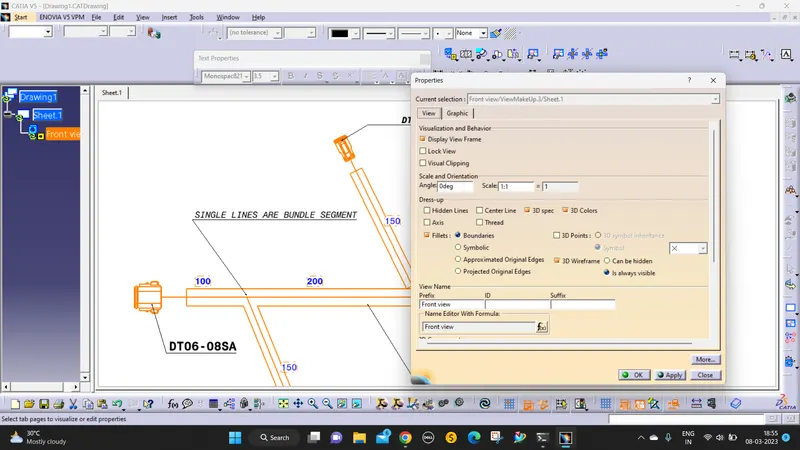
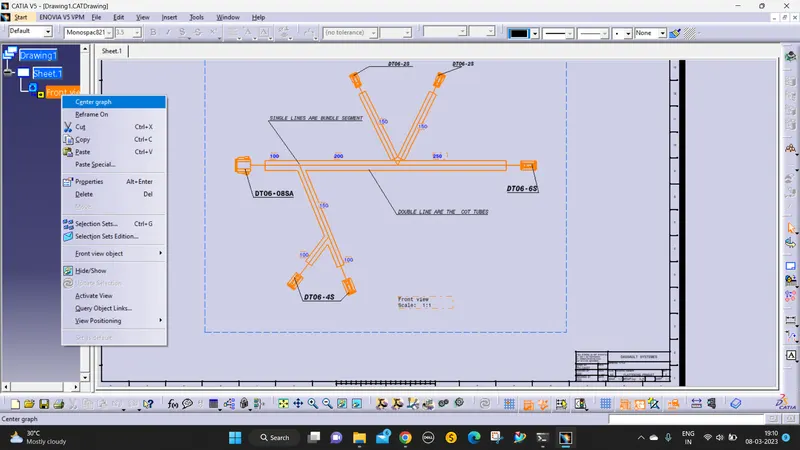
- while there is missing a bundle segment then right-click ->properties->view ->3D wireframe-> always visible.
- Then give annotations to all the devices and wires.
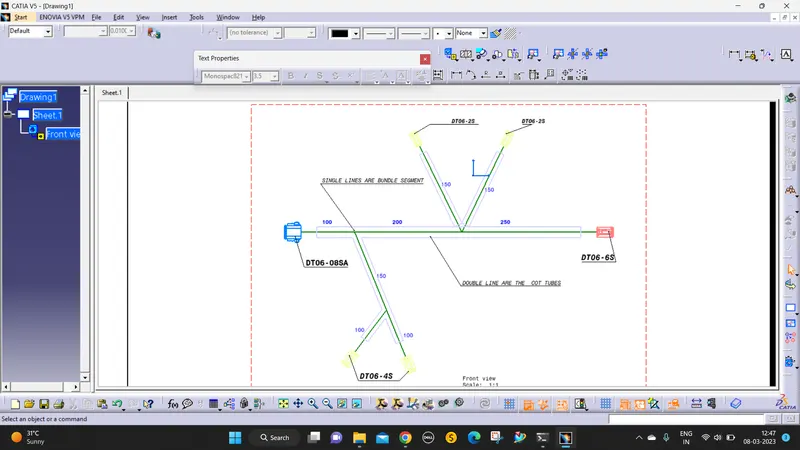
DRAFTING REPRESENTATION: