Wiring harness design in CATIA V5 - 3D modeling Week 7 Challenge
'Week 4 challenge' (Flattening)
Input:
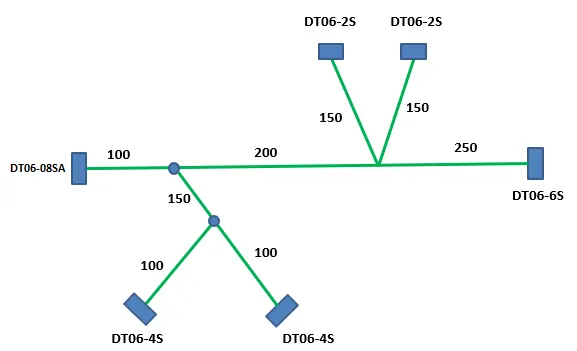
STEPS:
1) We have to create a product file and navigate to the Electrical Harness Flattening for wire harness flattening option and save it in the same location where the wire harness or routing assembly file is stored.
2) Next we have to define the 'Harness flattening parameters' in order to flatten the required wire harness assembly.
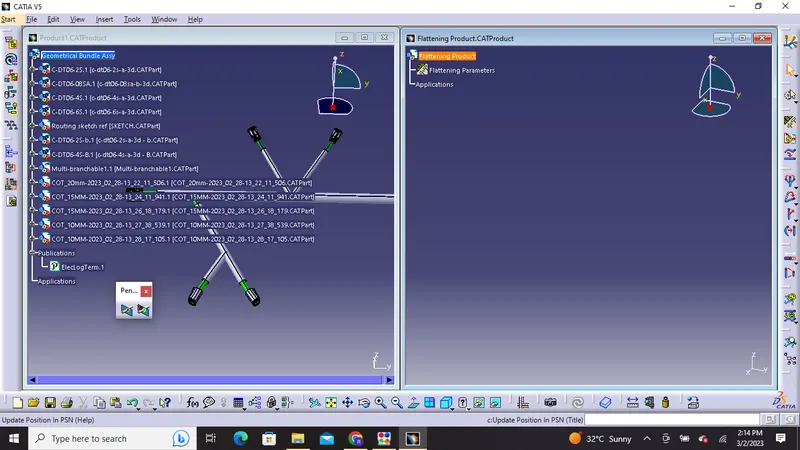
3) Futhermore we have to select the 'Extract' option from the Electrical Harness flattening workbench and select the Geometric bundle product in the wire harness assembly product file.
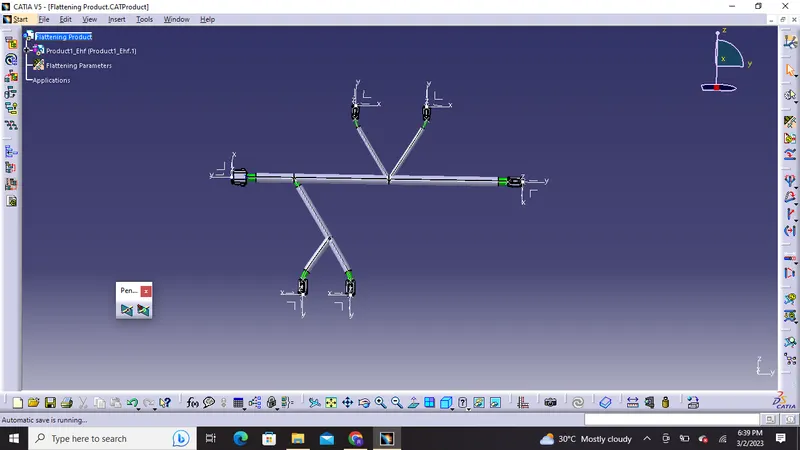
Then wire harness assembly is imported to the Wire flattening product file with 'EHF' as an extension added to the geometric bundle assembly.
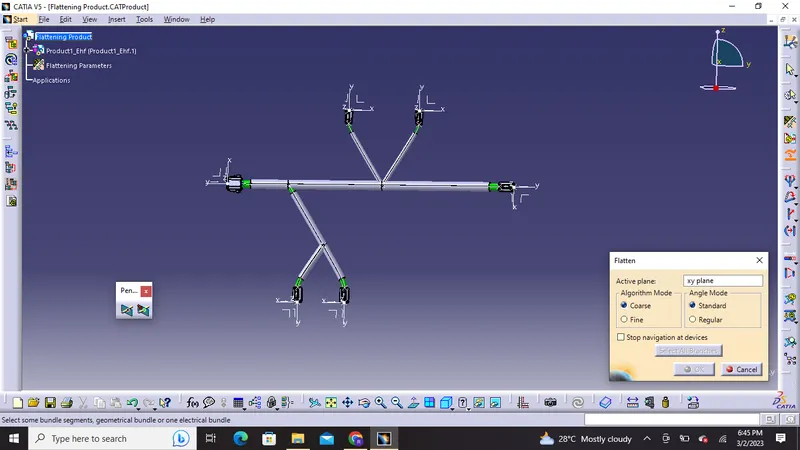
Flatten command
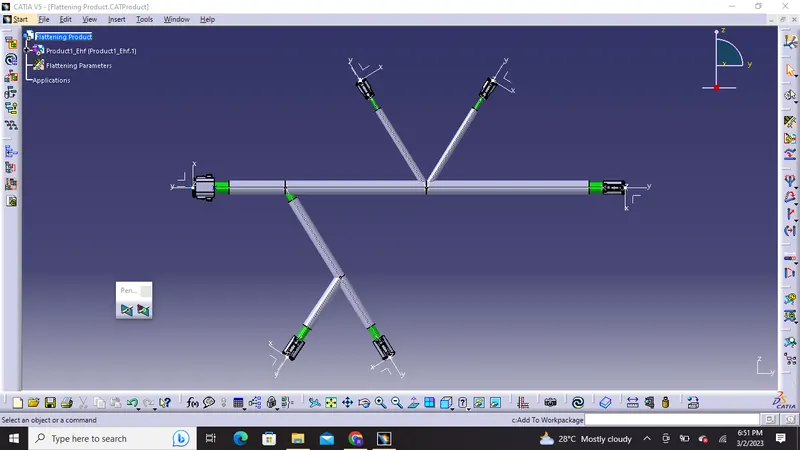
4) Next we have to give the flattening command and select plane and bundles as we can see in the below image that all the bends and curves in wire is now vanished and it has flattned the bundles, Now we can Use 'Rotate' and other commands to rotate the branches and bring them in proper orientation as per the given layout.
Drafting:
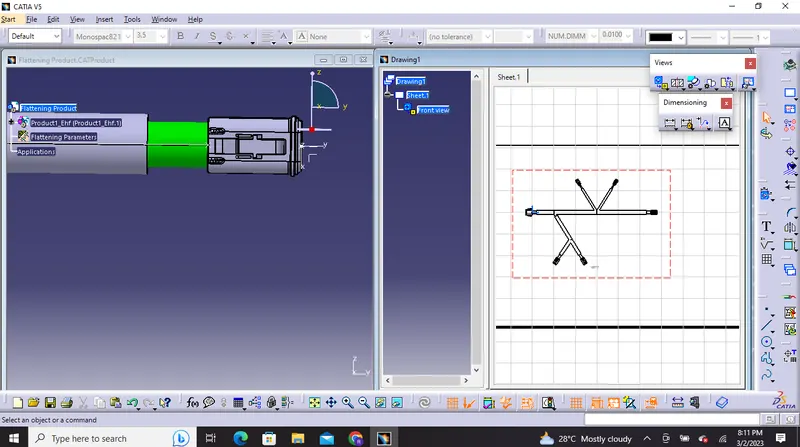
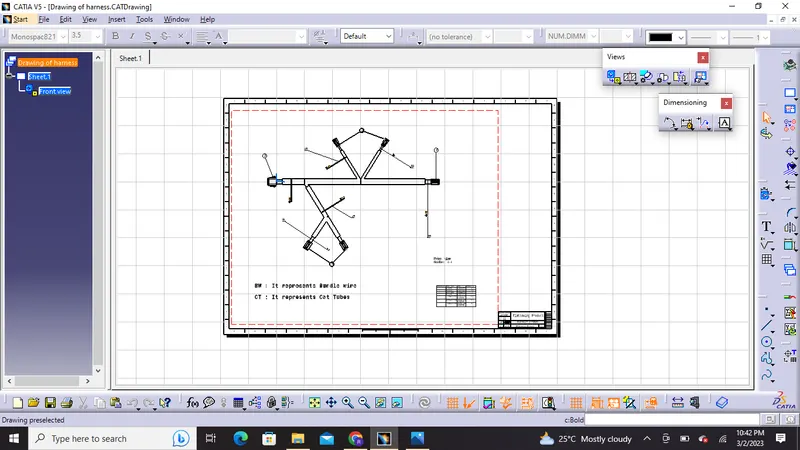
5) Lastly we have to create a drawing file and save that in the same location and further we can insert annotations and title block along with the front view of the flattened model , We have to also change some properties such as 3d wireframe as always visible so that we can see wire bundles ,connectors and coverings we have to also hange some flattening parameters in order to highlight bundles and protective covering as single or double lines.
Output:
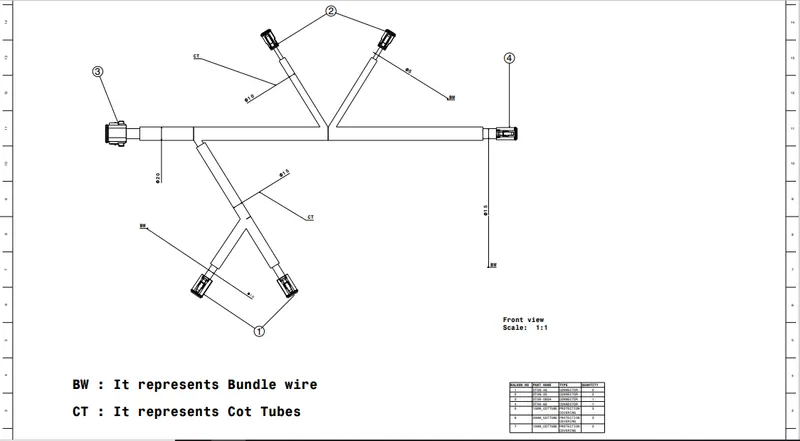
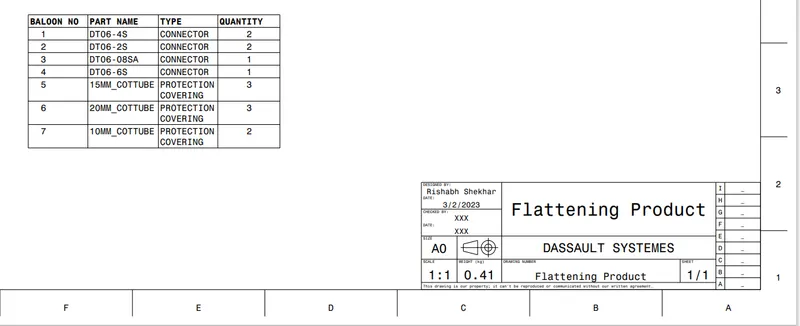
Thus this drafting sheet can be used by production and new product development team in order to manufacture the wiring harness assembly as per requirement.
Thank you!