Wiring harness design in CATIA V5 - 3D modeling Week 7 Challenge
Aim :
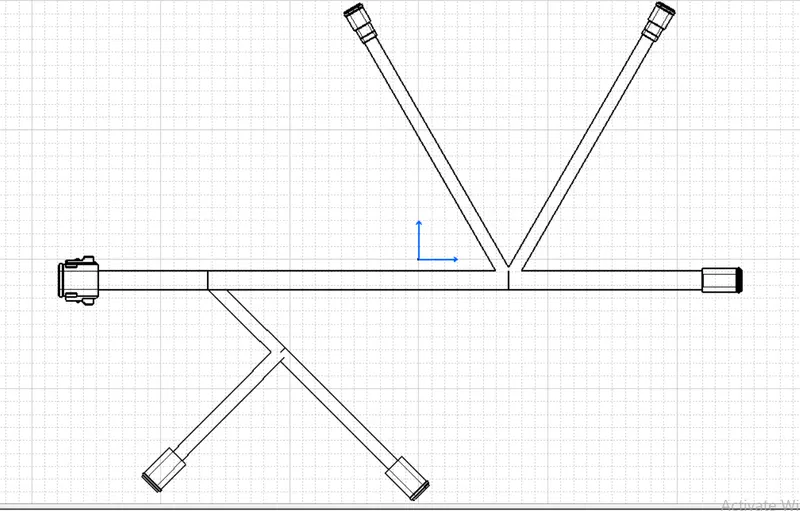
To flatten the given wire harness assembly and place the flattened view on a drawing sheet.
Steps and procedures :
- First open the harness assemby design ready with all the deisred parts in it.
- Then open a new product file and save it as flattening product.
- Then save both the file in the same folder.
- Now open the electrical harness flattening workbench.
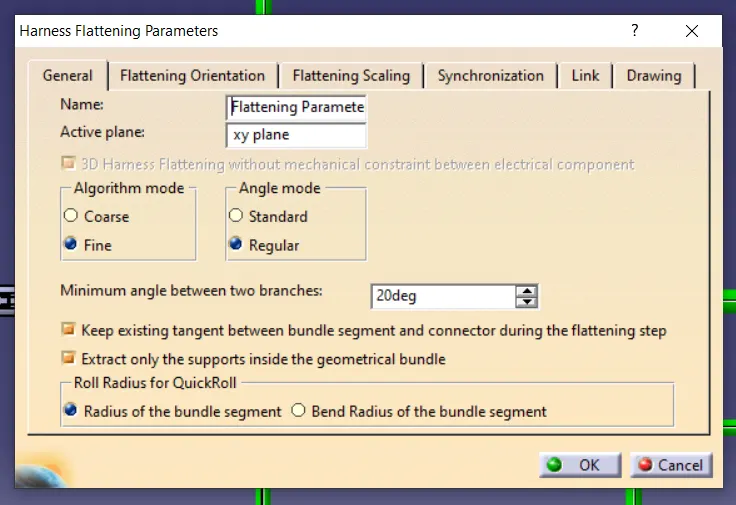
- Initially set the flattening parameters.
- Now view both the harness assemby file and the flattening product file in a vertical view.
- Now insert the harness assembly into electrical harness assembly workbench using the extract command.
- Arrange all the connectors and the pins in the desired view.
- Now click the flatten command and select the desired plane and click okay.
- Now the product will be flattened.
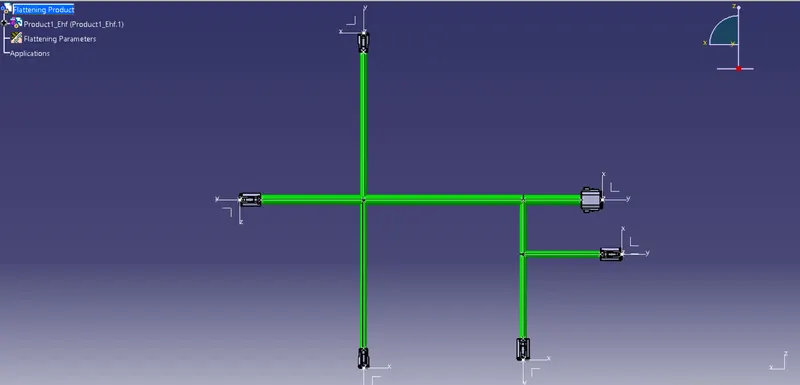
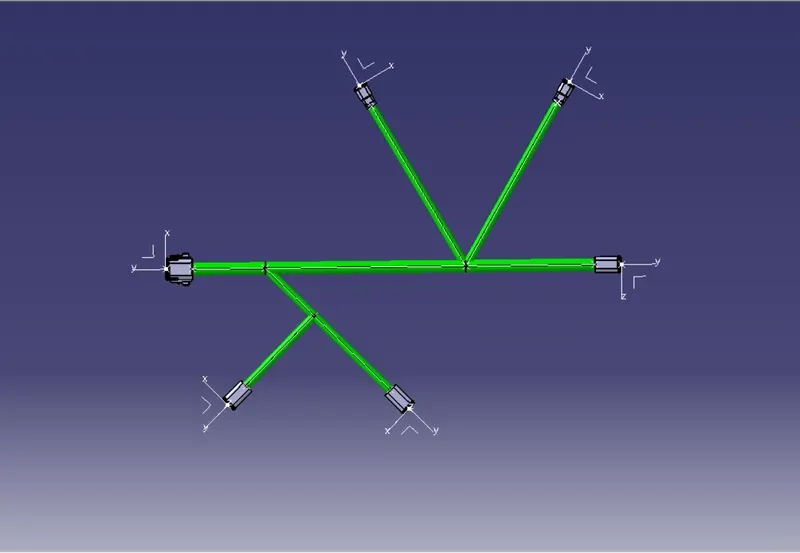
- Now arrange the flatness assembly as given in the question using the rotate command.
- Now open a new drawing file and select the desired sheet size.
- Now view the flattening product file and the drawing sheet vertically.
- Now click the front view command and select the drawing tree to insert the diagram.
- Now adjust the diagram and select the desired parameters.
Conclusion :
From the above assignment we learnt how to flatten a given wire harness assembly and how to place the flattened view on a drawing sheet and show all its components.