Wiring harness design in CATIA V5 - 3D modeling Week 7 Challenge
In this project we discuss about to Place the flattened view on drawing sheet. Ensure bundles with protective coverings has different visuals on drawing view.
First of all we create the new product and open work bench as electrical hardness flattening .
And set the flattening parameter to unlock the another tool’s option and then we extract the assy view of electrical hardness assy and choose the face or plane to representation the drawing view.
In before flattening view
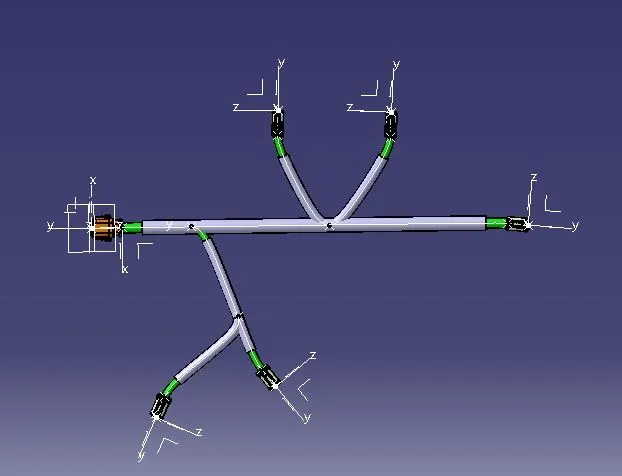
After extract the file to product for flattening option to flatten and make angle to equal angle, and make scaling, roll, rotate,etc .
After flattening view in below
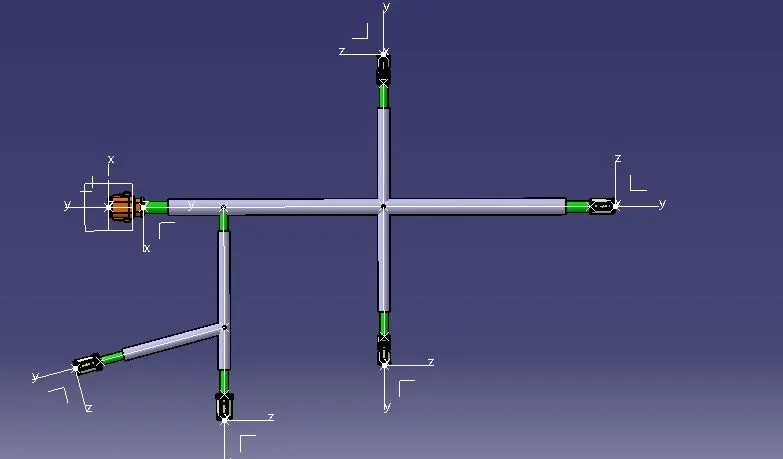
And create new file as drawing and open choose front view and select from the flattening assy face to clear view of all the connector and then move on to work bench
Click ok and 2d wire-frame and change the setting in to 3d representation on fattening and double line on drawing
Sample image in given below
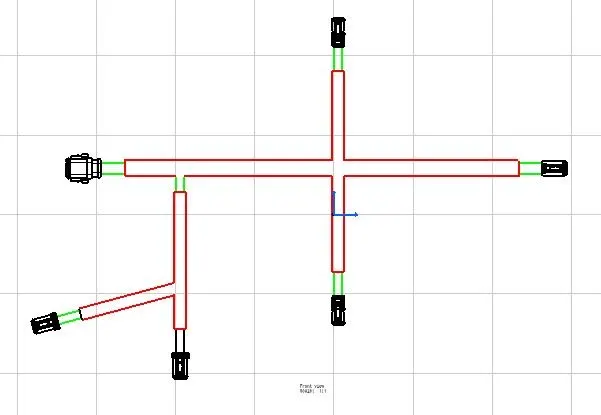
Above the drawing red colour represent the corrugated tube and green colour represent the bundle segment are the connector are in the drawing representation