Wiring harness design in CATIA V5 - 3D modeling Week 7 Challenge
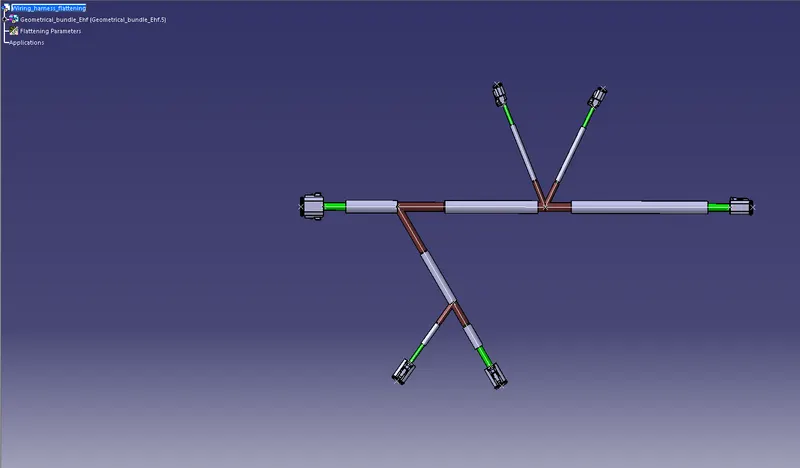
The above-mentioned figure shows that the given diagram is flattened in the Harness flattening workbench. The first step to creating the new product for the Harness flattening creation is next to create the harness flattening parameters and extract options to select the geometric bundle to create the flattening model then, flatten command is used to flatten the model. whatever changes are required to flatten the view to change that by using commands like rotate, straighten, bend, roll, synchronize...etc.
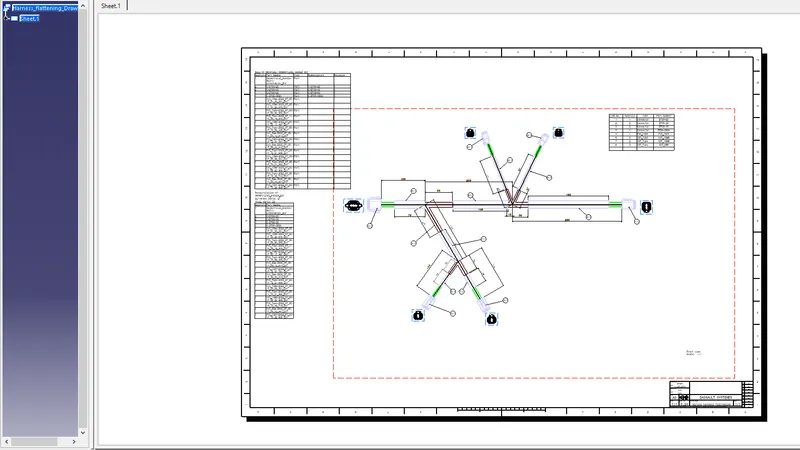
The above-mentioned figure shows that the flattening model will be placed on the drawing sheet and connectors, bundles, and protective coverings are mentioned in different colors also and the bill of the material table is also added to the drawing sheet.