Wiring harness design in CATIA V5 - 3D modeling Week 5 & 6 Challenge
AIM:
- Establish the electrical harness for given structure
- conversion of files to the cat part and igs format.
Details:
- Once downloaded the all connector that are open it in part workbench and create the axis system and point that are necessary for define the bundle and connector connection point.
- Then define electrical component using define connector command then establish the bundle connection and connector connection point using the command.
- Then created the product file name it as wiring harness assembly in that created the two more product file name it as geometrical bundle harness A and geometrical bundle harness B.
- In geometrical bundle harness A product file add all 5 connector file to it after that convert to the electrical harness assembly using geometrical bundle command. and same is applicable for harness B also.
- Created on reference sketch in part work bench then added to the wiring harness assembly.for both harness A and harness B also
- By activating wiring harness assembly move the all connector to their position which are mention in reference sketch.
- Then using multi branchable document command route the wiring harness between connector, create the branches using branch point command. This process is done separately for both harness A and harness B.
- First open electrical part design workbench and using define protection part command created part by define ID dia, thick and bend radius, after that save the part.
- Next created the catalog document and add family in that selected the conduit then save the catalog file.
- Open the created cot tube then using the sore device command add this part to the catalog then save the file.
- After that using protective covering command add the coragat tube to the harness and give the 30mm gap in connector connection point.
- Now activate the wiring harness assembly then change to the electrical assembly workbench using connect electrical device command connect 5 and 6 connector .
- Then move to the part work bench then given the annotation for every connector using flag note with ladder command
- Then this assembly converted to catpart using generate catpart form product option. then saved everything in one folder.
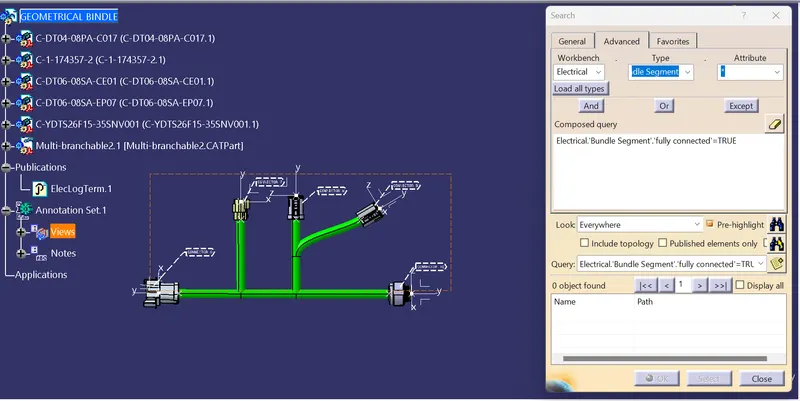
Bundle Continuity Check for harness A
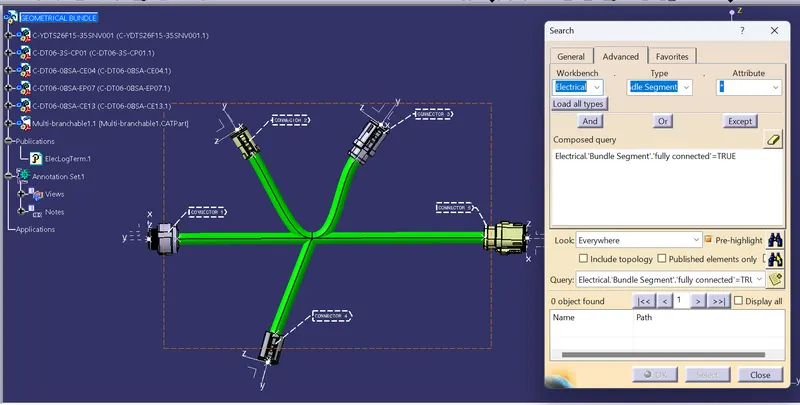
Bundle Continuity Check for harness B: