Wiring harness design in CATIA V5 - 3D modeling Week 4 Challenge
Wiring harness design in CATIA V5 - 3D modeling Week 4 Challenge:
Aim:
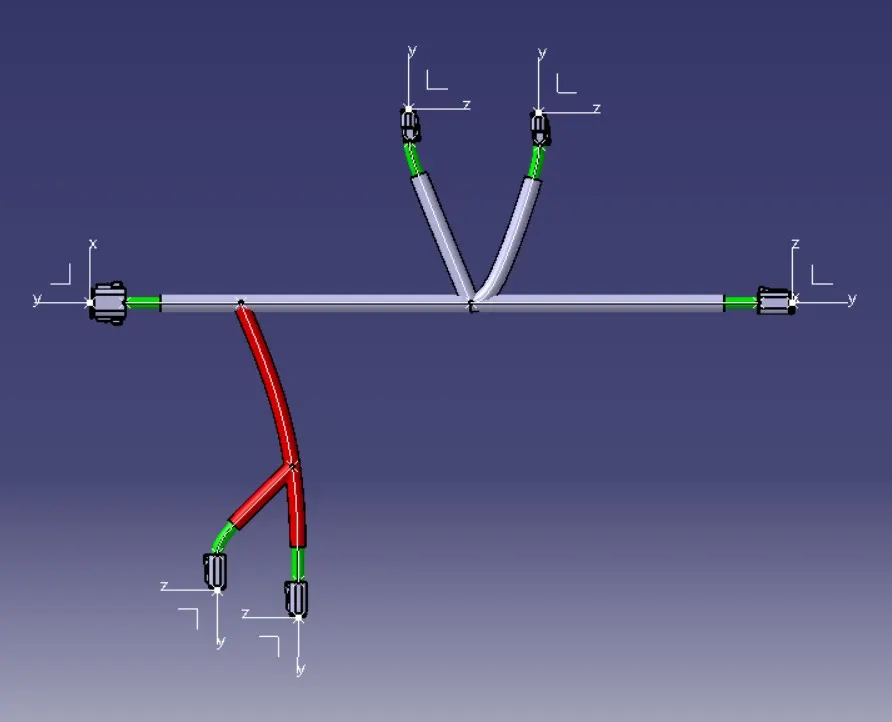
Route the given harness layout in Electrical workbench. Make assumption for harness bundle diameters. Use Following connectors as shown in layout diagram.
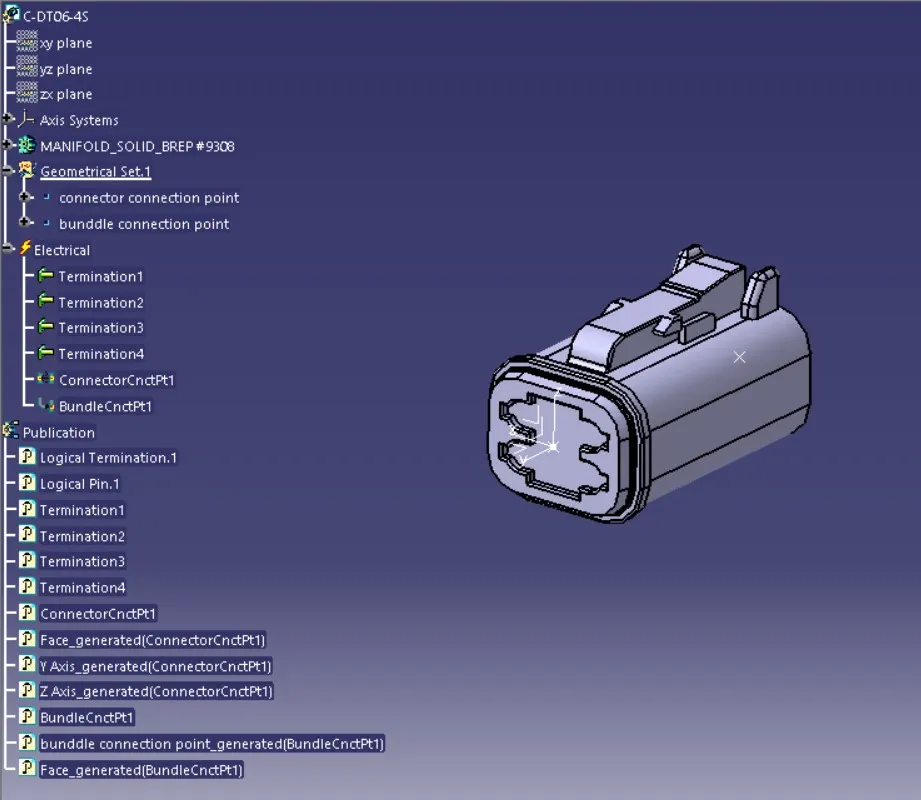
- DT06-4S
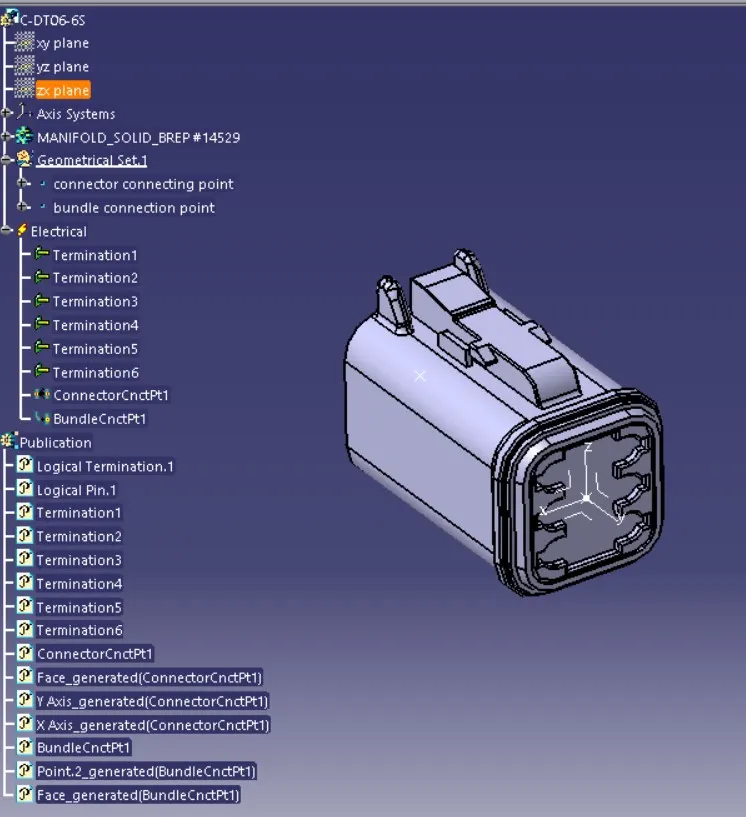
- DT06-6S
- DT06-2S
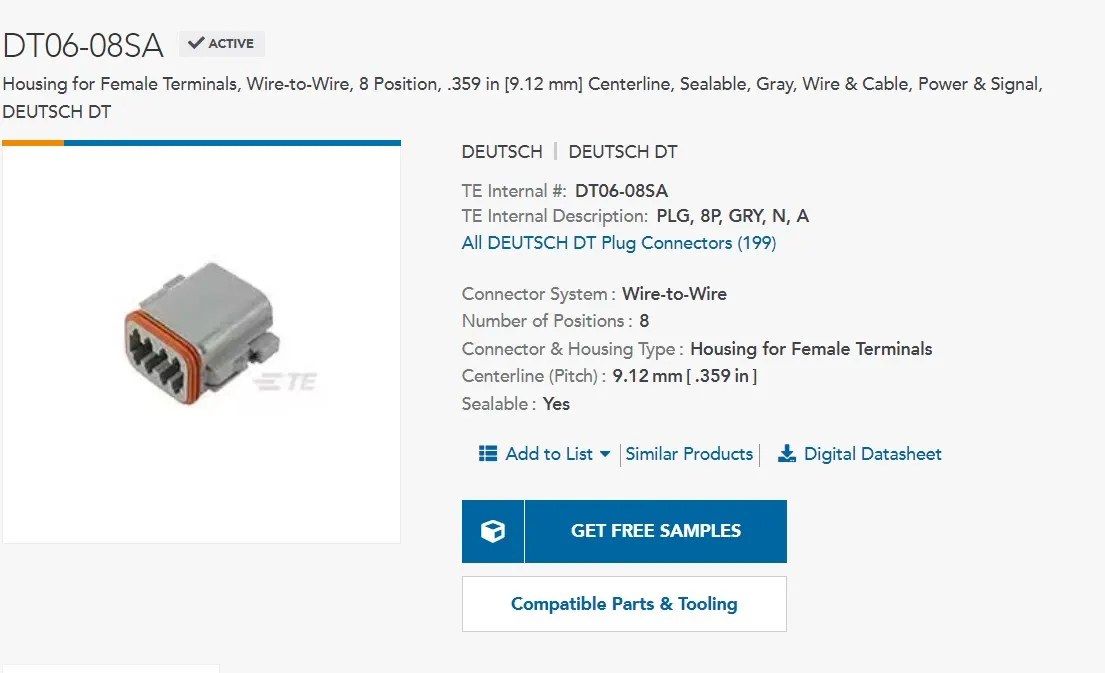
- DT06-08SA
Introduction about Harness routing design:
- It is the important part of wiring harness design,for that first we need to do prepare the harness assembly.
- In preparation of harness assembly we need to do the harness context assy,inside that we need to create the Geometrical bundle and electrical bundle.
- Geometrical bundle which is contains the sub level of coponents like connector,clips,multiple branches,protective covers,gomments and etc...
- Electrical bundle sub level product file that contains the electrical circuit .
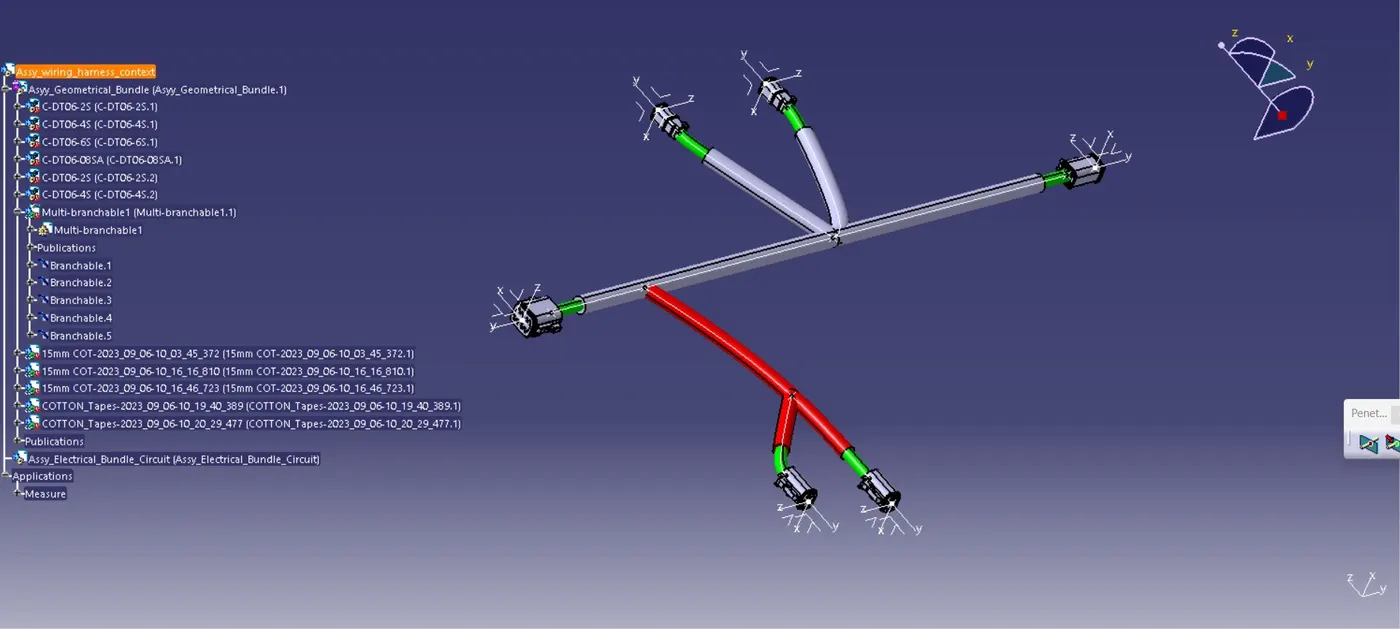
Process involved in Harness routing design:
- In catia first we need to create assembly of harness context file inside that we need to create assembly of geometrical bundle and electrical bundle context.
- Inside the geometrical bundle we need to create the below mentioned process.
1.Inserting harness components:
- First we need to insert the electro mechanical components inside the geometrical bundle.
- For this challenge they are given the below mentioned parts,we need to get that from the te.com.
- DT06-4S
- DT06-6S
- DT06-2S
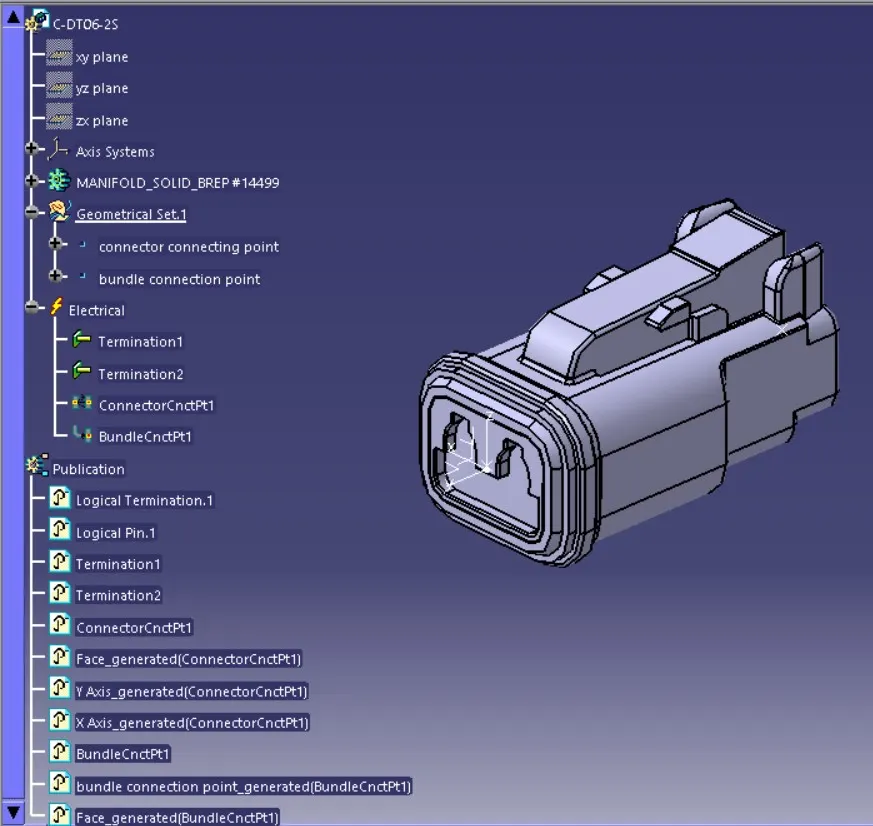
- DT06-08SA
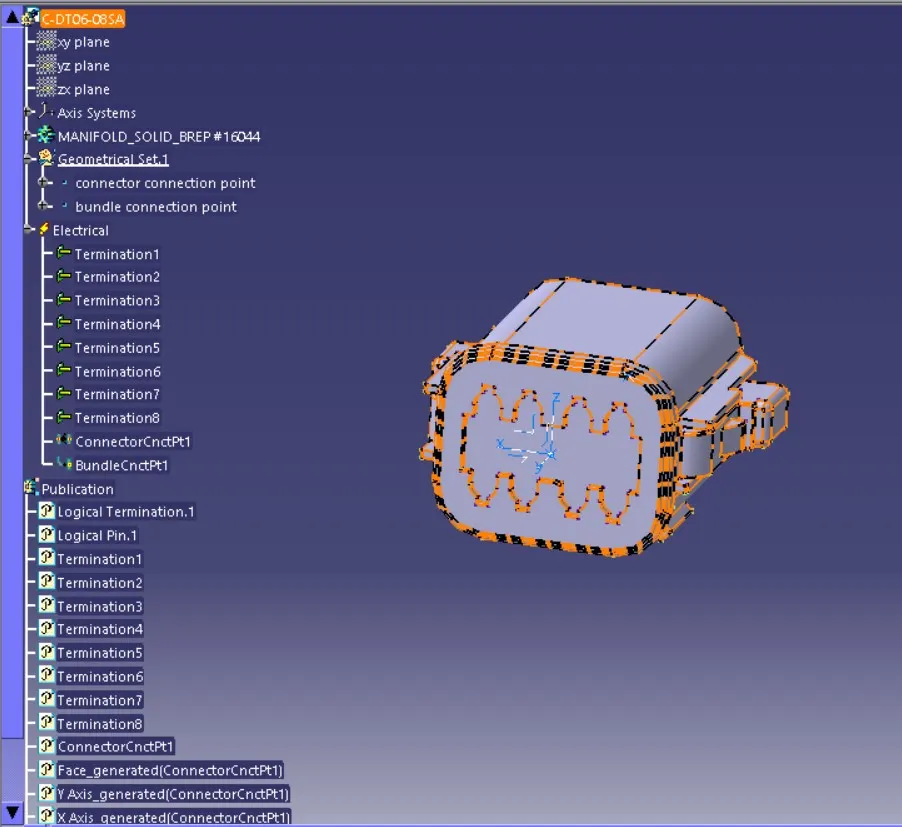
- After dowloding from the website we need to define it electrically and store in the catalogue.
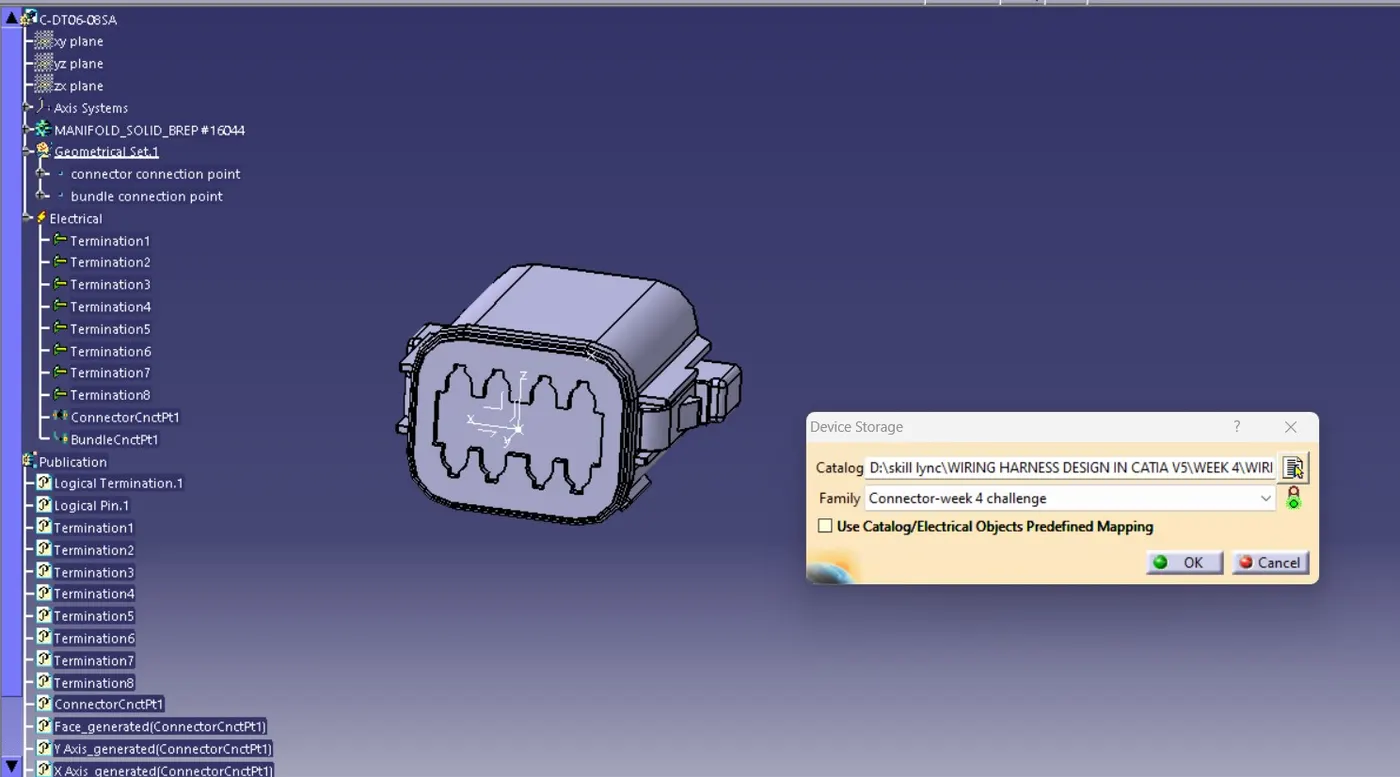
2.Positioning the electrical parts:
- After inserting the parts in geometrical bundle product file,we need to position it appropriatly.
- Currently all parts in the coordinates of X,Y,Z : 0,0,0.
- We need to use below mentioned options to position it.
- Manupulation-It is used to move the degrees of freedom of the part by given icons.
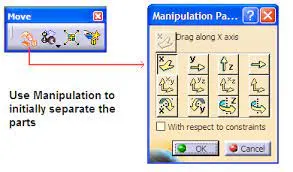 CATIA V5 Functions > Part Manipulation > Assembly Design Part Manipulation">
- Transulation&Rotation-By this command by input values we can rotate and transulate the part.
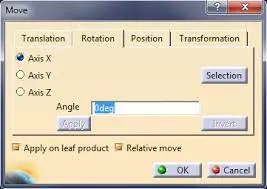
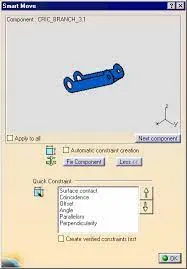
- Snap & Smart move-By this we are mating the parts using faces,edges,points and etc...
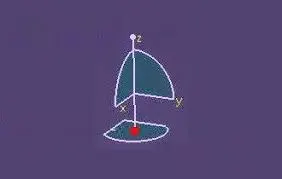
- Compass-By compass we are moving the parts using coordinate compass which is placed at the right corner of the interface,by edit this we can give the values and rotational degress to the part accurately.
- Connecting and disconnecting the electrical components inside the electrical assembly design interface.
3.Branch definition:
- Before branch definition we need to Define the harness routing conext as earlier said.
- Then we need to check with Geometrical bundle assembly,position of the part,types of electrical connection and constrains,and all other electro mechanical components.
- Then come into the branch definition.
- For that we need to click multi branchable documents inside the Harness design assembly context.
- then click into branch definition icon.
- it will create as below mentioned wizard.
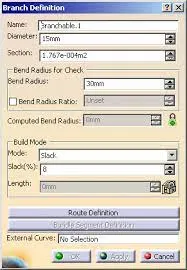
- Inside that first we need to give name.
- Then input the bundle diameter.
- Check on the bend ratio and set that into 1.4.
- set the mode to slack and give the percentage of the slack.
- select the route definition button and select the components for connecting.
- and click ok.
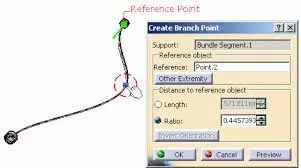
- For multiple branch multiple branch we need to add the branch point and create the multiple branches same as branch definition.By giving length or ratio we can create the branch point.
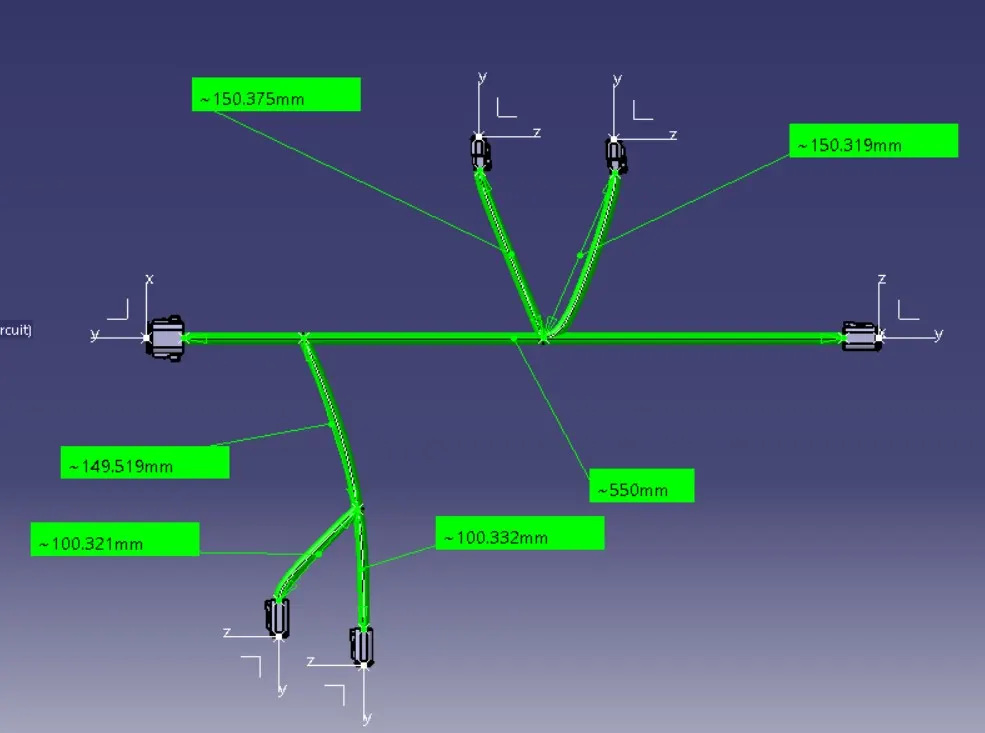
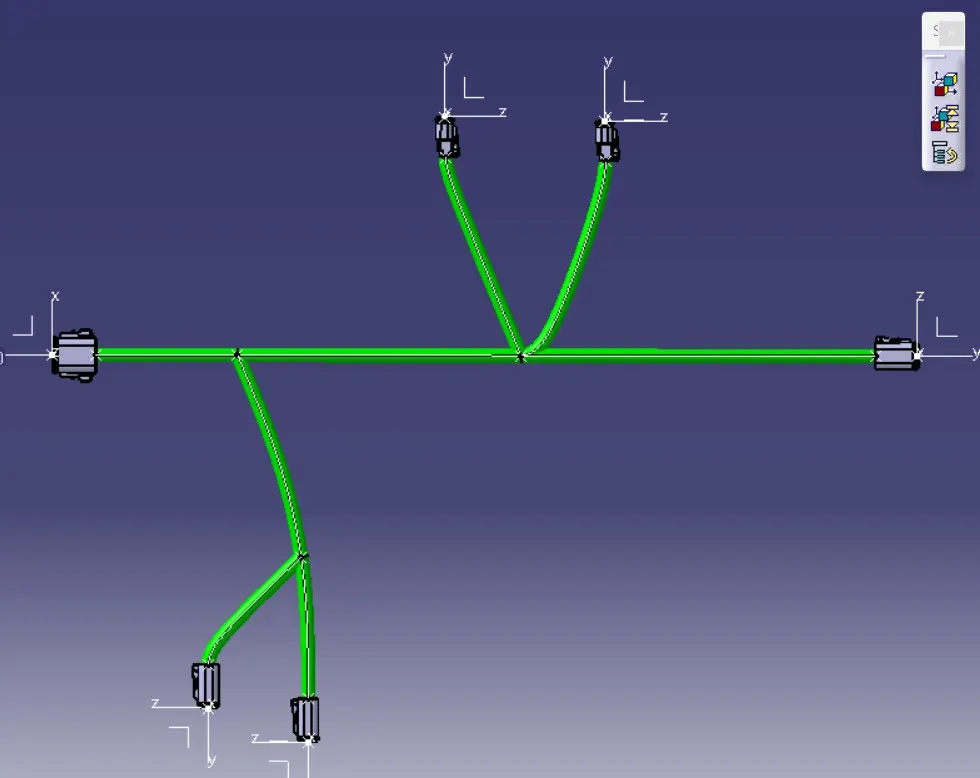
In this challenge they are given the routing diagram by that we are follow the above process we are creating as per given routing diagram.
Protective covering:
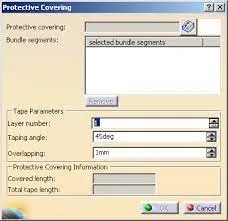
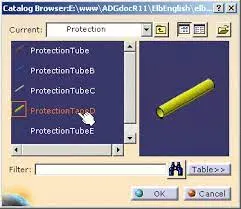
- In earlier week of the challenge we are creating the corrugative tubes,insulation tape covering and we are save it on the catalogue.
- now we can use now from the catalogue here we are using 10mm diameter of wire so we are choosing 15mm cot tubes and insulating cotton tapes from the protective covering catalogue.
- Here they are need extremity gap about 30mm.
Conclusion:
- By this challenge we learned preparation of harness assembly,then creation of geometrical and electrical context.
- Then learned how to inserting the electrical components with position.
- And Definition of wiring harness routing.