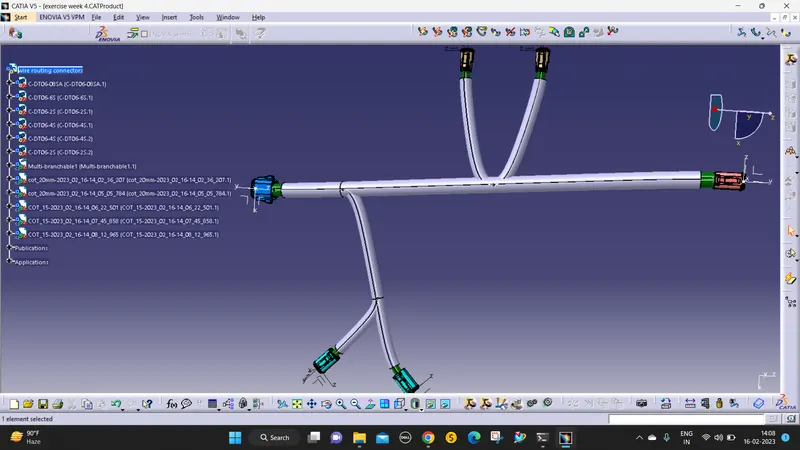
Wiring harness design in CATIA V5 - 3D modeling Week 4 Challenge
Aim:
1) To Route the following harness layout in the Electrical workbench.
2) Add protective covering on all branches connected to DT06-2S & DT06-4S connectors(30mm end extreme)
STEPS:
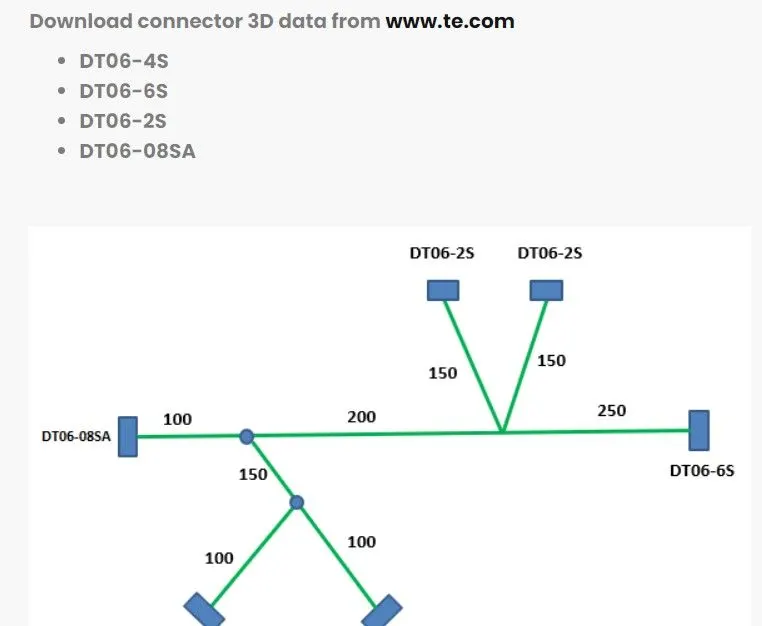
1. DOWNLOAD THE CONNECTORS FROM THE GIVEN WEBSITE.
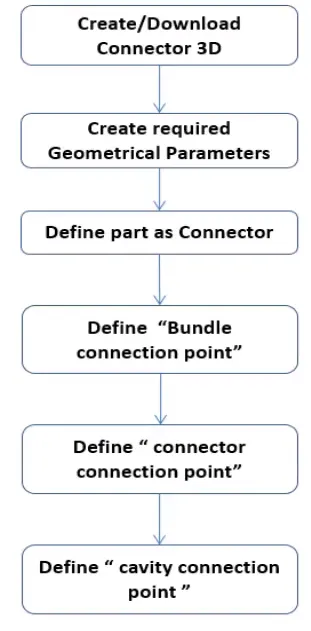
2. Then open it in catia v5 and in part design give the points axis for the connector definition, then define all connectors using bundle connection Points and connector connection points and save it in the catalog using the store device command to save it.
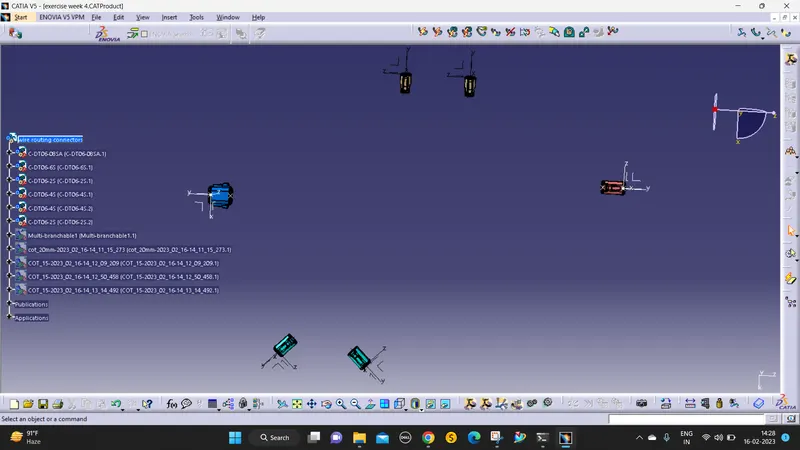
3. open the assembly design positing the connectors with reference to a given diagram.
[Using the move to position the connectors easily]
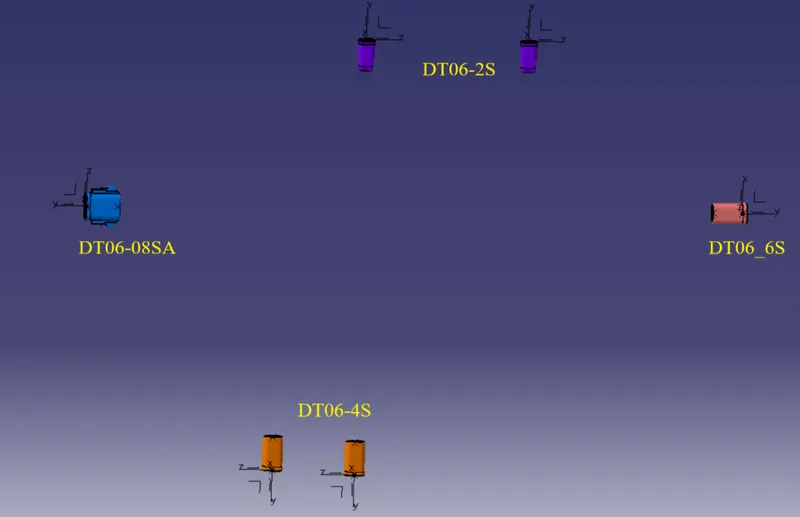
4. And open the electrical assembly workbench, then click the geometrical bundle command and click the product to turn in the assembly workbench for electricals.
 [these commands are used to route the wiring]
- the geometrical bundle is used for the conversion of electrical assemble workbench
- multibranchable command used to create wires with respective diameters
- then define brach as a subdivision of multi-branch.
- and adding branch points is used to split the branch.
5. then use the multi-branch able command to route the wires to the connectors.
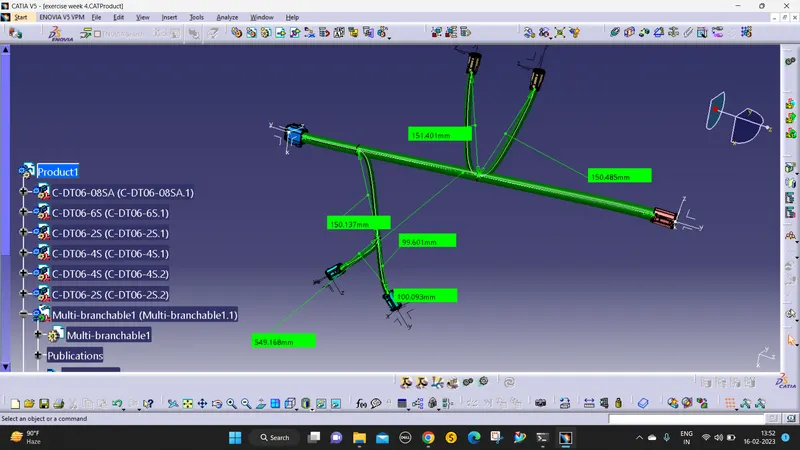
6. Then add a protective covering select the cot tubes catalog, then select the cut tubes, and set the extreme(30mm).