Wiring harness design in CATIA V5 - 3D modeling Week 4 Challenge
WIRING HARNESS ROUTING
AIM :
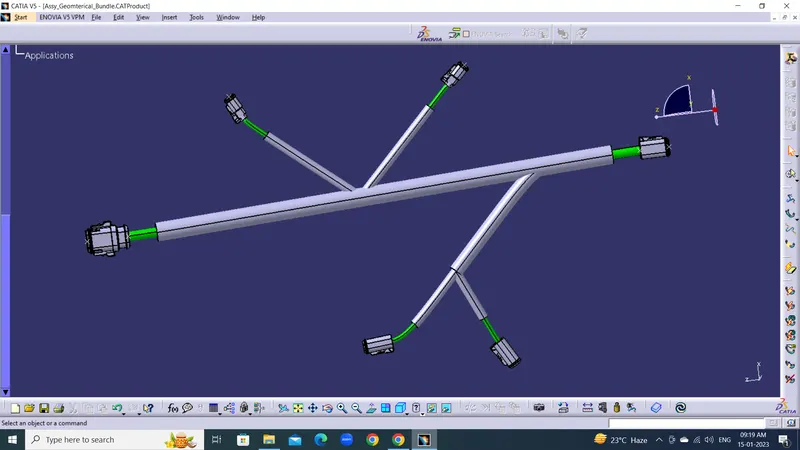
Create Wiring harness Routing in Electrical Work bench referance given Sketch. Create a Multi Branchable Connector to connector.
DESCRIPTION :
WIRING HARNESS ROUTING :
A wiring harness routing structure includes a wiring harness routing member configured to be attached to a vehicle body and a protector that accommodates and holds a wiring harness. The protector has a recess shape in which the protector is opened in one direction in a sectional view.
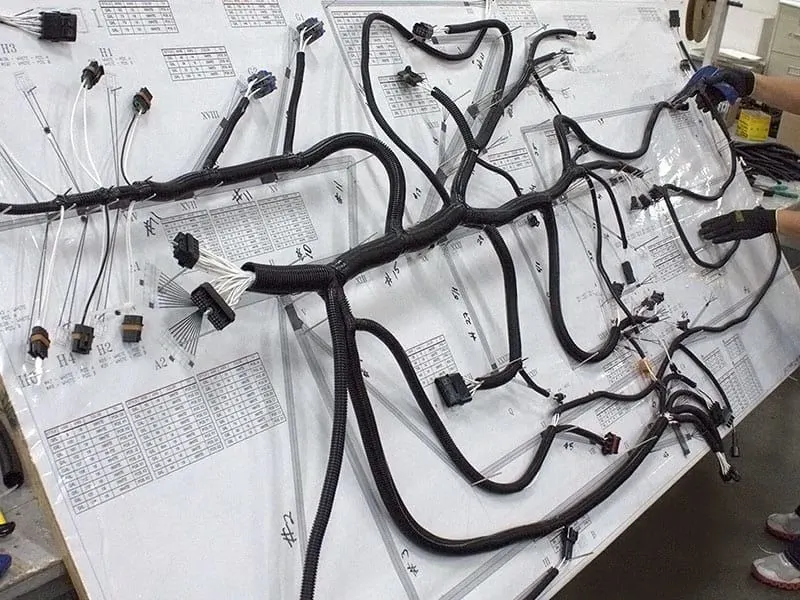
PROCEDURE :
Wiring Harness Routing In Catia-V5
1. Create Maste File (Assy_Wiring_Harness_Context)
2. Develop Geometrical Bundle.
1. Create Maste File :
Create a master product file(Harness Context Assembly) and two sub-level product files named Geometrical Bundle & Electrical Bundle respectively.

2. Develop Geometrical Bundle :
1. Add required Connectors and Cplis in Geometrical bundle file.
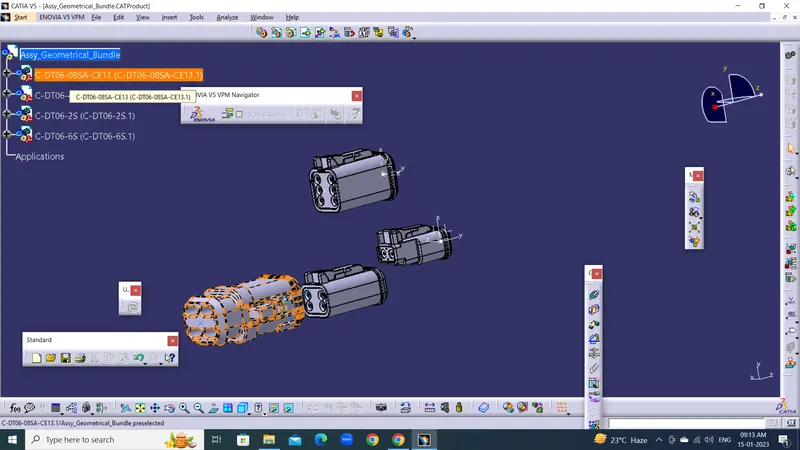
2. Make sure all parrs are electrically define or not.
3. Change the Positions and angle of all connectrors as per given dimensions.
4. Define Geometrical Bundle Assembly Electrically in wiring harness assembly use Geometrical bundle command.
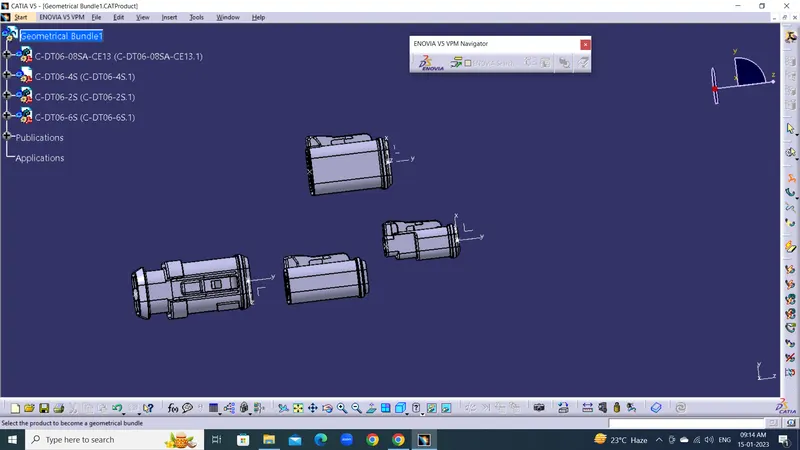
5. Add Multi Branch Document main Bundle DT06-8S to DT06-6S Connector Diameter of 10 mm
6. Add Branch points as per given sketch 100 mm and 300 mm frrom DT06-8s.
7. Add Multi Brach document Sub bundle and connect to DT06-2S and DT06-4S Connectors.
8. Add Branch point on Sub bundle DT06-4S 150 mm Form Main Branch point.
9. Add Multi Brach document Sub bundle and connect to DT06-4S Connector.
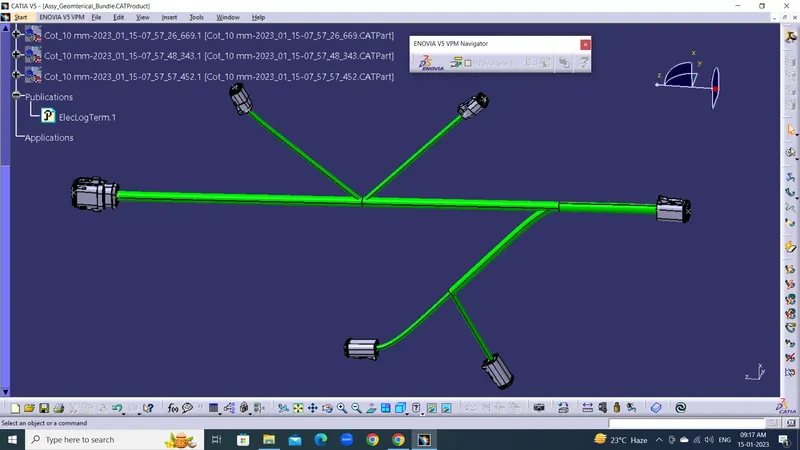
10. Add Protection all Bundles use of Catalog Files.
Conclusion:
Thus, the Wiring Harness Layout has been designed with the given inputs and the protective coverings also added on the required branches