Wiring harness design in CATIA V5 - 3D modeling Week 4 Challenge
Week 4 Challenge
Objectives:
- Routing the given harness layout in electrical workbench in CATIA-V5 environment.
- Add protective covering on all branches connected to DT06-2S & DT06-4S connectors with end extremity at 30mm (from connector end).
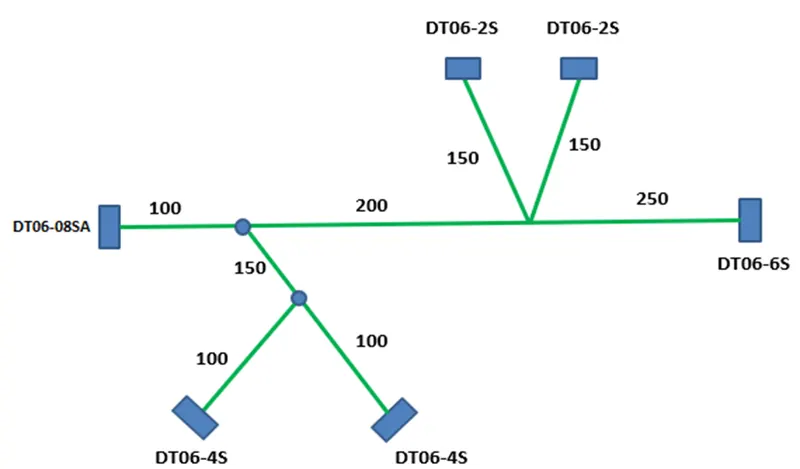
The above figure shows the length of each wire bundle segment and the type of connectors associated with them.
- Routing the given harness layout
Assumptions:
- of wire bundle segment connecting DT06-8SA and DT06-6S is 15mm.
- of wire bundle segment connecting main trunk and DT06-4S is 10mm.
- of wire bundle segment connecting main trunk and DT06-2S is 5mm.
The following procedure has been accepted to create this harness bundle layout.
- Define the geometrical parameters (points and axis) for all the connectors using mechanical part design workbench.
- Define the electrical parameters for all the connectors using electric part design workbench.
- Define connector
- Define connector-connection point
- Define bundle-connection point
- Make a new product file and rename it as “Assy_Wiring_Harness_Context” in electric harness assembly workbench.
- Add all the connectors into the assembly and position them at desired locations.
- Create bundle segments (main trunk) between DT06-8S and DT06-6S.
- Create the branching points at desired position to create branches for other connectors.
- Add appropriate size protective covering (corrugated tubes) on the required segments of the harness bundle.
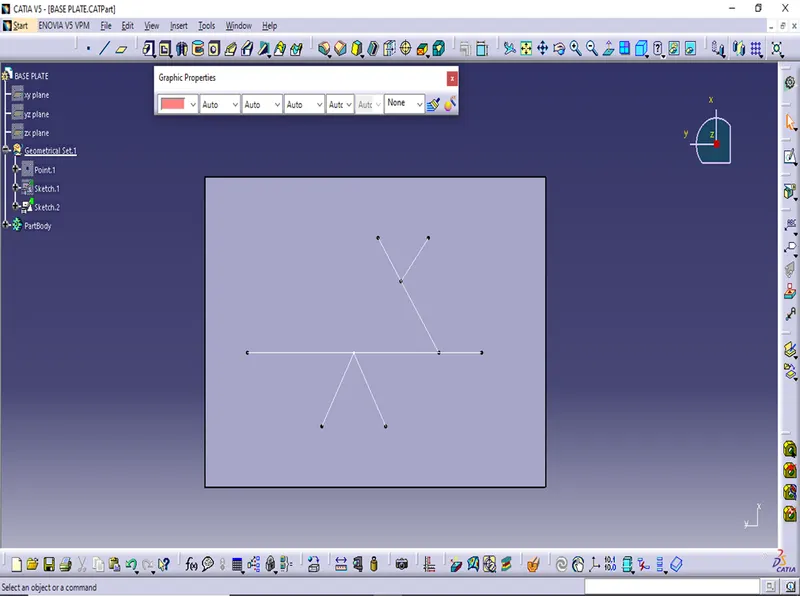
Fig.1
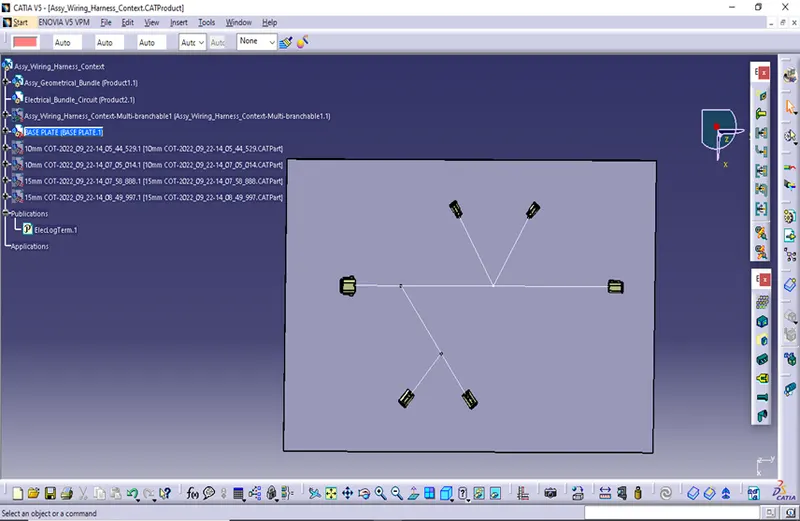
Fig.2
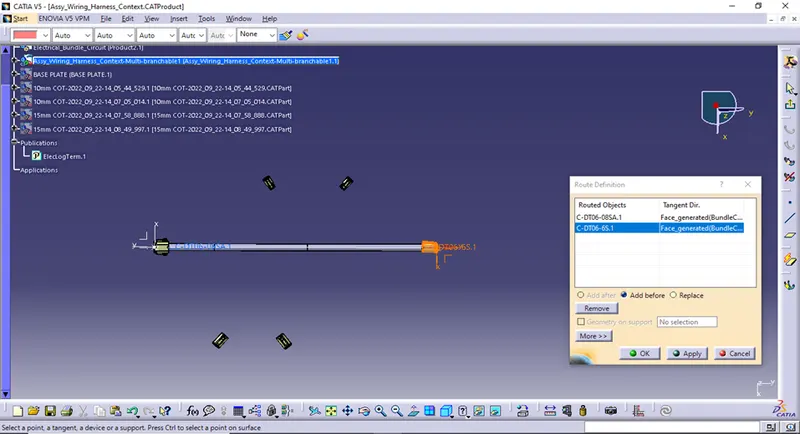
Fig.3
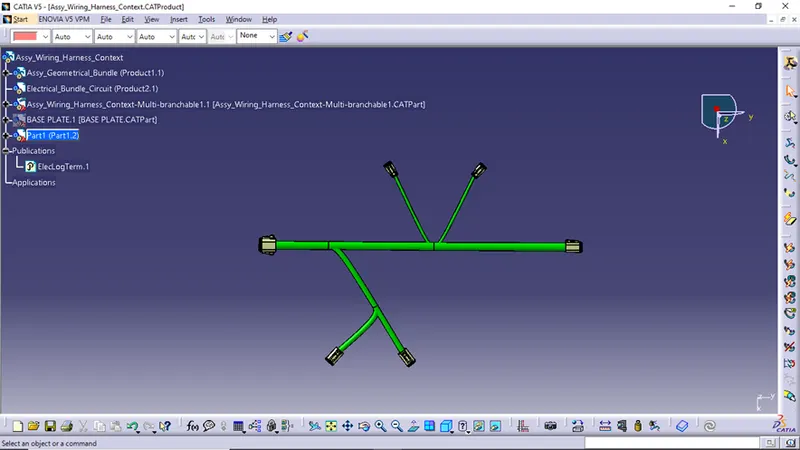
Fig.4
- Adding insulation
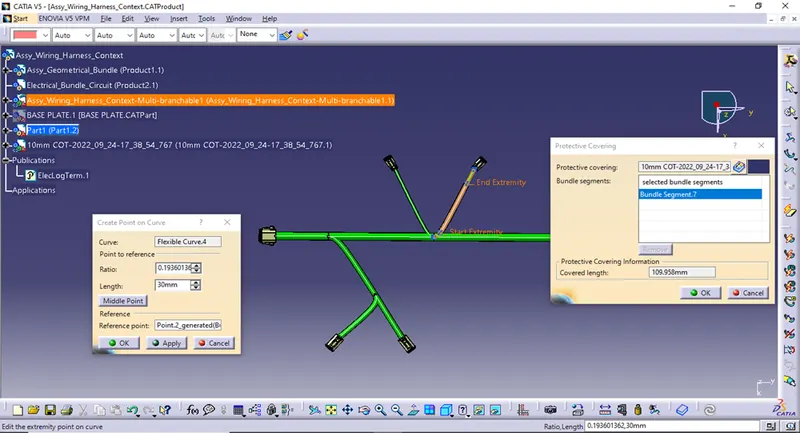
Fig.5
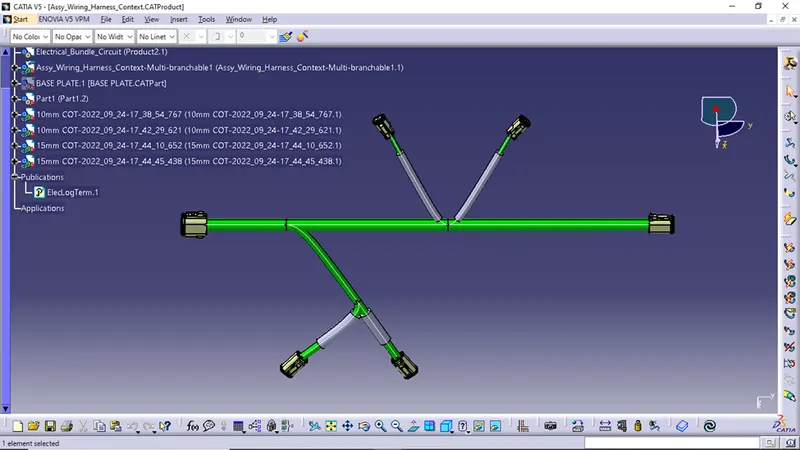
Fig.6