Wiring harness design in CATIA V5 - 3D modeling Week 4 Challenge
AIM
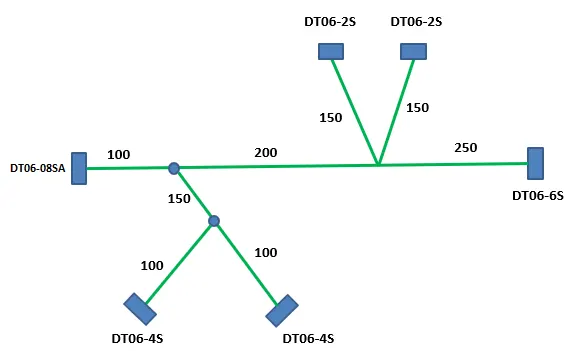
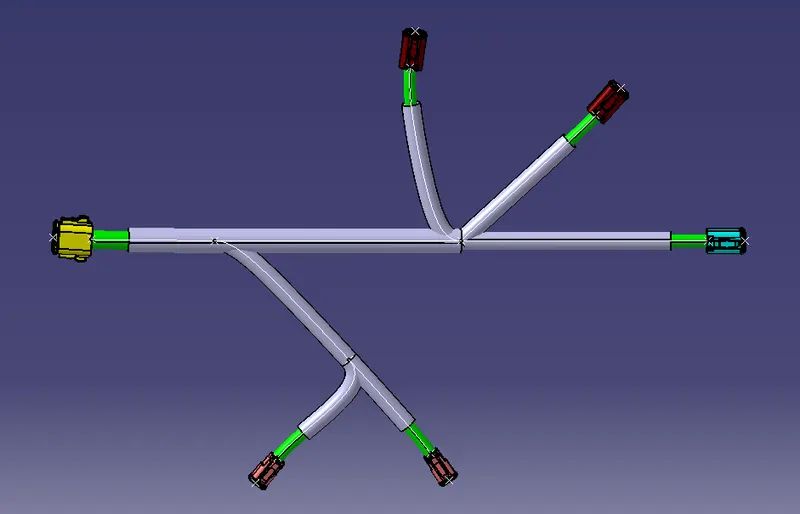
- To route wiring harness with following given layout by using in Electrical workbench.
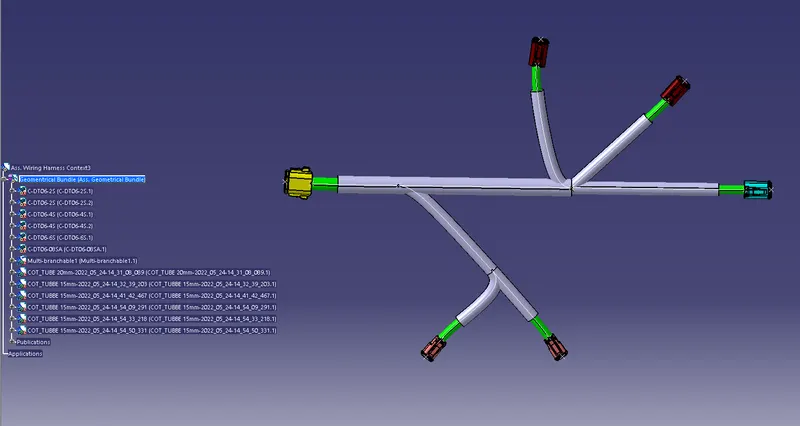
- Add protective covering on all branches connected to DT06-2S & DT06-4S connectors.
Given:
CAD data of the following Connectors:
Download from www.te.com
- DT06-4S
- DT06-6S
- DT06-2S
- DT06-08SA
Connectors Layout Design:
Procedures:
Convecting the Mechanical part into the Electrical part for that I had followed the following steps.
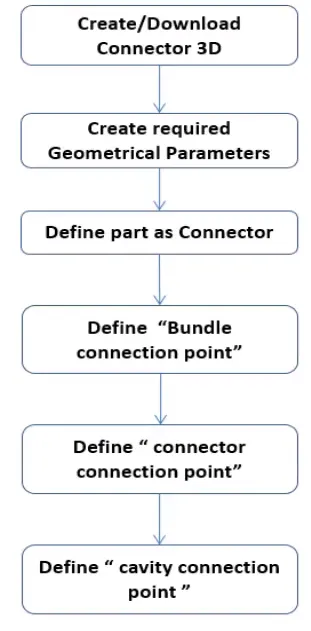
DT06-4S
Create midpoint on the contact face which will be normal to wire bunddle insertion.
Craete Axis System with respect to the point which we have created and defining the axis direction as shown below
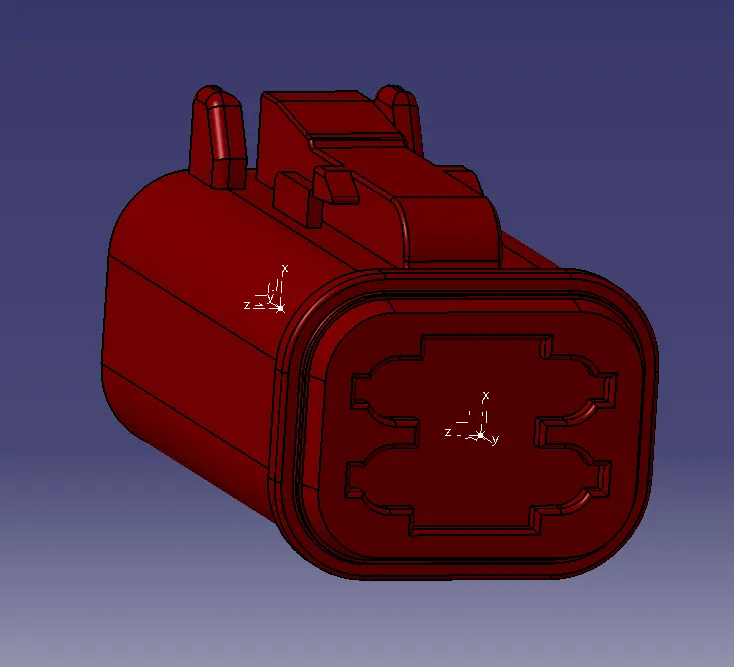
Switch to 'Electric Part Design'
Define the part as connector in catia, give no. of termination as 4 because we have 4 entry points for wire.
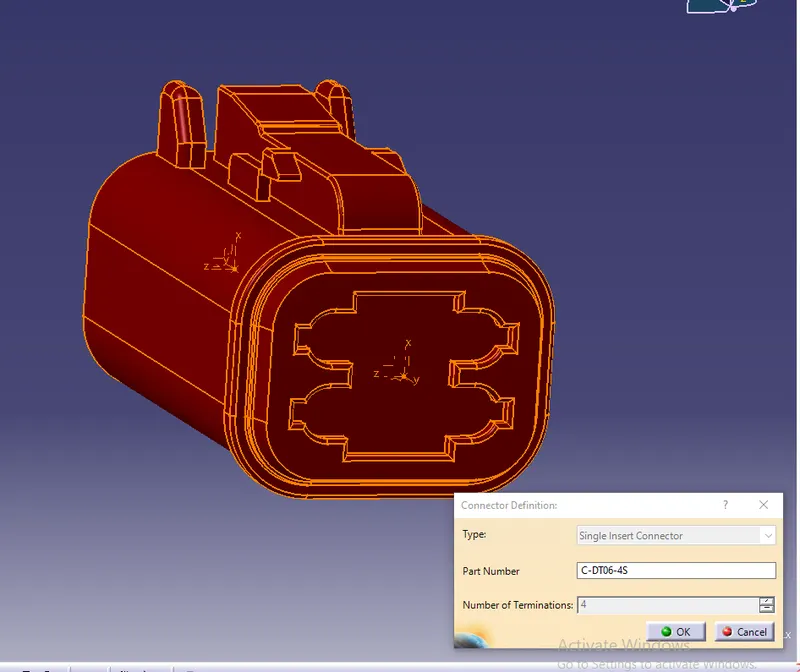
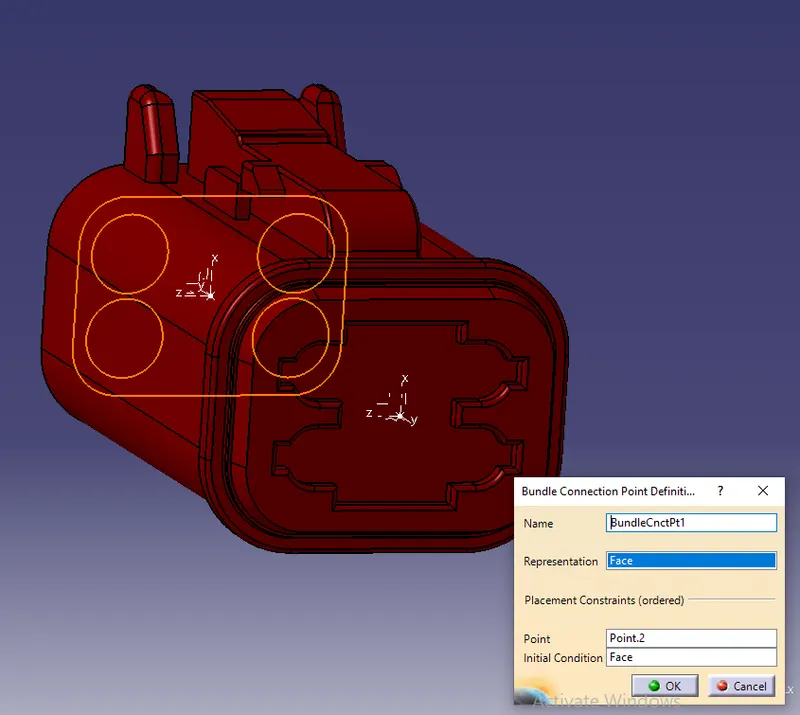
Define Bundle connection point
Define connector connection point
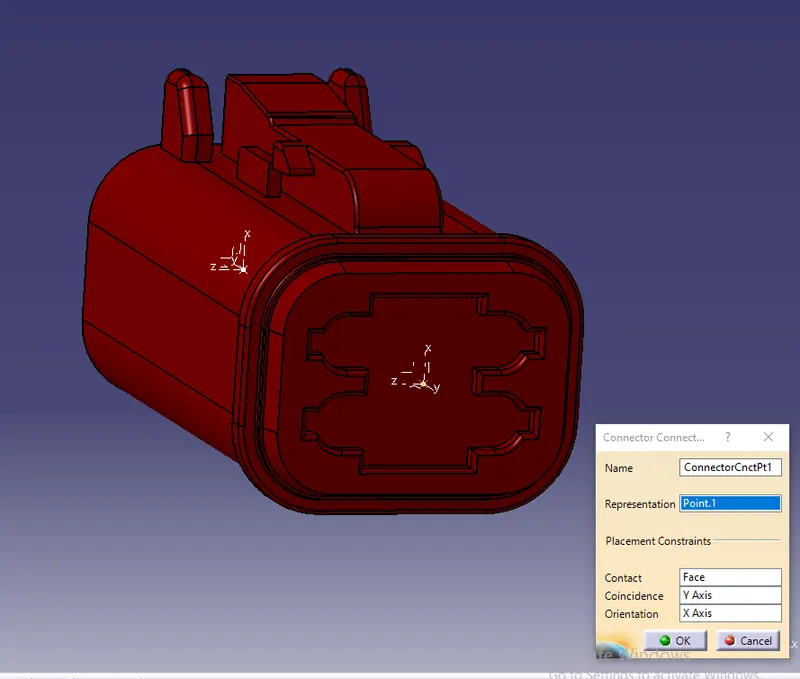
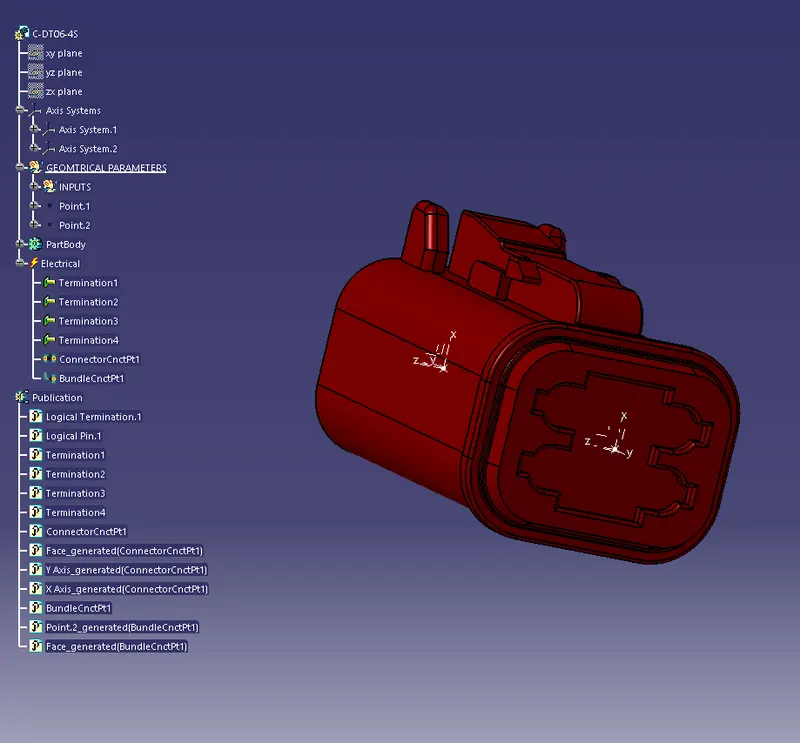
So like wise we need to define all the connector as electricaly.
Now Create the Electric wire harness context assembly and Geometric bundle as a subassembly containing all the electric parameters as shown below,
DT06-6S
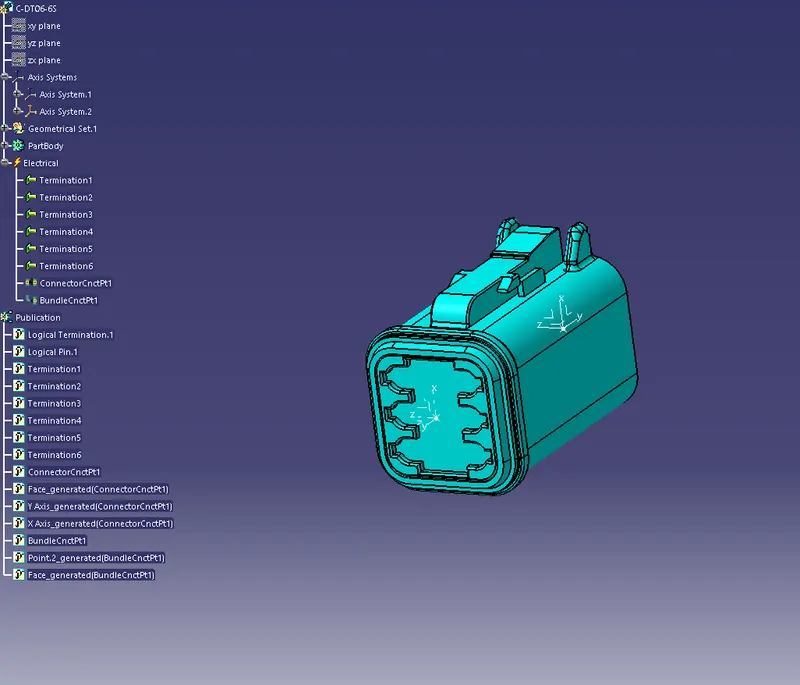
DT06-2S
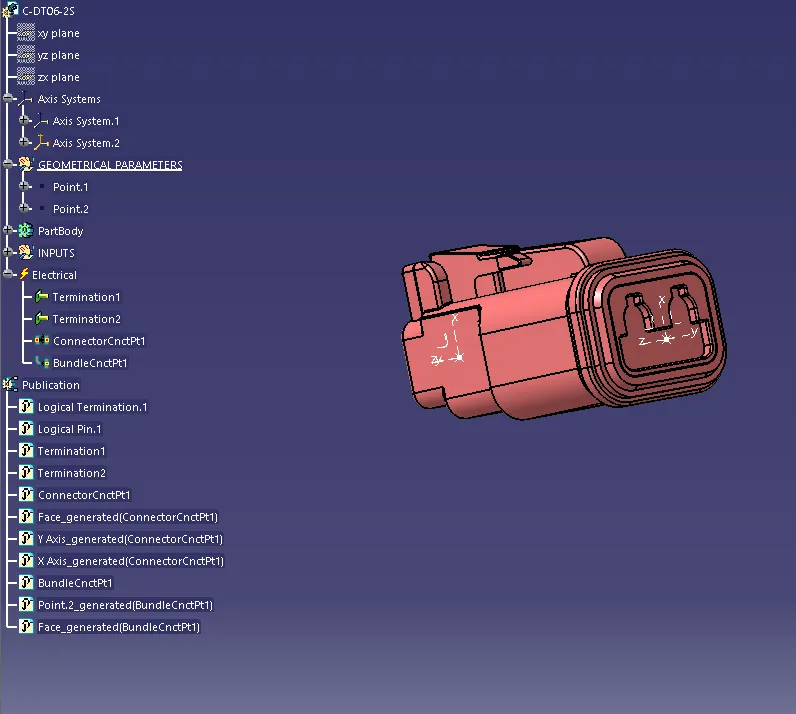
DT06-08SA
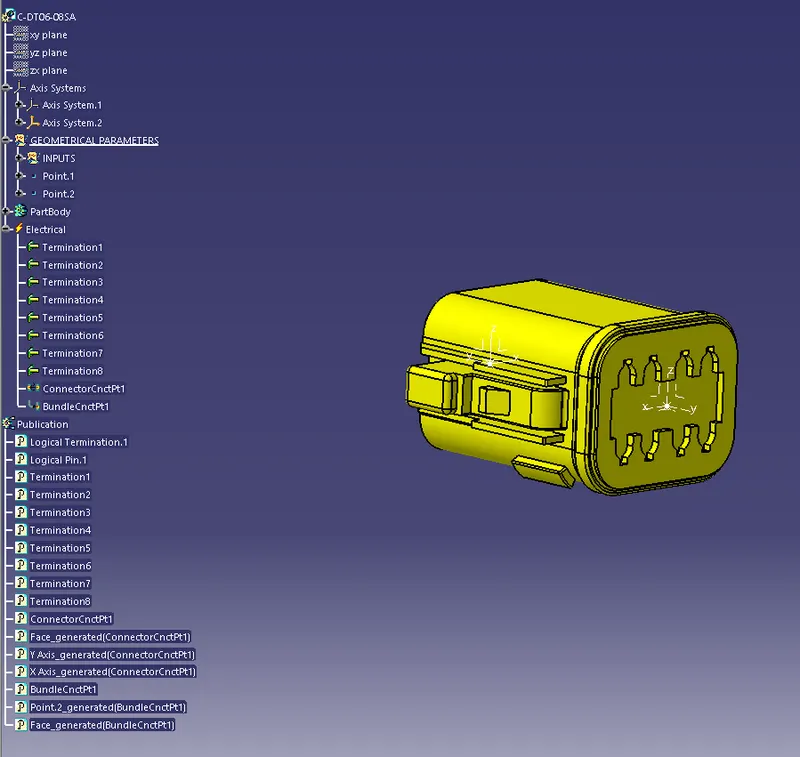
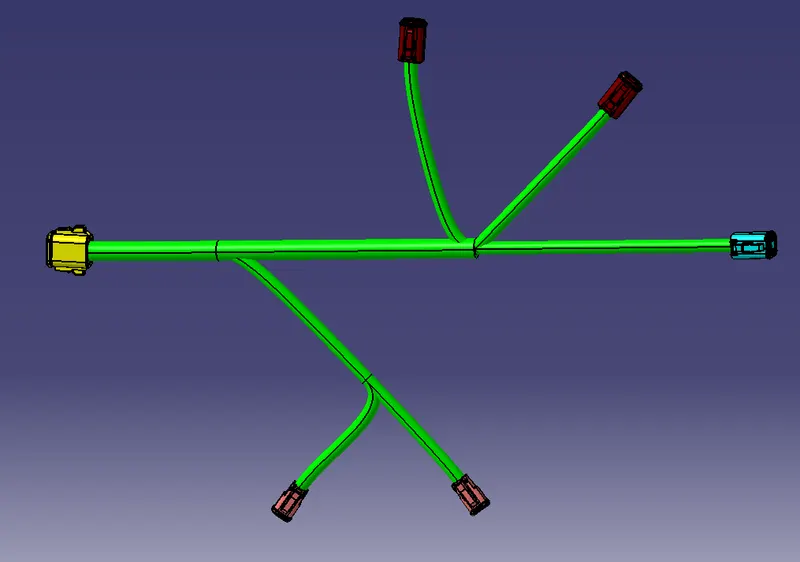
Branches Creation:
Create branches between all connectors based on given layout in the wiring harness assembly workbench.
Add Prodective covering for the created branches with extremity value of 30 mm by using tool protective covering
CONCLUSION
Routed wiring harness with following given layout by using in Electrical workbench.and Added protective covering on all branches connected to DT06-2S & DT06-4S connectors.