Wiring harness design in CATIA V5 - 3D modeling Week 2 Challenge
OBJECTIVE:
Download following connectors & Connector clip cad data from given link & define it as Electrical Connector using Electrical Part design Workbench. Define all the necessary properties to Connectors & Clip
- LINK PROVIDED
- Deutsch DT06 – 08SA ( https://www.te.com/usa-en/product-DT06-08SA.html)
- Tyco 174357-2 (https://www.te.com/usa-en/product-2-174357-2.html?source=header-match)
- Tyco 85229-1 – (https://www.te.com/usa-en/product-85229-1.html?q=85229&source=header)
Deutsch DT06 – 08SA
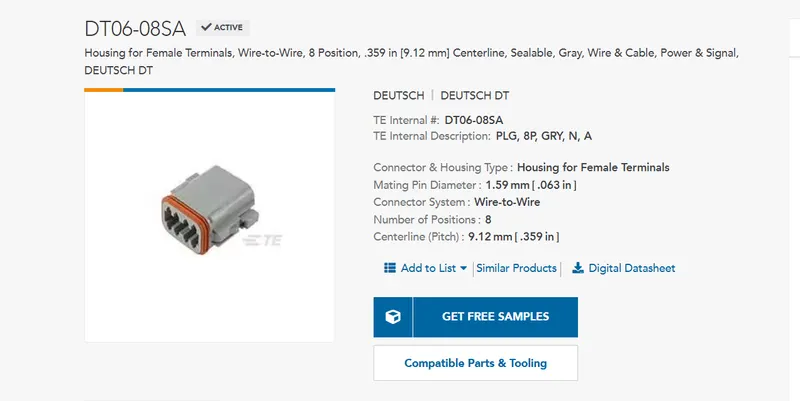
1.CAD DATA
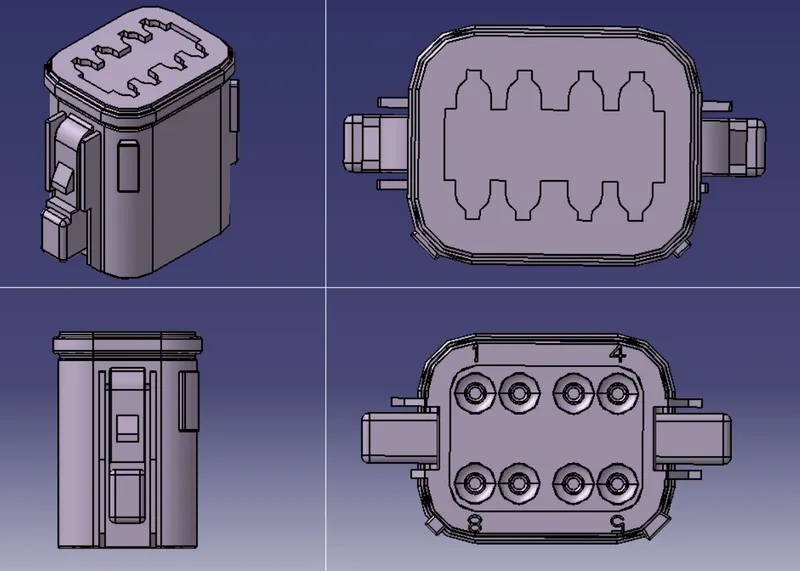
2. CREATE POINT AND AXIS SYSYEM IN MECHANICAL PART DESIGN WORK BENCH
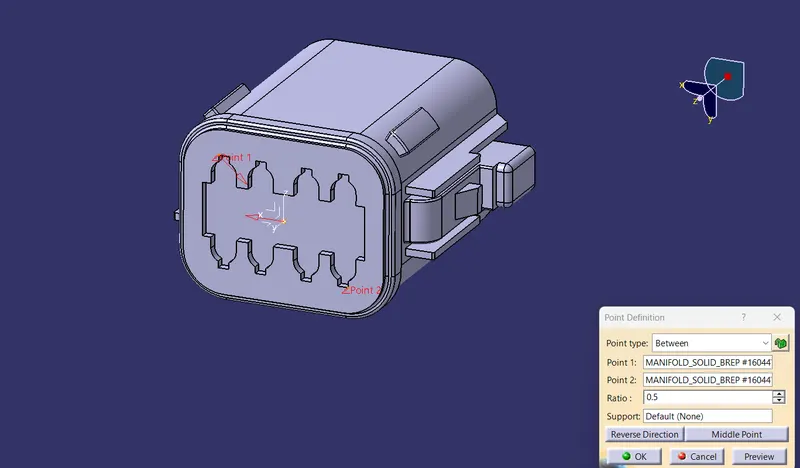
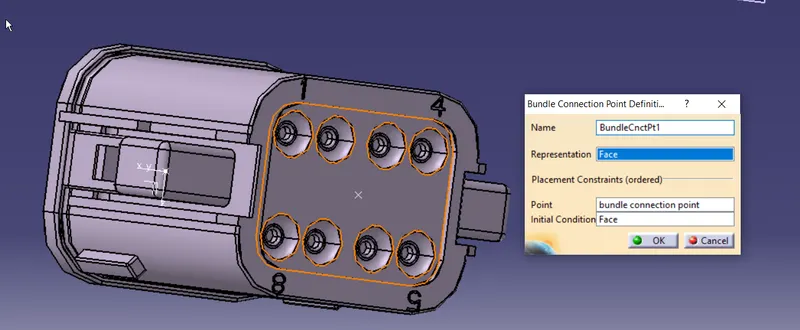
- create centre point on the bundle connection side
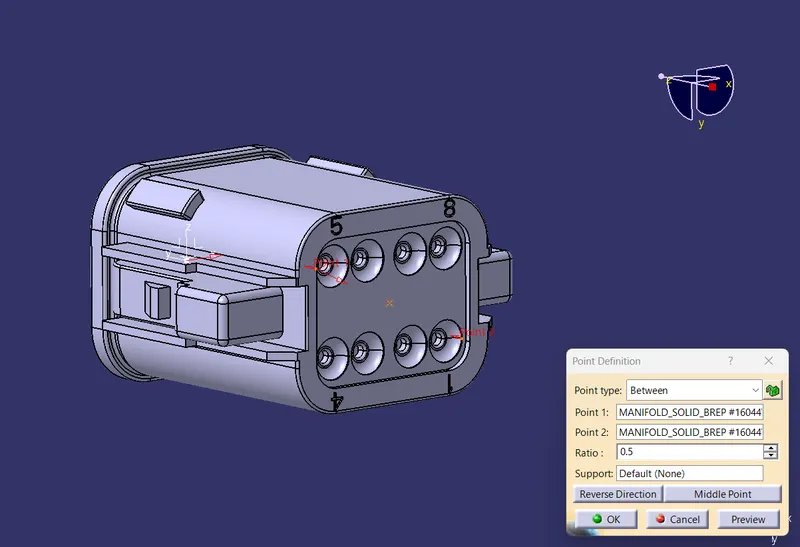
- create centre point for connection connection
- create axis system . x-axis towards lock, y-axis towards conection direction
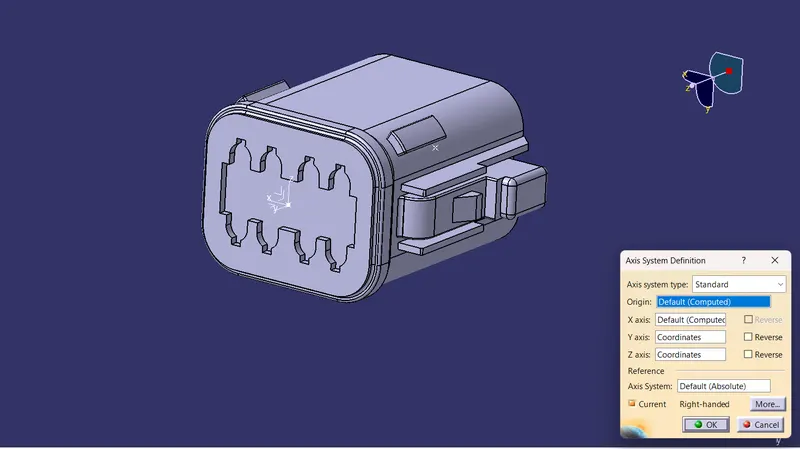
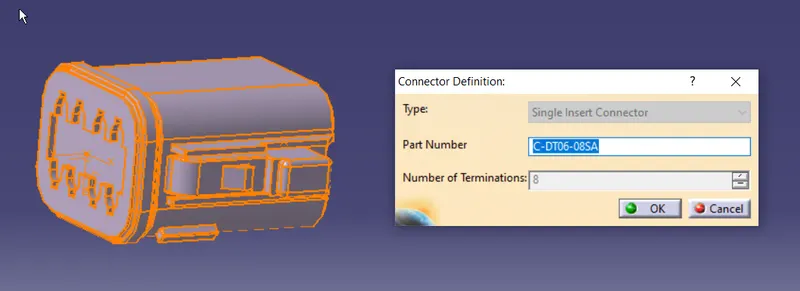
3.SWITCH TO ELECTRICAL PART WORK BENCH TO CONVERT MECHANICAL TO ELECTRICAL COMPONENT.
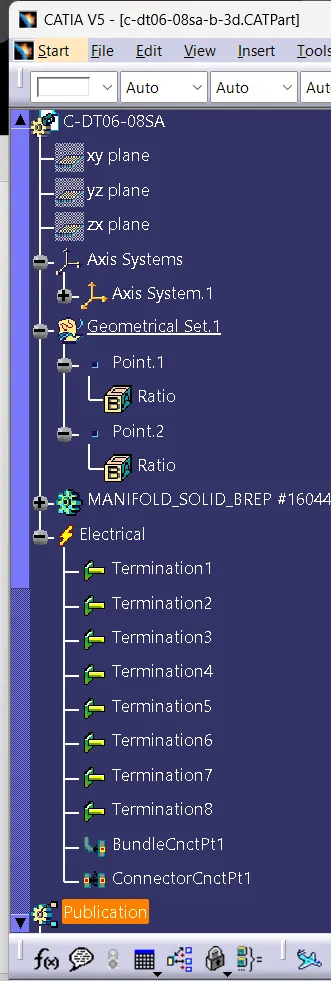
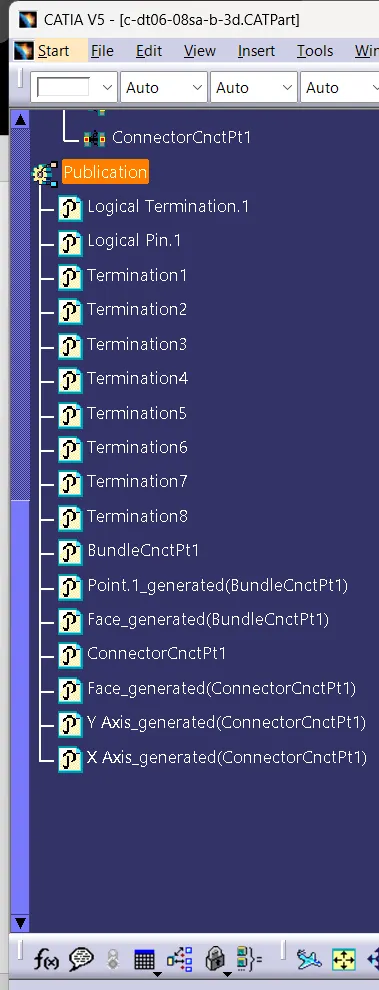
- define the component as connector with number of termination as 8
- define bunle connection point
- define connector connection point
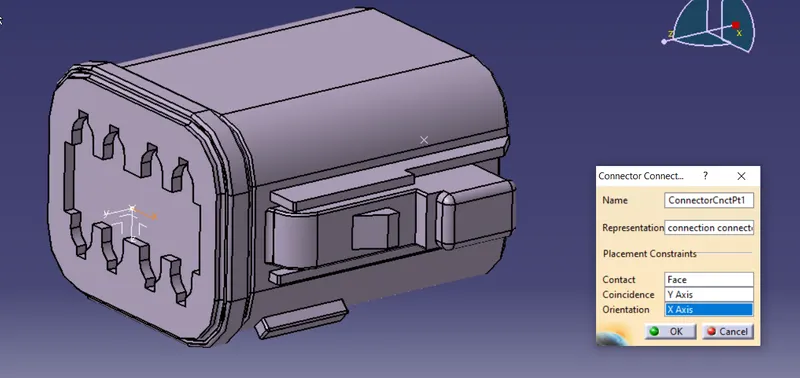
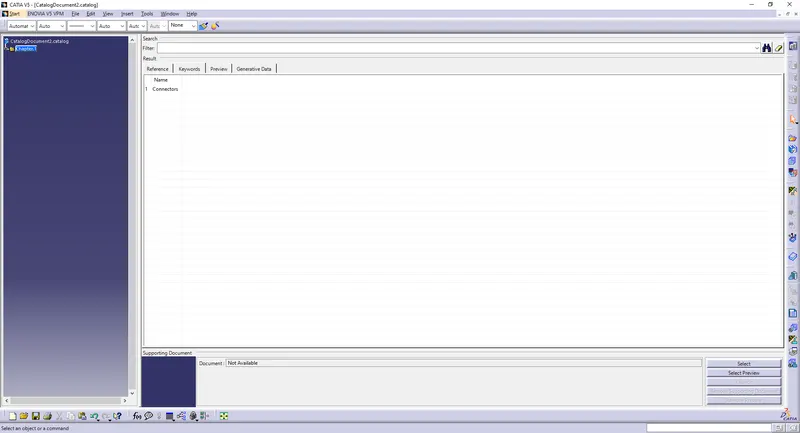
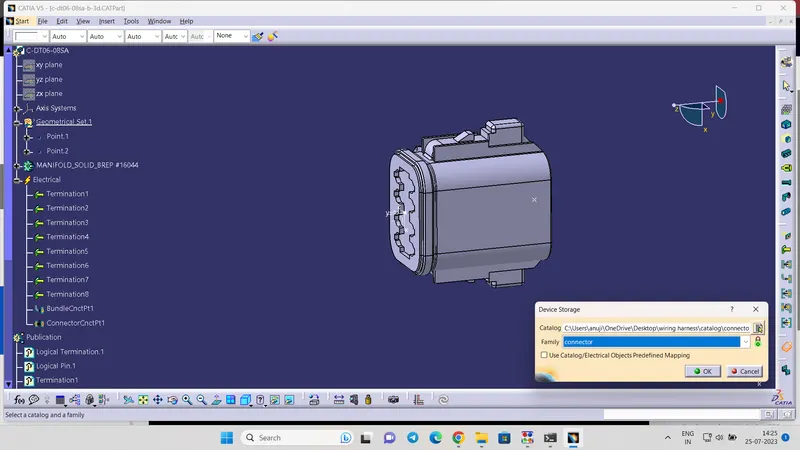
4.STORE TO CONNECTOR CATALOG
- create an catalog for the connector and store the component in it.
5.TREE STRUCTURE
Tyco 174357-2
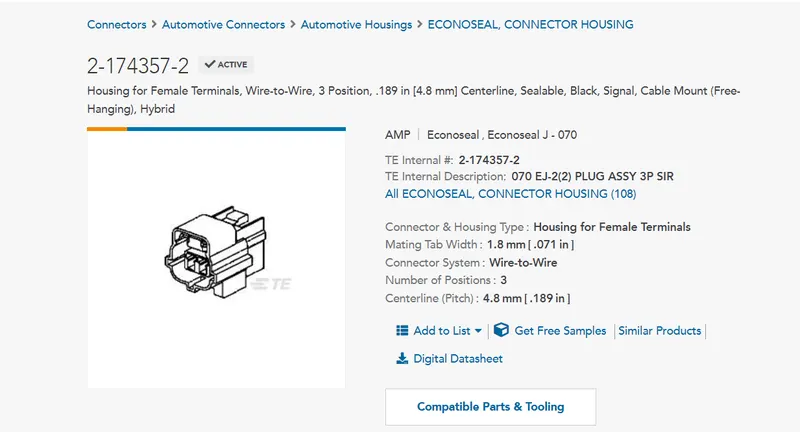
1.CAD DATA
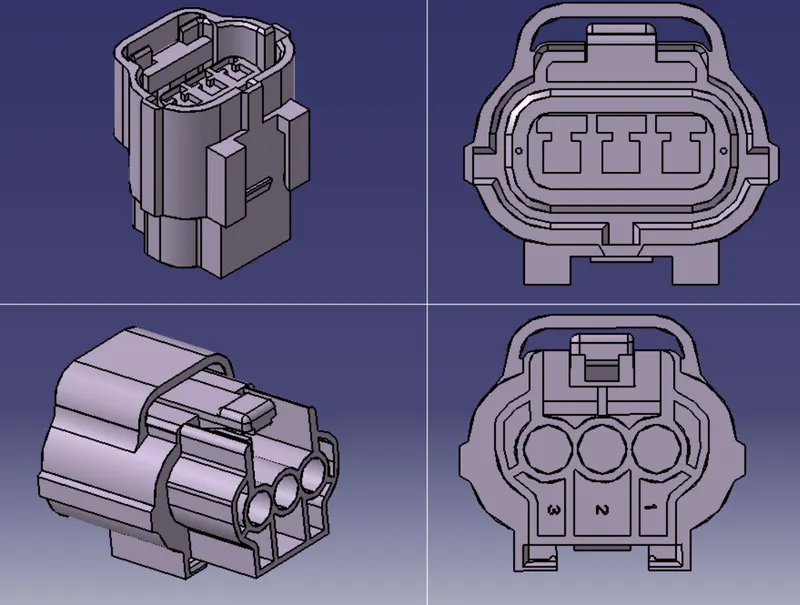
2. CREATE POINT AND AXIS SYSYEM IN MECHANICAL PART DESIGN WORK BENCH
- Creating centerpont on bundle connection side
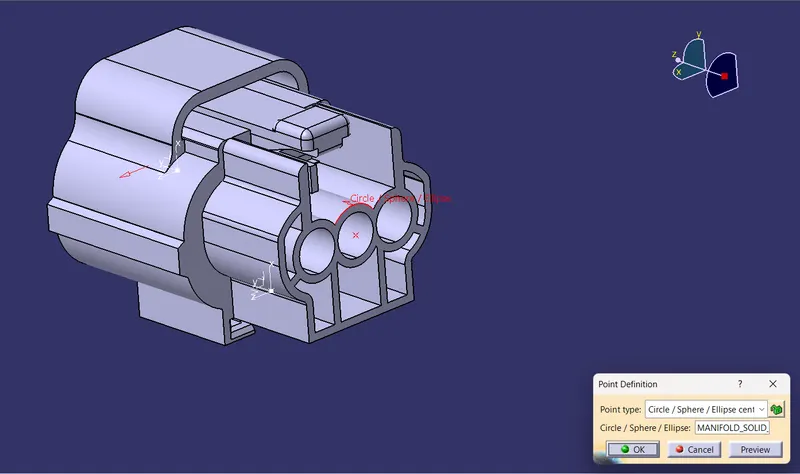
- Creating center point for connector connection
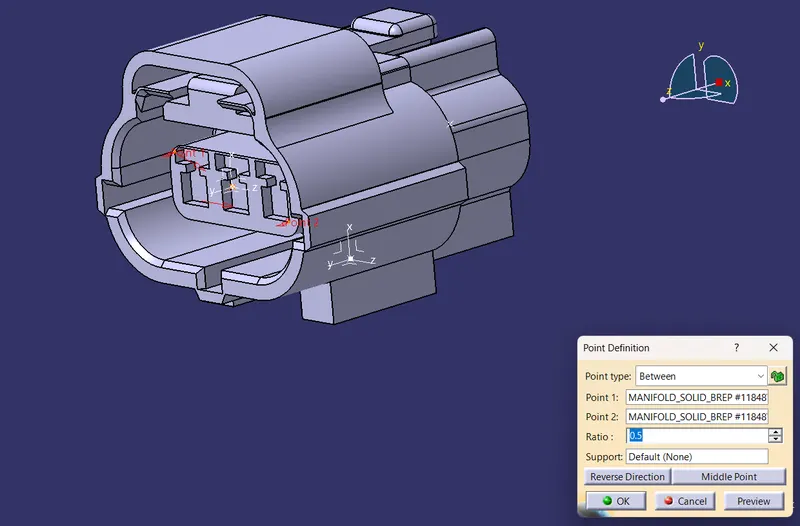
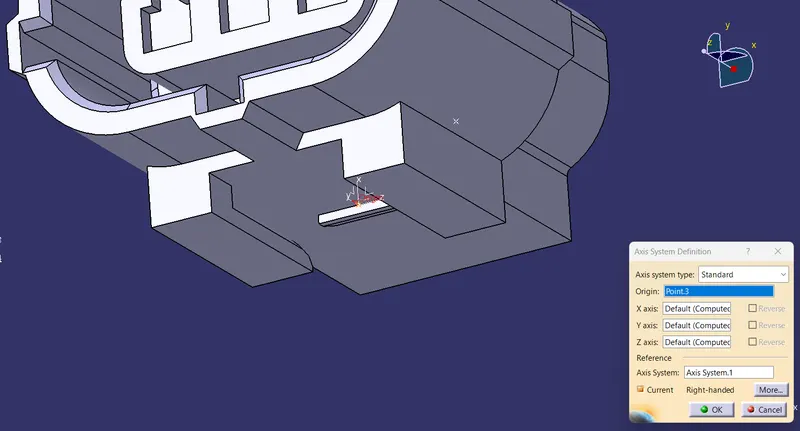
- Creating center point for clip cavity mid point
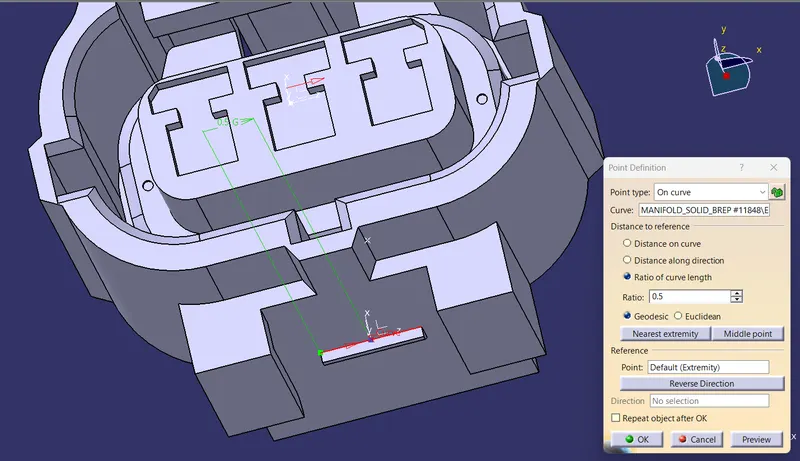
- create axis system for connector conection . x-axis towards lock, y-axis towards conection direction
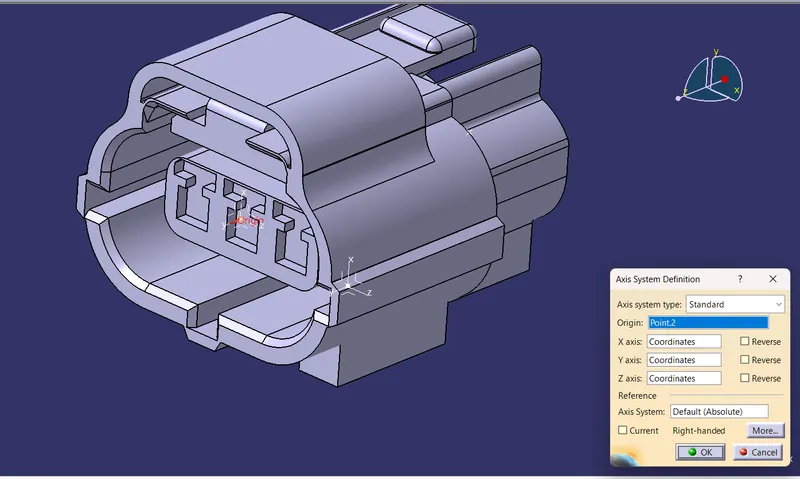
- Create axis system for clip cavity mount . x-axis towards lock, y-axis towards conection direction.
3.SWITCH TO ELECTRICAL PART WORK BENCH TO CONVERT MECHANICAL TO ELECTRICAL COMPONENT.
- define the component as connector with number of termination as 3
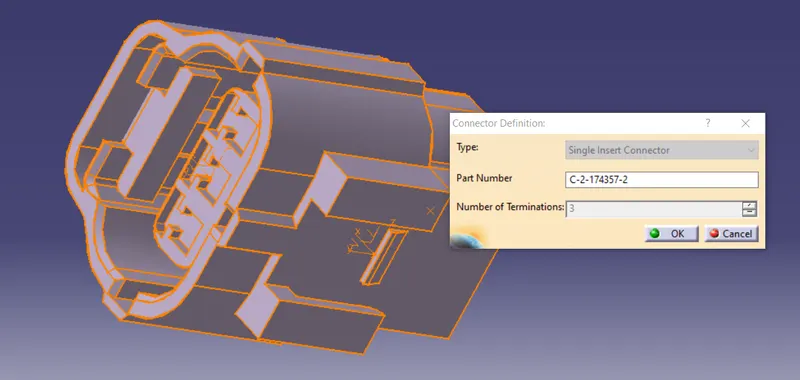
- define bundle connection point
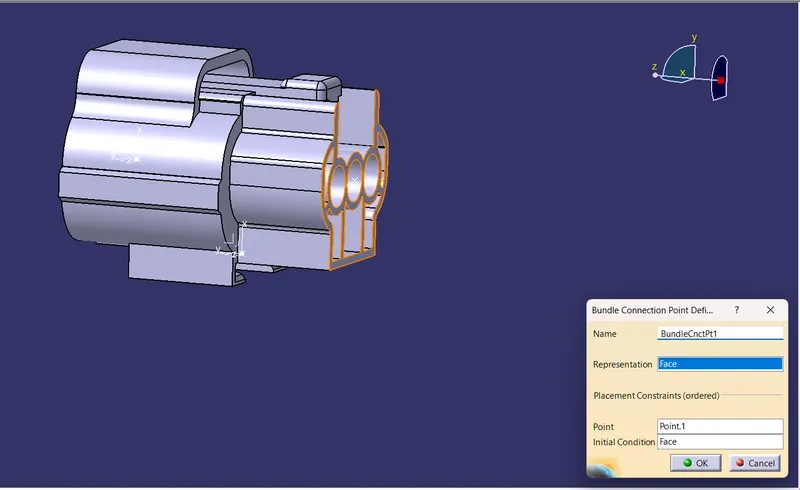
- define connector connection point
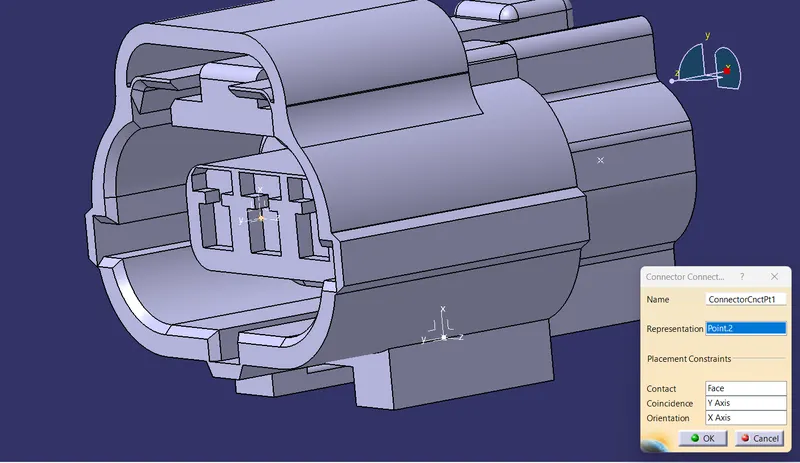
4.STORE TO CONNECTOR CATALOG
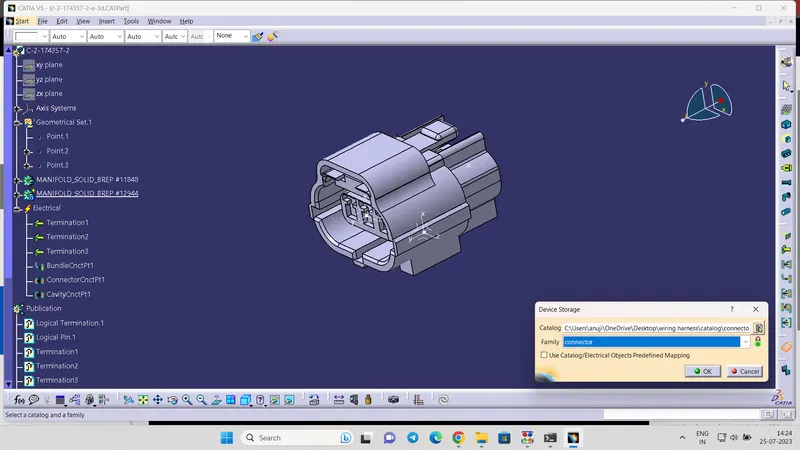
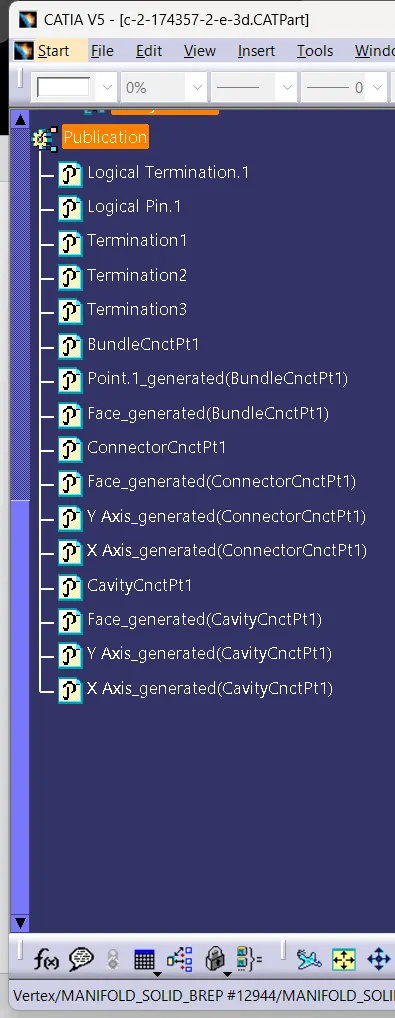
5.TREE STRUCTURE
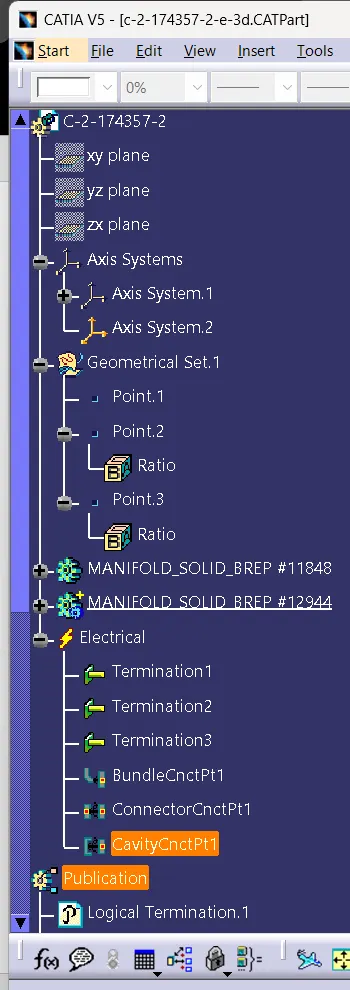
Tyco 85229-1
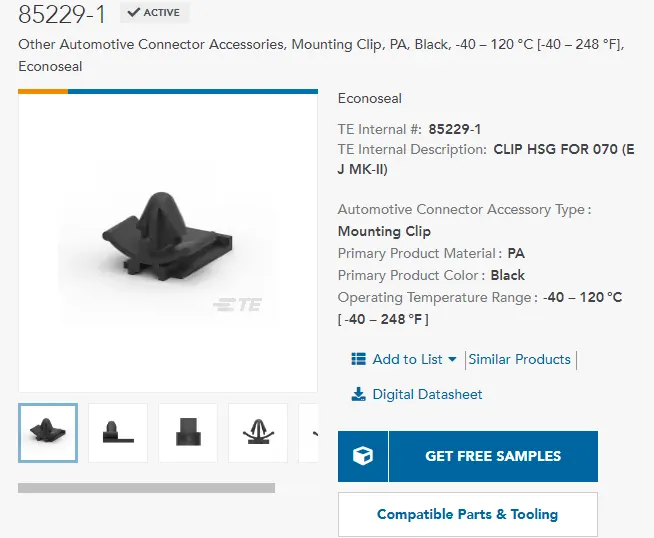
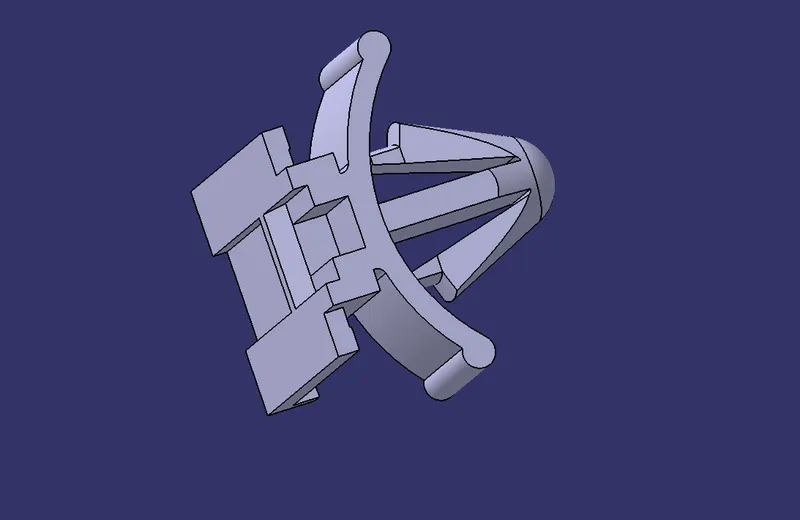
1.CAD DATA
2. CREATE POINT AND AXIS SYSYEM IN MECHANICAL PART DESIGN WORK BENCH
- Creating center point on the contacting edge for clip cavity mid point
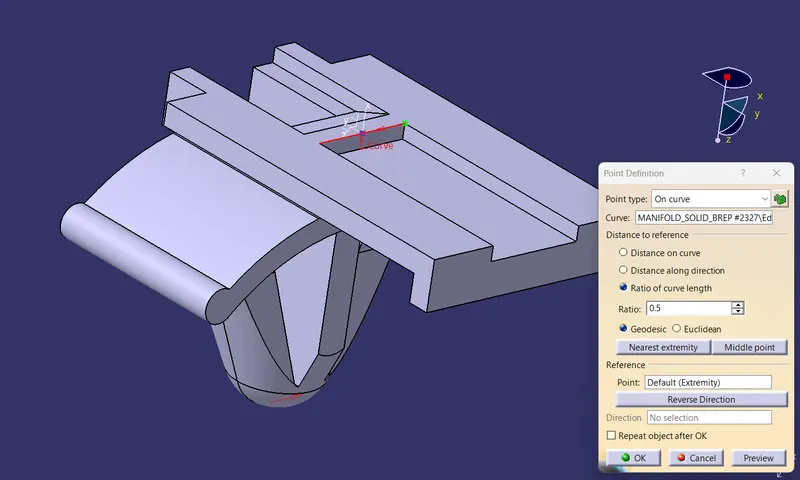
- create axis system
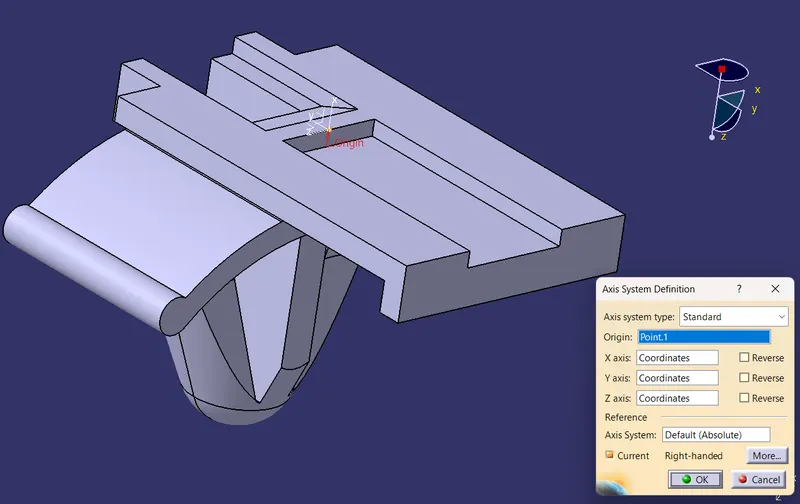
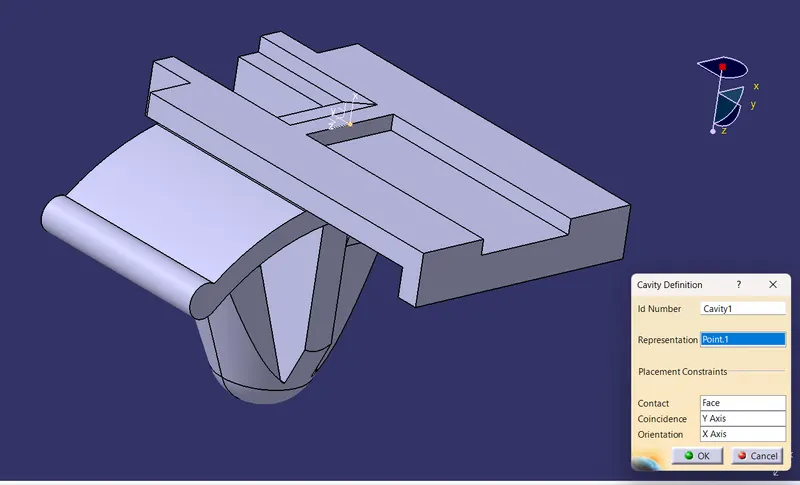
3.SWITCH TO ELECTRICAL PART WORK BENCH TO CONVERT MECHANICAL TO ELECTRICAL COMPONENT.
- define as mounting equipment and define the component as cavity
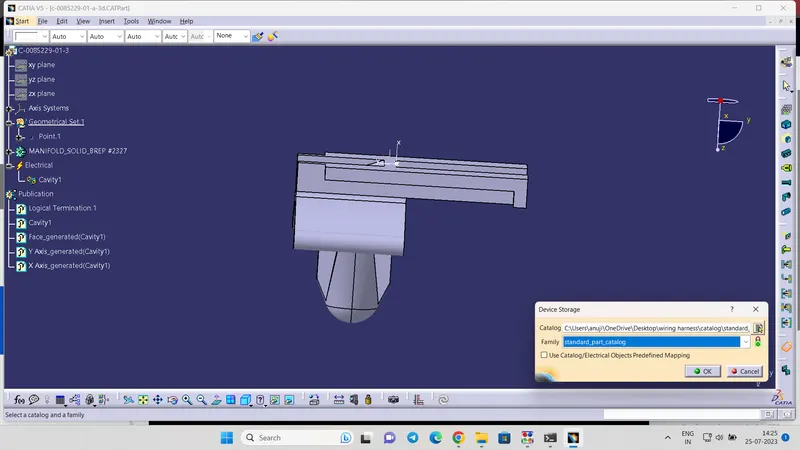
4 STORE TO STANDARD CATALOG
5.TREE STRUCTURE
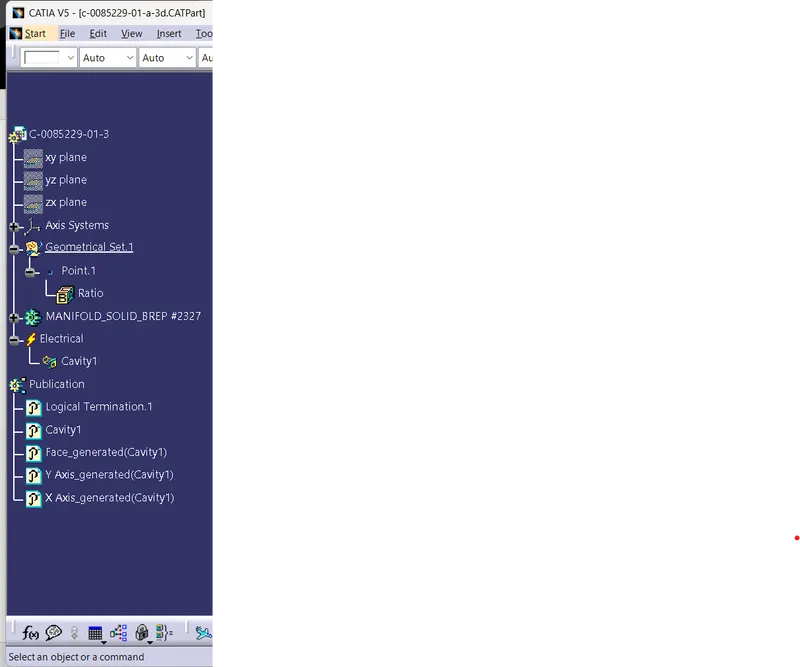
CONCLUTION: All the necessary properties of Connectors & Clip are Defined.