Wiring harness design in CATIA V5 - 3D modeling Week 2 Challenge
AIM:
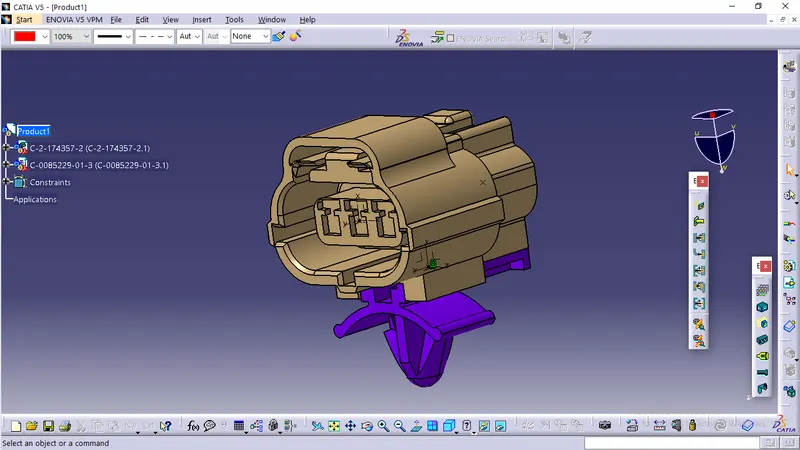
Download following connectors & Connector clip cad data from given link & define it as Electrical Connector using Electrical Part design Workbench. Define all the necessary properties to Connectors & Clip.
- Deutsch DT06 – 08SA ( https://www.te.com/usa-en/product-DT06-08SA.html)
- Tyco 174357-2 (https://www.te.com/usa-en/product-2-174357-2.html?source=header-match)
- Tyco 85229-1 (https://www.te.com/usa-en/product-85229-1.html?q=85229&source=header
CONNECTOR DEFINATIONS IN CATIA V5
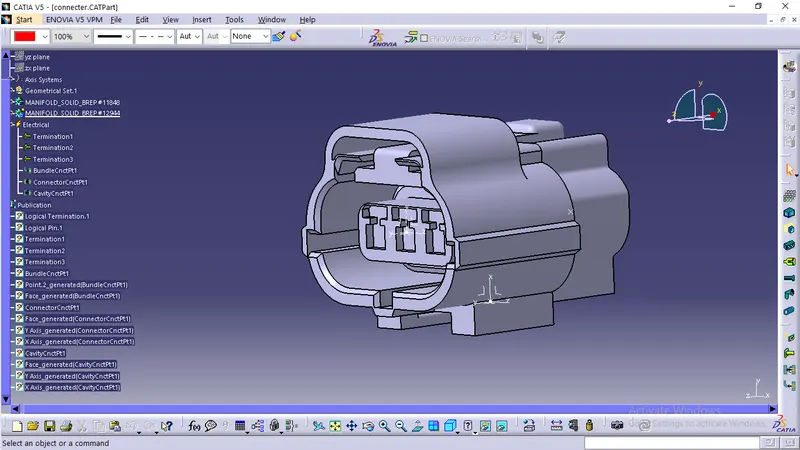
yco 174357-2 :
- Create midpoint
- create Connector connection point
- create Connector connection axis system
- create cavity connection point
- create cavity connection axis system
- Switch to Electric part design and define part as connector
- Define Connector connection point and cavity connection point
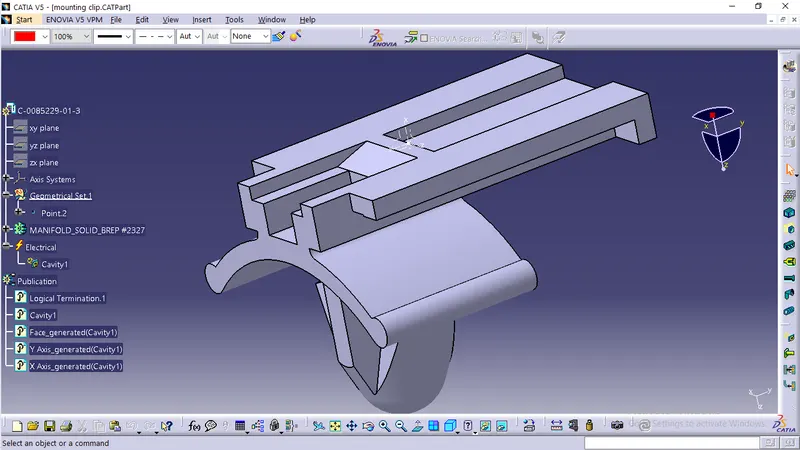
3. Tyco 85229-1 :
- Create midpoint
- create cavity connection point
- create cavity connection axis system and orientation should be same as in connector
- Switch to Electric part design and define part as Mounting Equipment
- Define cavity connection point
Elctric Assembly Design
- Import Connector and cavity / mounting clip.
- Select Defing Eelectric connection
- select cavity and then connector.