Week 8 - Challenge 1 - Base Bracket Design
Detailed report.
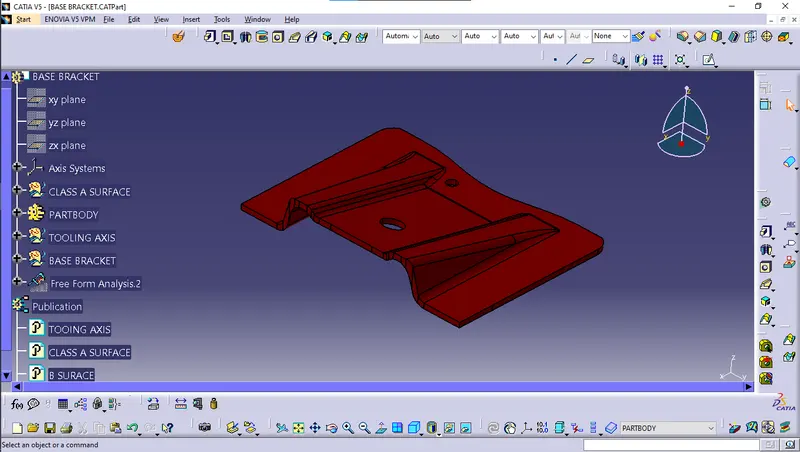
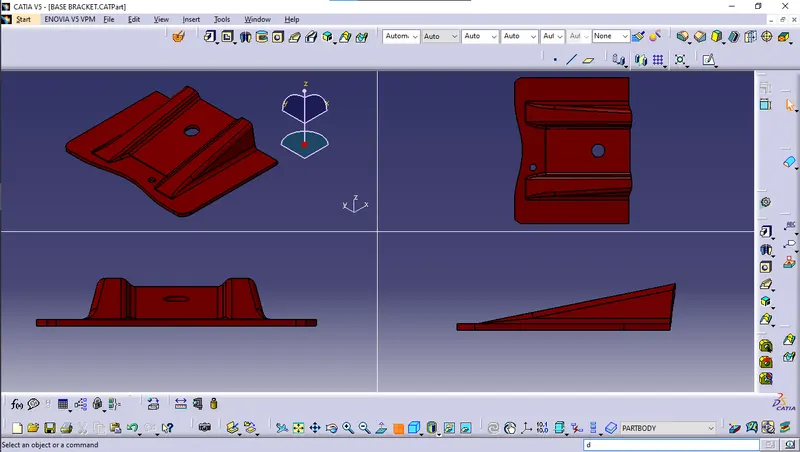
Check the connectivity of the Class A Surface Ensure that there is no gap between the component, using join command. We can visually check it or by clicking boundary command. It has 3 boundaries one outer and two inner circle boundaries. Therefore first check completed. Find the tooling axis of the component. The tooling axis is nothing but the mould opens or cavity opens. Check visaully which is the best possible tooling axis.
Check all three axis. Along x it possible but expensive and y is not possible. z is the best possible tooling axis. Creating a Tooling axis along z:
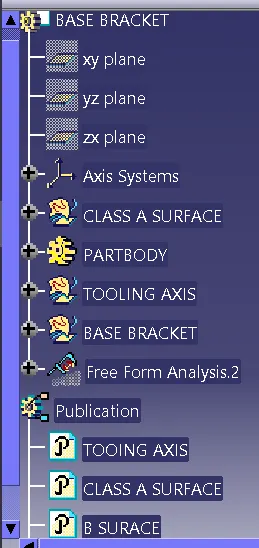
Now creating Class B Surface:
Intially extracting the right side rib using extract option from Class A surface. Then perform Extrapolate inorder to increase the length Now trim the surfaces to required surfaces Then Offset the surface inorder to get the required thickness Similary create the left side rib Now Similarly get the slanted as well as the flat surface and offset it to desired value And now trim inorder to get the required surface Now fillet the surface to required amount.
Therefore the main tooling axis is along z axis.
Now perform the Draft analysis using the Featured Draft Analysis tool in the tools.
Then after opening the draft analysis tool box go for the compass and place the compass alinged to tooling axis and click on the lock symbol after alinging and further click on the surface.
EXPLANATION ON BISECTING METHOD:
Bisecting method is basically use to find the proper tooling axis using the dummy tooling axis. In Bisecting method, bisecting line is used
which either bisect the two line or it will show error which means the two lines are parallel to each other. In order to know whether the
particular surface is toolable or not we intersect the surface with the respective plane and get a sketch which consist of two lines and
with the help of bisecting line option we bisect the line which creates a line at the mid point of the two lines. Like wise we create tooling
clearing axis for x and y which will be used to create the main tooling axis using the bisecting line option in in the line comand.