Week 9 Tension and Torsion test challenge
Aim : To perform tension and torsion test on a specimen
Software: Ansys 2021 R1
Summary
Objective
Procedure for setup
Results
Conclusion
Objective:
To perform tension and torsion test on a specimen
To find out the total deformation, equivalent stress and temperature of the specimen for each test.
Introduction:
This project is about performing tension and torsion test on a specimen. Tension test consists of stretching a specimen hence it is elongating, resulting in necking or rupture and torsion test consists of twisting the specimen at a given angle.
Procedure for setup
Open ANSYS>>Drag and drop Explicit Dynamics model in the project schematic window
Go to the engineering data to choose the materials: Steel 1006
Go to the model tab
Rename the specimen as required
Go to Coordinate system
Set the following coordinate systems to the two side of the specimen
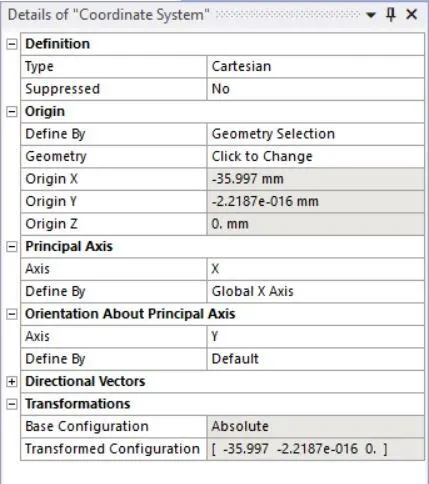
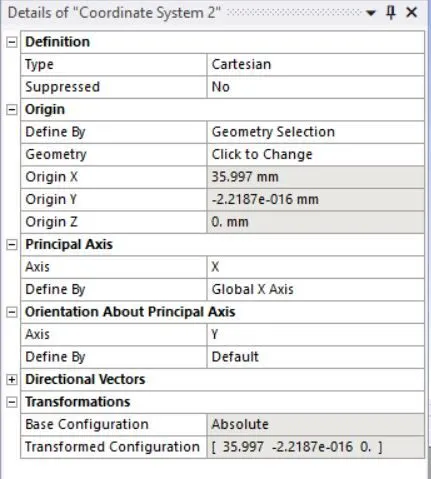
For torsion test we need to add one more coordinate system which will be cylindrical type:
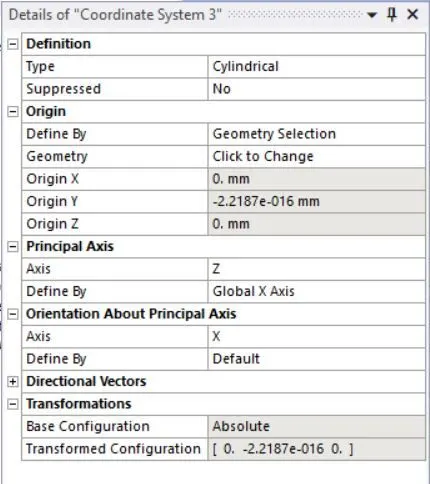
Go to tab for the meshing:
For the meshing add method as follows
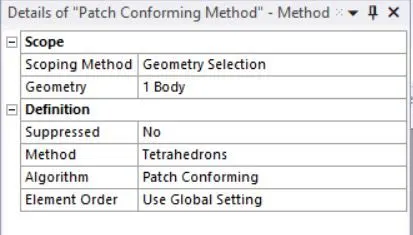
Set the following sizings
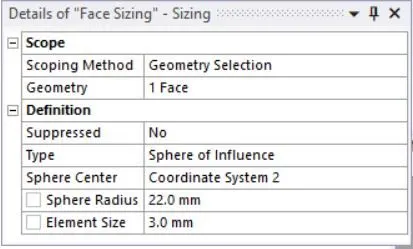
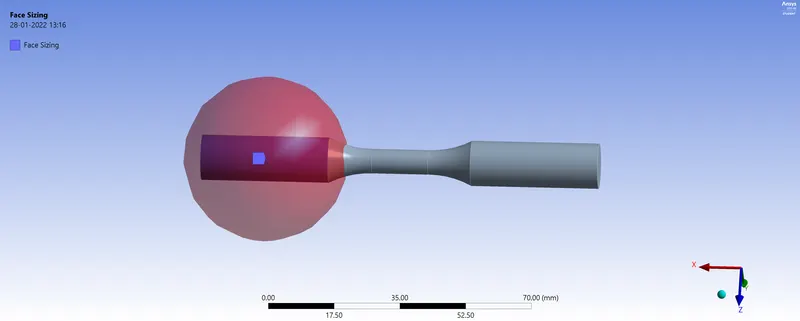
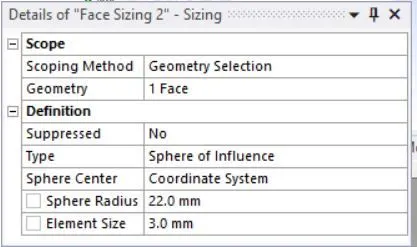
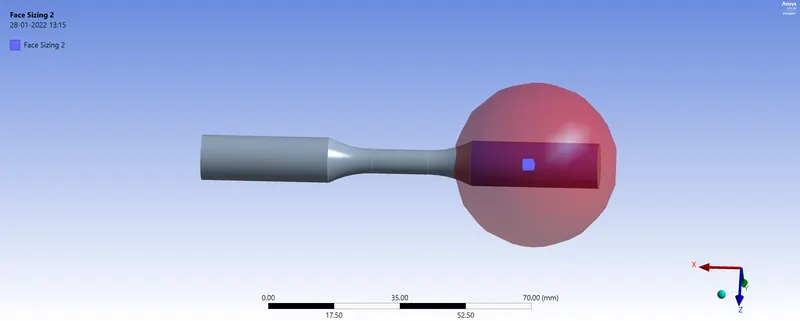
In the case of torsion we need to add two more sizings as follows
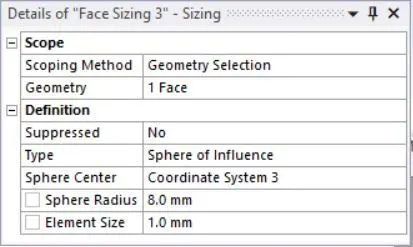
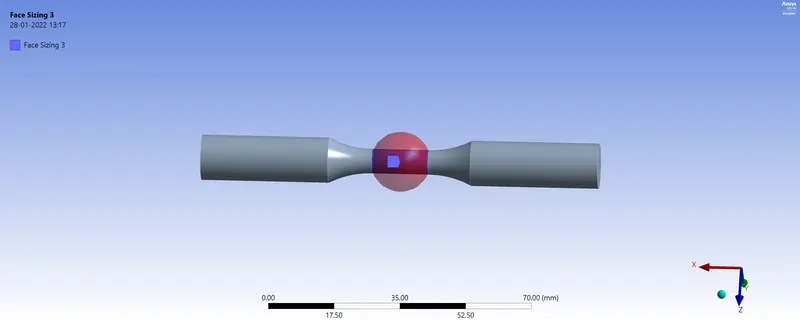
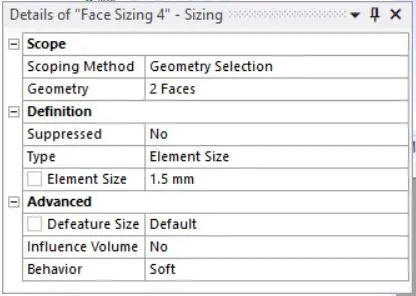
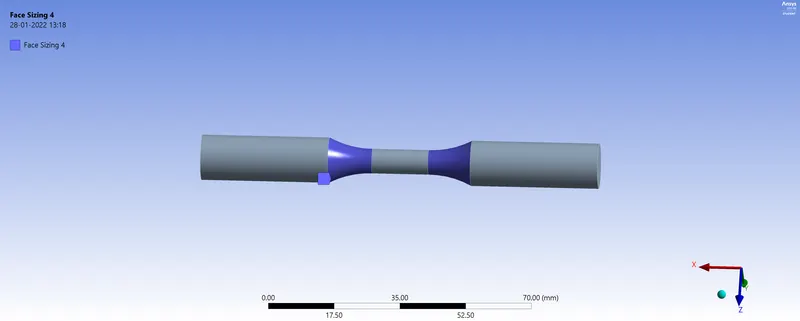
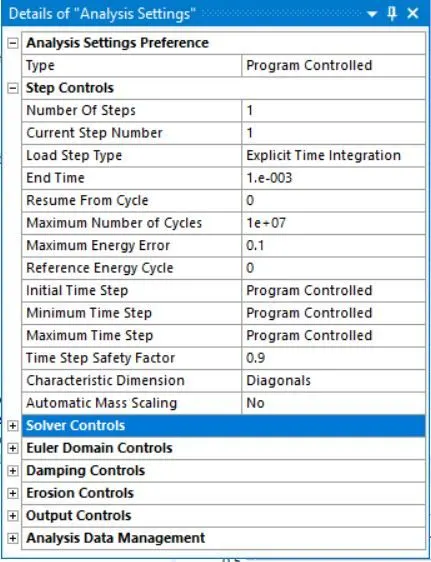
The following analysis settings are defined for the simulation.
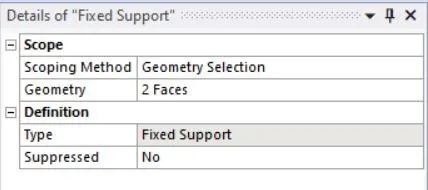
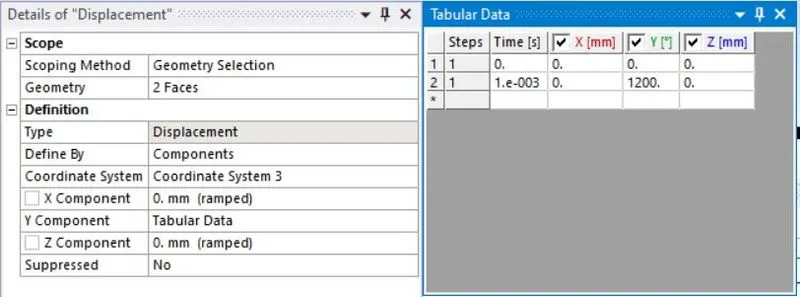
Set the fixed support and the displacement:
In the case of tension test we just need to give the value of displacement along z axis but in torsion test the value is given in degree.
Go to solution tab and insert Total Deformation, Equivalent Stress and temperature
Results
Tension test
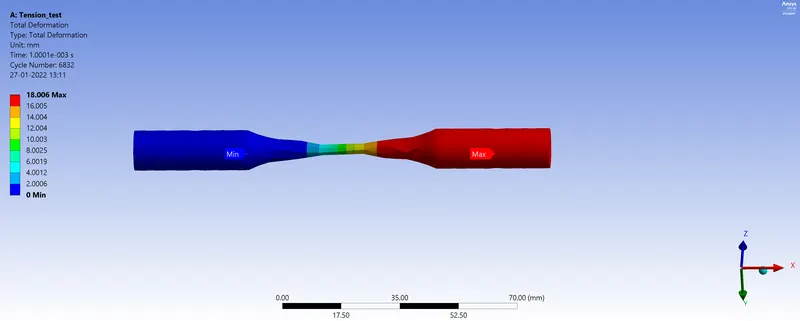
Total Deformation
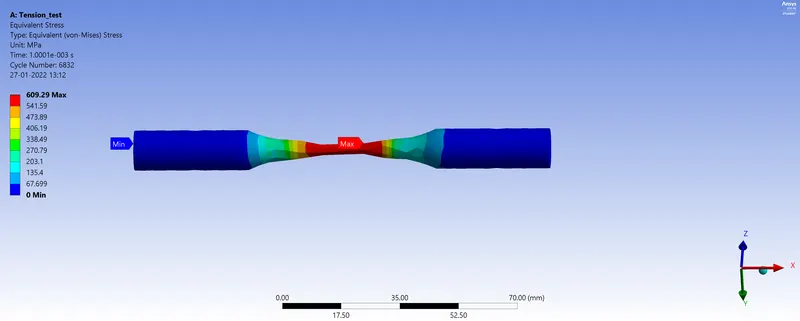
Equivalent Stress
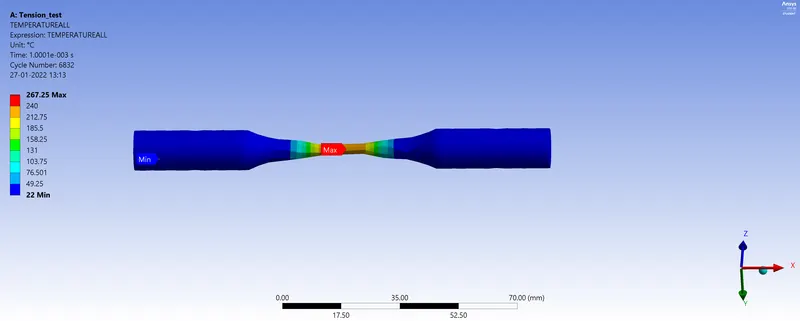
Temperature
Torsion test
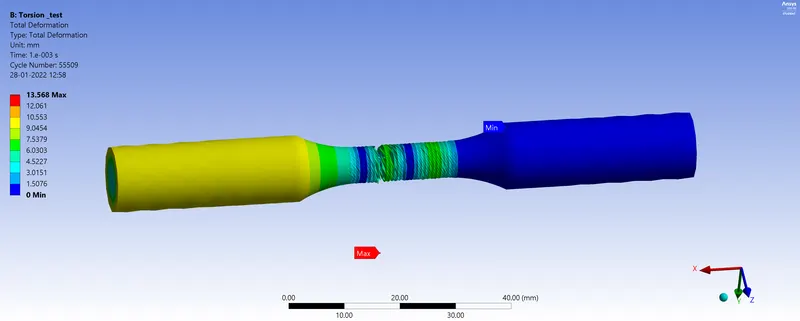
Total Deformation
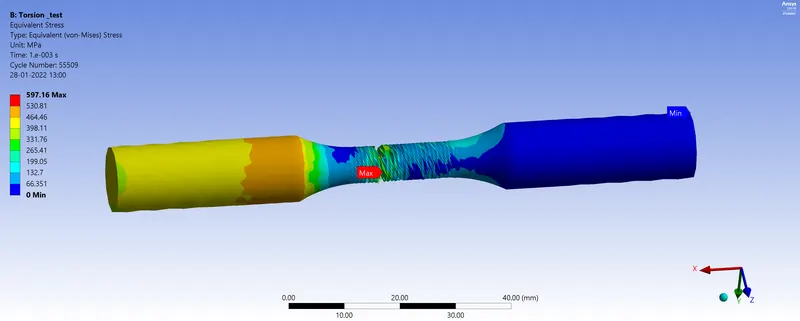
Equivalent Stress
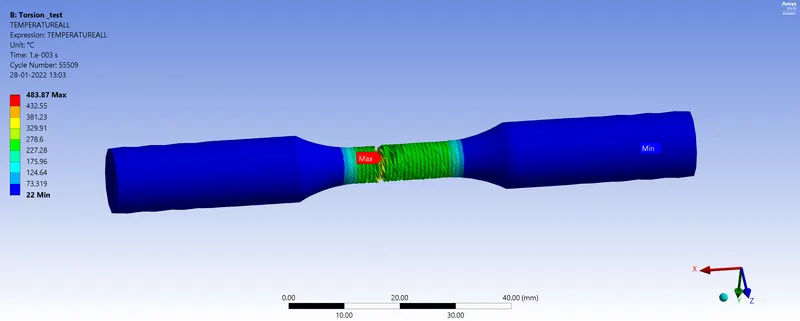
Temperature
Summary table
|
Tests |
Total Deformation (mm) |
Equivalent Stress (MPa) |
Temperature (° C) |
|
Tension |
18.006 |
609.29 |
267.25 |
|
Torsion |
13.568 |
597.16 |
483.87 |
Conclusion
Through this simulation, we get an idea about equivalent stress, total deformation and temperature which can be produced during a tension or torsion test on a specimen.