Week - 9 - Reflecting the geometry
Aim:
To create a code that performs reflecting the geometry
Objective:
Create a macro that will reflect given multicomponent FE part with ease
It should be independent of deck
The inputs should be original CAD comp, reflected CAD comp and original FE comps
Name of the reflect component should also be taken as input from the user. Also ask the user to suffix the name with an “_” by displaying a help string.
Code:
proc optistruct {c t} {
set opti [hm_getsolver]
	if {$opti == "optistruct"} {
	set n $c
	set m $t
	*createmark comps 1 $n
	if {[hm_entityinfo exist comps $n] !=0} {
	puts [tk_messageBox -message "The Component already exists" -icon warning -type ok -title Message]
	} else {
	*createentity comps cardimage=Part includeid=0 name=$n;
	*createmark comps 1 $n
	set compid [hm_getmark comps 1]
	*createentity props cardimage=PSHELL includeid=0 name=$n;
	*createmark props 2 $n
	set propid [hm_getmark props 2]
	*setvalue props id=$propid STATUS=1 95=$t;
	*setvalue comps id=$compid propertyid={props $propid};
	}
}
}

proc radioss {c t} {
set radi [hm_getsolver]
	if {$radi == "radioss"} {
	set n $c
	set m $t
	*createmark comps 1 $n
	if {[hm_entityinfo exist comps $n] !=0} {
	puts [tk_messageBox -message "The Component already exists" -icon warning -type ok -title Message]
	} else {
	*createentity comps cardimage=Part includeid=0 name=$n;
	*createmark comps 1 $n
	set compid [hm_getmark comps 1]
	*createentity props cardimage=P1_SHELL includeid=0 name=$n;
	*createmark props 2 $n
	set propid [hm_getmark props 2]
	*setvalue props id=$propid STATUS=1 431=$t;
	*setvalue comps id=$compid propertyid={props $propid};
	}
}
}


proc reflect {} {

	*clearmarkall 1; *clearmarkall 2;
	set name [hm_getstring Component_Name "Enter name of reflect component followed by _"]
	*createmarkpanel comps 1 "Select the component containing original geometry to be reflected"
	set o_geom [hm_getmark comp 1]
	*createmarkpanel comps 1 "Select the component containing target geometry"
	set t_geom [hm_getmark comp 1]
	*createmarkpanel comps 1 "Select the FE components you want to reflect"
	set o_fea [hm_getmark comps 1]

	set profile [hm_info templatetype]
	foreach i $o_fea {
		set t [hm_getthickness comps $i]
		set old_n [hm_entityinfo name comps $i]
		set n $name$t
		$profile $n $t
		*createmark elements 1 $old_n
		*copymark elements 1 $n
		*displaycollectorwithfilter components "off" "$old_n" 1 0
		}
	*createmark comps 2 "displayed"
	*autocolorwithmark components 2

	*clearmarkall 1; *clearmarkall 2;
	*createmark surfaces 1 "by collector" $o_geom
	set o_cog [hm_getcentroid surfaces 1]
	*createnode [lindex $o_cog 0] [lindex $o_cog 1] [lindex $o_cog 2] 0
	*createmark node 2 -1
	set o_node [hm_getmark node 2]

	*createmark surfaces 1 "by collector" $t_geom
	set t_cog [hm_getcentroid surfaces 1]
	*createnode [lindex $t_cog 0] [lindex $t_cog 1] [lindex $t_cog 2] 0
	*createmark node 2 -1
	set t_node [hm_getmark node 2]

	set  intercepts [hm_getdistance nodes $o_node $t_node 0];
	*clearmarkall 1;
	*createnodesbetweennodes $o_node $t_node 1;
	*createmark nodes 1 -1
	set m_node [hm_getmark nodes 1];
	set m_node_info [hm_nodevalue $m_node];

	*clearmarkall 1;
	*createmark elements 1 "displayed"
	*createplane 1 [lindex $intercepts 1] [lindex $intercepts 2] [lindex $intercepts 3] [lindex $m_node_info 0 0] [lindex $m_node_info 0 1] [lindex $m_node_info 0 2]
	*reflectmarkwithoption elements 1 1 0;

	*clearmarkall 1; *clearmarkall 2;
	*createmark component 1 "displayed"
	*equivalence components 1 0.01 1 0 0
}
reflect;
Procedure and code explanation:
In order to create components and property create a procedure called optistruct
set opti [hm_getsolver] command is used to find the solver deck
if {$opti == "optistruct"} command is used if the deck is optstruct then you can proceed with further commands
*createmark comps 1 $n is the command that is used to store the components into a mark id 1
if {[hm_entityinfo exist comps $n] !=0} is used to find the exists component with the same name. If there are any tk_messageBox -message "The Component already exists" -icon warning -type ok -title Message command is used to dispay the message box with warning of "The Component already exists"
*createentity comps cardimage=Part includeid=0 name=$n is the command that is used to create a component with the specified name.
*createentity props cardimage=PSHELL includeid=0 name=$n is the command that is used to create a property with the specified name.
*setvalue props name=$n STATUS=1 95=$t is the command used to assign thickness with the specified value.
Using this procedure, create another procedure called radioss or you can create any solver deck.
To select the parent component and target component *createmarkpanel is used. It will open the particular entity panel to choose. using this command parent component, target component and the FE component is selected.
foreach loop is used for every component 'i' present in the list 'o_fea'. The thickness of the compoent 'i' is stored in variable 't' and name of the component 'i' stored in 'old_n'.
A new variable 'n' has the concatenation of 'name' and 't'. This creates the respective component and property to which the reflected elements will be added.
A mark is created for all the elements in component 'old_n'and these are copied to the component 'n'.
Then the components 'old_n' are turned off and the foreach loop is ended.
Then a mark is created with all surfaces in 'o_geom'. The centroid for target and original geometries is created and stored in 'o_cog' and 't_cog' respectively. A node is created at each centroid named 'o_node' and 't_node' respectively.
A mark is created with all displayed elements and a intercept is created at intercept value and centre point between the centroids.
Then the elements are reflected with the created plane as refenrence. Then the equivalence is checked and corrected for the torelence value of 0.01 by using the command *equivalence components 1 0.01 1 0 0.
Output:
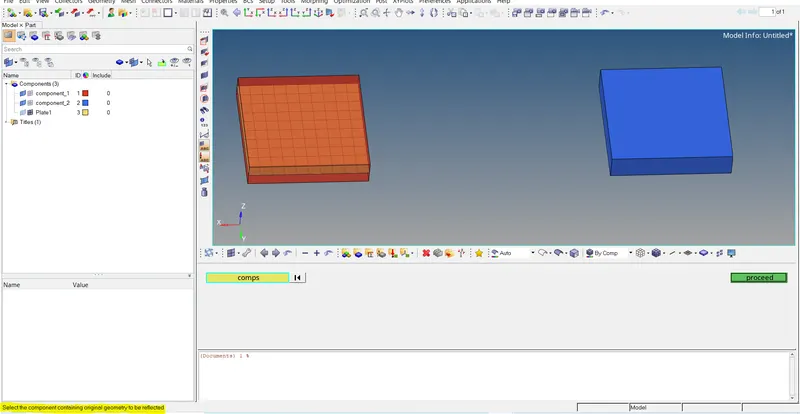
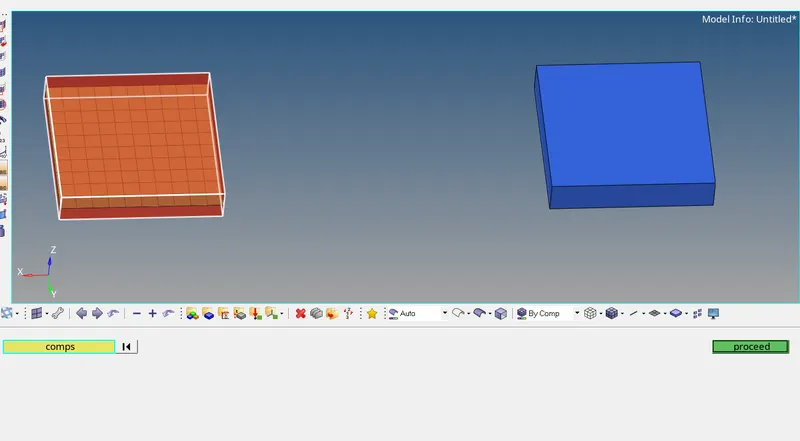
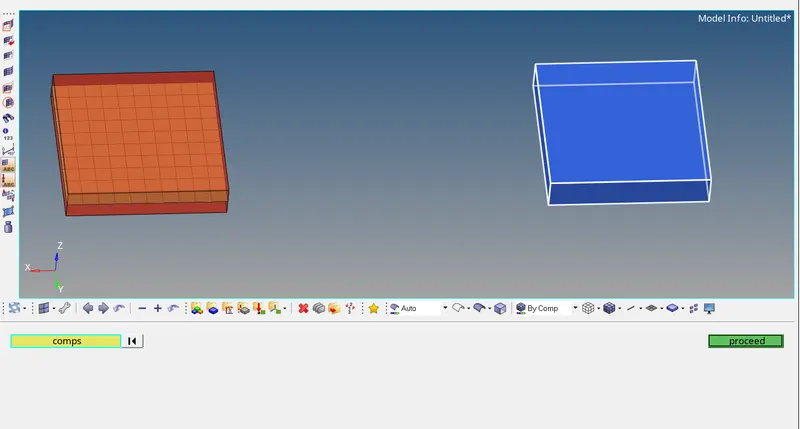
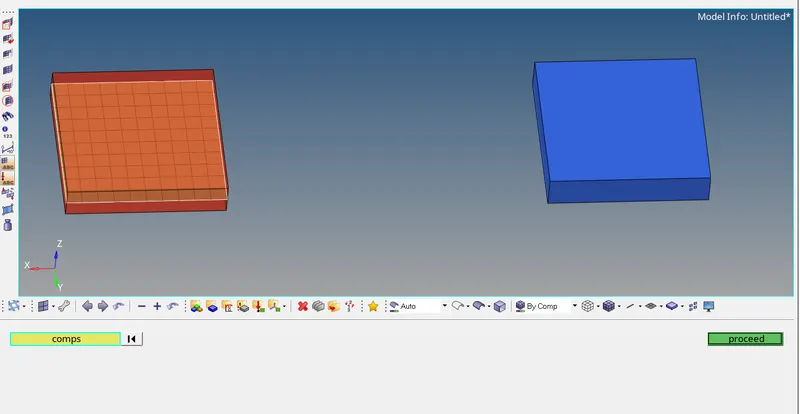
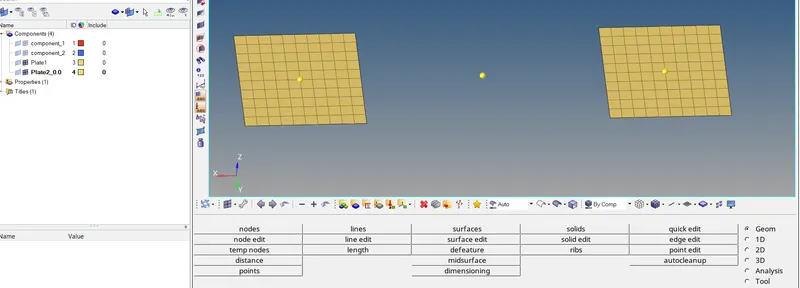
Conclusion:
Sucessfully created a macro for auto reflecting in hypermesh and the elemnts got reflected.