Week 4-1D Element Creation Challenge
OBJECTIVE:
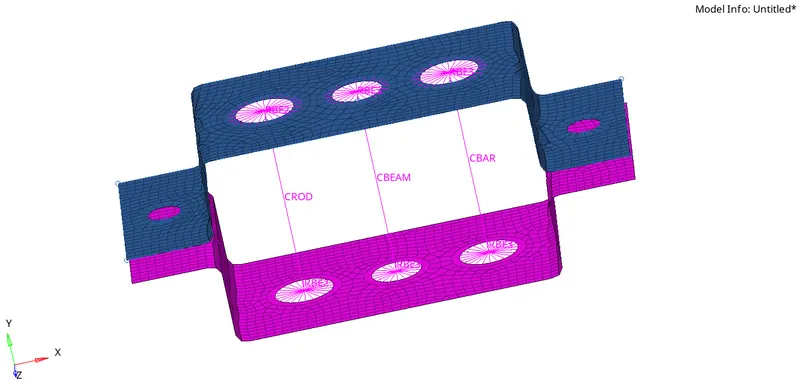
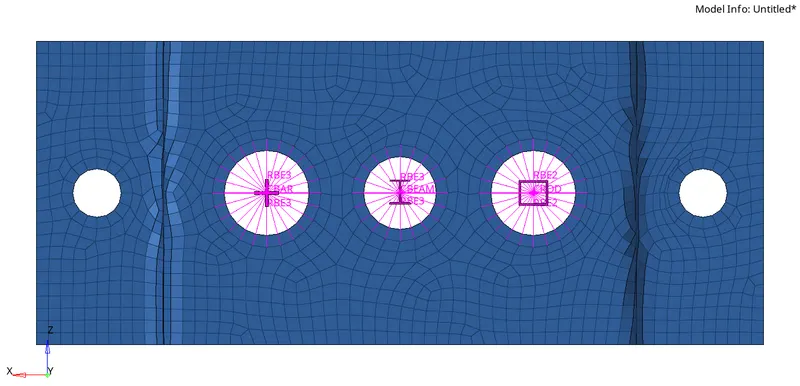
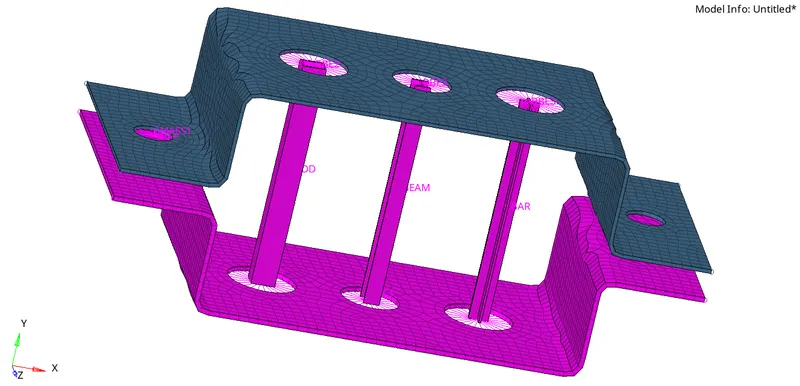
To mesh the given component with the size of 5 units & to create 1D elements on the following component with given cross-section and DOF.
GIVEN DATA:
a. Rod element:- Translational DOF should be Constrained with RBE2 link
Cross-Section: BOX- Dimension a= 12 mm
dimension b=10 mm
Thickness t= 0.75 mm
b. Beam element:- All DOF should be constrained with RBE3 link
Cross-Section: I Section- Dimension a= 8 mm
Dimension b= 10 mm
Dimension c= 8.5 mm
Thickness t1= 0.75 mm
Thickness t2= .6 mm
Thickness t3= .6 mm
c. Bar element:- Constrain only x and y DOFs With RBE3 link
Cross-section: X section- Dimension DIM1= 5 mm
Thickness DIM2= 1.2 mm
Dimension DIM3= 10 mm
Thickness DIM4= 1.2mm
d. & e. Apply the mass of magnitude 10 with the RBE2 link
f. Join the two components with Spring elements
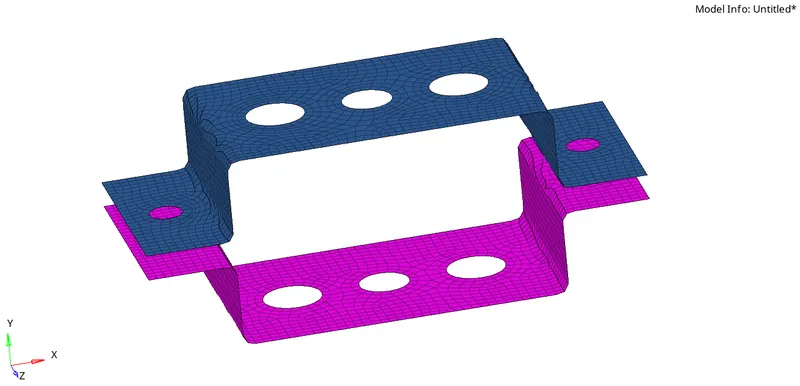
GIVEN MODEL:
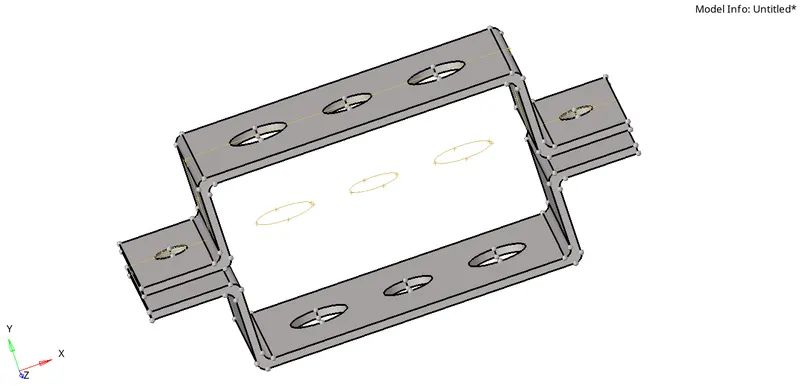
PROCEDURE:
Create mid surface on the given model. Auto mid surface has been used to extract the midsurface for this simple bracket.[geom<<midsurfaces] Create a material and assign to steel. Assign properties and give thickness and element type. Also assign the created property to the particular component and material. And create washer split to capture the mesh near the holes properly. The washer split offset value is given to 5 units. Do 2D mesh on the brackets and give element target length of 5 units. 1D elements like RBE2, RBE3,PBAR, PROD, PBEAM are used in this model. Create elements in the holes as per given data. To create a cross section hyperbeem is used, from the given data create rod, beam, bar elemnts using hyper beam.
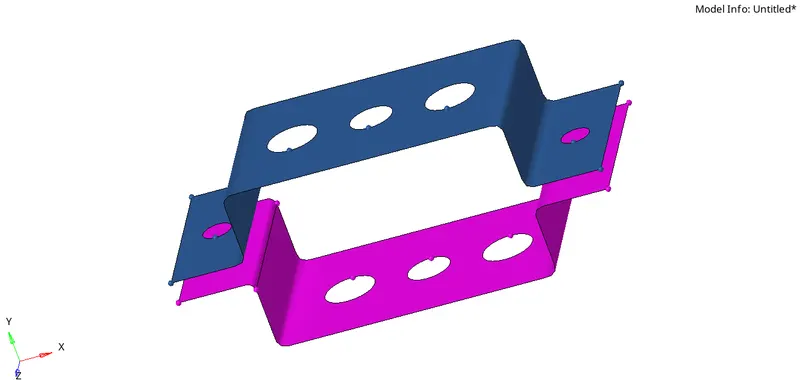
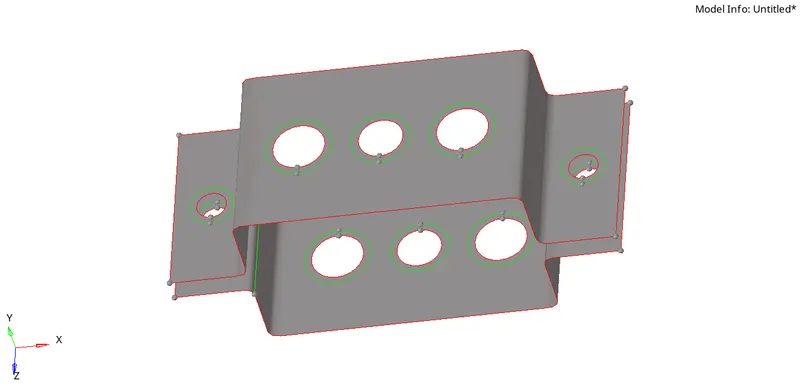
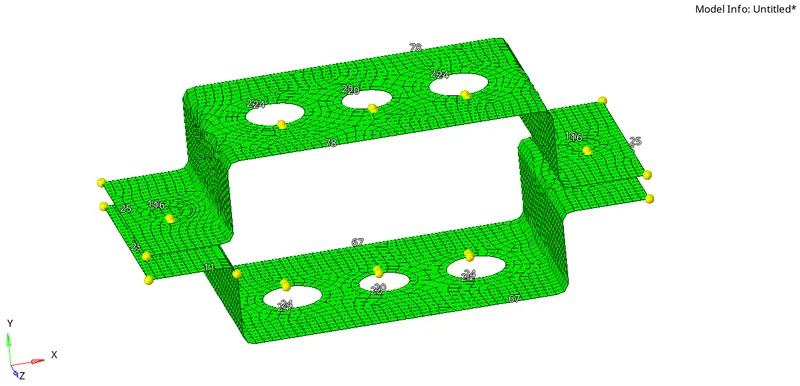
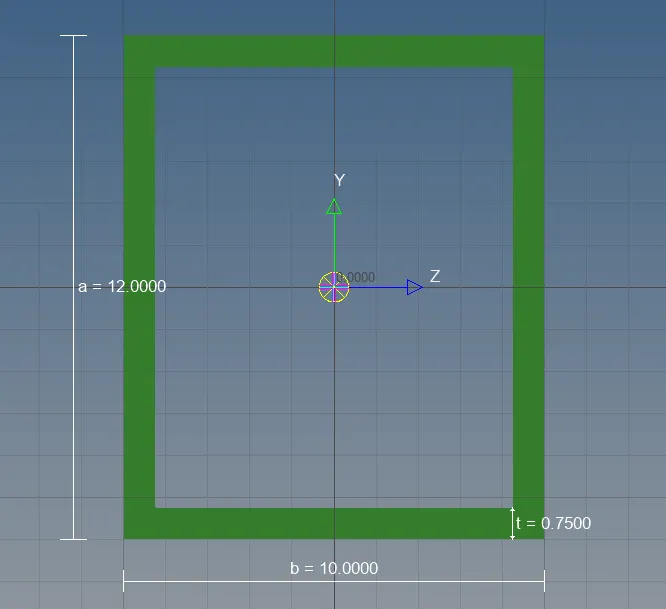
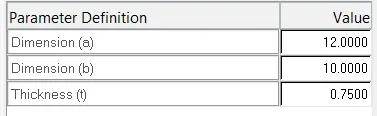
a) Rod element - (Cross section : box):
Dimension a=12mm, b=10mm and t=0.75mm
To create this cross section go to 1D<<hyperbeam<
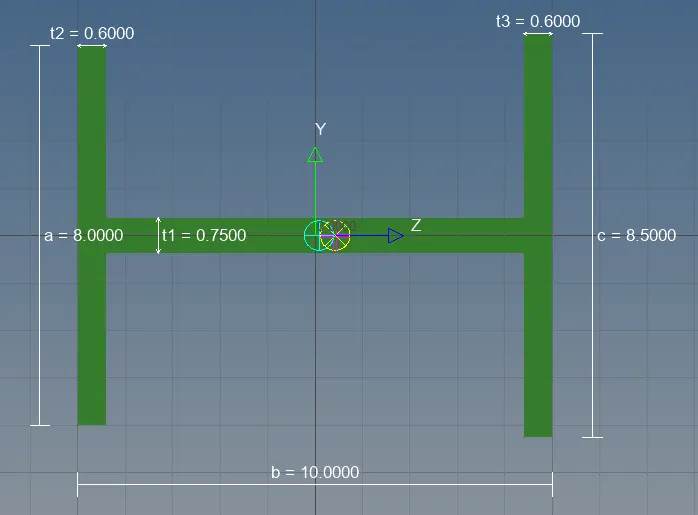
b) Beam element - (I - section):
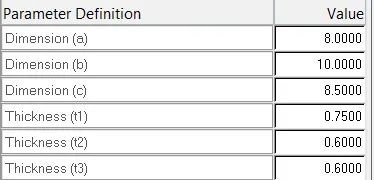
Dimension a=8mm, b=10mm and c=8.5mm
Thickness, t=0.75mm, t2=0.6mm, t3=0.6mm
To create this cross section go to 1D<<hyperbeam<
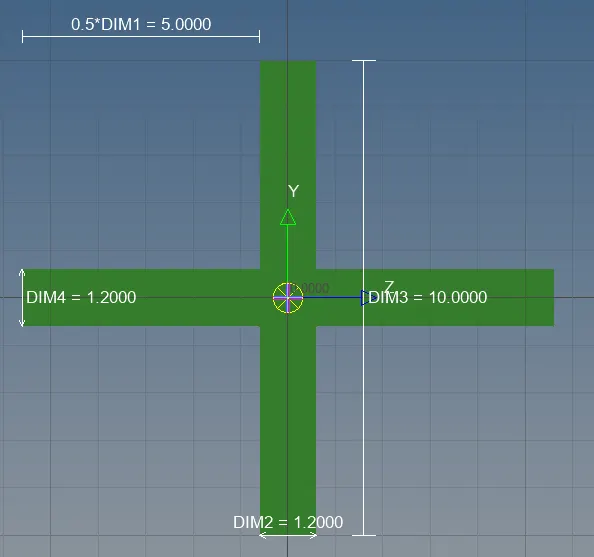
c) Bar element - (X - section):
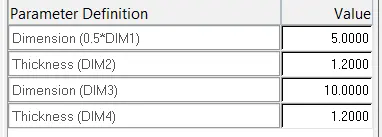
Dimension DIM1=5mm Thickness DIM2=1.2mm Dimension DIM3=10mm Thickness DIM4=1.2mm
To create this cross section go to 1D<<hyperbeam<
Hence, the cross section has been created for bar, beam, rod, the cross section should be assigned to the particular property.
Create RBE cluster element for hole by constarining DOF as per given data.
Create element by connecting center nodes on the holes and give the property
RESULT:
d) & e) Apply the mass of magnitude 10 with the RBE2 link:
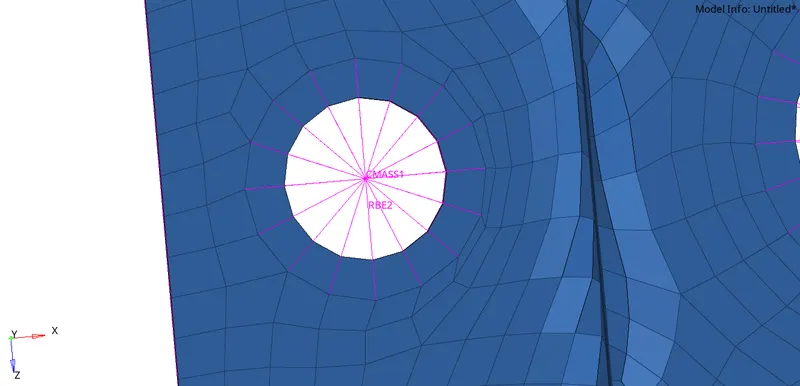
Create RBE2 cluster element for hole as per given data and apply a mass of magnitude 10. and the Cmass will be created.
e) Join the two components with spring element:
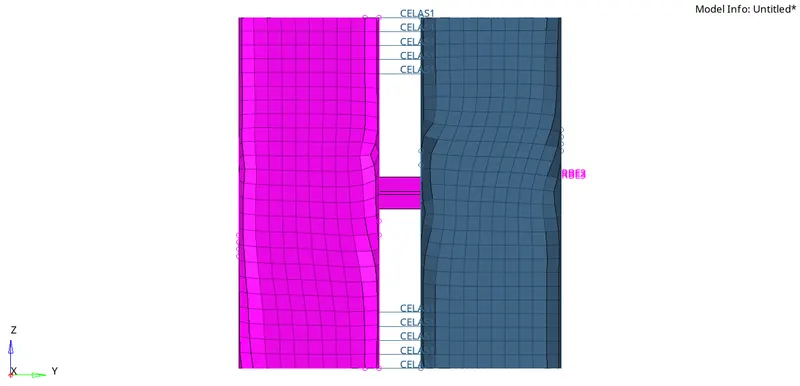
Join the two elements with spring elements. For that go to 1D element select spring and select first node on the first bracket and select second node on the second bracket and the spring element will be created.
Conclusion:
The 1D elements rod, beam, bar has been created as per the given inputs.