Week 9: Project 1 - Surface preparation and Boundary Flagging (PFI)
SURFACE PREPARATION AND BOUNDARY FLAGGING OF IC ENGINE MODEL AND SETTING NO HYDRO SIMULATION USING CONVERGE CFD
(WEEK-9 CHALLENGE)
- AIM
Our aim is to prepare the surface, flag boundaries and setup a no-hydro simulation of an IC engine model in converge, Cygwin terminal and post process in Paraview.
- THEORY/EQUATIONS/FORMULAE USED
Structure of CONVERGE CFD simulations
The basic steps for a simulation are as follows,
- Pre-processing [Converge Studio v3.0] – It is a leading CFD package for simulating 3D fluid flow. It is a user friendly interface which provides high productivity and easy-to-use workflows. Its features includes autonomous meshing, state of the art physical models, robust chemistry solver, and the ability easily accommodate complex moving geometries.
- Solving [Cygwin] – It is a large collection of GNU and Open Source tools which provide functionality similar to a Linux distribution on Windows.
- Post-processing [ParaView 5.9.0] – It includes analyzing the results by plotting the results as charts, contour, and exporting the data, also validating the results both qualitatively and quantitatively.
IC Engine
An internal combustion engine (ICE or IC engine) is a heat engine in which the combustion of a fuel occurs with an oxidizer (usually air) in a combustion chamber that is an integral part of the working fluid flow circuit. In an internal combustion engine, the expansion of the high-temperature and high-pressure gases produced by combustion applies direct force to some component of the engine. The force is typically applied to pistons (piston engine), turbine blades (gas turbine), a rotor (Wankel engine), or a nozzle (jet engine). This force moves the component over a distance, transforming chemical energy into kinetic energy which is used to propel, move or power whatever the engine is attached to. This replaced the external combustion engine for applications where the weight or size of an engine was more important.
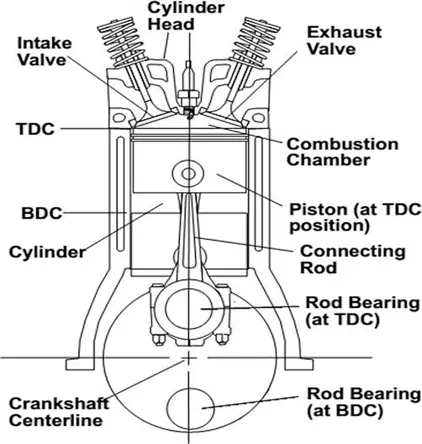
Fig: Example of IC Engine
The first commercially successful internal combustion engine was created by Étienne Lenoir around 1860 and the first modern internal combustion engine was created in 1876 by Nicolaus Otto.
The term internal combustion engine usually refers to an engine in which combustion is intermittent, such as the more familiar four-stroke and two-stroke piston engines, along with variants, such as the six-stroke piston engine and the Wankel rotary engine. A second class of internal combustion engines use continuous combustion: gas turbines, jet engines and most rocket engines, each of which are internal combustion engines on the same principle as previously described.
Firearms are also a form of internal combustion engine, though of a type so specialized that they are commonly treated as a separate category, along with weaponry such as mortars and anti-aircraft cannons.
Port Fuel Injection
Port Fuel injection is when fuel (either gasoline or diesel fuels) is injected prior to the valve and cylinder, where the combustion happens. The intake valve will have a fuel injection system that sprays fuel into the air coming into the engine. From there the spark plugs ignite the pressurized slurry of air and fuel, pushing the cylinder head down and spinning the crankshaft. Now, this is happening at each of the cylinders, so if you have a V6 engine with port injection, and it happens so quickly that you won’t even notice the cycle except by noise.
Problem – IC Engine
The challenge includes surface preparation, boundary flagging and no-hydro transient simulation setup with Events, Fixed Embedding, and etc.
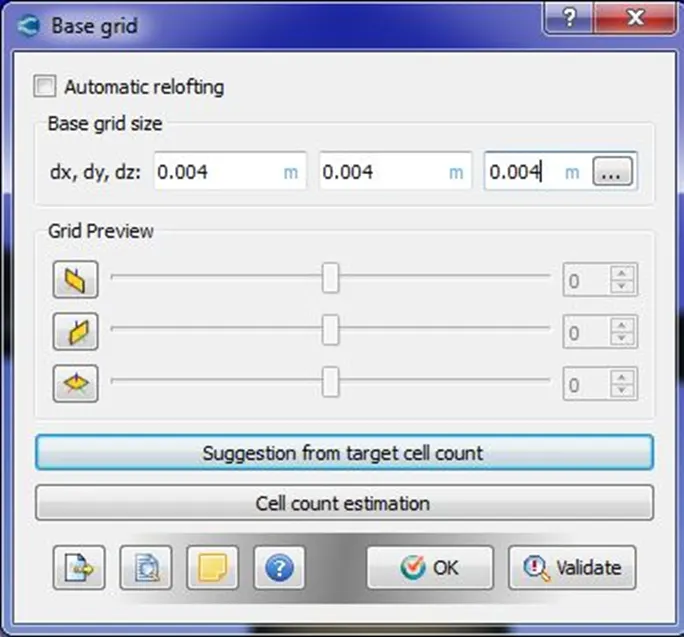
Mesh Size - dx = dy = dz = 0.004 m
- PROCEDURE
- Firstly all the softwares are downloaded and installed in the system.
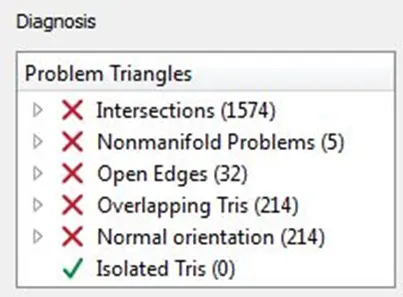
- Geometry is imported in converge studio, firstly the boundaries are flagged as much as possible, then diagnosis is carried out to check for any errors and boundaries are checked for normals and orientation is done as per the requirement and finally diagnosis check is carried out to check for any errors such as intersections, open edges, non-manifold edges, overlapping triangles etc.
- Case setup is done using setup wizard, then the input files are exported to a specific directory and also converge executable application are also copied into the directory.
- The simulation is run using Cygwin commands and post converted the output files so that it is compatible for post processing in Paraview.
Errors while surface preparation and Boundary flagging
- There was lot of errors which was found while diagnosing the IC Engine geometry.
- Errors such as intersections, Non-Manifold Problems, Open Edges, Overlapping Tris, Normal Orientation.
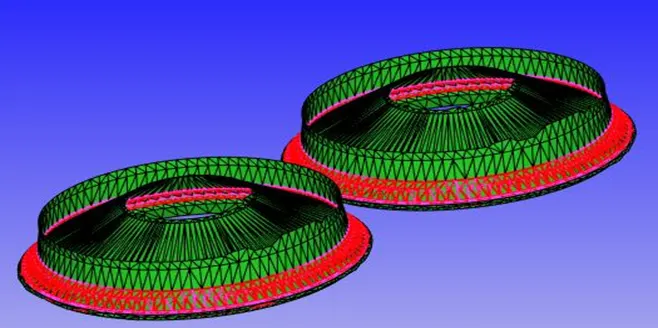
- Intersection – It occurs where the triangles are intersecting each other. The error is rectified by moving the valve in such a way that it doesn’t intersect the cylinder head.
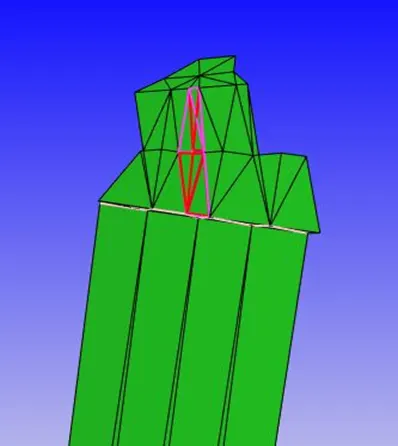
- Non-Manifold Edges – It occurs where the triangle overlaps each other and an edge is part of more than two triangles. The error is rectified by deleting the extra triangles and patching the surface if required.
- Open Edges – It is formed when an edge is part of only one triangle and free on other side. The error is rectified by patching the open edges together.
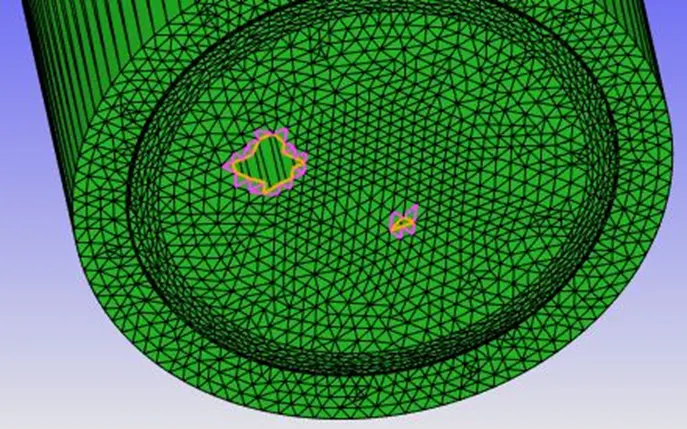
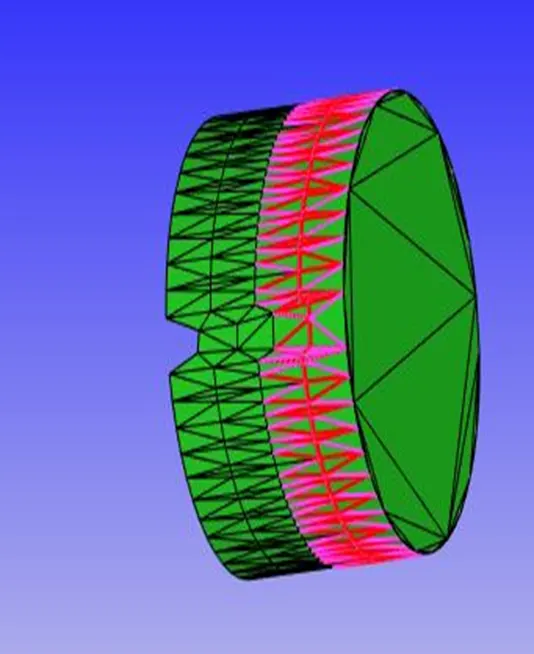
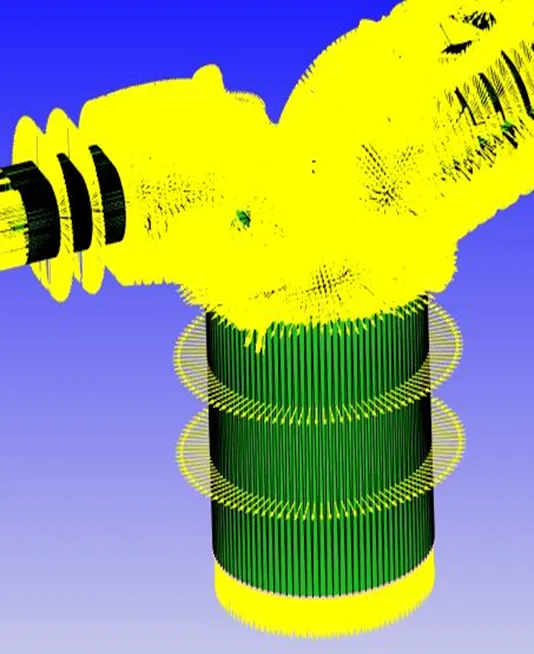
- Overlapping Tris and Normal Orientation – Overlapping Tris as the name suggests triangle overlaps each other. The normal orientation usually suggests the flow direction on the boundaries and that needs to be oriented as required. The error is rectified by deleting the overlapping triangles and setting the normals according to the flow direction.
- NUMERICAL ANALYSIS
- Geometric Model
The 3D geometry file of IC Engine is imported in Converge Studio as per the figure given below.
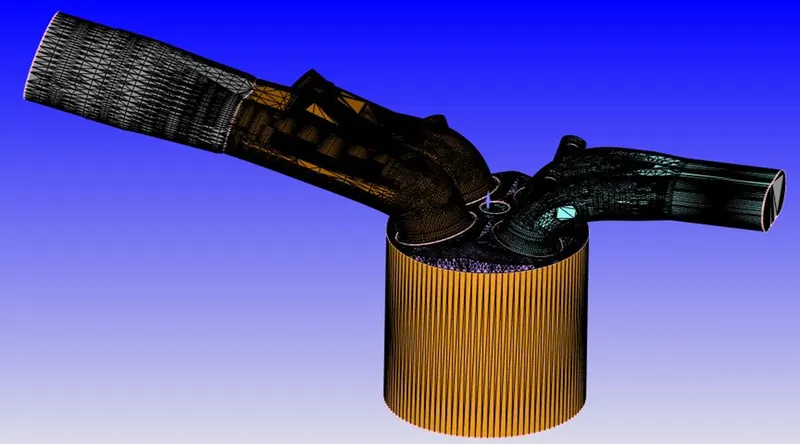
Fig: 3D Geometry –IC Engine
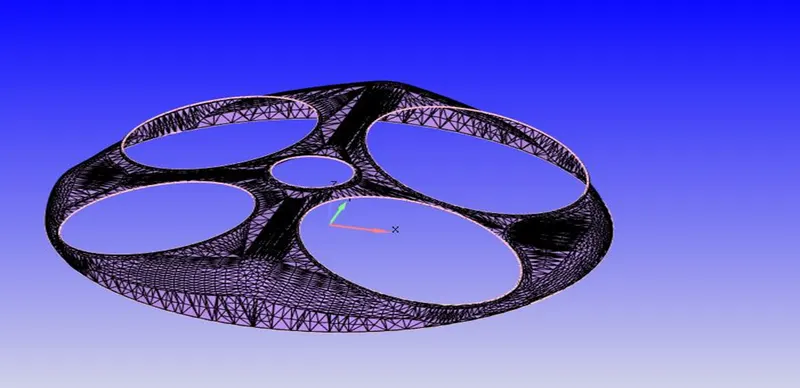
Fig: 3D Geometry – Cylinder Head
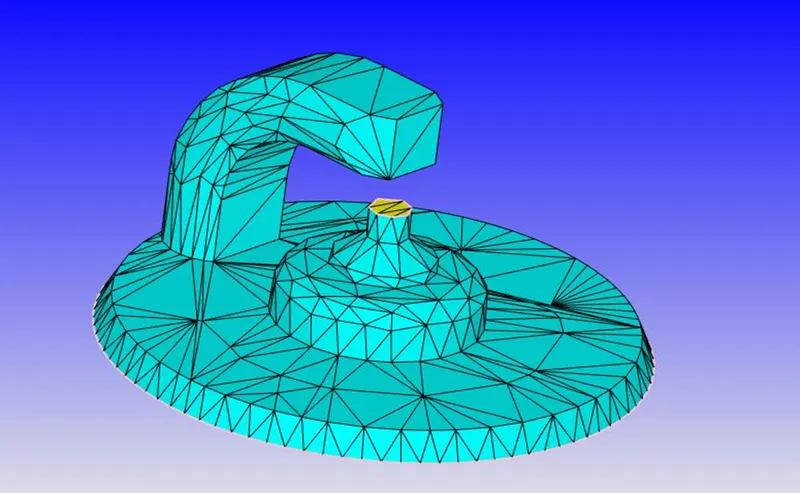
Fig: 3D Geometry – Spark Plug and Spark Plug Terminal
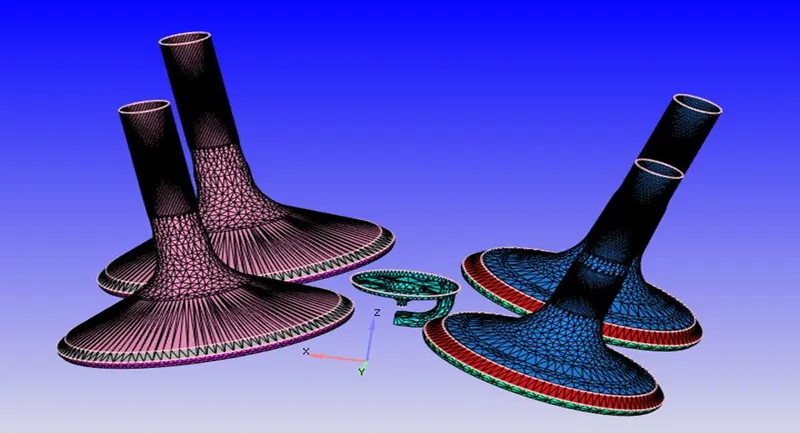
Fig: 3D Geometry – Intake and Exhaust Valves
- Mesh
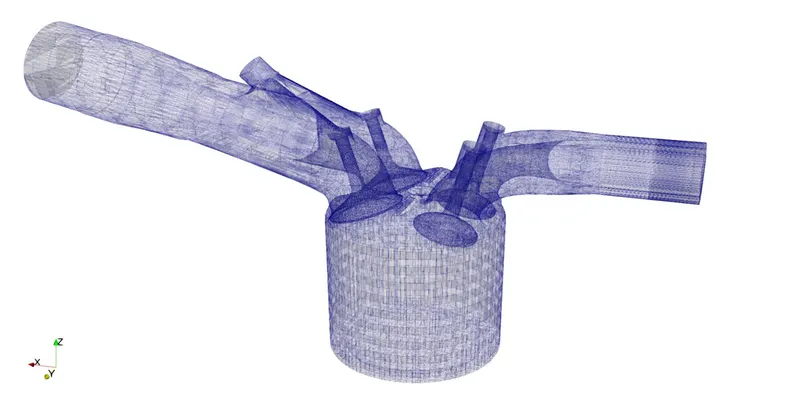
Fig: Mesh
- Boundaries
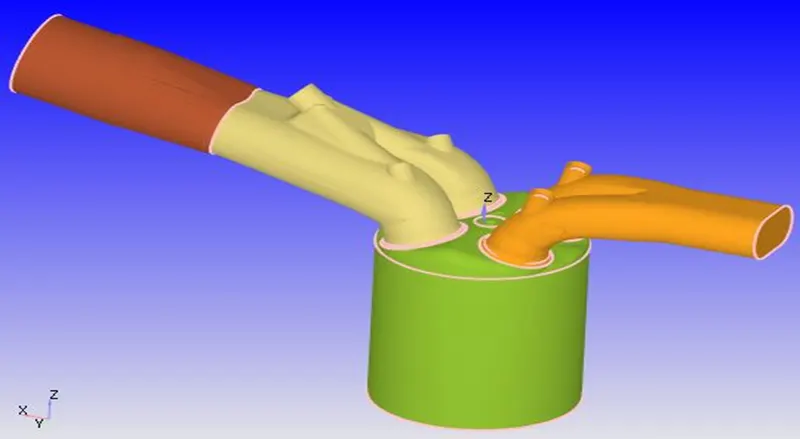
Fig: Boundaries of the domain grouped as regions
- Case Set-up
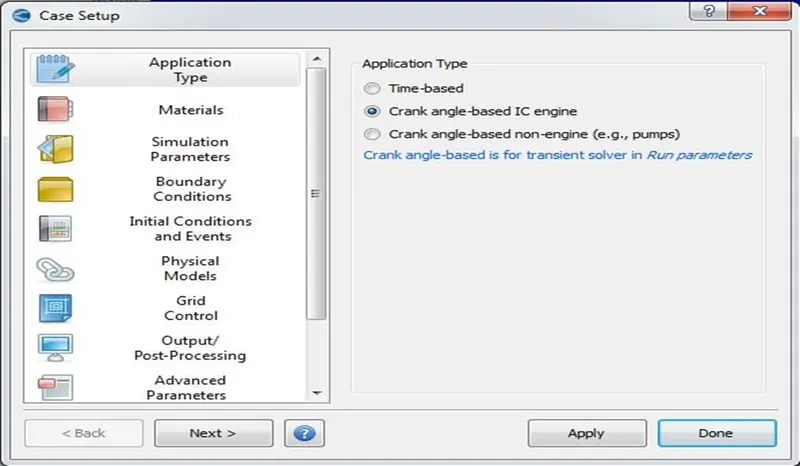
- In Application Type tab, Crank angle-based IC engine is selected.
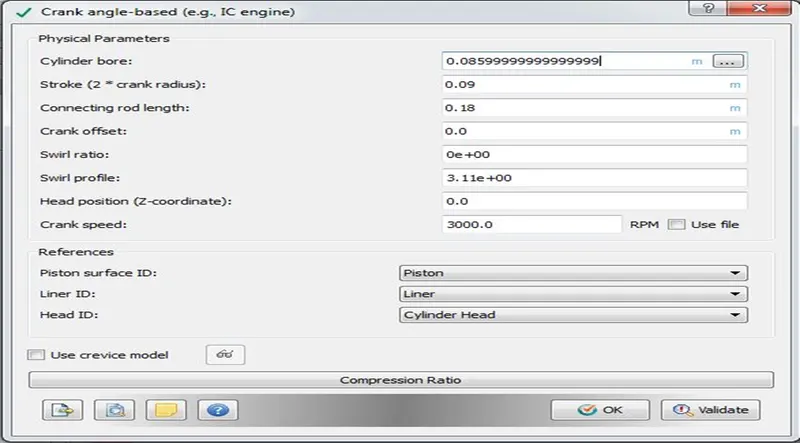
The Basic geometry details such as Cylinder bore, stroke, Connecting rod length and Reference Surfaces ID for piston, liner, and head are selected.
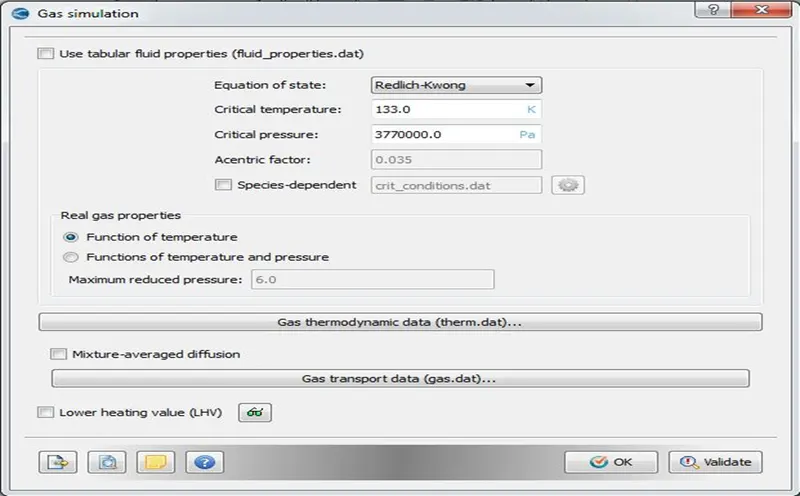
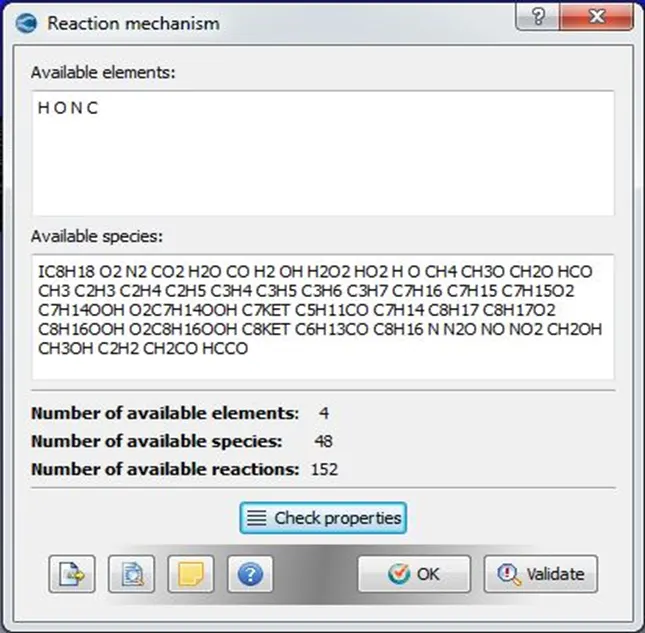
- In Materials tab, equation of state, gas thermodynamic data, and reaction mechanism is defined.
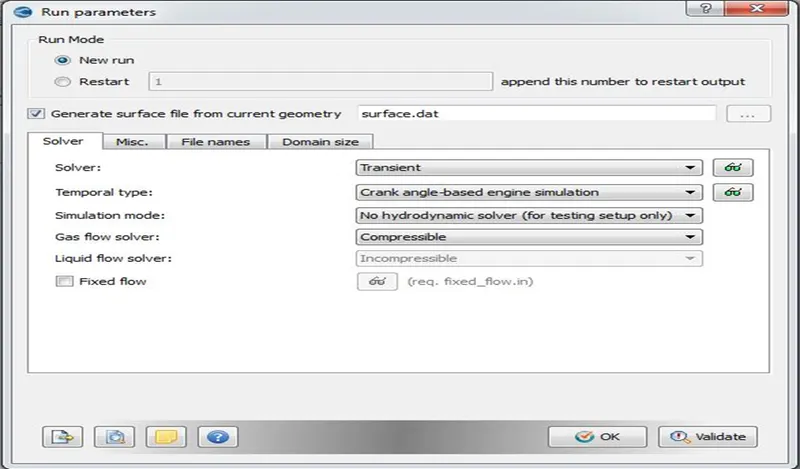
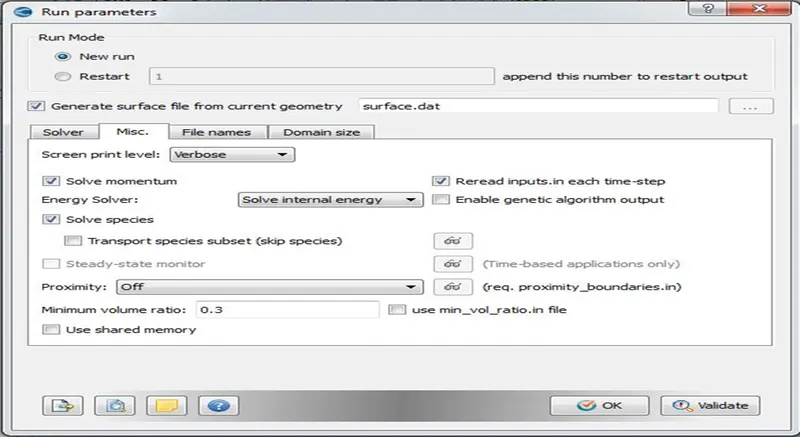
- In Simulation Parameters tab, Run parameters such as Solver type, Simulation Mode and Gas flow Solver are set. In Misc. Tab uncheck the shared memory and steady state monitor.
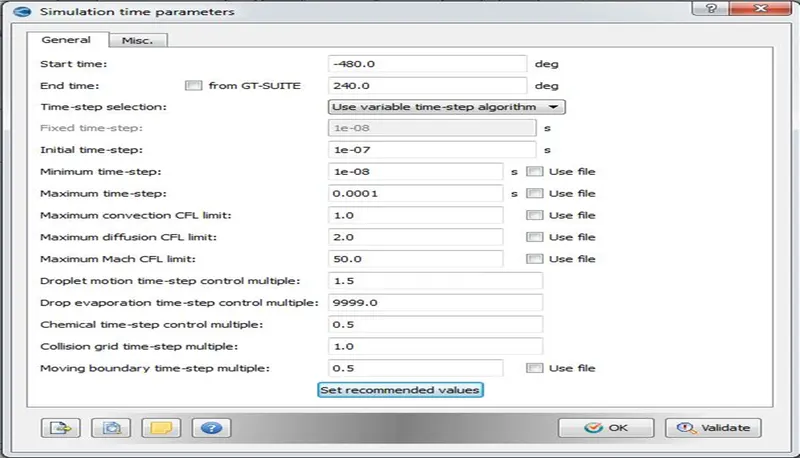
- Simulation time parameters such as total number of cycles, time step, CFL limits etc are set as shown in the figure below.
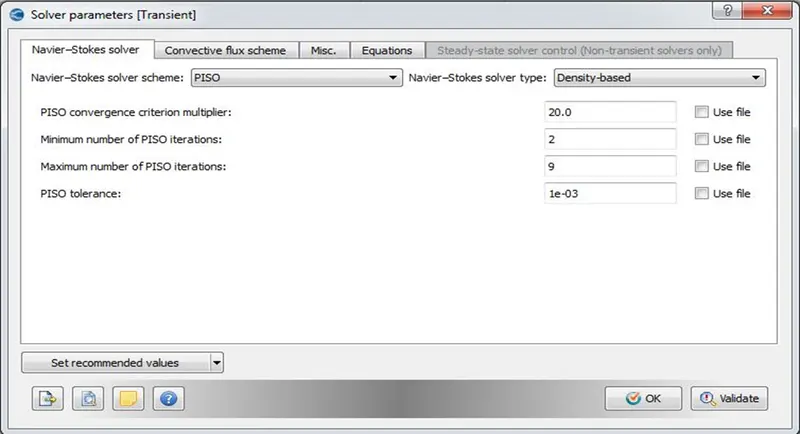
- Solver parameters such as the Navier stokes solver type, equations preconditions type, solver controls are set.
- Boundaries and Initial Conditions
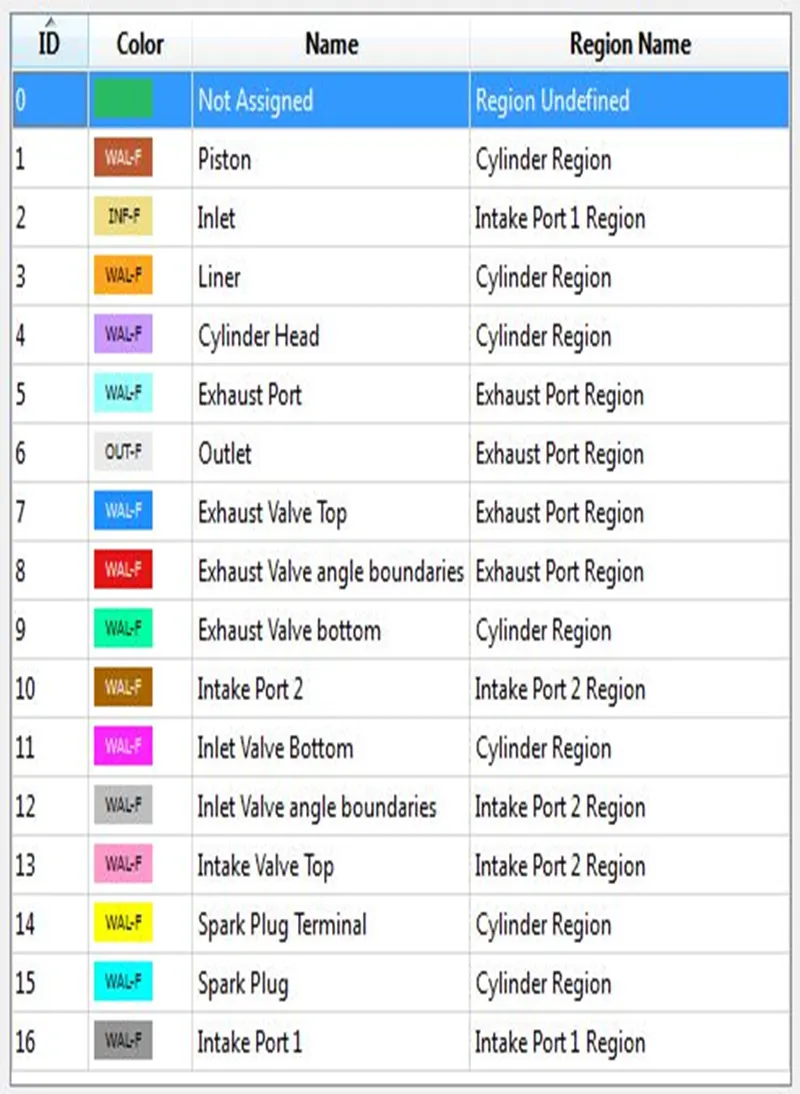
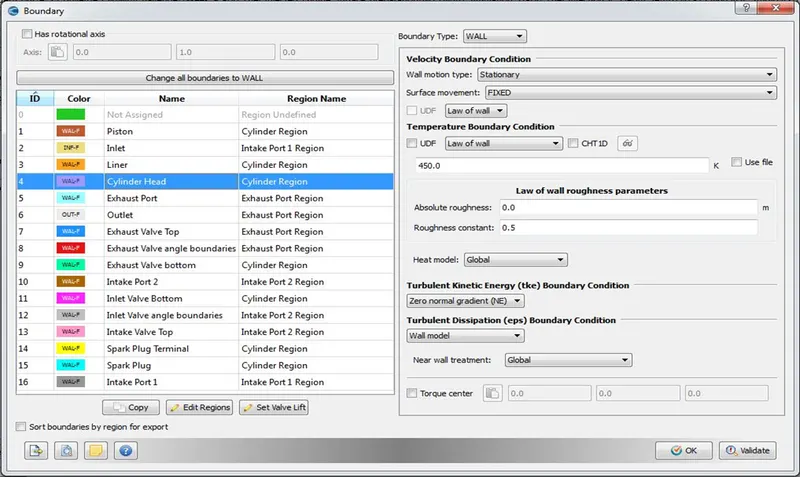
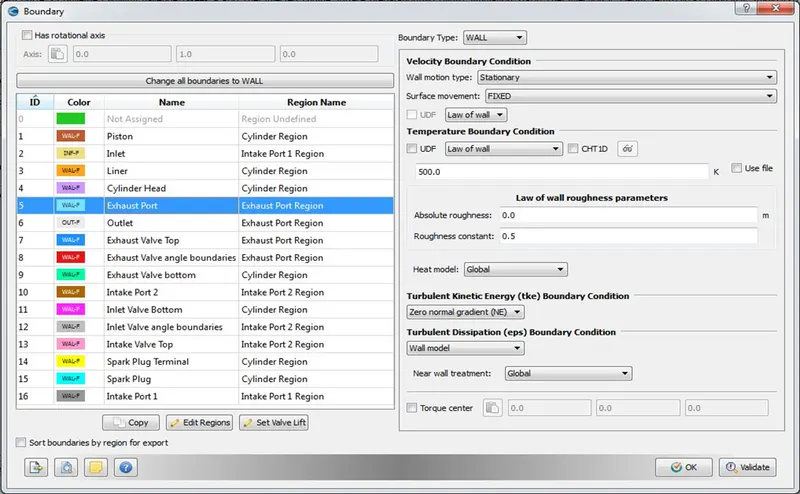
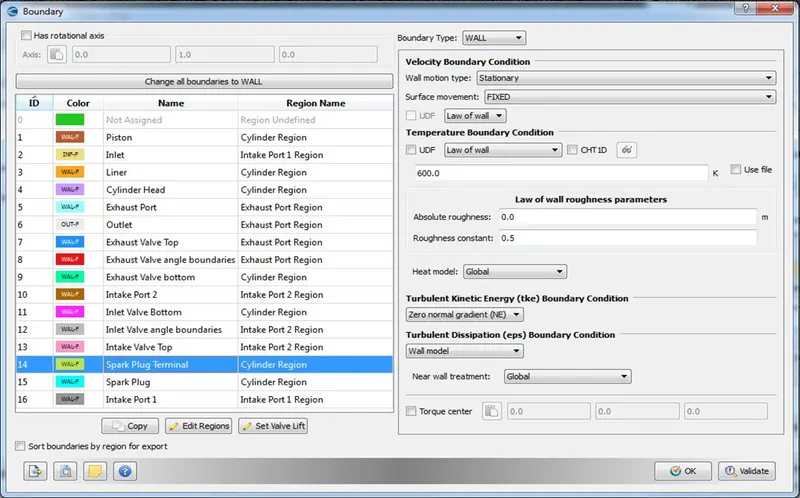
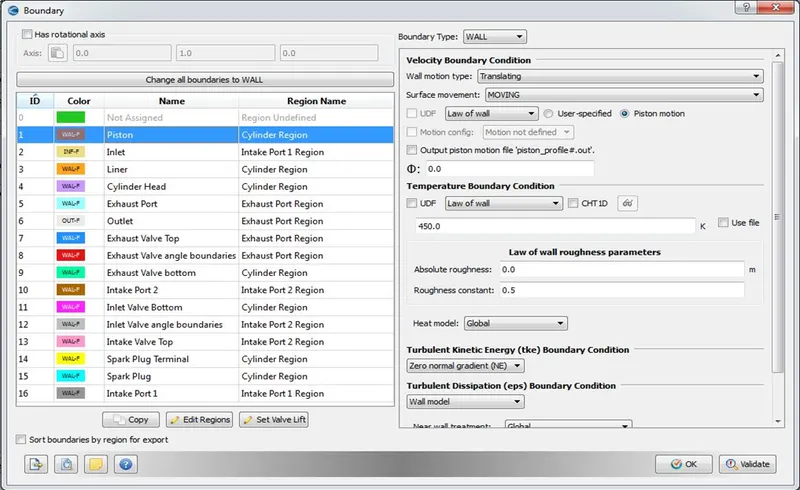
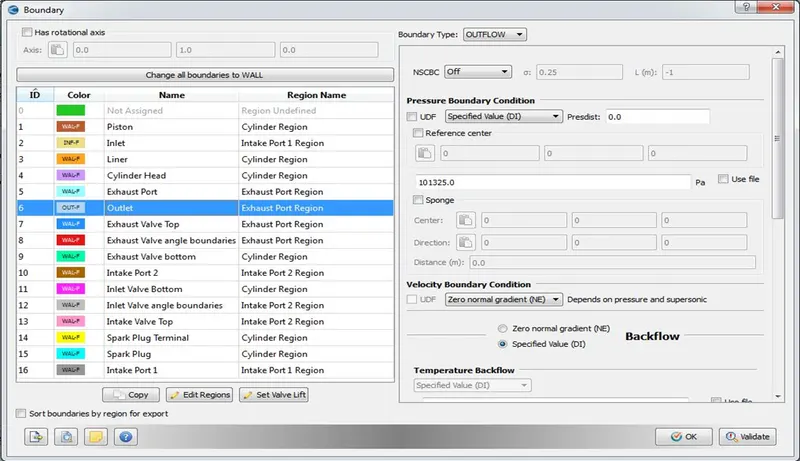
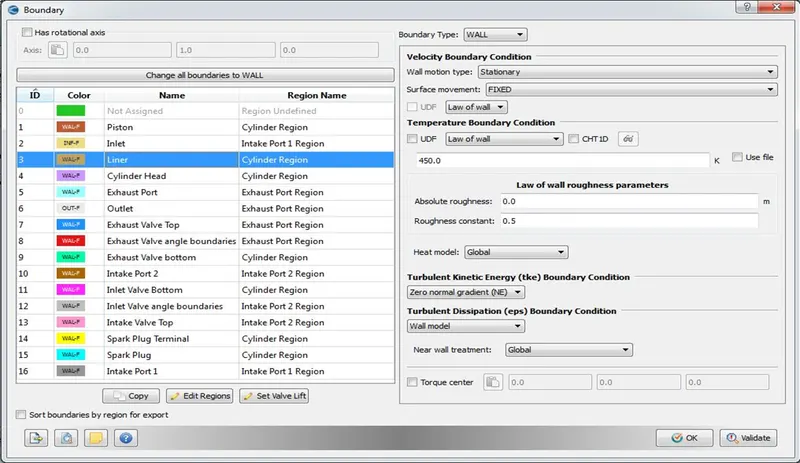
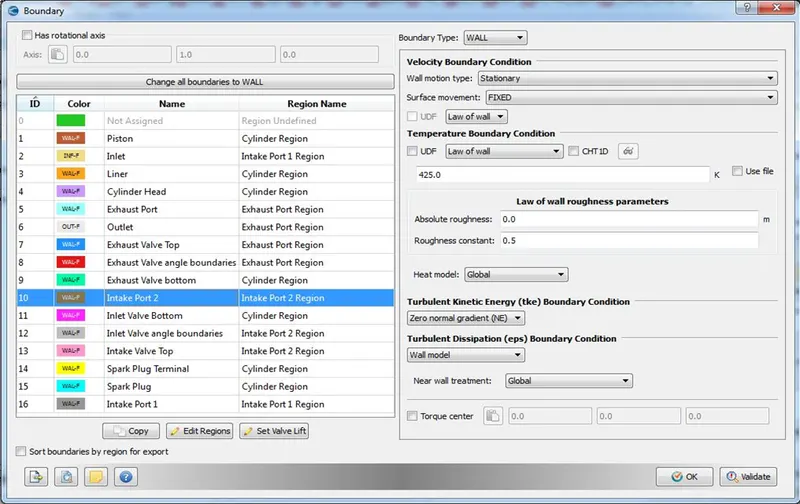
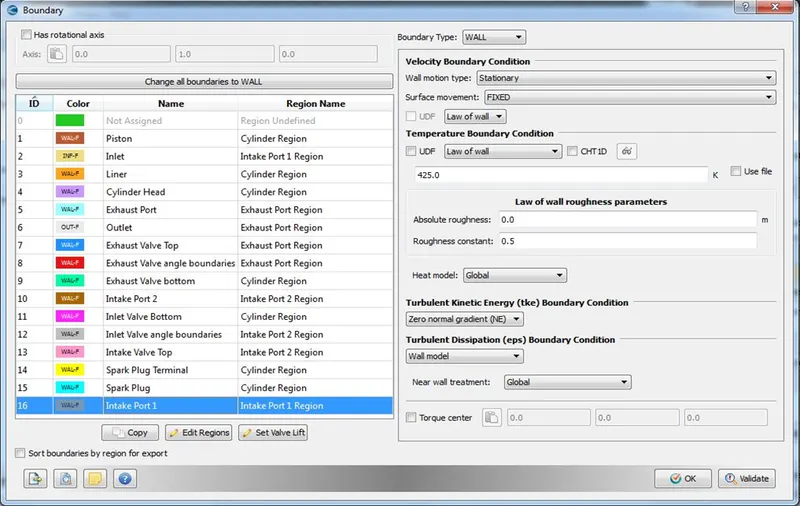
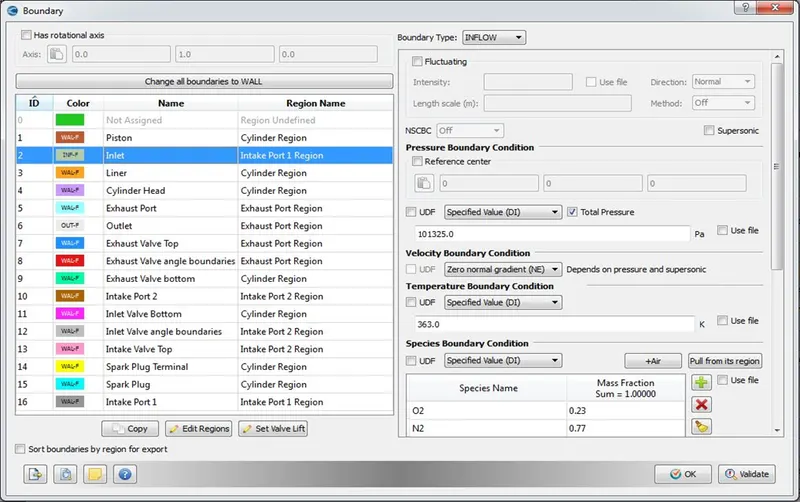
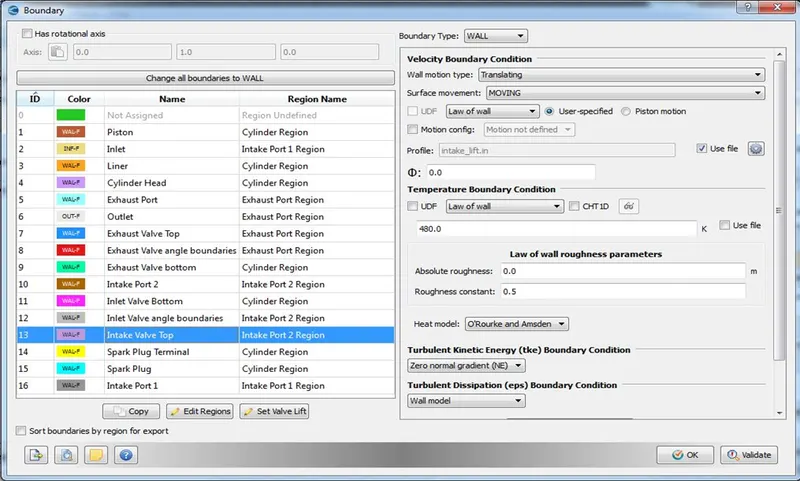
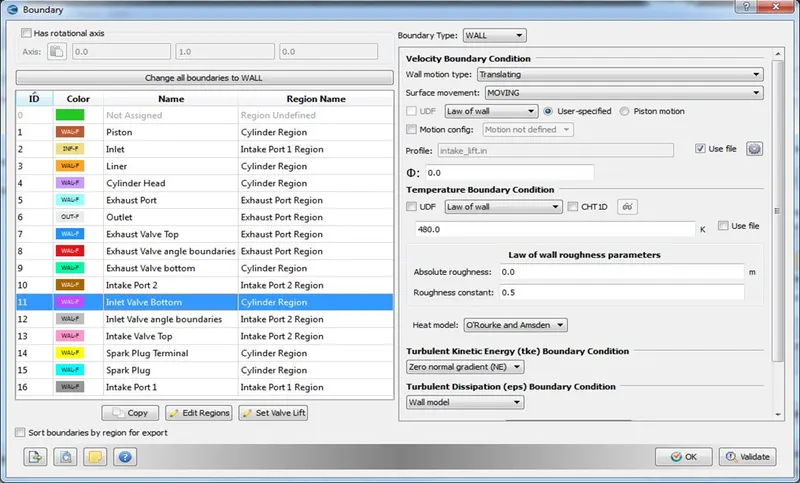
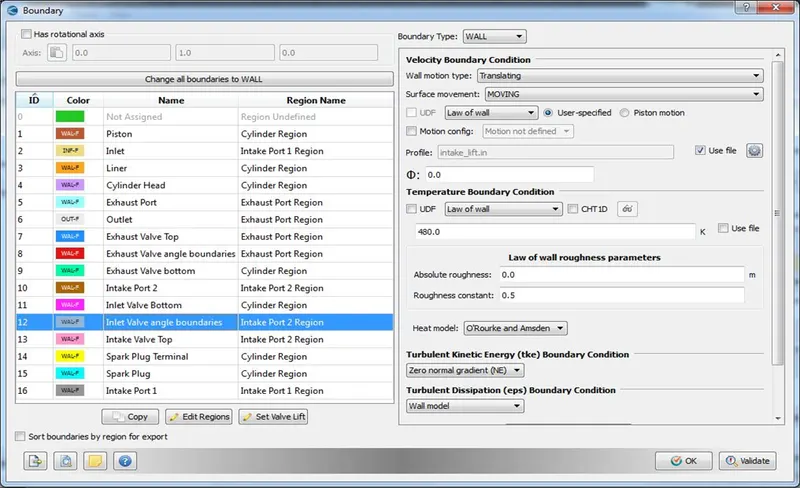
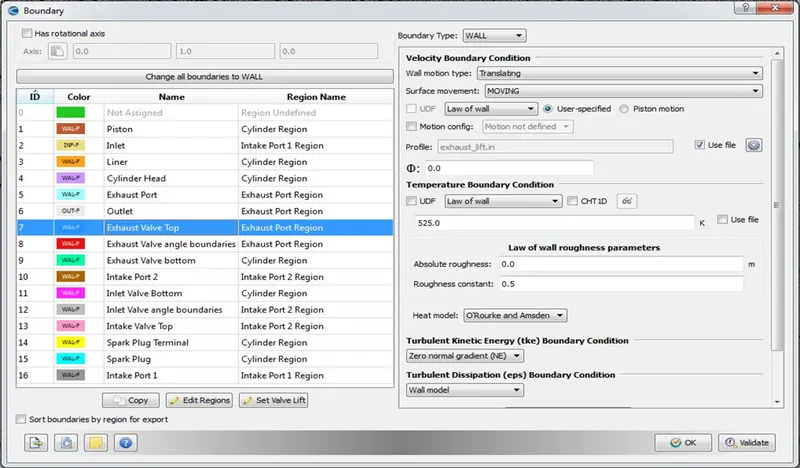
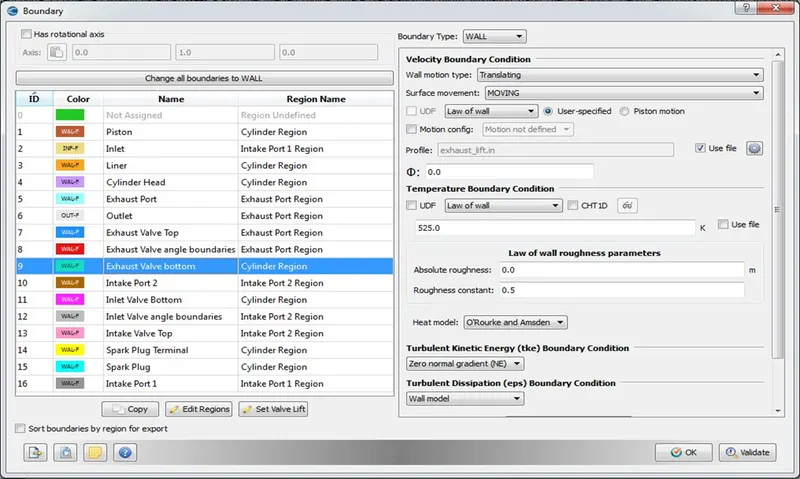
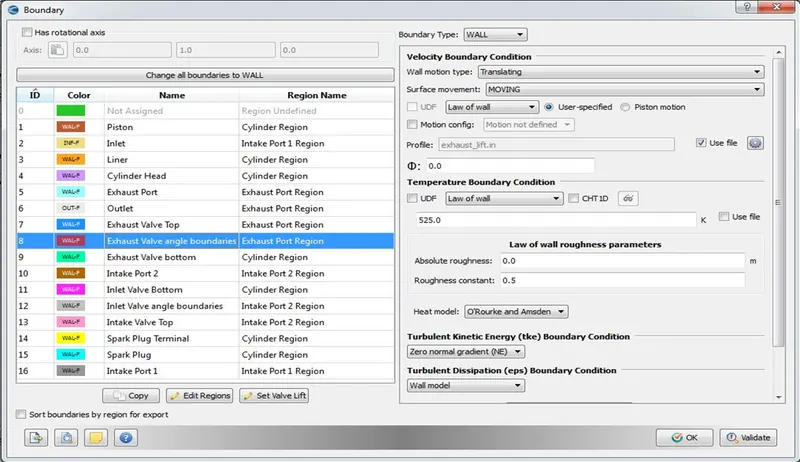
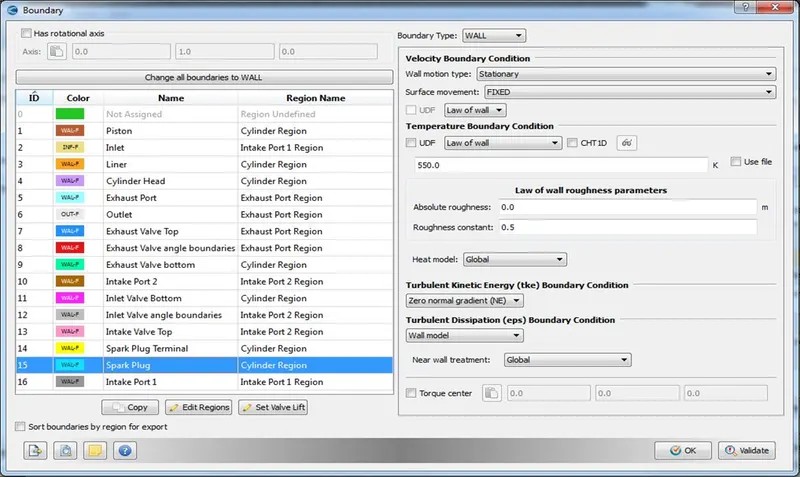
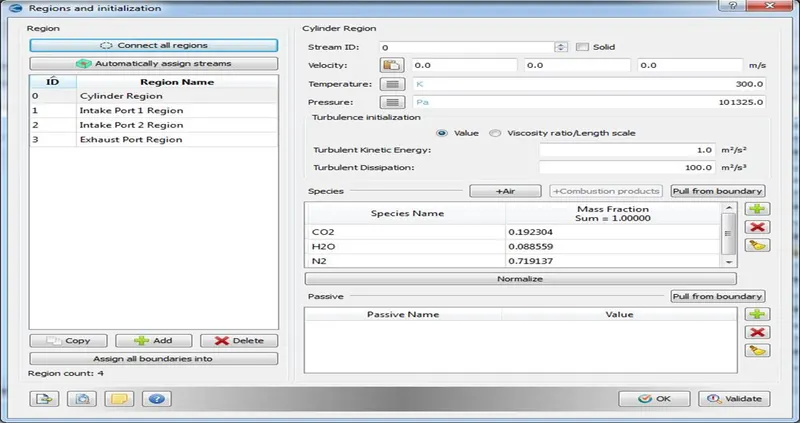
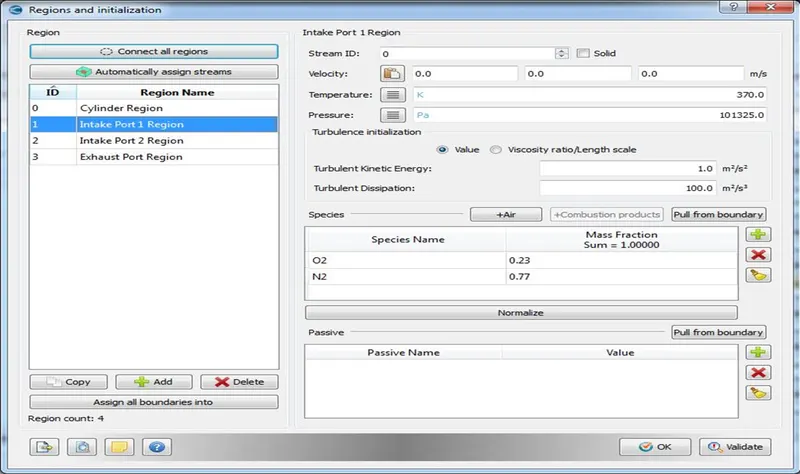
- Regions and Initialization – Four regions are created and the initial condition, species are added to the respective regions.
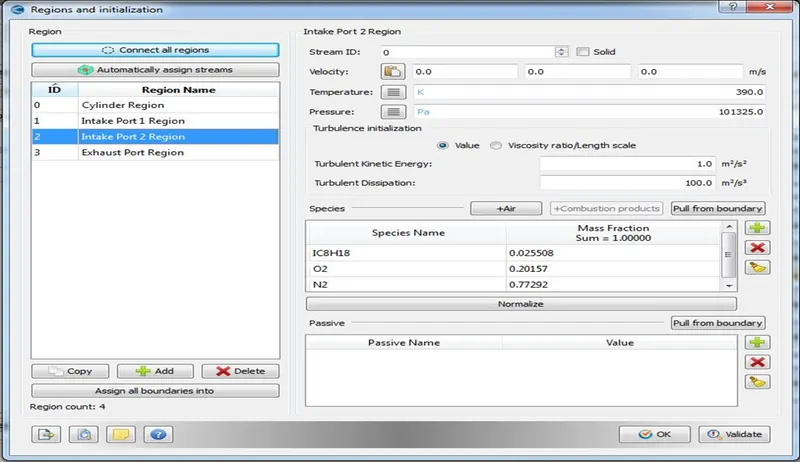
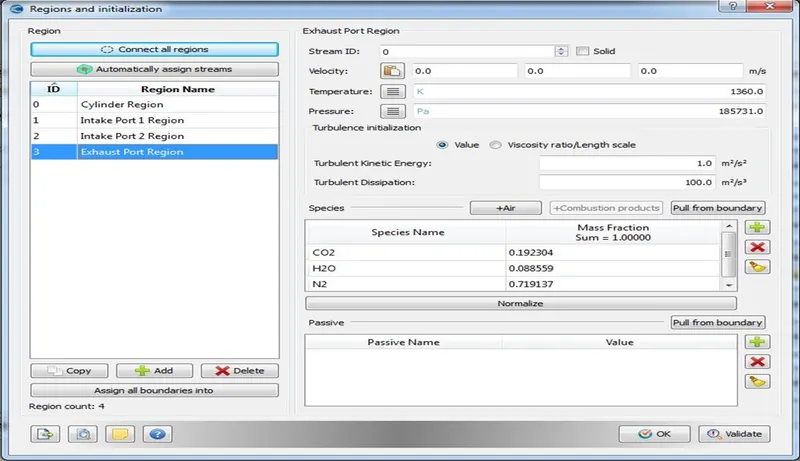
Also the events are created in such a way that the Intake and Exhaust Valves, Piston motions are set properly.
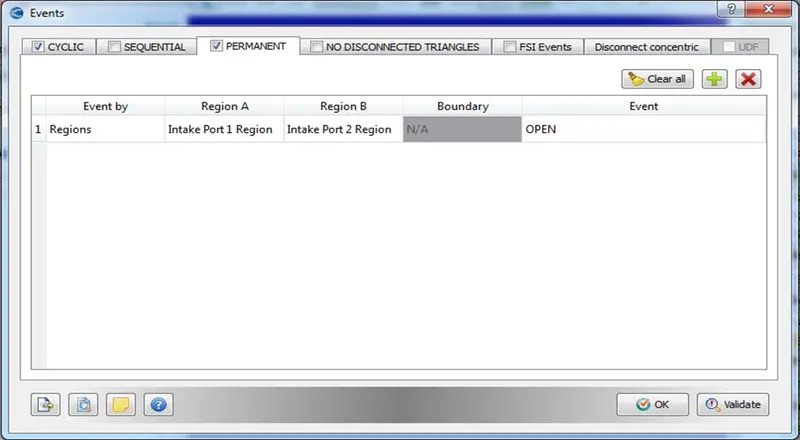
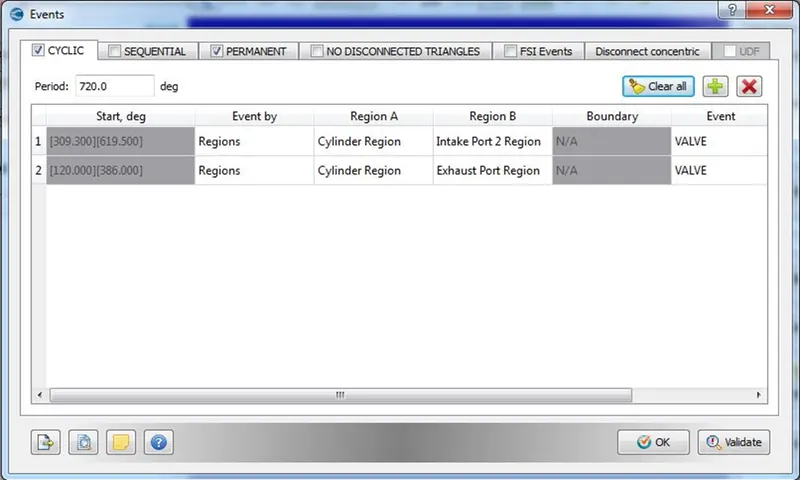
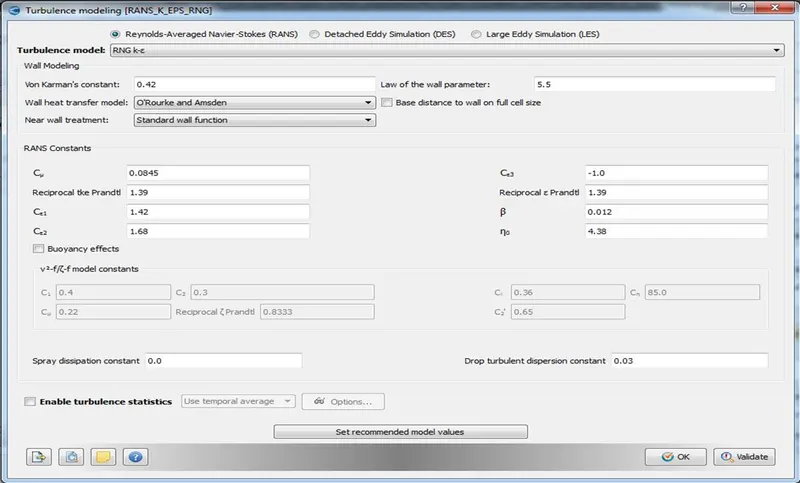
- Turbulence Modelling – Reynolds Averaged Navier Stokes – RNG K-epsilon Model
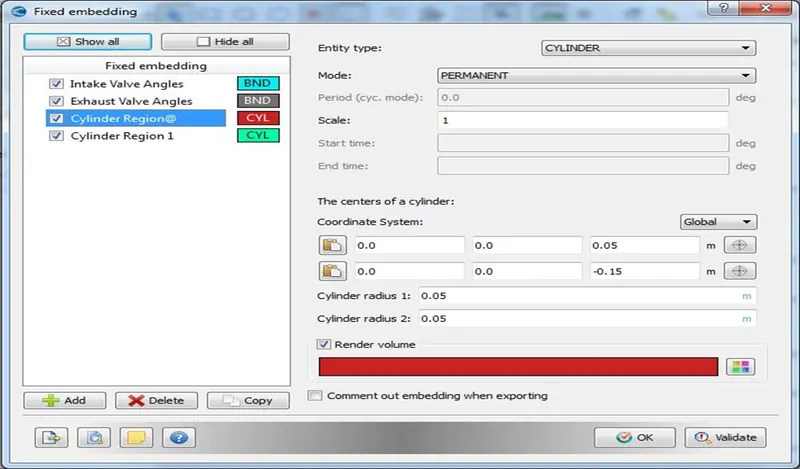
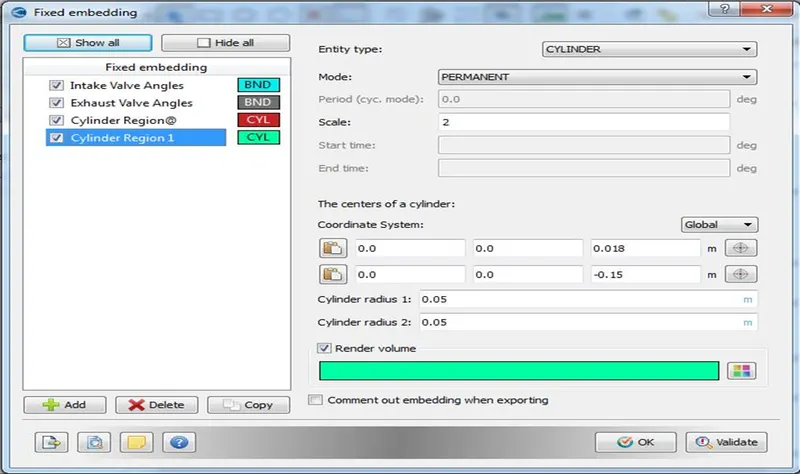
- Base Grid – Mesh sizes are entered as per the problem and Fixed Embedding is done based on regions.
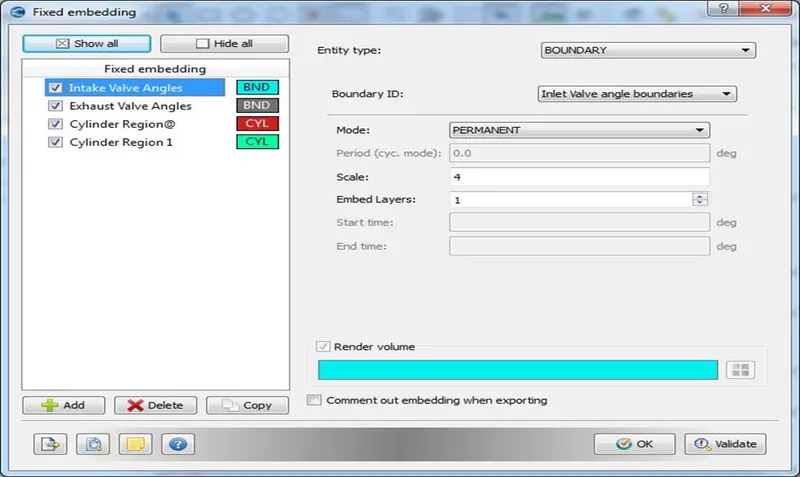
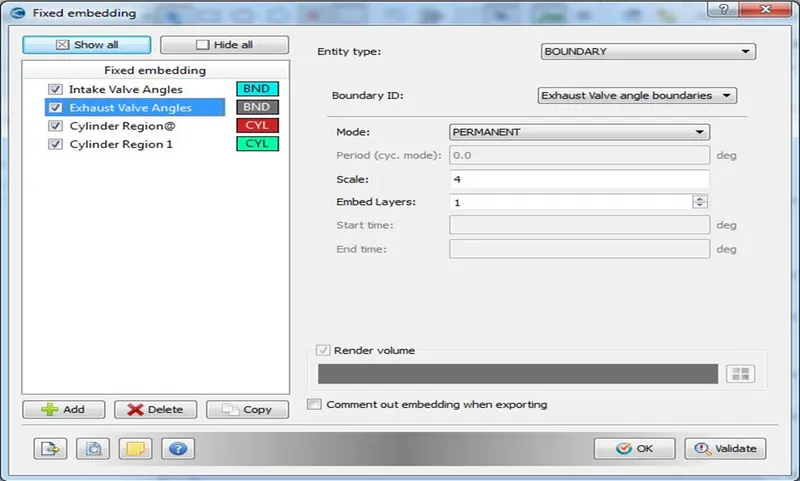
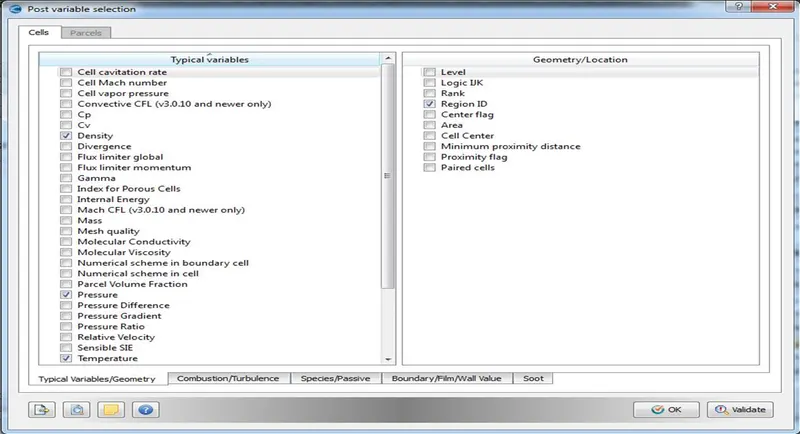
- Post Variable Selection - Select all the necessary variables and the location that needs to be checked while post processing.
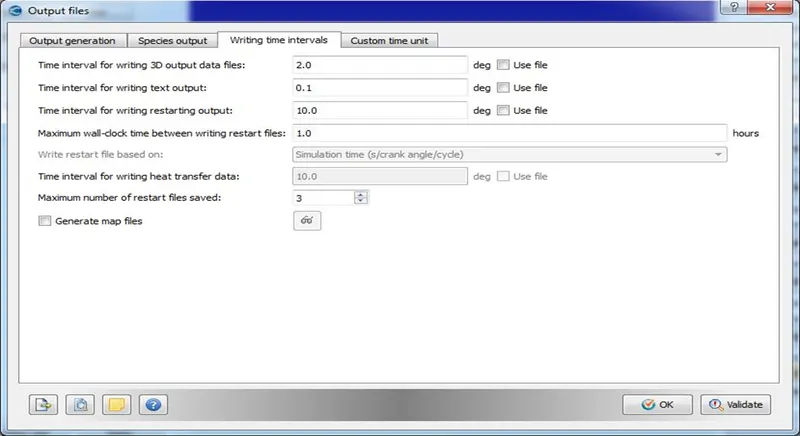
- Output Files – Output files writing time intervals, restart files are set as per the requirement.
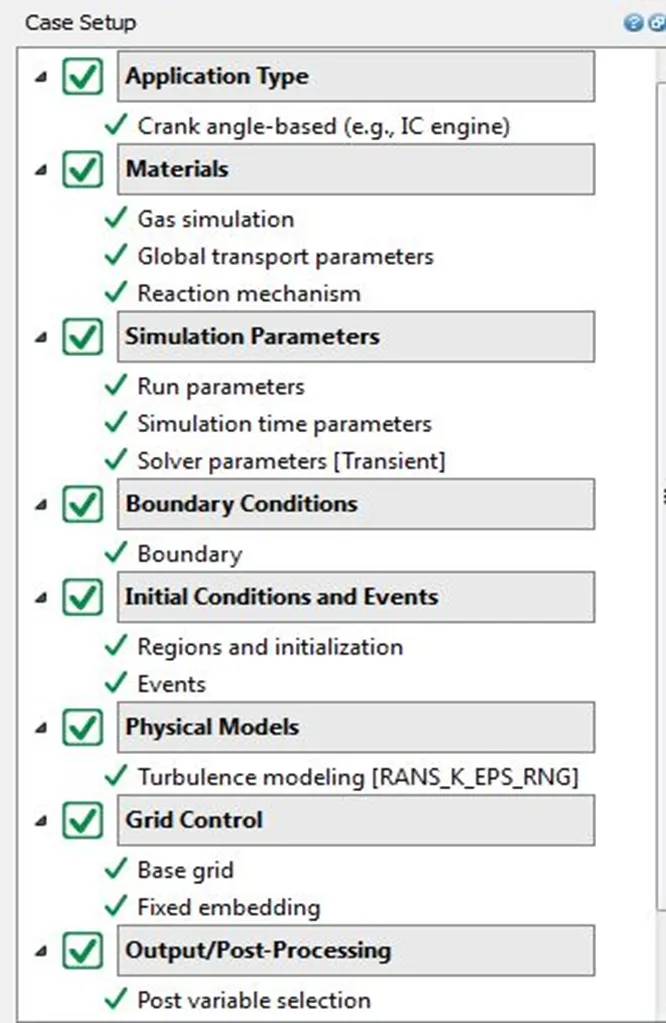
- After the setup is done click on “Validate all” option to check for any issues with the case setup. If everything is correct then green tick will appear for all tabs as shown in the figure below. Once the Setup is done, export the input files.
- With input and executable files, navigate to the specific directory in Cygwin and run the simulation using "exe -n 4 converge.exe restricted </dev/null> logfile &"
- After the run is completed Post convert the output files using “exe -n 4 post_convert.exe” into binary inline vtk format.
- Using the vtm group files, post processing is done in ParaView in order to study the results.
- RESULTS
Animation Link - Piston and Valve Motion (No Hydro) – https://youtu.be/0cYlYgyWhxs
6. CONCLUSION
- The transient state no hydro simulation setup of an IC engine is carried out.
- Surface is prepared and boundaries are flagged as required by rectifying various errors found while diagnosing the geometry.
- The given input files such as therm.dat, mech.dat, intake_lift.in, and exhaust_lift.in are used for setting up the thermodynamic, reaction mechanism, valve motions respectively.
- The animation shows the piston, intake and exhaust valve movements for one cycle.
- This is done to check whether the setup and mesh works correctly for the IC engine model before doing the numerical simulation as the design is complex and simulation is computationally expensive.
7. REFERENCES
- https://skill-lync.com/knowledgebase/week-6-concept-of-events
- https://skill-lync.com/knowledgebase/simulation-crashed-restart-it-and-save-time
- https://skill-lync.com/knowledgebase/alignment-error-in-converge
- https://skill-lync.com/knowledgebase/disconnect-triangles-in-converge
- https://en.wikipedia.org/wiki/Internal_combustion_engine
- https://www.autonationdrive.com/blog/2016/July/05/direct-injection-versus-port-fuel-injection.htm#:~:text=Port%20Fuel%20injection%20is%20when,cylinder%2C%20where%20the%20combustion%20happens.