Week 9 Machining with Planer Challenge
OBJECTIVE:-
we have to perform an explicit dynamics simulation on machining with a planer. We need to perform this for 2 cases. One will be with a cutting velocity of 20000mm/s and the other will be with a cutting velocity of 15000mm/s.
CASE SETUP AND EXECUTION:-
1. Open the Ansys workbench.
2. Goto the Tool-box →Analysis systems→Explicit dynamics as shown below.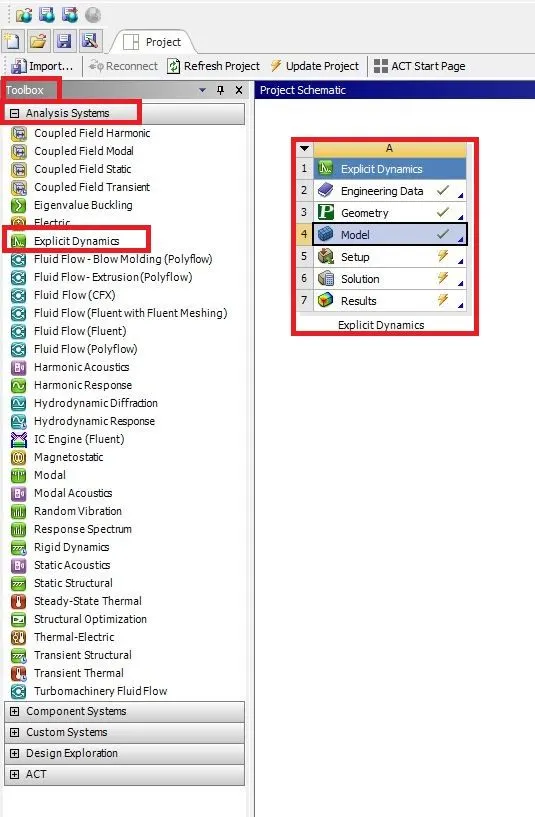
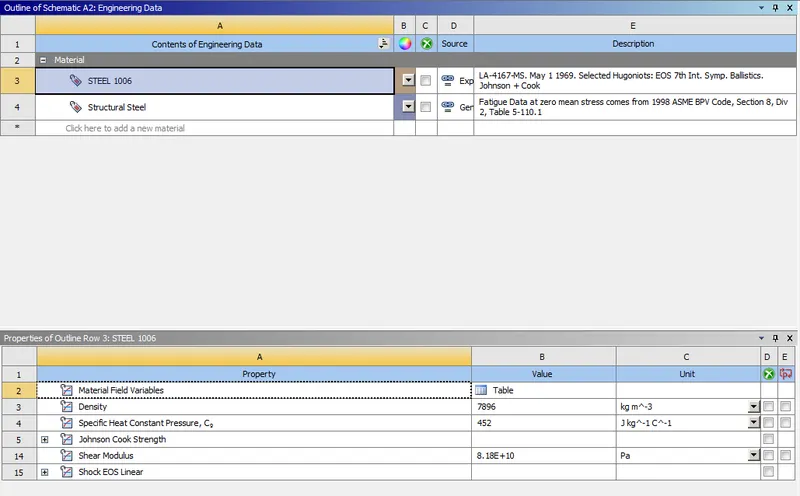
3. Right-click on the Engineering data select edit add steel 1006 material and close the engineering data.
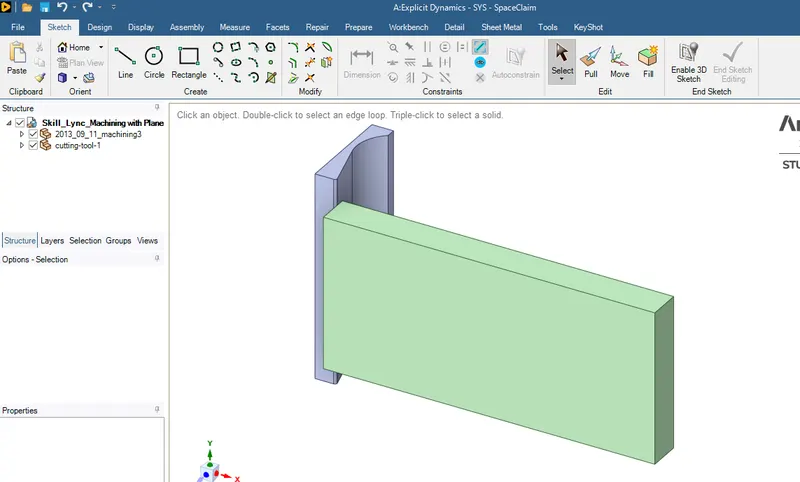
4. Next right click on the geometry→import geometry and open in space claim check geometry as shown below.
5. Right-click on the Model→Edit and open a new tab in the mechanical as shown below.
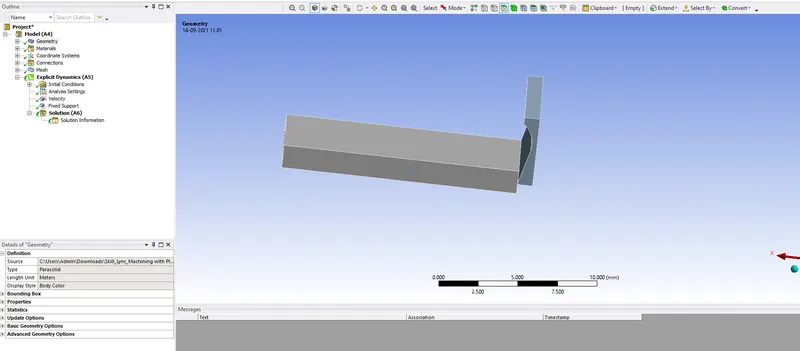
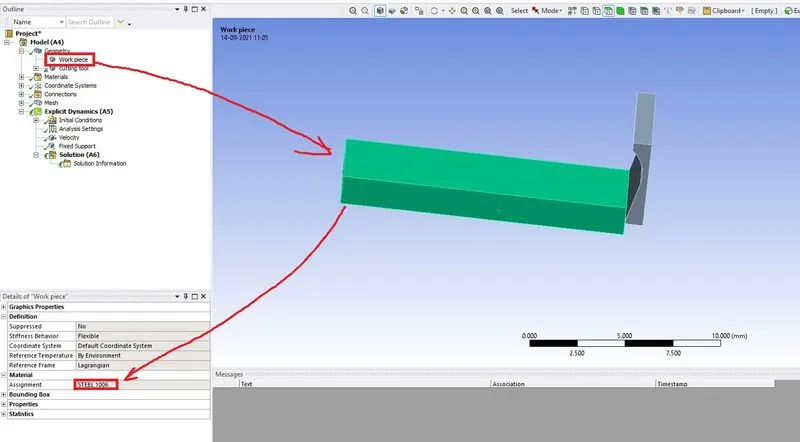
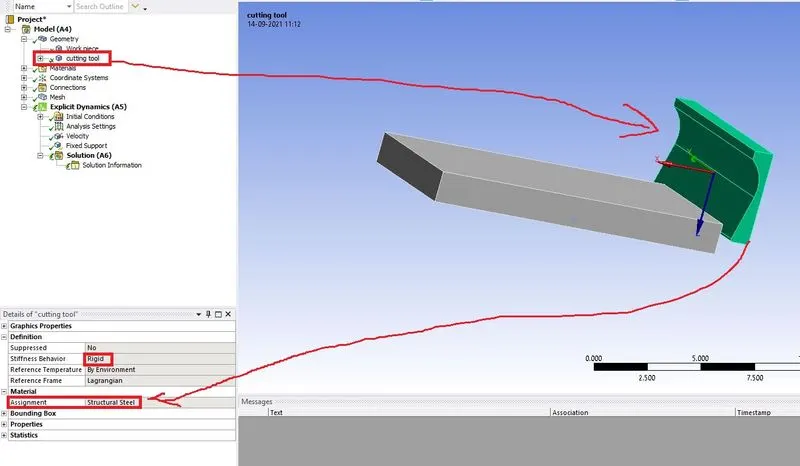
6. Next goto the geometry rename the components and assign the material for components as shown below.
Workpiece
Cutting tool
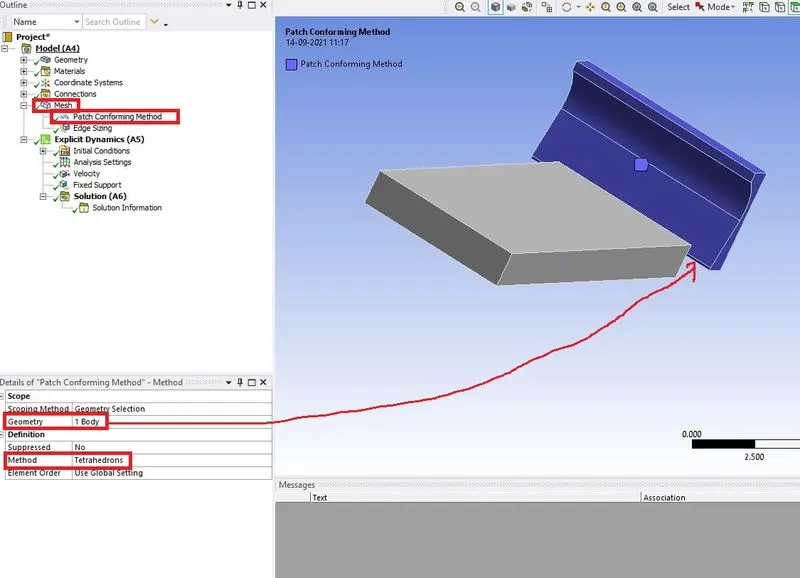
7. Next right click on the Mesh→Insert→Method as shown below.
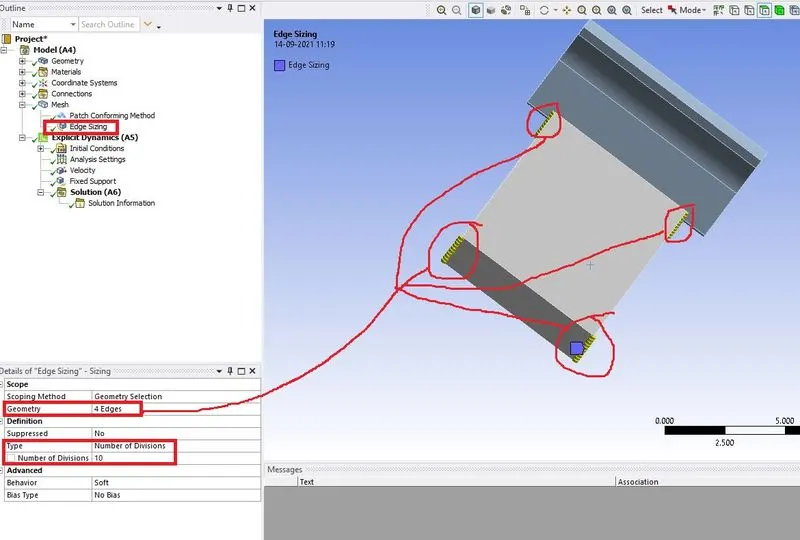
8. Again right-click on the Mesh→Insert→Sizing as shown below.
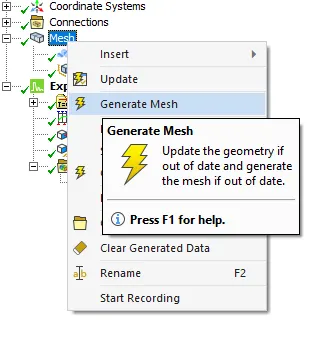
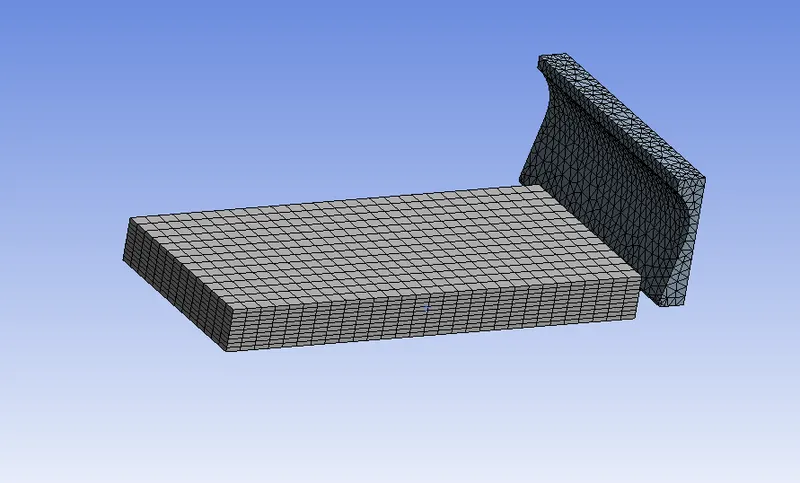
9. Next right click on the Mesh click on the generate mesh the mesh is generated on two components as shown below.
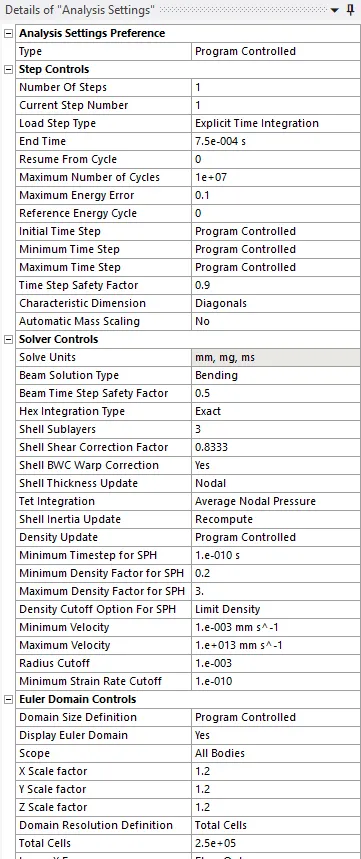
10. Next click on the Analysis settings set the parameters as shown below.
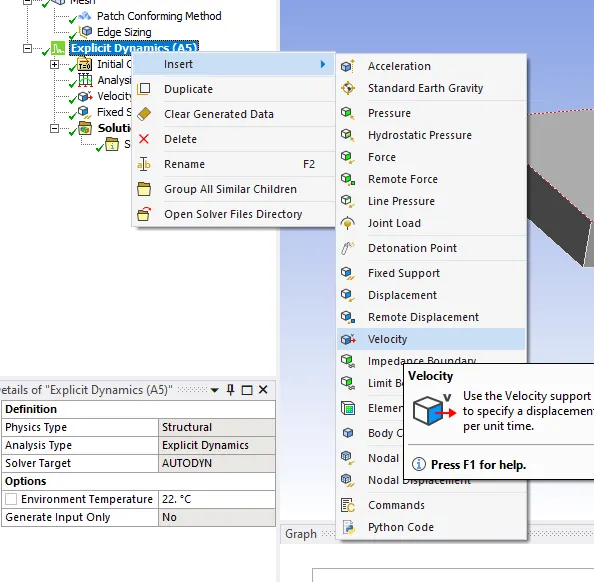
11. Next right click on the Explicit dynamics→Insert→Velocity as shown below.
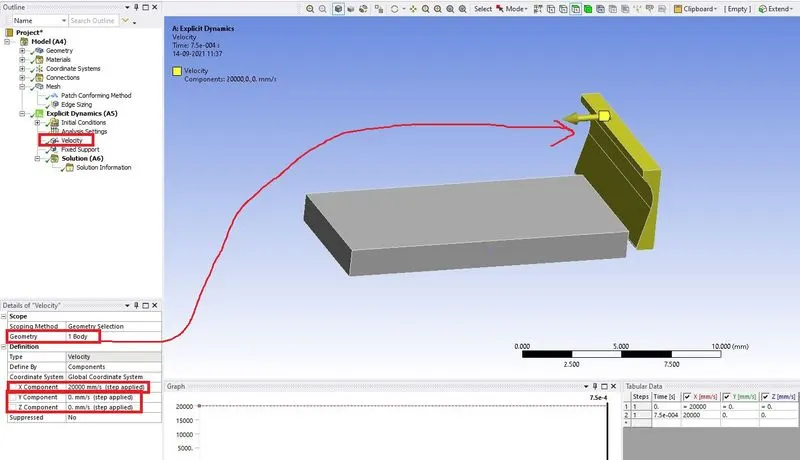
12. Again right-click on the Explicit dynamics→Insert→Fixed support as shown below.
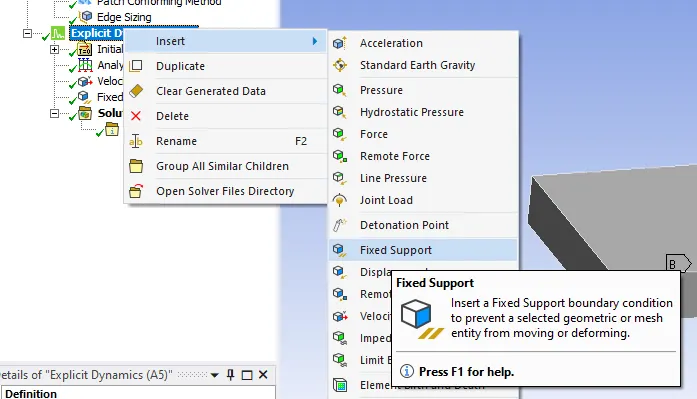
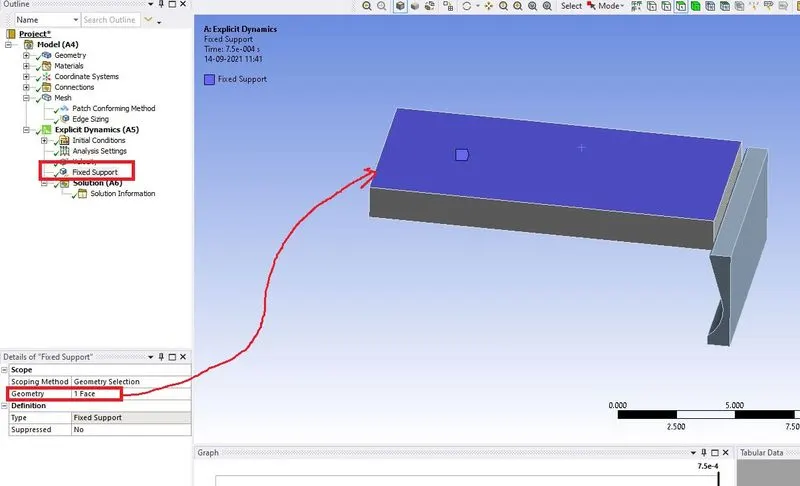
13. Next right click on the solution select solve the simulation is started.
RESULT FOR CASE 1:-
EQUIVALENT STRESS
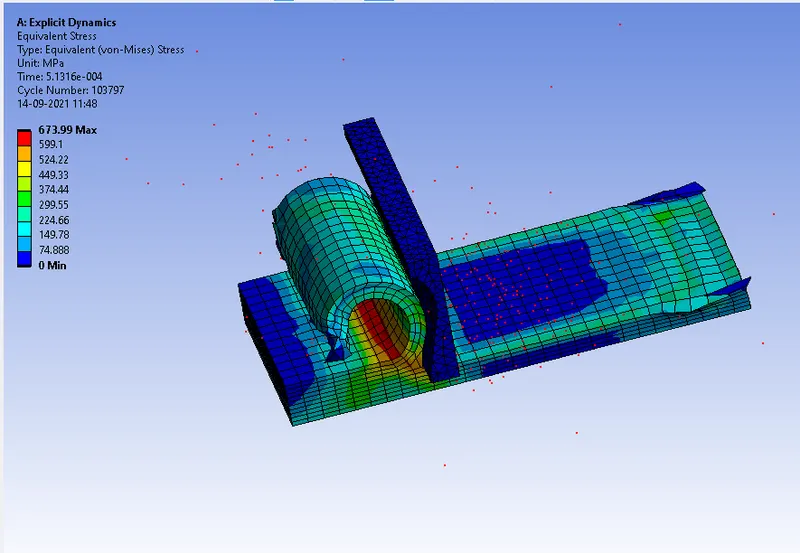
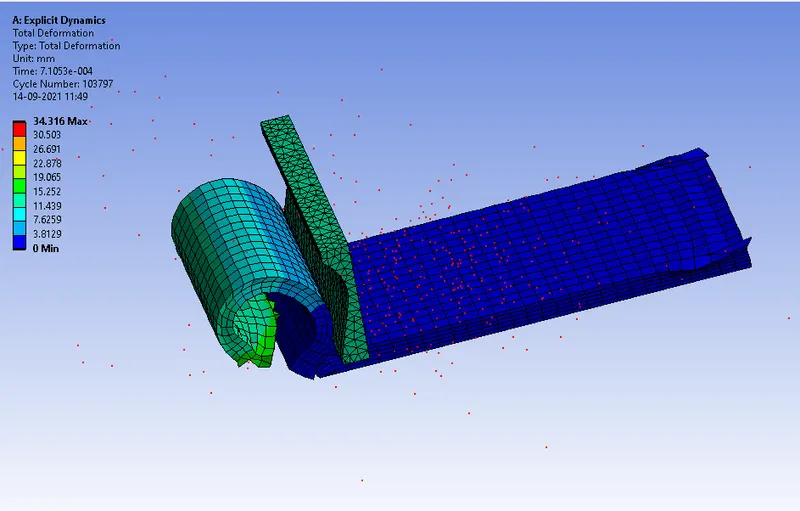
TOTAL DEFORMATION
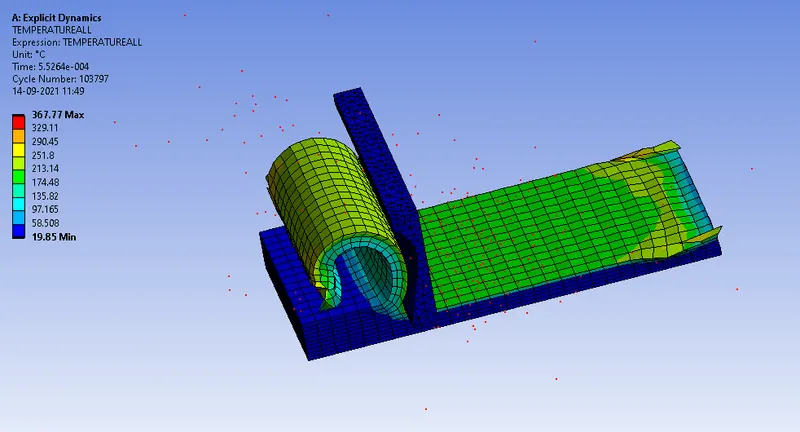
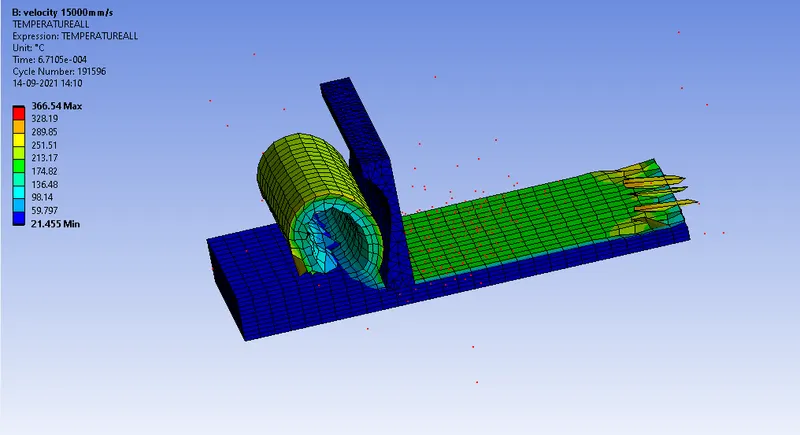
TEMPERATURE
RESULT FOR CASE 2:-
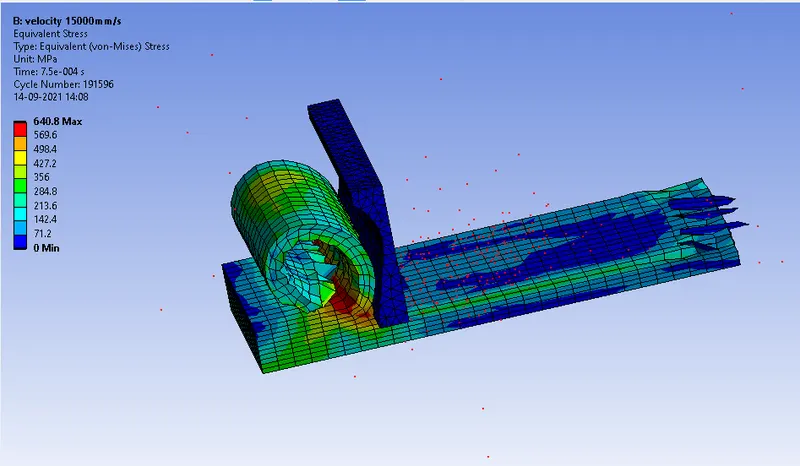
EQUIVALENT STRESS
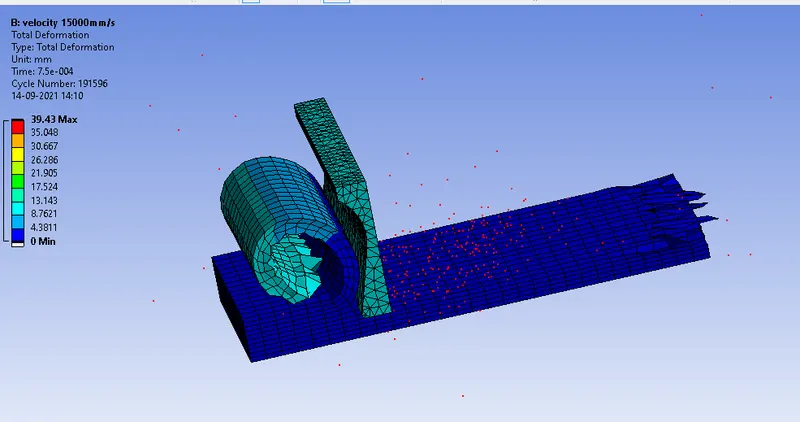
TOTAL DEFORMATION
TEMPERATURE
| CASES |
EQUIVALENT STRESS (MPA) |
TOTAL DEFORMATION (mm) | TEMPERATURE (∘C) |
| Case 1 | 673.99 | 34.316 | 367.77 |
| Case2 | 640.8 | 39.43 | 366.54 |
CONCLUSION:-
On observing the above results velocity of the cutting tool increase in the case1 surface finish is good. In case 2 decrease cutting tool velocity it gives a bad surface finish
CASE1
CASE2