Week 9-Creation of 1D Connectors Challenge
OBJECTIVE: To mesh the components with given quality and mesh parameters and deploy the connections as given.
PROCEDURE:
Step1: To Import the model into the GUI.
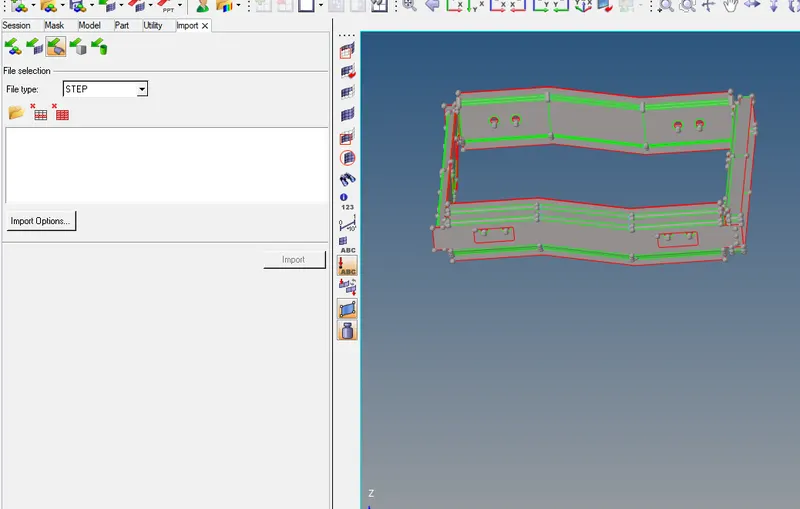
- Import>Selet the file Type as the optistruct.
Step2: To perform a geomentry clean up and create the washer elements.
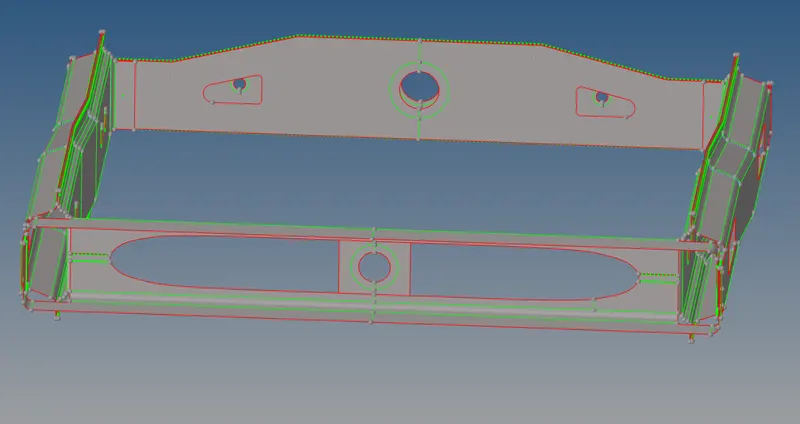
- F11 or Quick edit panel to toggle the unnecessary lines
- To create the washer split.
Step3: To mesh the give component.
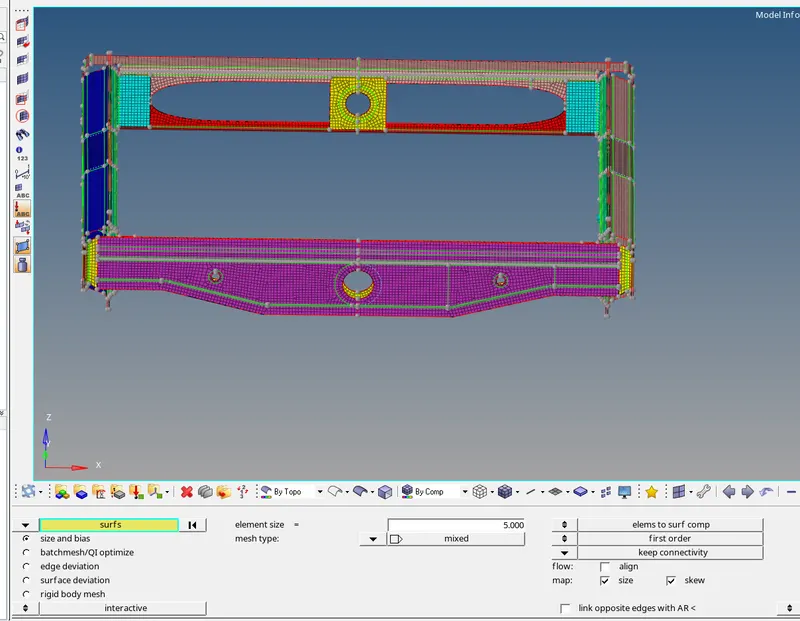
- 2D>Automesh >element type - Mixed >elemetSize-5units >Mesh.
- The mesh is generated.
Step4: To deploy connections to the respective components.
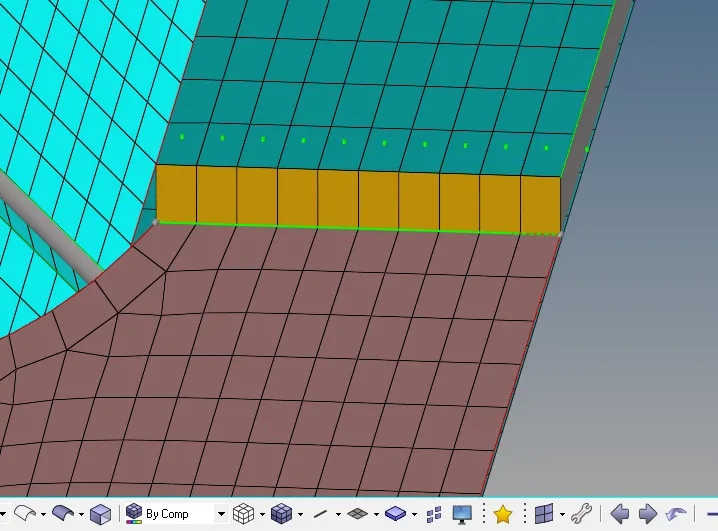
- To connect Right_Rail_2 & Front_truss_1 using Seam-Quad(angled+capped+L)

- 2D> Connectors> Seam>Location:- Node list> Type-Seam:-Quad(angled+capped+L)
- Giving the tolerance and also selecting the components> Create.
- The Connection is deployed or realised as shown below.
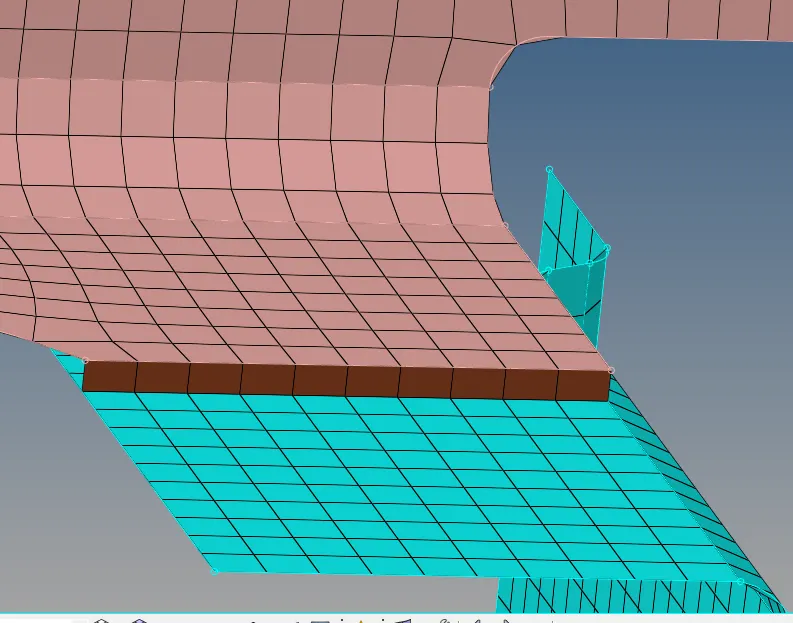
2. To connect Left_Rail_2 & Front_truss_1using Quad elements.

- 2D> Connectors> Seam>Location:- Node list> Type:-Quad elements.
- Giving the tolerance and also selecting the components> Create.
- The Connection is deployed or realised as shown below.
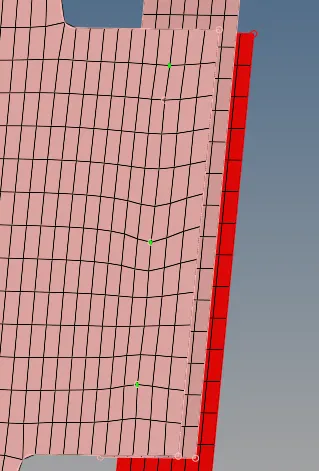
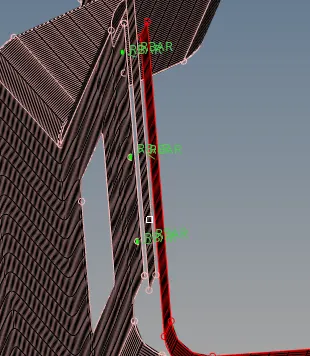
3. To connect Front_truss_2, Front_truss_1 & Right_Rail_1using Spot weld with 2 Layers and 5 mm Diameter.

- 2D> Connectors> Spot >Location:- Node list> Type:-Weld> Num layers:- Total3,.
- Giving the tolerance and also selecting the components> Create.
- The Connection is deployed or realised as shown below.
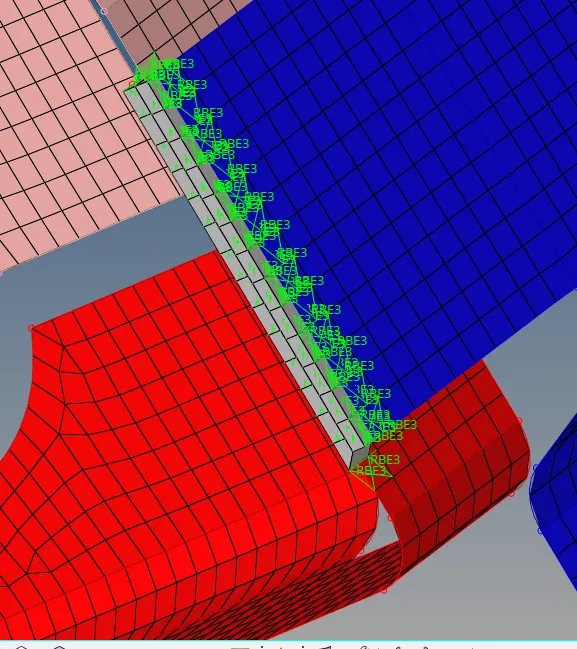
4. To connect Front_truss_2, Front_truss_1 & Left_Rail_1 using Hexa (Adhesive).

- 2D> Connectors> Seam>Location:- Node list> Type:-Hexa (Adhesive)>Width:-5 units.
- Giving the tolerance and also selecting the components> Create.
- The Connection is deployed or realised as shown below.
5. To connect Rear_truss_2 & Right_Rail_2 using Bolt Connector.

- 2D> Connectors> Bolt>Location:- Node list> Type:-Bolt(General)>Create hole, if none( If there is no predetemined hole).
- Giving the tolerance and also selecting the components> Create.
- The Connection is deployed or realised as shown below.
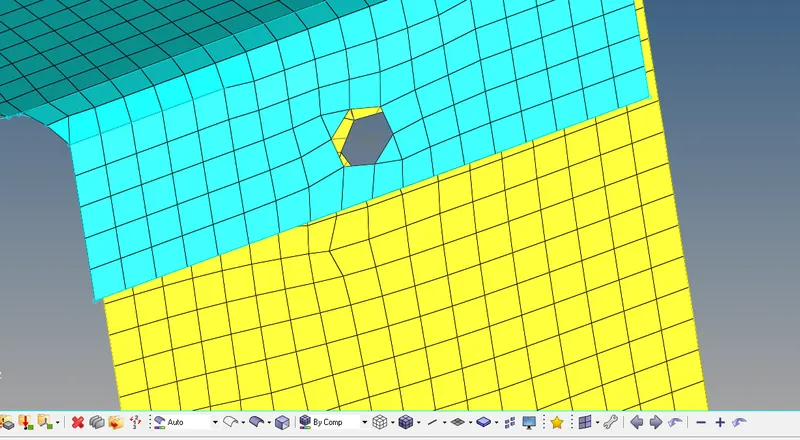
6. To connect Rear_truss_2 & Left_Rail_2 using Bolt Connector.
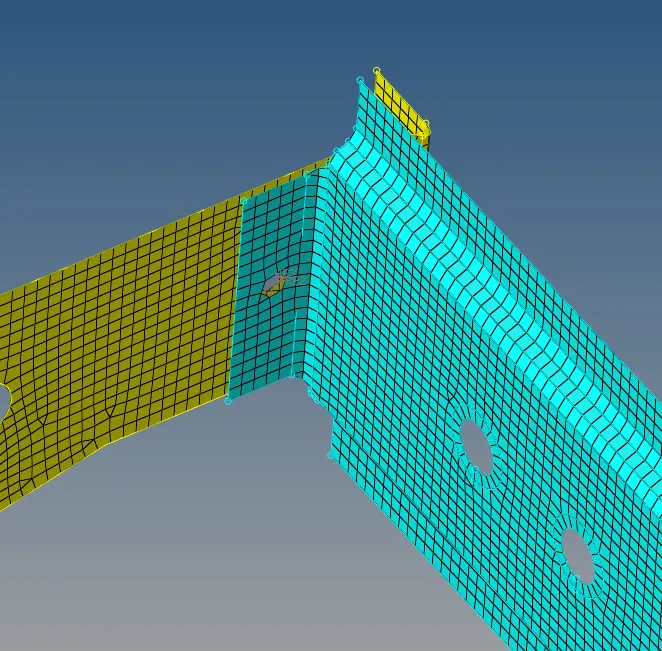
- Same procedure is followed as above.
7. To connect Right_Rail_1 & Right_Rail_2 using Spot-weld with Rigid Elements.

- 2D> Connectors> Spot>Location:- Node list> Type:-Rigid> Diameter:-5> Num Layer:- Total 2.
- Giving the tolerance and also selecting the components> Create.
- The Connection is deployed or realised as shown below.
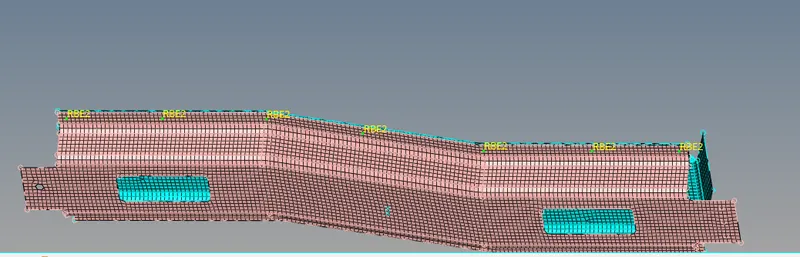
8. To connect Left_Rail_1 & Left_Rail_2 using Spot-weld with Spring Elements.

- 2D> Connectors> Spot>Location:- Node list> Type:-Spring> Diameter:-5> Num Layer:- Total 2.
- Giving the tolerance and also selecting the components> Create.
- The Connection is deployed or realised as shown below.
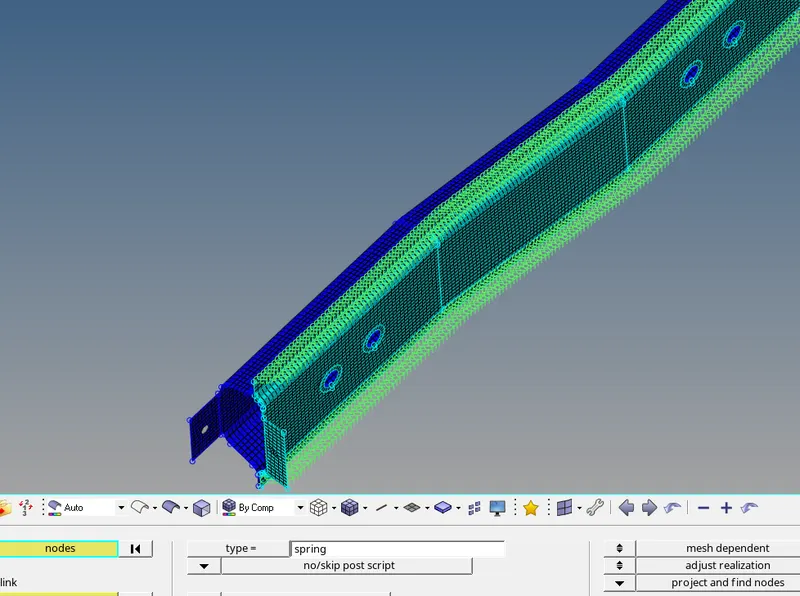
Final Pictures of the Model:
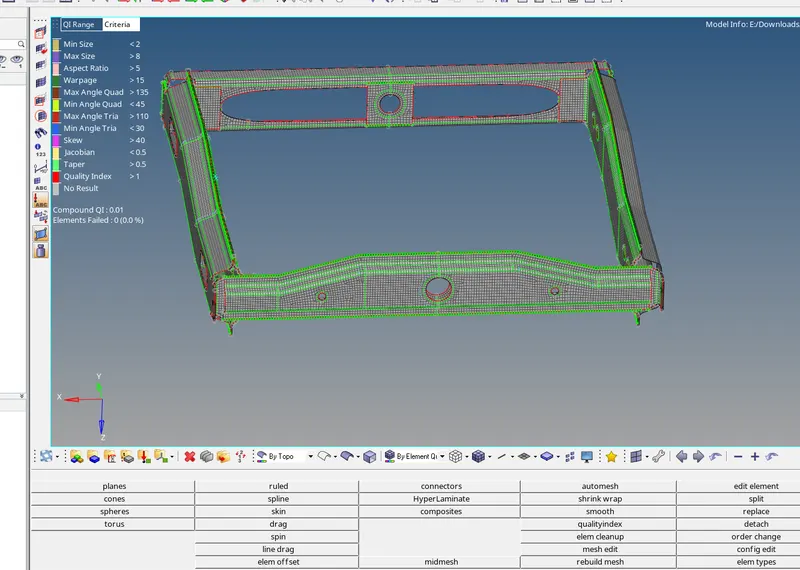
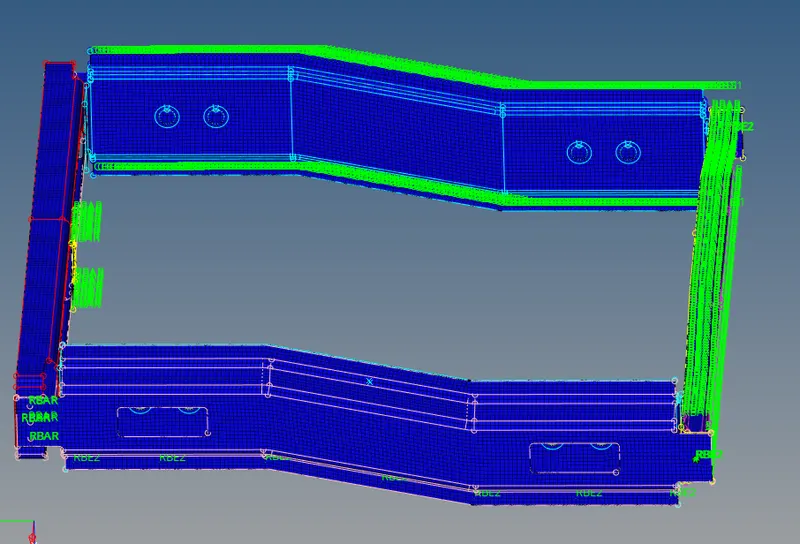
Element Quality: Connections:
RESULT: Sucessfully meshed the components with given the Quality criteria and mesh Parameter and deployed all the required Connection.