Week 9-Creation of 1D Connectors Challenge
Creation of 1D Connections
Connectors
Connectors are geometric entities (not FE) primarily used to create spot- and seam welds, but also used to create adhesives, bolts, and masses. They are simply a database of information defining specific requests for connections at specific locations. They are a medium to create both solver-independent and/or solver-dependent connections between geometric and/or FE entities.
There are three different connector states
Yellow unrealized connector
- A new created or imported connector before the first realization
- Requires editing the connector definition (i.e. add or delete a link entity from the connector), the connector removes the welds it created and reverts back to an unrealized state.
- manual unrealization
Green successful realized connector
Red failed connector
- If the creation of the FE representation is unsuccessful (due to low tolerance, insufficient link entities, etc.) the connector icon is displayed as failed (red).
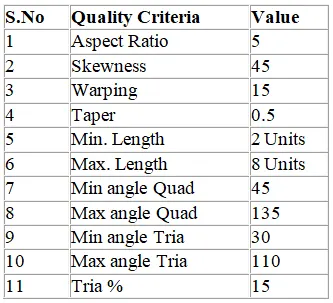
Target Element size - 5 Units
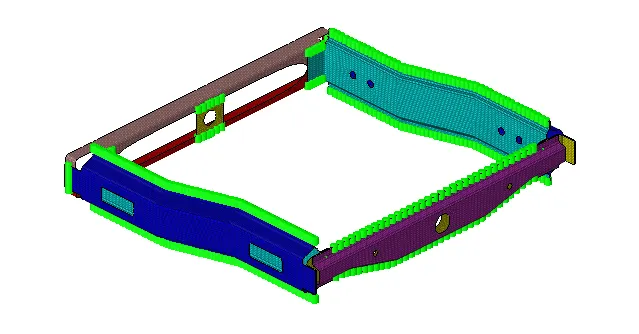
- Right_Rail_2 & Front_truss_1:- Seam-Quad(angled+capped+L)
- Left_Rail_2 & Front_truss_1:- Quad elements
- Front_truss_2, Front_truss_1 & Right_Rail_1:- Spot weldwith 2 Layers and 5 mm Diameter
- Front_truss_2, Front_truss_1 & Left_Rail_1:- Hexa (Adhesive)
- Rear_truss_2 & Right_Rail_2:- Bolt Connector
- Rear_truss_2 & Left_Rail_2:- Bolt Connector
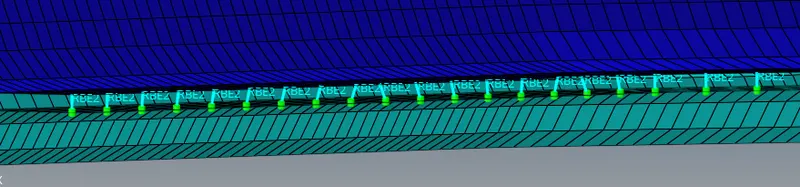
- Right_Rail_1 & Right_Rail_2:- Spot-weld with Rigid Elements
- Left_Rail_1 & Left_Rail_2:- Spot-weld withSpring Elements
- Rest of the component left to join them with suitable connectors
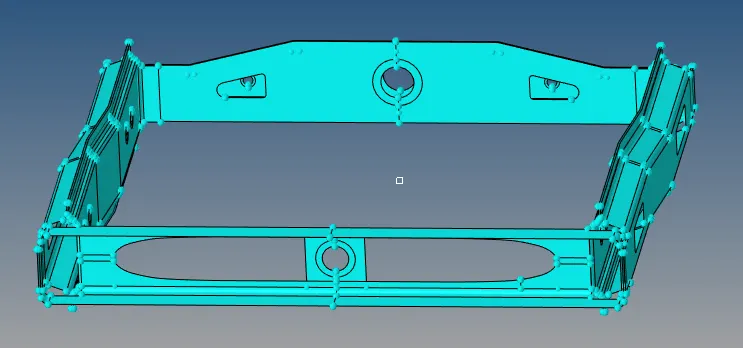
Component Model
Procedure:
- Import the model and check for geometrical errors
- Model is symmetric and so mesh one side and reflect the mesh
- To mesh the model, go to 2D>automesh>surfs>element size
- Mesh the components separately and assign a property and material card
- Check for failed elements using Quality Index tab and modify the mesh
- To make connections, go to 1D>Connectors
- Seam-Quad(angled+capped+L): 1D>Connectors>Seam>type=Seam-Quad(angled+capped+L)
- Spacing =5, Tolerance=10
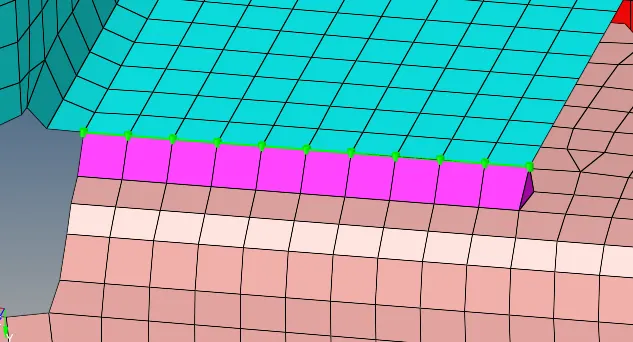
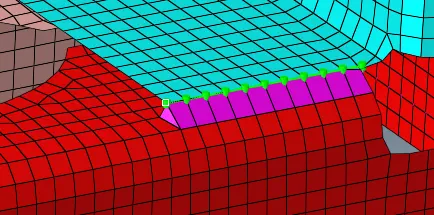
- Seam-Quad elements: 1D>Connectors>Seam>type=Quad
- Spacing =5, Tolerance=10
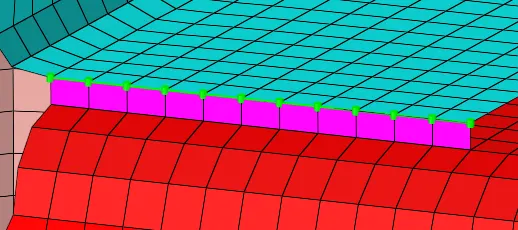
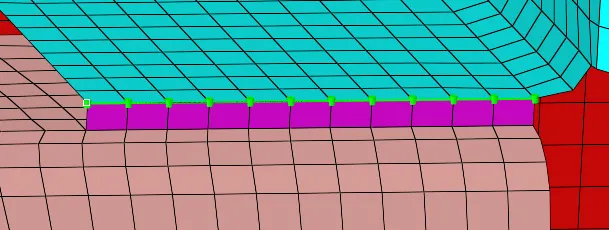
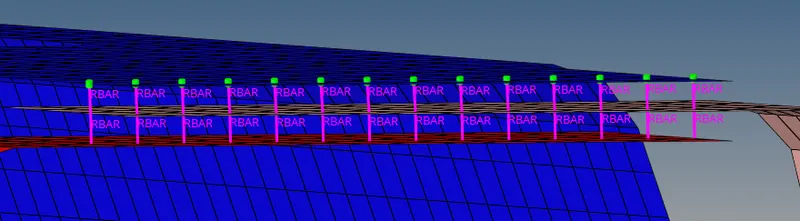
- Spot weld: 1D>Connectors>Spot>type=weld
- layers=2, Tolerance=10, Diameter=5
- Hexa (Adhesive): 1D>Connectors>Seam>type=Hexa (Adhesive)
- Tolerance=10, spacing=5, strips=1, coats=1, width=1
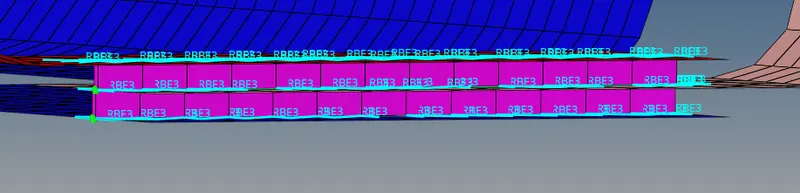
- Bolt Connector: 1D>Connectors>Bolt
- layers=2, type=bolt(general)
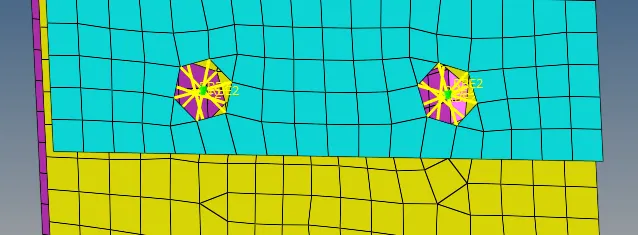
- Spot-weld with Rigid Elements: 1D>Connectors>Spot>type=rigid
- layers=2, Tolerance=10, Diameter=5
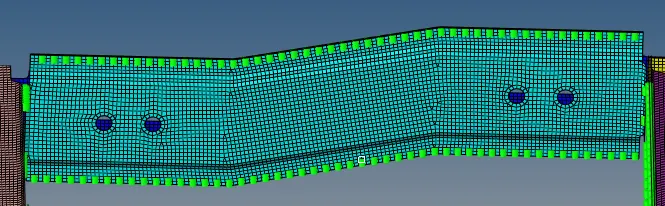
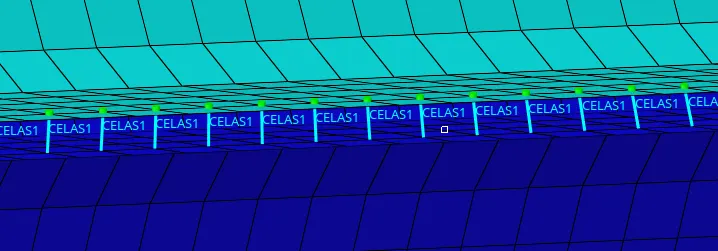
- Spot-weld with Spring Elements: 1D>Connectors>Spot>type=spring
- layers=2, Tolerance=10, Diameter=5
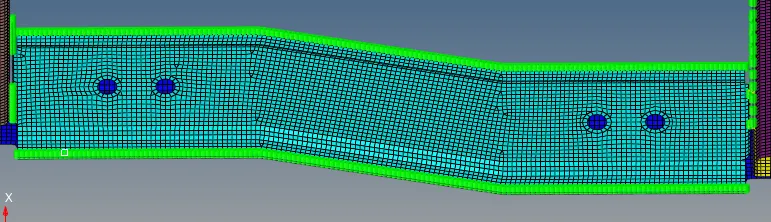
Final Model: